Zappy Review

8.7/10

Ask your marketing data questions in chat and turn the answers into client-ready reports.

Review updated May 2026 By The AI Way Editorial Tested 99+ tools across the site 6 min read
ZapDigits CRM Integration SaaS Web-Based Freemium from $49.00/mo

Our Verdict

Zappy is worth opening when reporting is slowing your marketing team down not because the data is missing, but because answering simple client questions still takes too many manual clicks and explanations. Its strength is turning performance questions into charts and narrative answers fast enough to be useful in real client work. But if your team already enjoys building reports in a BI stack and mostly needs storage or visualization, the AI layer may feel helpful rather than essential.

Try it
Free to start, then pay when the limits stop you. Starts at $49.00 USD.
open_in_new Try Zappy
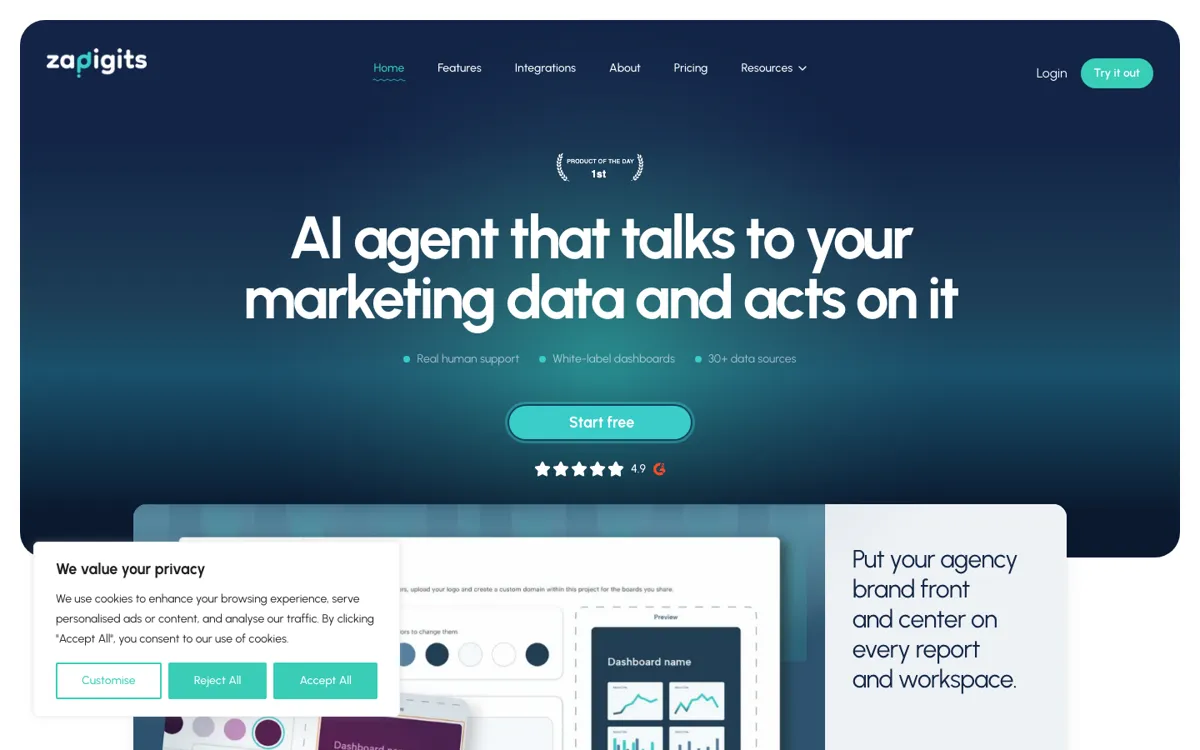
Official Website Snapshot Visit Site ↗

check_circle Pros

  • It starts from the actual reporting job, answering a client or manager question, instead of making users assemble dashboards first and explain them later.
  • The connector list is broad enough to cover the messy mix that agencies and growth teams actually use, including ads, analytics, CRM, ecommerce, and spreadsheets.
  • White-label reporting and branded scheduled reports make it easier to turn AI analysis into something that can go straight to a client without extra formatting work.
  • The product pages keep tying the AI answers back to reusable widgets and dashboards, so the output does not disappear after one chat response.

cancel Cons

  • The value depends heavily on how much your team needs interpretation and reporting speed, not just access to raw numbers.
  • Teams with a mature BI setup and someone comfortable building dashboards manually may see Zappy as a convenience layer rather than core infrastructure.
  • Because the product sits on top of many external sources, the experience is only as good as your underlying data hygiene and connector setup.

Should you use it?

Best for: Best for agencies, performance marketers, and in-house growth teams that keep getting asked to explain results, build recurring reports, and answer channel questions across several disconnected marketing tools.

Skip it if: Skip this if your reporting problem is mostly data warehousing or if your team already has a BI workflow it genuinely likes using. Also skip it if you need strict analyst-grade control over every metric definition before anyone sees an AI-generated explanation.

Is it worth the price?

Freemium Starts at $49.00 USD

The free tier is enough to test whether Zappy actually saves time on reporting questions instead of just producing prettier summaries. Paid plans become easier to justify once client reporting, cross-channel explanation, or recurring dashboard work is already eating expensive team hours every week.

The Free Tier

Free users can test the product before moving into larger source, user, and reporting limits on paid tiers.

Paid Upgrade
$49/month

Paid plans expand connected sources, user limits, dashboard/reporting capacity, and agency-facing features like white-label delivery.

One thing to know before you start

Start with one recurring client question that already burns time every week, like why spend rose while leads fell. That is the fastest way to see whether Zappy is removing reporting work or just rephrasing numbers you already knew.

What people actually use it for

Answering weekly client questions without opening six tabs

An agency account manager can use Zappy when a client asks why conversions dropped, which channel is pulling the most growth, or whether branded search is masking paid performance. Instead of opening GA4, ad platforms, and spreadsheets one by one, the manager can ask the question directly and turn the response into something client-ready. That matters most when reporting questions arrive often and the real cost is explanation time, not access to the data itself.

Building branded recurring reports for several marketing accounts

A team handling multiple brands or clients can use Zappy to combine AI-generated widgets, dashboard sections, and scheduled reports into a repeatable reporting flow. The white-label angle helps here because the output can look like part of the agency's service instead of a rough internal export. This is valuable when reporting is a deliverable clients actually judge you on, not just an internal analytics habit.

Explaining cross-channel performance shifts to non-analysts

In-house marketers often need to explain channel movement to founders, sales leaders, or operators who do not want a raw dashboard tour. Zappy fits when the question is less about pulling numbers and more about turning those numbers into a readable story with charts and context. It matters most when the audience needs answers quickly and does not speak analytics fluently.

What does Zappy actually do?

Marketing teams do not usually struggle because data is unavailable. They struggle because every answer lives in a different tab and every client wants an explanation, not just a screenshot. One person is in GA4, another is checking Meta, someone else is pulling search data, and then the final report still needs a human to explain what changed and why it matters. That is the bottleneck Zappy is aimed at. The homepage keeps the focus on a simple action, ask a question about your data and get back an answer with charts, tables, and written analysis. That matters because it reframes reporting as a question-and-answer job instead of a dashboard assembly job.

What makes Zappy more than a dashboard template is the combination of connectors, AI interpretation, and reusable output. The official pages show integrations across analytics, ads, CRM, ecommerce, and spreadsheets, then tie those sources to AI answers that can be turned into widgets, dashboards, and scheduled reports. White-label reporting is also central to the product pitch, which tells you the team cares about client delivery, not just internal analytics. In plain terms, Zappy is trying to be the layer that turns messy marketing data into something you can send, present, and explain without rebuilding the same report every week.

The limitation is that Zappy depends on the quality of both your source data and your reporting habits. If a team already has a mature BI stack and someone who likes controlling every chart, query, and metric definition manually, then the AI interpretation layer may feel optional. It can save time, but it may not change the operating model. The product also makes the most sense when explanation work is expensive, such as agency reporting or cross-channel performance review. If your data questions are rare or your audience is already comfortable reading raw dashboards, the gap between a helpful tool and a necessary one gets much smaller.

What you can do with it

Ask plain-language questions about marketing performance and get answers as charts, tables, and written explanations.
Connect data from tools like GA4, Google Ads, Search Console, Meta, HubSpot, Shopify, and spreadsheets into one reporting layer.
Turn AI answers into reusable dashboard widgets and combine them into client-facing reports.
Schedule branded reports so clients or internal teams receive updates automatically.
Use white-label reporting to present dashboards and reports under an agency or company brand.
Let the system surface anomalies, performance changes, and trend explanations instead of only showing raw metrics.

Technical details

platform
Web app
deployment
Cloud
api_available
No public API highlighted on reviewed official pages

Top Alternatives to Zappy

If Zappy is close but still misses the job, try one of these instead.

Key Questions

Is Zappy mainly a dashboard builder or an AI analyst?
It is closer to an AI reporting analyst. The official workflow starts with asking a question in chat and getting back analysis, then turning the answer into widgets or reports if you want to reuse it.
Can agencies use Zappy for client delivery, not just internal analysis?
Yes. White-label reporting and branded scheduled reports are part of the product pitch, which makes it suitable for agencies that need client-facing output instead of only internal dashboards.
What kind of data can Zappy pull together?
The reviewed product materials show connectors across ad platforms, analytics tools, CRM systems, ecommerce tools, and spreadsheets. That means it is designed for cross-channel reporting rather than one isolated source.
When does Zappy become more useful than a normal dashboard?
It becomes more useful once the expensive part of reporting is answering questions and packaging explanations, not just displaying metrics. If your team keeps spending hours explaining performance shifts to clients or leadership, that is where the product has the strongest case.