Ayanza Review

7.7/10

AI-powered team workspace for notes, projects, OKRs, workflows, and built-in writing assistance.

Review updated May 2026 By The AI Way Editorial Tested 99+ tools across the site 5 min read
Ayanza Android App iOS App Mac App Team Collaboration Web-Based Windows App Freemium from $6.00/mo

Our Verdict

Ayanza is most interesting for teams that want their planning, notes, goals, and AI drafting to happen in the same place instead of across separate tools. Its real value is not one standout feature, but the way OKRs, projects, notes, workflows, and AI assistance are stacked into one workspace that can hold both execution and context. But that same breadth is also the cost, because teams that only need a simple task tracker may end up carrying a bigger system than they actually want to maintain.

Try it
Free to start, then pay when the limits stop you. Starts at $6.00 USD.
open_in_new Try Ayanza
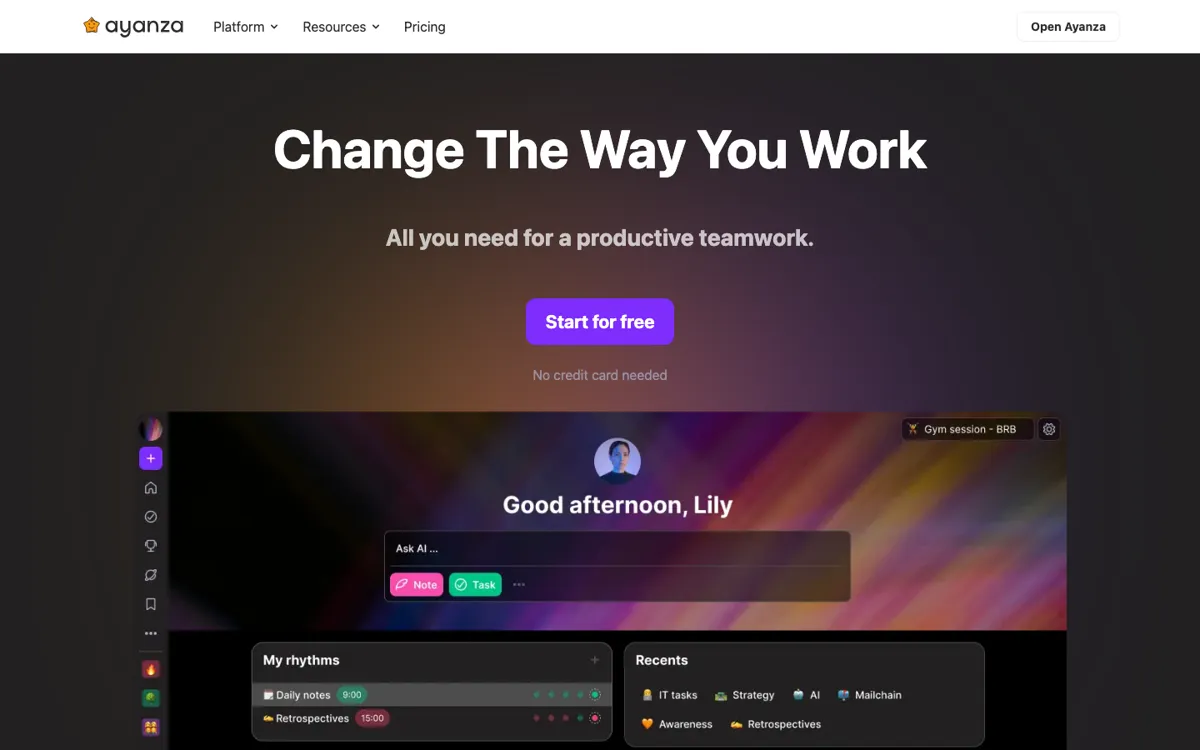
Official Website Snapshot Visit Site ↗

check_circle Pros

  • The free plan is genuinely usable for small teams, with up to 5 users, 200 docs, and core modules like objectives, projects, notes, wiki, chat, and AI writer included.
  • Ayanza ties OKRs, projects, notes, and workflows together, which is more useful than a standalone board when teams need decisions and execution to stay linked.
  • It supports web plus iOS, Android, Mac, and Windows access, which lowers the friction for teams that do not all work from one device setup.

cancel Cons

  • The product scope is wide enough that it can feel like a workspace migration, not a simple add-on tool, especially for teams already settled into separate docs and project systems.
  • The most useful AI assistant capabilities are tiered, with the homepage pricing calling out GPT-3.5 for Premium and GPT-4 for Ultra instead of giving the strongest assistant on the free plan.
  • If your team mainly needs lightweight task tracking, Ayanza asks you to adopt spaces, objectives, notes, and workflows that may be more structure than you need.

Should you use it?

Best for: Best for teams that want to manage planning, documentation, OKRs, project execution, and AI-assisted writing inside one shared workspace instead of stitching together several separate tools.

Skip it if: Skip this if you only need a fast kanban board or a basic team notes app, because Ayanza is built as a fuller operating layer for how the team works.

Is it worth the price?

Freemium Starts at $6.00 USD

The free plan is enough to test whether your team actually wants an all-in-one workspace, not just a prettier task board. Paid tiers start mattering when the AI assistant model quality and unlimited workspace scale become more important than simply getting the system running.

The Free Tier

Free plan is limited to 5 users and 200 docs.

Paid Upgrade
$6/user/month

Paid tiers unlock unlimited users and docs, with AI assistant powered by GPT-3.5 on Premium and GPT-4 on Ultra.

One thing to know before you start

Test the free plan with one real team workflow, not a sandbox space. You will learn much faster whether your team likes Ayanza when notes, tasks, and objectives are all tied to live work instead of dummy content.

What people actually use it for

Running weekly team work in one workspace instead of separate docs and boards

Ayanza fits when a team wants meeting notes, assigned work, goals, and day-to-day coordination to live together rather than jump between a docs app, a project board, and a separate AI writer. The benefit is not just fewer tabs, it is that context stays near execution. That matters when objectives need to connect to tasks and notes, not just sit in a different tool. It is less attractive if your current stack is already simple and your team does not feel pain from switching between tools.

Using AI to draft and refine team content inside the same place work gets tracked

Ayanza makes more sense than a separate writing assistant when the team wants drafting, brainstorming, and knowledge work to happen inside the workspace where plans and tasks already sit. That can shorten the handoff between idea generation and execution. The catch is that the stronger assistant tiers are paid, so teams should test whether the built-in workflow matters enough before paying mainly for the model upgrade.

Keeping OKRs connected to the work that is supposed to move them

Teams often write objectives in one system and manage projects somewhere else, which makes OKRs easy to forget until review time. Ayanza is better suited to teams that want objectives, tasks, notes, and progress signals close together. That setup can reduce the gap between strategic planning and actual work. It is not the best fit for teams that only need high-level OKR reporting and are happy to leave daily execution elsewhere.

What does Ayanza actually do?

Ayanza is trying to solve a familiar team problem: the work is split across too many layers, so goals live in one tool, tasks live in another, notes hide in docs, and AI help sits off to the side in a separate chat window. The homepage and product pages show that Ayanza wants to collapse those layers into one system with spaces, objectives, projects, notes, lists, chat, newsfeed, and AI built in. That matters most for teams that keep losing context between planning and execution. When a task board is detached from the notes and goals behind it, updates become mechanical and nobody remembers why the work matters in the first place.

The product’s strongest move is that the AI is not sold as a separate novelty feature. The AI page and pricing section position it as part of daily collaboration, with AI writing on the free plan and model-specific assistant tiers on paid plans. Combined with project boards, worklists inside notes, OKRs, and full-text search, this gives teams a chance to keep brainstorming, writing, documenting, and shipping in one place. That structure is more valuable than a standalone assistant when the output needs to stay close to the project and the surrounding team knowledge. The multi-platform coverage across web, mobile, and desktop also helps if teams work from mixed environments.

The biggest risk is adoption weight. Ayanza is not just asking a team to try another kanban board, it is asking them to decide whether one workspace should hold goals, notes, processes, and AI-assisted content as well. That is a bigger behavioral shift than the pricing alone suggests. Small teams that only need a light project tracker may feel overcommitted, while teams with a settled docs-plus-project stack may resist moving enough work into Ayanza for the product to show its full value. It works best when the team actually wants a central operating layer, not just a nicer surface for tasks.

What you can do with it

Organize teamwork inside shared spaces for projects, notes, objectives, and workflows.
Track OKRs and measure progress in the same workspace as tasks and team documentation.
Manage projects with kanban boards, list views, custom properties, and AI-generated content.
Write notes, attach worklists inside notes, and search across tasks and documents.
Use built-in AI for writing, brainstorming, and knowledge assistance inside the workspace.

Technical details

platform
Web app with iOS, Android, Mac, and Windows apps
deployment
Cloud
api_available
No public API mentioned

Top Alternatives to Ayanza

If Ayanza is close but still misses the job, try one of these instead.

Key Questions

Is the free plan enough to test Ayanza with a real team?
Yes for a small team. The homepage pricing says the free plan covers up to 5 users and 200 docs, which is enough to test whether your team actually wants goals, notes, projects, and AI in one workspace.
What changes when you move from free to paid plans?
The main shift is scale and AI assistant tier. Paid plans remove the small-team limits and move into GPT-powered assistant levels, with Premium listing GPT-3.5 and Ultra listing GPT-4.
Is Ayanza mainly a project manager or a broader team workspace?
It is broader than a project manager. The product pages cover spaces, objectives, notes, lists, projects, AI, chat, and newsfeed, so the intended use is a shared operating workspace rather than only task tracking.
Who is likely to get less value from Ayanza?
Teams that only want a simple board or a lightweight notes app may get less value. Ayanza works better when the team actually wants to keep planning, documentation, and execution connected.