SimplePDF Copilot Review

8.6/10

An AI PDF editor that fills forms, edits pages, and answers document questions inside the browser.

Review updated May 2026 By The AI Way Editorial Tested 99+ tools across the site 6 min read
SimplePDF API Available PDF Analyzer Privacy Focused SaaS Web-Based Freemium from $99.00/mo

Our Verdict

SimplePDF Copilot is worth opening when the hard part is not reading a PDF, but actually getting through it without missing fields, clauses, or page cleanup steps. Its biggest advantage is that the AI can operate the editor instead of just summarizing the document, so filling, fixing, and navigating happen in one place. But the real business version starts at the Pro tier, which means this is best when PDF handling is a repeat workflow, not a one-off curiosity.

Try it
Free to start, then pay when the limits stop you. Starts at $99.00 USD.
open_in_new Try SimplePDF Copilot
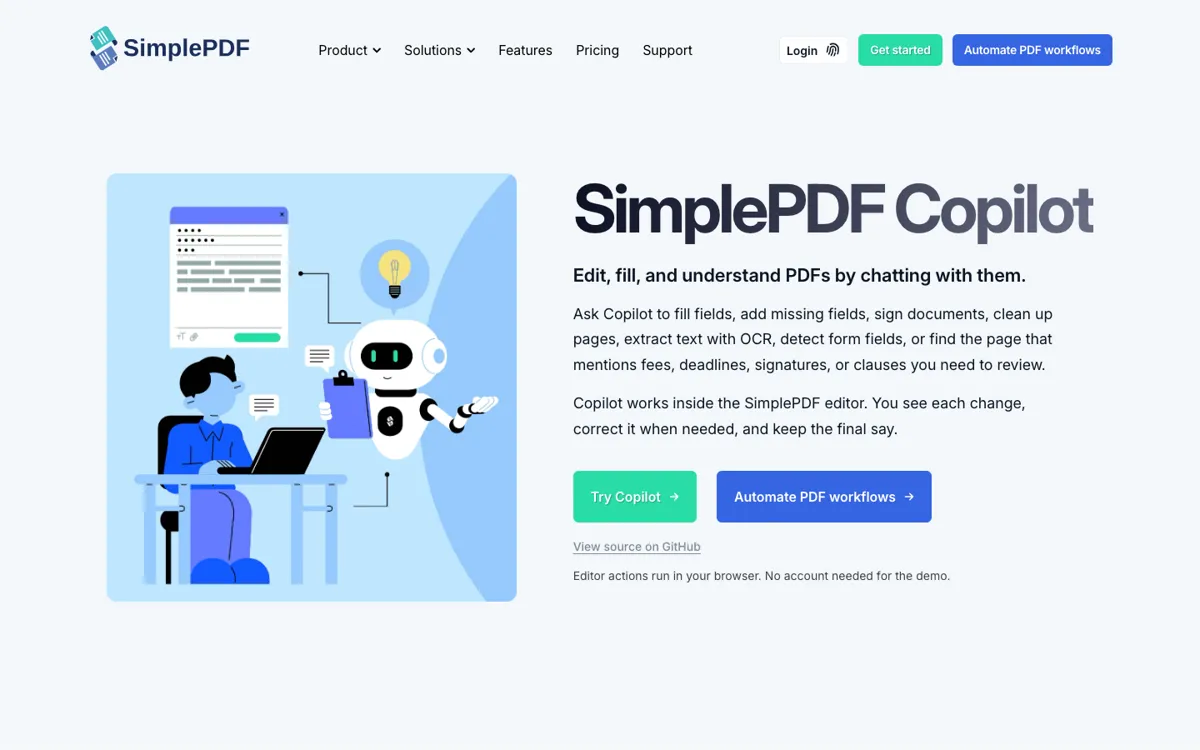
Official Website Snapshot Visit Site ↗

check_circle Pros

  • It lets the assistant act on the document inside the editor, so you can fill, fix, and navigate without translating chat output back into manual clicks.
  • The browser-first setup keeps core PDF editing on the device, which matters for teams that care where document data goes.
  • The product already connects to a larger submission and storage workflow, so it can move beyond demo chats into real operational paperwork.

cancel Cons

  • The most useful Copilot setup for companies depends on paid SimplePDF plans, so the free demo is more of a proving ground than the full product shape.
  • You still need a human to review uncertain fields, clauses, and submissions, especially when the AI is mapping messy source text into formal documents.
  • If you only want generic PDF Q&A and do not need the editor to take actions, this can be heavier than a simpler ask-your-document tool.

Should you use it?

Best for: Filling repeat PDF forms, checking contract or admin clauses, and cleaning up documents inside one browser workflow before submission. It is especially strong when a team keeps handling onboarding, claims, intake, or compliance paperwork that follows the same pattern every week.

Skip it if: Skip this if your main need is a lightweight PDF chatbot that only answers questions and never has to edit, submit, or restructure documents. Also skip it if your PDF workload is so occasional that a Pro-tier workflow product will sit idle most of the month.

Is it worth the price?

Freemium Starts at $99.00 USD

The free surface is enough to see whether the interaction model clicks for you, but the serious value starts when Copilot becomes part of a repeat document workflow. If you are not saving real staff time on forms, submissions, or document handling, the paid plans will feel expensive faster than the AI feels magical.

The Free Tier

Free plan covers individual PDF editing, while the public Copilot demo can be tried without an account.

Paid Upgrade
$99/month

Business tiers add workflow features, while Copilot itself is included from the Pro plan upward with branding and custom storage features.

One thing to know before you start

Test it with a messy real form, not a clean demo PDF. The product becomes much easier to judge when you make it find a clause, fill partial answers, and show you where human review still matters.

What people actually use it for

Fill recurring intake or onboarding forms with fewer manual passes

You already know the pain point: the PDF is not hard in theory, but every run means copying names, dates, addresses, and role details into the same boxes again while double-checking what the form is actually asking. SimplePDF Copilot lets a user describe the situation in plain language, then fills what is clear, asks for missing details, and keeps each change visible inside the editor. The time savings come from collapsing reading, filling, and checking into one flow instead of bouncing between a form, a note, and a separate chatbot. It stops being a great fit when every document is unique enough that no repeat workflow ever forms.

Find clauses, fees, or deadlines without hunting page by page

A contract, application packet, or policy PDF often becomes slow because the real question is hidden somewhere in the middle: where is the cancellation clause, which page mentions the late fee, what still needs a signature. Copilot can extract text, use OCR on scanned pages, and point the user to the relevant section instead of forcing a full manual skim. That matters when the bottleneck is locating the answer before you decide what to fill or send next. It is less compelling if your PDFs are already short, clean, and easy to scan in under a minute.

Embed guided PDF completion inside a business workflow

If your product or internal system already depends on PDF submissions, the more interesting move is not just using a demo at simplepdf.com. The GitHub implementation shows how teams can embed the editor, wire in their own AI provider, and let the assistant drive field filling, page cleanup, and final submission from inside the same app. That can reduce support load for HR, insurance, healthcare, or operations teams where users regularly get stuck mid-form. It is not worth the setup if you only need occasional personal PDF help and have no ongoing document process to improve.

What does SimplePDF Copilot actually do?

Most PDF pain is not about opening the file. It is about getting through the tedious middle without making a mistake. A user has to work out what each field means, copy the right information from somewhere else, find the page with the clause that matters, decide whether a scanned form even has usable fields, then clean up pages before sending the final version. That is exactly the kind of task where a plain chatbot often disappoints, because it can explain the document but cannot actually operate on it. SimplePDF Copilot is aimed at that gap. Instead of making you ask questions in one window and edit in another, it puts the assistant inside the PDF editor so reading, filling, and changing the document happen in one place.

The strong part of the product is that the assistant is connected to real editor actions, not just document summaries. The public Copilot page says it can fill fields, add missing fields, sign documents, rotate or delete pages, extract text with OCR, detect form fields, and jump to the page that mentions a fee, deadline, signature, or clause. The GitHub reference implementation makes the mechanics clearer: tool calls drive the editor through an iframe bridge, browser-side actions keep the PDF local, and companies can swap in their own AI provider or storage setup. That turns the product from a neat demo into something operational for onboarding packets, claims, healthcare paperwork, contracts, and internal admin forms where the same document friction shows up again and again.

The limitation is that this is not magic paperwork autopilot. The product is designed around visible changes and user review, which is a strength if you care about accuracy, but a constraint if you hoped to hand off regulated or high-stakes documents with no supervision. The pricing page also makes the business shape clear: while there is a free plan and a live demo, Copilot as a serious embedded workflow sits in higher tiers alongside branding, storage, and API features. That means the product makes the most sense when PDF handling is frequent enough to justify a system, not when you only need casual document chat once in a while. If the repeat workflow is real, the value case is strong. If it is not, the product can feel heavier than necessary.

What you can do with it

Fill PDF fields from a chat prompt inside the editor.
Add, detect, and review missing form fields on flat or scanned PDFs.
Rotate, move, and delete pages without leaving the PDF workspace.
Extract text with OCR and jump to pages that mention clauses or deadlines.
Submit finished PDFs through SimplePDF workflows or connected storage.
Embed the copilot experience into your own product with programmatic editor control.

Technical details

platform
Web app
deployment
Cloud or self-hosted reference implementation
api_available
Yes

Top Alternatives to SimplePDF Copilot

If SimplePDF Copilot is close but still misses the job, try one of these instead.

Key Questions

Can you try SimplePDF Copilot without setting up a business account first?
Yes. The public copilot page says the demo can be used without an account, which is enough to test the interaction model before you commit to a larger workflow setup.
Does the PDF itself have to leave the browser for Copilot to work?
Not for the core editing layer. SimplePDF describes the editor actions as browser-run, while AI requests send the document context needed for the task through the configured AI route and provider.
What can Copilot do besides answer questions about a PDF?
It can take editor actions, not just summarize text. The product page and GitHub reference both show it filling fields, detecting missing fields, rotating or deleting pages, extracting text with OCR, and guiding the final submit or download flow.
When does the paid plan become necessary?
The paid tiers matter when you want Copilot as part of a repeat workflow rather than a one-off demo. The pricing page places Copilot in the Pro tier alongside branding, storage, and embedding features that businesses need for production use.