Rowboat Review

8.0/10

An open-source AI coworker that remembers your work and acts on it.

Review updated May 2026 By The AI Way Editorial Tested 99+ tools across the site 5 min read
Rowboat Labs Knowledge Base Mac App Open Source Windows App Freemium

Our Verdict

Rowboat is for people who are tired of re-explaining projects to AI every time they switch tasks. Its real value is the memory layer: it tries to turn meetings, notes, and work artifacts into a reusable knowledge graph, then act on that context instead of treating each request like a fresh prompt. But that also means it is not a lightweight chatbot, so it makes more sense for ongoing project work than for quick one-off questions.

Try it
Free to start, then pay when the limits stop you.
open_in_new Try Rowboat
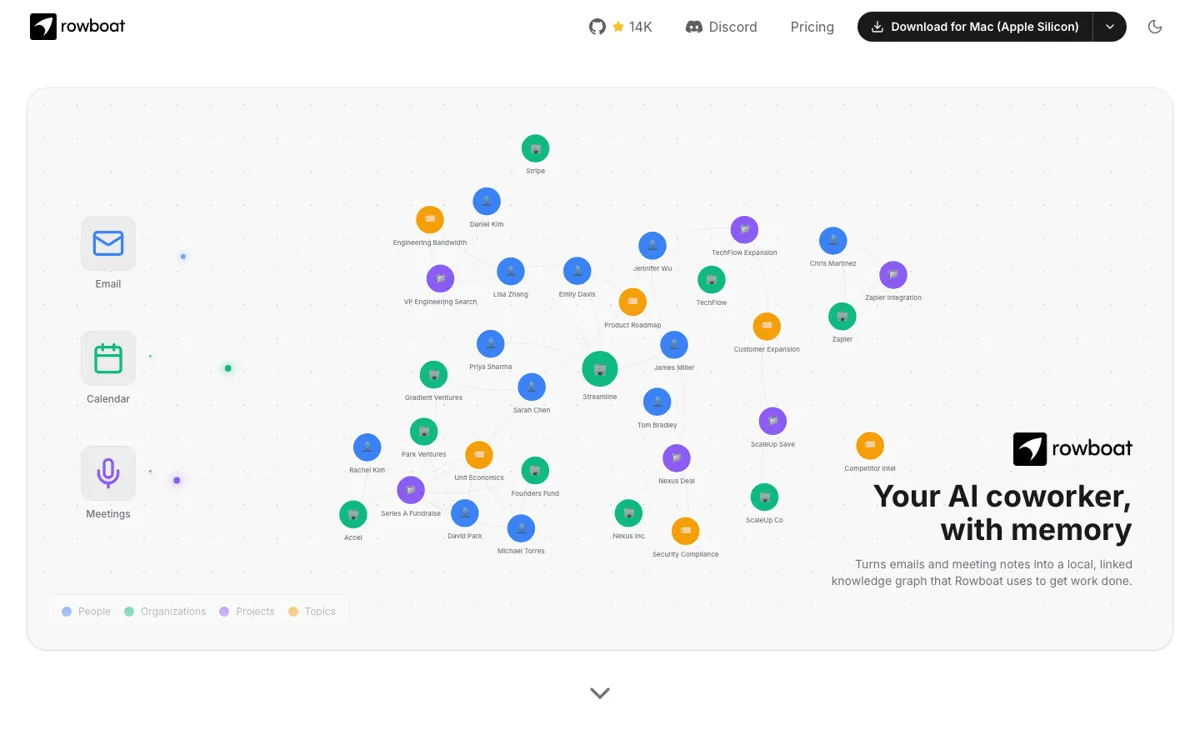
Official Website Snapshot Visit Site ↗

check_circle Pros

  • It is built around persistent memory, which is more useful for recurring project work than a chat tool that forgets everything between sessions.
  • The open-source positioning gives teams a path to self-host instead of handing all working context to a closed vendor.
  • It ships as a desktop app for Mac, Windows, and Linux, so non-developers can try it without assembling their own stack first.
  • The product is aimed at real work outputs like meeting prep, information organization, and deck creation, not just generic chat.

cancel Cons

  • The memory-first setup is overkill if you mainly need quick answers or disposable prompts.
  • Official pricing is not very transparent from the captured public pages beyond a trial signal, which makes budget planning harder.
  • A knowledge-graph workflow only pays off if you consistently feed it useful work context, so setup discipline matters more than with a simple assistant.

Should you use it?

Best for: Best for preparing for repeat meetings, organizing project material, and building follow-up decks or outputs from the same body of work instead of re-prompting from scratch each time.

Skip it if: Skip this if you just want a fast general chatbot or a simple notes app. It is also a poor fit if you will not maintain enough project context for the memory layer to become useful.

Is it worth the price?

Freemium

The 7-day free trial is enough to see whether shared memory actually saves your team time. If your work is mostly one-off requests instead of repeated projects, the memory system will feel heavier than the payoff.

The Free Tier

Official site assets mention a 7-day free trial.

Paid Upgrade
Contact for pricing

Continued access beyond the trial; official public pages did not expose a stable starting price in captured text.

One thing to know before you start

Do not judge Rowboat on a single prompt. Feed it repeated meeting and project context first, because the product claim is about accumulated memory rather than instant zero-context answers.

What people actually use it for

Prepare for the next meeting without rebuilding context

A team can feed prior notes, references, and ongoing work into Rowboat, then use that stored memory before the next discussion. That saves time when meeting prep usually means searching across docs, chats, and stale decks. It is most valuable when the same project comes up repeatedly and context has to survive between sessions.

Turn scattered work into a reusable project memory

If project knowledge lives across documents, notes, and partial outputs, Rowboat tries to map that material into a knowledge graph the assistant can act on later. This reduces repeated explanation and makes follow-up tasks easier to start, but only if the team keeps feeding it meaningful artifacts instead of expecting magic from empty state.

Generate decks and follow-up outputs from prior work

The product pitch includes generating decks from stored work context, which is useful when presentations normally require digging through prior meetings and source files. The value is highest when the presentation is an extension of an ongoing project rather than a completely fresh topic.

What does Rowboat actually do?

The usual failure mode with workplace AI is not weak model quality, but weak continuity. A team has one set of notes in a meeting doc, another in a task tracker, and a third in someone's head. When they ask an assistant to help with the next meeting, the next deck, or the next follow-up plan, they paste fragments into a new chat and start over again. That wastes time, but it also strips away the context that makes project work coherent. Rowboat is aimed squarely at that problem. Both the official site title and the GitHub description frame the product around memory, not just generation, which means the pitch is really about reducing repeated context assembly across recurring work.

The solution Rowboat offers is a persistent AI coworker that turns work into a knowledge graph and acts on it later. That is more concrete than saying it simply 'understands your documents.' The discovery signals also point to outputs like meeting preparation, information organization, and deck generation, which makes the product easier to place in actual workflows. Instead of treating each request as a one-off prompt, Rowboat is trying to become the layer that remembers prior discussions and materials well enough to support the next step. The desktop availability across Mac, Windows, and Linux matters here too, because it positions the product as something normal workers can install and use, not just an experimental developer stack.

The main limitation is that memory systems are only useful when there is enough repeated context to remember. If your work is mostly isolated questions, ad hoc brainstorming, or short-lived tasks, Rowboat's setup burden may outweigh its benefit. Official pricing is also not especially clear from the captured public pages beyond a trial signal, so it is easier to understand the product's value than its eventual cost. In practice, Rowboat looks strongest for teams with recurring project threads, repeated meetings, and document-heavy work that keeps coming back. It looks weaker as a casual assistant for people who do not need continuity from one session to the next.

What you can do with it

Turn work artifacts into a knowledge graph the assistant can reuse later.
Run as a desktop app on Mac, Windows, and Linux.
Use persistent memory so follow-up tasks do not start from a blank context window.
Help organize meeting context and supporting materials before the next discussion.
Generate decks and other work outputs from accumulated project knowledge.
Self-host because the product is open source.

Technical details

platform
Mac, Windows, Linux desktop
deployment
Desktop app with open-source self-hosting option
api_available

Top Alternatives to Rowboat

If Rowboat is close but still misses the job, try one of these instead.

Key Questions

Is Rowboat just another AI chat app?
No. The official positioning is centered on memory and a knowledge graph, not generic chat. That means the product is supposed to carry project context forward, which is the main reason to use it instead of a plain assistant window.
Who gets the most value from Rowboat?
Teams or individuals with repeated, context-heavy work get the most out of it. If the same meetings, project docs, and follow-up tasks keep resurfacing, the memory layer has something real to build on.
Can non-developers try it, or is it only for engineers?
Non-developers can try it because the product is offered as a desktop app for Mac, Windows, and Linux. The open-source angle helps technical teams, but the product is not limited to source-code workflows.
Does the official site show clear pricing?
Not clearly from the captured public pages. There is a trial signal on the official site assets, but a stable starting paid price was not safely confirmed from the official pages I captured, so budget questions need a closer pricing check before purchase.