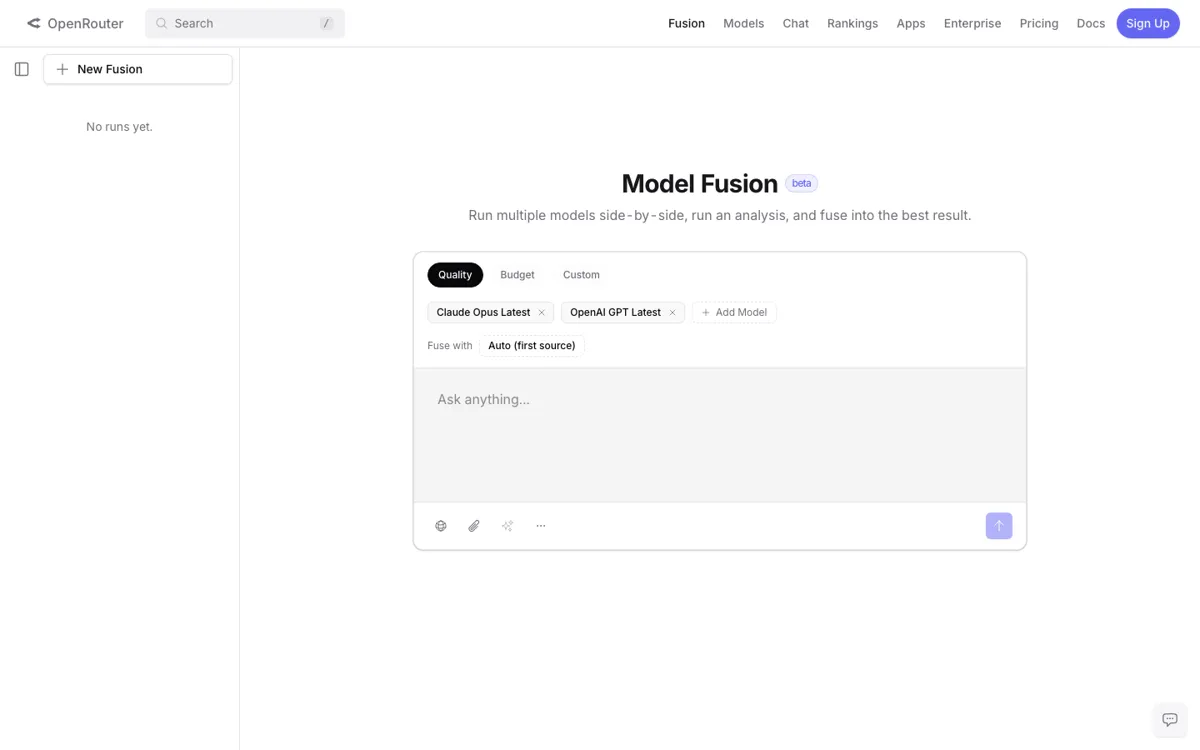
What does Fusion actually do?
Fusion is useful because it removes the sloppy part of model testing. Instead of jumping across tabs and guessing from memory, you keep one prompt fixed and read the outputs side by side in one workspace.
A side by side model comparison tool for running the same prompt across multiple AI models in one place.
Fusion is worth using when the expensive part is choosing the wrong model, not writing the prompt. The side-by-side comparison flow is the whole reason to open it, and it makes real model choice much cleaner than tab-hopping. The weak point is depth: the workflow is clear, but the product still feels lighter than a full benchmark lab.
running the same prompt across several models and picking the strongest one for a repeat task
Skip it if: you already know your model stack and do not need a separate comparison surface
Fusion should be read as an OpenRouter usage surface, not as a standalone fixed-price app with its own simple subscription ladder. The real budget question is how often you compare models and which ones you include, because the cost follows OpenRouter usage rather than a dedicated Fusion monthly plan.
OpenRouter offers a free entry path, but there is no clear permanently free Fusion usage bucket. In practice, comparison runs still depend on available OpenRouter usage rather than an unlimited standalone free product layer.
Paid usage lets you keep comparing models at real usage volume across the OpenRouter stack.
Use the prompts you actually repeat in work. Random benchmark prompts tell you less than one real memo, summary, or planning task you care about.
If you reuse the same kind of prompt every week, like a memo, summary, or planning draft, Fusion gives you a cleaner way to test it. You run the same prompt across several models, open the outputs side by side, and note which one is strongest on that exact job. That saves you from bouncing between separate chat apps and trying to remember which answer was sharper after the fact.
The newsletter guide frames Fusion well for this: compare a few models on the tasks you already do, write down which one wins for each pattern, then use that as your own cheat sheet. That is more useful than reading general model hype because it lets you test what actually matters in your workflow. It is less useful if you are not willing to define a repeatable prompt and judge answers carefully.
Fusion is useful because it removes the sloppy part of model testing. Instead of jumping across tabs and guessing from memory, you keep one prompt fixed and read the outputs side by side in one workspace.
If Fusion is close but still misses the job, try one of these instead.