OpenHuman Review

6.9/10

A desktop AI assistant that turns your connected tools and notes into a local memory tree.

Review updated May 2026 By The AI Way Editorial Tested 141+ tools across the site 5 min read
TinyHumans AI Agents Knowledge Base Mac App Open Source Privacy Focused Windows App

Our Verdict

OpenHuman makes sense when a normal AI chat keeps failing because it forgets yesterday's inbox, notes, and project context. Its most valuable angle is the local memory tree and Obsidian-style vault, because you can open the files and see what the assistant is carrying forward. But this is still early beta software, so you are buying into an ambitious memory system before the product feels fully settled.

Try it
Paid product.
open_in_new Visit OpenHuman
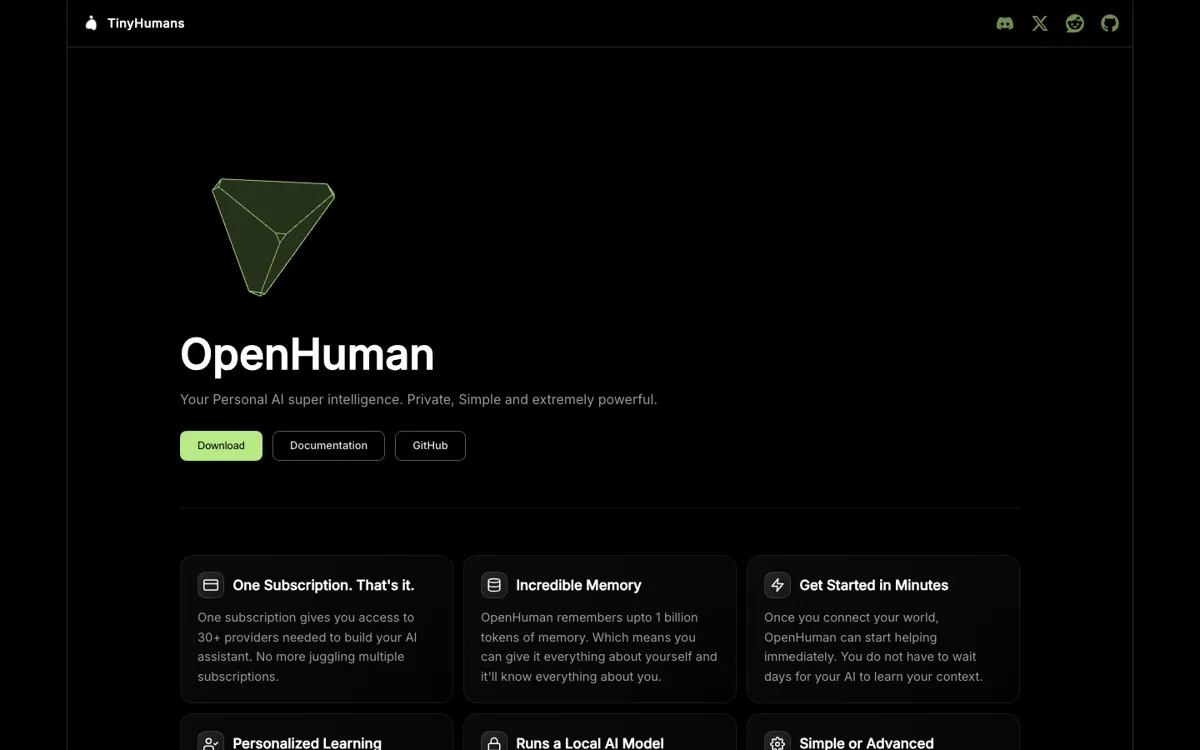
Official Website Snapshot Visit Site ↗

check_circle Pros

  • The local memory tree gives you a concrete place to inspect what the assistant knows instead of treating memory as a black box.
  • It connects a wide list of services, so OpenHuman is built for carrying context across tools rather than restarting from zero in every chat.
  • Optional local AI through Ollama makes the privacy pitch more credible than products that only say your data is safe in the cloud.

cancel Cons

  • The project is explicitly marked early beta, so rough edges are part of the current product, not an exception.
  • OpenHuman makes the most sense only after you connect data sources and let its memory system build context, which is heavier than opening a simple chatbot.
  • There is no public pricing page in the fetched official pages, so you cannot judge subscription cost or plan limits before digging further.

Should you use it?

Best for: Best for keeping one assistant synced with your inbox, notes, GitHub activity, and other connected tools so you stop re-explaining the same project context in every chat.

Skip it if: Skip this if you only want a lightweight chat app or you need a polished, fully mature product right now. The value here depends on its memory stack, integrations, and ongoing sync, not quick one-off chatting.

Is it worth the price?

Because the site talks about one subscription but does not expose a public pricing page in the fetched official materials, you should assume the free trial story is still unclear until you check inside the product or later docs. If price sensitivity is your first filter, OpenHuman does not make that decision easy upfront.

One thing to know before you start

Use the Obsidian vault view early. It is the fastest way to check whether the assistant is collecting the right context or just piling up noisy memory.

What people actually use it for

Keep a running memory of work across inbox, notes, and chats

If your day is split across Gmail, Slack, GitHub, Notion, and scattered notes, OpenHuman is built to keep pulling those sources into one local memory tree. That matters when you want the assistant to answer with yesterday's context already loaded instead of forcing you to restate the same project history every time. The win is less prompt setup and more continuity, but it only pays off if you are willing to connect the sources first and let the memory build over time.

Audit what the assistant knows before trusting it with personal context

OpenHuman's Obsidian-style vault is useful when you do not want memory to stay hidden behind a product claim. The docs say the same chunks the agent reasons over are written as Markdown files you can inspect, edit, and link by hand. That makes it easier to spot noisy imports or stale context before they turn into worse answers, though it also means this product fits people willing to open the vault and check the files instead of users who just want a sealed consumer app.

Run a privacy-heavier assistant with some work kept on device

If privacy is part of the purchase decision, OpenHuman gives you a clearer story than many assistant apps by keeping the memory tree on your machine and supporting optional local AI through Ollama for some workloads. That helps when you want summarization and memory handling closer to your device instead of sending every low-level task outward. The tradeoff is that privacy here comes with more setup assumptions and a more technical mental model than a simple hosted chat tool.

What does OpenHuman actually do?

Most personal AI assistants still break at the same point: they sound helpful in a demo, then forget your world the moment the current thread ends. You answer one question, close the window, and tomorrow you are pasting the same project links, email context, meeting notes, and half-finished thoughts all over again. OpenHuman is aimed directly at that failure mode. Its docs frame the product as a desktop assistant that keeps syncing connected sources like Gmail, Slack, GitHub, Notion, and your own notes into a local memory tree, so the assistant has a running picture of your work instead of a one-shot prompt snapshot.

The product's strongest idea is not just that it stores memory, but that the memory is inspectable. OpenHuman says it writes that context into a local SQLite memory tree and mirrors the same reasoning chunks into Markdown files inside an Obsidian-style vault. You can open the vault yourself, inspect the files, and treat the memory as something visible instead of mystical. The docs also describe optional local AI through Ollama, one-click integrations for many services, and desktop-first install paths for Mac and Windows. Put together, that turns OpenHuman into more of a personal context layer plus assistant than a plain chat interface.

The limitation is that OpenHuman still reads like an ambitious early system rather than a settled mainstream assistant. The GitHub page explicitly says early beta and warns users to expect rough edges. A lot of the value depends on connecting sources, trusting its sync loop, and buying into its memory-centric workflow, which is a bigger commitment than opening a chat app for one quick answer. On top of that, the public product materials fetched here do not expose a clean pricing page, so anyone comparing it against simpler paid assistants still has to accept more pricing ambiguity before deciding whether the memory model is worth the extra setup.

What you can do with it

Connect more than 118 services and keep pulling fresh context into its memory tree.
Store personal memory locally in SQLite and mirrored Markdown files you can open in Obsidian.
Run local AI workloads through Ollama for summarization and other on-device tasks.
Talk to the assistant over text, audio, and video instead of staying inside a plain chat window.
Switch between simple one-click integrations and manual credential setup for tighter control.
Install it as a desktop app from the website or via shell and PowerShell install scripts.

Technical details

platform
Desktop app for macOS and Windows, with docs also referencing Linux secret storage
deployment
Local-first desktop app built on Rust and Tauri, with optional Ollama for on-device workloads
api_available
No public API offering found in the fetched official product page or docs

Top Alternatives to OpenHuman

If OpenHuman is close but still misses the job, try one of these instead.

Key Questions

Does OpenHuman work like a normal AI chat app?
Not really. The main pitch is that it keeps building context from connected tools and local memory, so it is closer to a persistent personal assistant than a blank chat box you open for isolated questions.
Why does the Obsidian-style vault matter?
It matters because you can inspect the memory yourself. The docs say the assistant's reasoning chunks are written into Markdown files, which gives you a way to see and edit what the system is carrying forward instead of trusting a hidden memory layer.
Is OpenHuman fully local?
Not completely. The docs say the memory tree and local data stay on your machine, and optional local AI can handle some workloads through Ollama, but the backend still brokers things like LLM calls, OAuth tokens, search, and updates.
Can you judge the pricing before signing up?
Not clearly from the public pages fetched here. The site mentions one subscription, but there was no public pricing page surfaced in the official pages I fetched, so plan limits and entry cost are still opaque from the outside.