Mintlify Review

8.7/10

AI-native documentation platform built for developers, support teams, and LLM-ready knowledge.

Review updated May 2026 By The AI Way Editorial Tested 133+ tools across the site 6 min read
Mintlify AI Search API Available Knowledge Base RAG SaaS Security Summarization Team Collaboration Web-Based Workflow Builder Writing Assistant Freemium

Our Verdict

Mintlify is strongest when documentation is already part of how your product gets adopted, supported, and discovered by AI systems. It is not just a prettier docs front end. It tries to turn docs into an active knowledge layer with agents, MCP support, analytics, and workflows that keep information current. The tradeoff is that you are buying into a fuller platform, which is more powerful than a simple doc site but also harder to justify if your team only needs basic publishing.

Try it
Free to start, then pay when the limits stop you.
open_in_new Try Mintlify
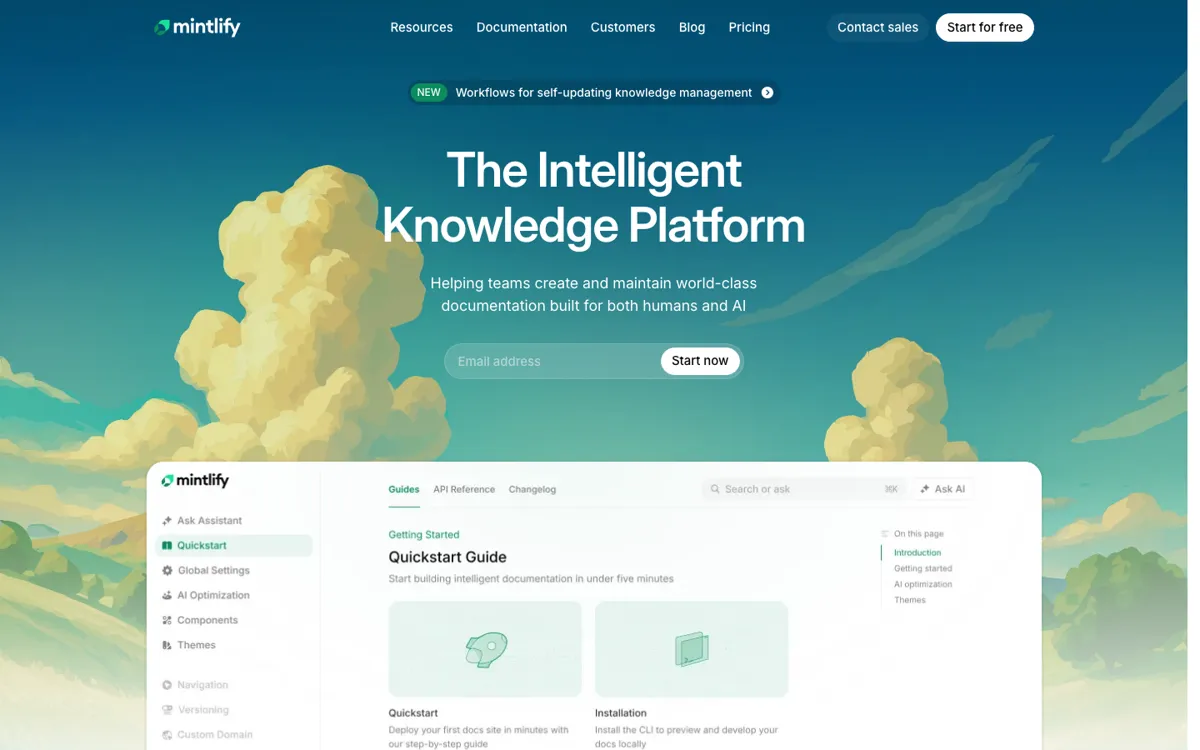
Official Website Snapshot Visit Site ↗

check_circle Pros

  • It tackles the painful part of docs work, not just the front end, by combining authoring, maintenance, AI delivery, and end-user assistance.
  • The AI positioning is concrete rather than hand-wavy, with explicit llms.txt and MCP support for teams that care about AI-readable knowledge.
  • Pricing is transparent enough to judge quickly, with a free tier, a visible Pro price, trial terms, and credit overage pricing on the page.
  • It fits real developer-platform workflows because it bundles API reference, preview deployments, analytics, and enterprise controls into one docs stack.

cancel Cons

  • The jump from free Hobby to Pro is steep, so smaller teams may outgrow the trial experience before they are ready for a $250 monthly commitment.
  • The platform does a lot, which can be overkill if your docs are mostly static pages with low update pressure.
  • Credit-based agent usage means part of the cost story depends on how heavily your team and users lean on AI features over time.
  • Teams that already have a mature docs stack may still face migration and workflow change costs even if Mintlify offers switching help.

Should you use it?

Best for: API companies, developer tools, and SaaS teams that need docs to serve several jobs at once: onboarding users, reducing support load, staying current with product changes, and showing up cleanly inside AI-assisted workflows.

Skip it if: Skip it if you just need a low-cost public docs site with manual updates, or if your team cannot justify a fast jump from a free tier into a platform-priced documentation workflow.

Is it worth the price?

Freemium

Mintlify is easy to try, but the real buying decision starts when your docs become operational infrastructure. The free entry helps you test fit, yet the product is priced like a strategic docs platform, not a lightweight static-site theme.

The Free Tier

Hobby plan is free, plus a 14-day trial with no credit card required.

Paid Upgrade
$250/month

Pro adds assistant and writing agents, preview deployments, and password protection on top of the full platform, while Enterprise adds self-updating workflows, performance, security, legal, migration, and support.

One thing to know before you start

Test Mintlify on one docs surface that already hurts, like stale API docs or a support-heavy help center. If the assistant, writing agent, and preview flow reduce maintenance pain there, the rest of the platform becomes much easier to justify.

What people actually use it for

Ship developer documentation that AI systems can read

Teams building APIs or developer platforms can use Mintlify to publish docs that are not only readable to humans but also structured for AI workflows through llms.txt and MCP support.

Reduce repetitive support questions with an assistant

If support teams keep answering the same product or integration questions, Mintlify's assistant layer can turn a docs visit into a guided answer flow instead of leaving users to search manually.

Keep fast-changing docs from falling behind releases

Product teams that ship often can use Mintlify's writing and self-updating knowledge features to cut the lag between code changes and documentation updates, which is where many docs stacks quietly break.

What does Mintlify actually do?

Mintlify stands out because it treats documentation as a live knowledge system rather than a publishing chore. Most documentation tools are easy to understand at first glance: they help you publish pages, add navigation, and maybe improve search. Mintlify goes further and tries to make docs useful in more contexts at once. The homepage talks about knowledge that is written, maintained, and understood by both users and LLMs, which is a meaningful shift in product philosophy. If your users are already asking AI tools to explain your product, then plain static pages are no longer the whole job.

The product also gets more interesting when you look at where the friction usually lives. Documentation debt is rarely caused by the first draft. It shows up when release velocity rises, support questions repeat, and the docs stop matching the product. Mintlify's assistant, writing agent, preview deployments, analytics, and self-updating workflow pitch all aim at that maintenance problem. For a developer platform, that can matter more than beautiful page templates because stale or hard-to-find information breaks onboarding, frustrates integration work, and pushes avoidable questions onto support and success teams.

The boundary is cost and ambition. Mintlify makes the strongest case for teams whose docs already behave like product infrastructure, especially APIs, SDKs, and support-heavy SaaS products. Those teams can justify paying for analytics, AI delivery, enterprise controls, and less manual upkeep. Smaller teams or simpler products may still like the polish, but they should be careful not to buy a full intelligence layer when a basic docs stack would be enough. The free and trial entry points reduce risk, yet the real long-term commitment is to a platform mindset, not just to prettier documentation.

What you can do with it

Publish developer docs, knowledge bases, and help centers from a web editor with custom domains and components.
Expose documentation to AI workflows through llms.txt support and an MCP server.
Use assistant and writing agents to help users search docs and help teams draft or maintain content.
Run preview deployments, analytics, agent feedback, and developer API workflows from the same documentation platform.

Technical details

platform
Web app
deployment
Cloud SaaS
api_available
Developer API and API reference available

Top Alternatives to Mintlify

If Mintlify is close but still misses the job, try one of these instead.

Key Questions

Is Mintlify just a prettier docs site builder?
No. The official product pages position it as a broader knowledge platform with AI assistance, writing agents, MCP support, analytics, and workflows for keeping docs current, not just a theming layer for static pages.
Who gets the most value from Mintlify?
Teams with developer docs, API references, or support-heavy knowledge bases get the clearest return. The platform makes the most sense when documentation affects onboarding, support volume, and AI discoverability, not when docs are a side page you rarely touch.
Does Mintlify have a real free plan?
Yes. The pricing page shows a free Hobby plan, and it also advertises a 14-day trial with no credit card required for trying the broader platform.
What is the main pricing catch with Mintlify?
The main catch is the jump into Pro pricing and ongoing agent usage. Once your team relies on the AI features and operational parts of the platform, you are evaluating a strategic docs system rather than a cheap publishing tool.