Claude Review

7.5/10

An AI assistant for problem solving, long-context reasoning, document-heavy work, writing, and coding.

Review updated May 2026 By The AI Way Editorial Tested 99+ tools across the site 5 min read
Anthropic API Available Long-form Editor Summarization Web-Based Freemium

Our Verdict

Claude is easiest to justify when the job is not just asking a question, but working through a real problem across documents, reasoning, writing, code, or connected team workflows. Its biggest advantage is that Anthropic now positions it as a serious problem-solving assistant with long-context strength, coding support, and growing workplace integrations rather than as a lightweight chat toy. But if you mainly want the busiest consumer AI playground with the widest visible media surface, Claude can still look narrower than some rivals at first glance.

Try it
Free to start, then pay when the limits stop you.
open_in_new Try Claude

Claude vs ChatGPT

Claude and ChatGPT are direct rivals because both want to be the assistant users keep open for writing, reasoning, files, coding, and everyday AI work. The difference is that Claude now leans harder into problem solving, long-context work, and serious workflow support, while ChatGPT leans harder into a broader consumer AI workspace.

Claude

Better when the job is working through long documents, careful reasoning, iterative writing, coding problems, or team-side knowledge work where the task stays open for a while and needs more than a quick one-shot answer..

ChatGPT

Better when the job is work that starts as a question, then turns into file review, deeper research, drafting, image generation, or follow-up execution in the same thread, especially when you want one ai workspace instead of hopping across separate tools..

Read the ChatGPT review →
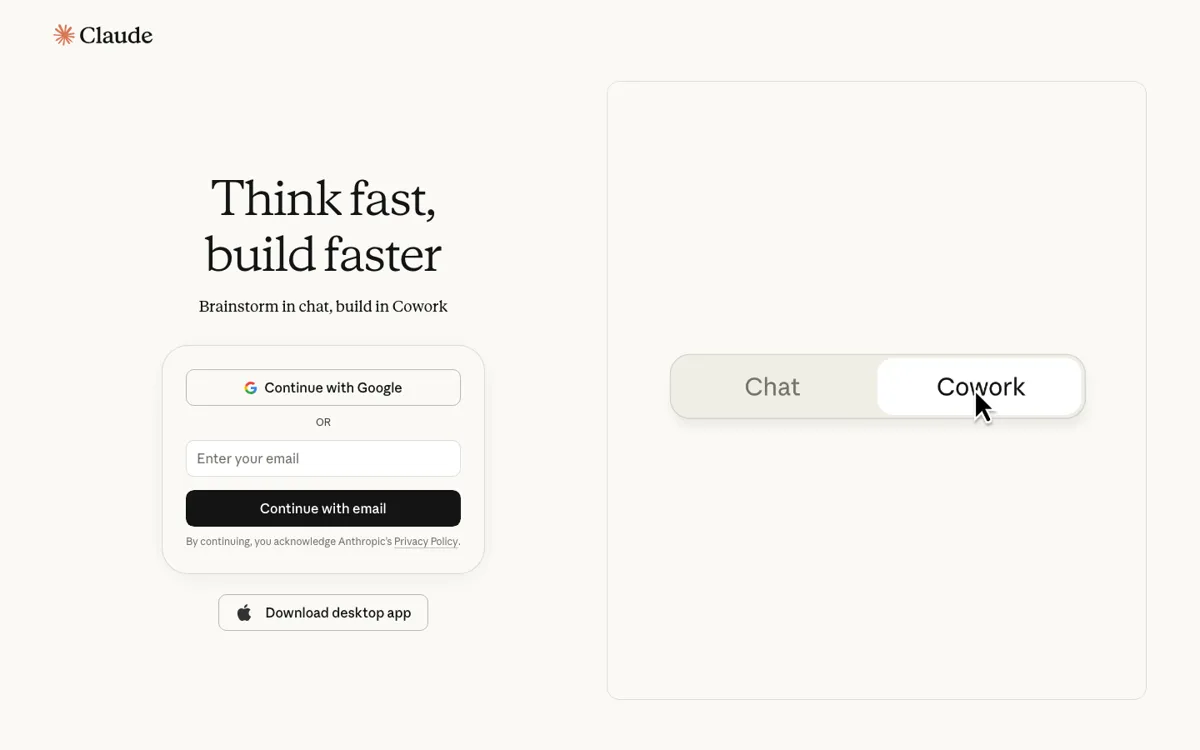
Official Website Snapshot Visit Site ↗

check_circle Pros

  • It is well positioned for serious problem solving that runs through long documents, extended reasoning, writing, and coding in the same assistant.
  • Anthropic now exposes a fuller product shape around Claude, including coding, integrations, and team-oriented surfaces, so the assistant feels less like a single chat box and more like a work product.
  • The plan ladder from Free to Enterprise makes it clear that Claude is meant to scale from solo use into heavier organizational workflows.

cancel Cons

  • Its consumer-facing surface can still look narrower if you judge AI products mainly by how many media modes they expose at first glance.
  • A lot of Claude’s real value shows up in sustained reasoning, document work, coding, and workplace use, so lighter casual users may not feel the difference immediately.
  • Without a clean public extraction of the exact lowest paid step here, the entry upgrade decision is still less obvious than it should be.

Should you use it?

Best for: Working through long documents, careful reasoning, iterative writing, coding problems, or team-side knowledge work where the task stays open for a while and needs more than a quick one-shot answer.

Skip it if: Skip this if your main goal is the broadest consumer AI playground with the loudest media feature spread in one place. Also skip it if your job is so narrow that an editor-native coder, source-first research tool, or another specialist product is the better first tab.

Is it worth the price?

Freemium

The free plan is enough to tell whether Claude’s style of problem solving, long-context reasoning, and document-heavy work fits you. Paying starts to make sense when the assistant is becoming part of regular work across larger files, heavier usage, coding tasks, or team workflows rather than occasional chat.

The Free Tier

Free plan exists, while higher tiers like Pro, Max, Team, and Enterprise expand usage and broader organizational access.

Paid Upgrade
Contact for pricing

Paid tiers such as Pro, Max, Team, and Enterprise are positioned for heavier use and broader individual or organizational workflows.

One thing to know before you start

Test Claude on a real problem that mixes a document, follow-up reasoning, and one or two concrete actions. That shows its current shape better than a short benchmark prompt.

What people actually use it for

Work through a real problem across documents, reasoning, and follow-up steps

Claude makes sense when the task is not finished after one answer. You bring in a long document, ask for interpretation, test a few ideas, revise the output, and keep going until the problem is clearer. That is where Claude’s long-context and structured work style matter more than a flashy first response.

Use Claude for sustained writing and coding help inside serious work loops

Claude is easier to justify when your day involves drafting, checking logic, working through code, or coordinating a problem that lives longer than a quick chat. The value is not only that it can generate text. The value is that the assistant is increasingly framed as part of a broader work product with coding, integrations, and team use in view.

What does Claude actually do?

Claude is easy to undersell if you still describe it as only a long-form writing assistant. Anthropic’s current public framing is broader and more deliberate than that. The main headline now points to problem solving, while the surrounding product surface includes Claude Code, cowork-style collaboration, security, browser and workplace integrations, and agent-related use cases. That changes the mental model. Claude is not just there to tidy up paragraphs or summarize documents. It is increasingly presented as the assistant you keep open when the work involves understanding a problem, thinking through it, and taking a few serious steps toward a solution.

Its older strengths still matter, and they still help explain why many users prefer it. Claude remains easy to justify for long documents, extended reasoning, iterative writing, and coding help that benefits from staying in one thread. But those strengths now sit inside a larger work-oriented product story. Free, Pro, Max, Team, and Enterprise tiers suggest a tool meant to scale from solo use into shared workflows, while coding and integration surfaces push it beyond the narrow image of a text-only assistant. The result is a product that feels more like a serious work assistant than a novelty-first consumer chatbot.

The limit is that Claude can still look less flashy at first glance than rivals that advertise a busier media surface. If your main buying instinct is to count visible modes like image features, voice features, or a crowded consumer dashboard, Claude may not feel as expansive. But that misses where the product is actually trying to win. Claude is strongest when the real job is sustained problem solving across reading, reasoning, writing, code, or team-side knowledge work. If that is not your workload, then another assistant or a specialist tool may fit better. If it is, Claude’s more serious framing becomes a real advantage rather than a missing feature.

What you can do with it

Work through long documents, extended reasoning, and multi-step problem solving in one assistant.
Use Claude for writing, coding help, and document-heavy analysis that needs longer context.
Bring Claude into broader work setups through coding, browser, and workplace integrations.
Scale from solo use into Team and Enterprise workflows as the work gets heavier.
Keep serious problem-solving work in a focused assistant instead of a media-first consumer surface.

Technical details

platform
Web app with iOS app and desktop app
deployment
Cloud
api_available
Yes

Top Alternatives to Claude

If Claude is close but still misses the job, try one of these instead.

Key Questions

Is Claude mainly a writing assistant or a broader problem-solving tool?
It is broader than a writing assistant. Anthropic now presents Claude as an AI for problem solving, with writing, documents, coding, integrations, and team workflows all part of the picture.
What kind of work shows Claude at its best?
Claude is strongest when the task stays open for a while. Long documents, careful reasoning, iterative writing, coding help, and team-side knowledge problems all fit better than quick novelty use.
Does Claude’s free plan show the real product?
Yes, at least enough to judge the style. The free tier is enough to see whether Claude’s problem-solving approach, long-context handling, and work style fit your needs before heavier paid usage matters.
When is Claude the wrong first tab to open?
When you mainly want the broadest media-heavy consumer AI surface, or when a specialist tool already fits the job better than a general assistant. In those cases, Claude’s strengths may be wasted.