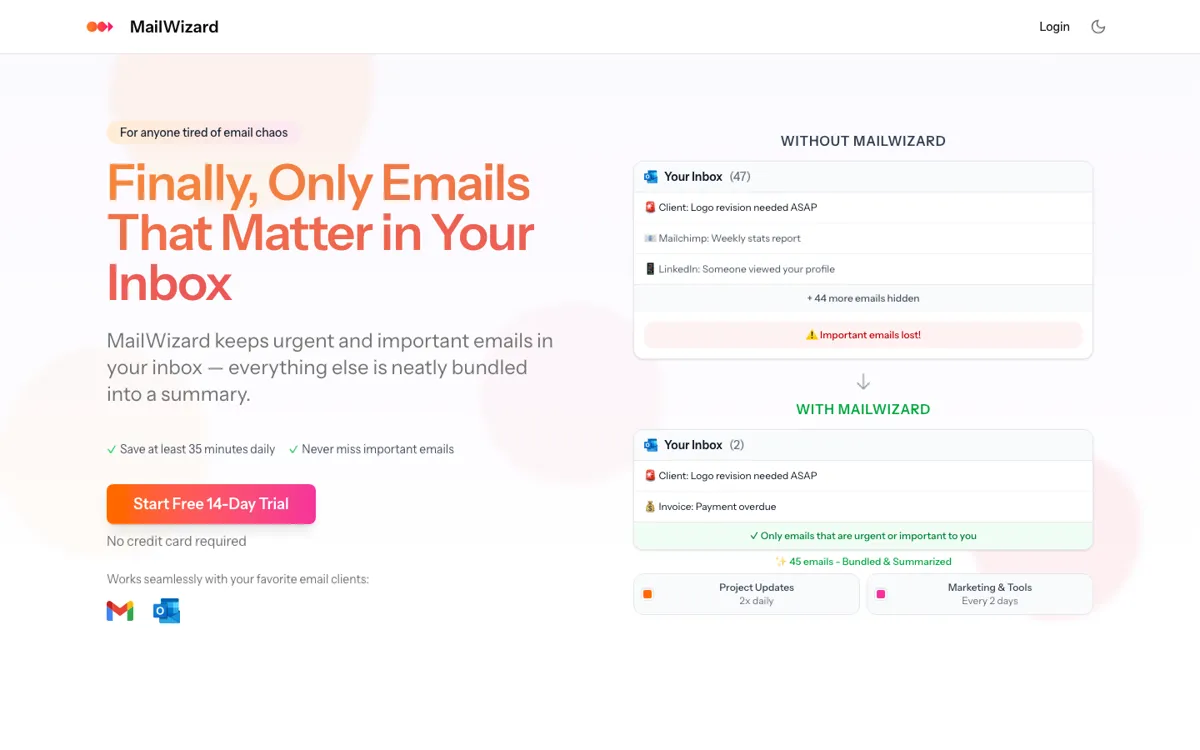
What does MailWizard actually do?
MailWizard is built for a different inbox problem than most AI email tools. It starts before the reply, at the moment you open the inbox and have to separate urgent mail from newsletters, updates, and FYI clutter.
AI inbox filtering and summaries that leave only urgent emails in your main inbox.
MailWizard is most useful if your real email problem is triage, not writing. It keeps urgent messages in the inbox and pushes the rest into summaries, which is a cleaner promise than another reply generator. The catch is trusting its rules and living within clear monthly processing caps.
people who want urgent Gmail or Outlook mail separated from newsletter noise
Skip it if: you mainly want reply drafting or manage several high-volume inboxes
The plan limits are readable, which helps. The downside is that busy inboxes can hit the ceiling quickly, so this feels more like focused triage than broad email ops.
Starter adds one account and 750 emails; Pro adds two accounts, 3,000 emails, plus audio.
Use the free trial on one noisy workflow first, like newsletters or CC-heavy threads. If that rule clears space without hiding important mail, the product gets easier to justify.
Set rules around client names, urgency words, or task-oriented language so the inbox keeps the few messages that need a same-day response while less urgent updates move into summaries.
If your inbox gets flooded by product announcements, marketing mail, and non-urgent updates, MailWizard can group them into scheduled digests instead of forcing you to delete or skim each one manually.
The audio summary option fits people who would rather hear a condensed inbox recap than open every thread.
MailWizard is built for a different inbox problem than most AI email tools. It starts before the reply, at the moment you open the inbox and have to separate urgent mail from newsletters, updates, and FYI clutter.
If MailWizard is close but still misses the job, try one of these instead.