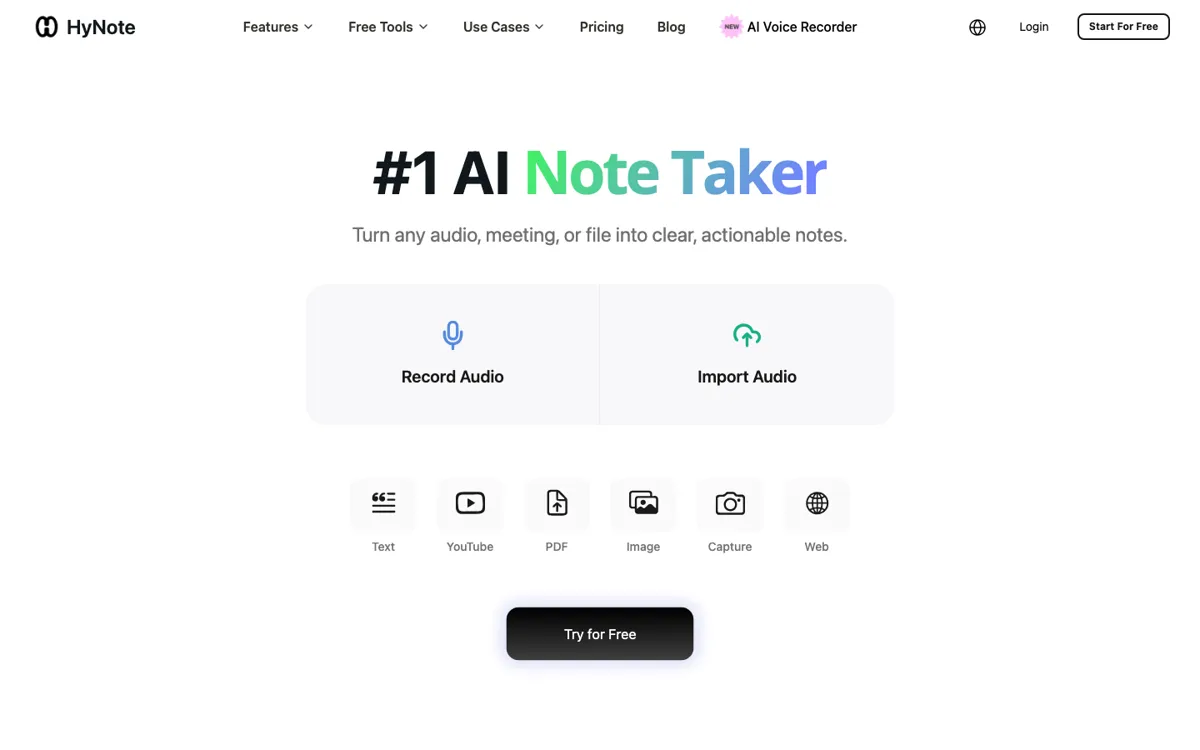
HyNote Review

7.8/10

Capture meetings, audio, links, and PDFs into searchable notes, summaries, and action items from one AI notebook.

Review updated May 2026 By The AI Way Editorial Tested 133+ tools across the site 5 min read
HyNote Meeting Notes Note-Taking Summarization Web-Based Freemium

Our Verdict

HyNote is strongest when you need more than a transcript and want meetings, files, links, and summaries to accumulate inside one searchable note layer. Its real advantage is that it tries to hold context across different input types instead of treating every meeting like an isolated recording. But if your job ends at getting a quick summary once in a while, the notebook framing can be more than you need.

Try it
Free to start, then pay when the limits stop you.
open_in_new Try HyNote
Official Website Snapshot Visit Site ↗

check_circle Pros

  • It goes beyond meeting capture by pulling PDFs, links, and other research inputs into the same notebook flow.
  • The product is easier to justify than one-source meeting bots when your work mixes conversations, documents, and follow-up notes constantly.
  • Searchable notes and summary output make it more practical as a working memory layer than a transcript dump.

cancel Cons

  • The value is much clearer for recurring knowledge work than for occasional one-off summarization.
  • Public pricing was not transparent enough in this run to support a confident paid entry number, which makes outside evaluation less immediate.
  • If you only want a lightweight recorder or quick transcript export, the broader notebook model can feel heavier than necessary.

Should you use it?

Best for: Best for turning meetings, voice notes, PDFs, and linked source material into one searchable notebook with summaries and usable follow-up context.

Skip it if: Skip this if you only need a simple meeting recorder or occasional transcript summary and do not want a notebook layer around it. Also skip it if transparent public entry pricing is a must-have before testing.

Is it worth the price?

Freemium

HyNote looks easiest to justify once notes, recordings, and source documents are piling up often enough that search and synthesis become daily problems. If you only summarize occasionally, the notebook layer may matter less than a simpler tool with clearer entry pricing.

The Free Tier

Public pricing suggests a freemium entry path, but exact free-tier limits were not extracted reliably enough in this run to state more without guessing.

Paid Upgrade
Contact for pricing

Paid access appears to expand the notebook workflow beyond basic entry usage, especially for repeated capture and synthesis work.

One thing to know before you start

Test HyNote with a real mix of inputs, for example one meeting, one PDF, and one saved link on the same topic. That is the fastest way to see whether the notebook layer actually helps you reconnect context instead of just generating isolated summaries.

What people actually use it for

Keep meetings, source docs, and reference links inside one searchable notebook

If your work regularly starts in a meeting and then spreads into PDFs, links, and follow-up notes, HyNote is more useful than a meeting-only summarizer. The product is built to keep those materials connected instead of leaving context split across several tools. The benefit is weaker if your inputs mostly stop at one transcript that never needs to be revisited.

Turn recurring conversations into reusable summaries and action context

Teams and individuals who revisit the same topics across multiple calls usually lose time searching old notes and rebuilding why a decision was made. HyNote fits that recurring memory problem better than tools that only produce one summary per session. It is less compelling if every conversation is disposable and nothing needs to be carried forward.

Combine spoken and written inputs before writing the next step

A lot of note apps make you choose between meeting notes and research notes, then leave you to stitch them together later. HyNote is more valuable when the next deliverable depends on both, such as a recap, brief, proposal, or internal follow-up document. If you rarely combine transcripts with documents or links, the extra notebook structure may not pay off.

What does HyNote actually do?

Most AI note tools are built around a single event, usually one meeting, and then they stop. You get a transcript, maybe a short summary, and then the context starts drifting away the moment the next file or follow-up link appears somewhere else. That is the problem HyNote is trying to solve. The official site presents it as an AI notebook rather than a plain recorder, which matters because the real job for many users is not capturing one conversation. It is keeping audio, documents, links, and conclusions close enough together that they stay useful after the call ends.

The product becomes more convincing once you look at the input range. Meetings, uploaded audio, PDFs, links, and summaries are all part of the same story on the live site, which gives HyNote a broader role than a standard meeting assistant. Instead of only telling you what happened in one recording, it tries to become a memory layer where source material and AI summaries stay connected. That is especially helpful when one topic keeps resurfacing across calls, prep documents, and saved reference material, because the work is no longer trapped in isolated transcript files.

The limitation is that this kind of notebook layer only pays off once information starts accumulating. If you mostly want a quick transcript, a one-off recap, or a simple export after a call, the larger product surface can feel unnecessary. Public pricing also was not transparent enough in this pass to support a confident paid starting number, which adds friction for outside evaluation. So HyNote looks strongest when recurring context, searchability, and synthesis are the real pain points, not when the job ends the moment a summary appears.

What you can do with it

Turn meetings and uploaded audio into notes, summaries, and follow-up material.
Pull insights from PDFs and links instead of keeping source material in separate silos.
Store transcripts, notes, and source context in one searchable AI notebook.
Generate action-oriented summaries instead of leaving conversations as raw transcripts.
Reuse one notebook layer across meetings, documents, and web research inputs.

Technical details

platform
Web app
deployment
Cloud
api_available

Top Alternatives to HyNote

If HyNote is close but still misses the job, try one of these instead.

Key Questions

Is HyNote only for meeting notes?
No. The live site frames it as an AI notebook for meetings, uploaded audio, PDFs, links, and summaries, so the product is broader than a meeting-only recorder.
Who gets the most value from HyNote?
People who keep juggling calls, documents, and reference links on the same topics get the clearest value. HyNote is strongest when information needs to stay connected after the first summary is generated.
When is HyNote overkill?
It is overkill when all you want is a quick transcript or one-off meeting recap. The notebook layer matters most when you need recurring context, searchability, and synthesis instead of a single disposable output.
Why would someone pick HyNote over a simple transcript tool?
Because the transcript is only one input. HyNote is designed for people who also need documents, links, and later notes to stay attached to the same topic instead of being scattered across separate apps.