Heuristica Review

8.5/10

Create concept maps, flashcards, quizzes, and study notes from one AI learning workspace.

Review updated May 2026 By The AI Way Editorial Tested 99+ tools across the site 6 min read
Heuristica Multi-language Note-Taking Summarization Web-Based Freemium from $7.99/mo

Our Verdict

Heuristica is for people who do not want their research session trapped inside a plain chat window. Its real value is the loop between concept maps, source gathering, and one-click study outputs like flashcards or quizzes, which makes it more useful for repeated learning than a generic chatbot tab. But the free plan is narrow enough that regular use quickly turns into a paid decision, and the product itself warns that model output can still be wrong.

Try it
Free to start, then pay when the limits stop you. Starts at $7.99 USD.
open_in_new Try Heuristica
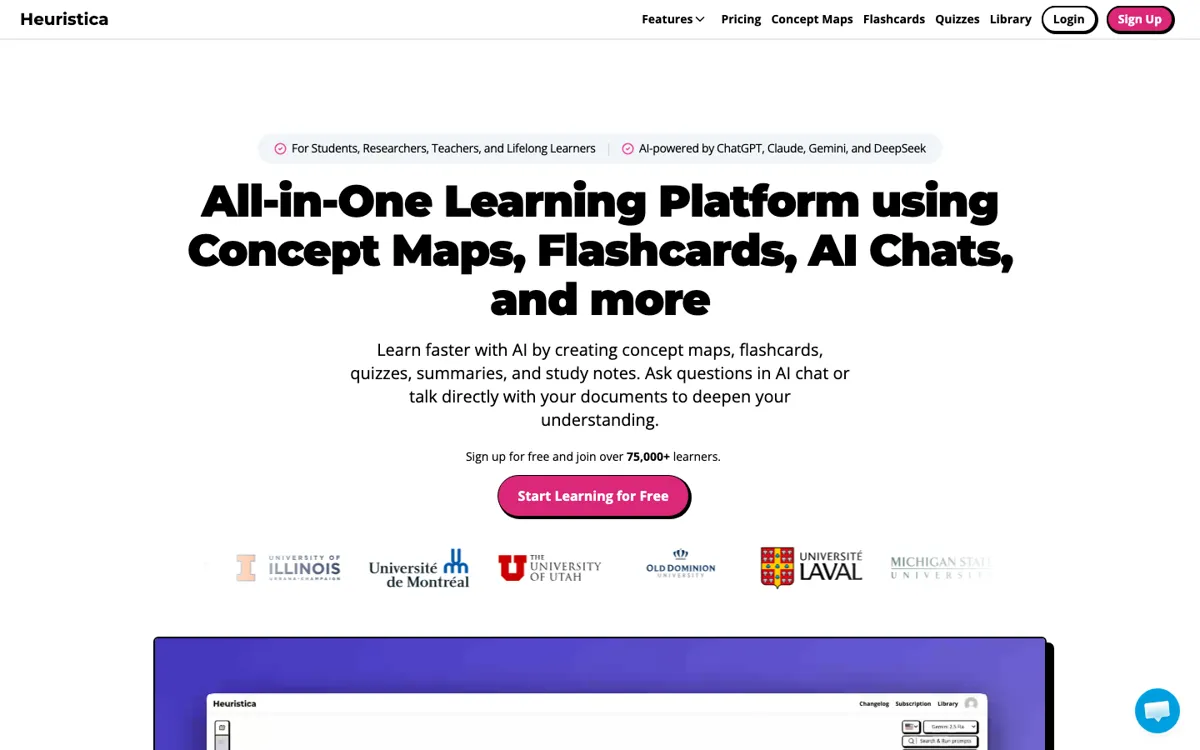
Official Website Snapshot Visit Site ↗

check_circle Pros

  • It keeps research, visual mapping, and revision materials in one place instead of splitting them across separate tools.
  • The paid plan covers multiple models, so you can switch when one task needs a quicker draft and another needs a deeper answer.
  • It can turn the same underlying material into flashcards, quizzes, summaries, and notes without rebuilding the work from scratch.
  • The source import list is unusually broad for a study tool, including academic databases, videos, podcasts, websites, and PDFs.

cancel Cons

  • The free tier only allows three saved concept maps and keeps functionality limited, so it works more like a test drive than a full-time study setup.
  • If you prefer source-backed answers with strict verification, you still need to fact-check because the pricing page warns that LLMs may produce inaccurate information.
  • There is no public sign of an API or local deployment option, so you are using a hosted study workspace, not something you can easily wire into your own research setup.

Should you use it?

Best for: Best for turning a research topic, lecture source, or dense reading list into a visual map you can keep revising into flashcards, quizzes, and notes over several study sessions.

Skip it if: Skip this if you only want a cheap general chatbot or if you need citation-grade answers without manual checking, because the value here is the study workflow around the map, not guaranteed factual output.

Is it worth the price?

Freemium Starts at $7.99 USD

The free plan is enough to see whether the map-based workflow clicks for you, but the three-map cap makes it hard to run this as your ongoing study system. If you keep coming back for class prep, literature review, or multi-source topic exploration, the paid tier is where the product starts behaving like a real workspace rather than a demo.

The Free Tier

Free plan uses GPT-5.4 mini, allows up to 3 saved concept maps, and has limited functionality.

Paid Upgrade
$7.99/month

Professional unlocks more capable models, hundreds of saved maps and study assets, plus premium features like multi-model chat, custom prompts, PDF support, and collaboration.

One thing to know before you start

Start with one topic that already has multiple source types, like a paper plus a video plus a PDF. That shows faster than a blank prompt whether the map-first workflow is actually better for you than a normal chat tab.

What people actually use it for

Turn a literature review into a study system

Bring in papers from arXiv, Semantic Scholar, PubMed, or PDFs, then map the relationships between methods, claims, and subtopics on one canvas. The useful part is not just seeing the map once, but converting that same structure into flashcards, quizzes, or notes you can reuse before meetings, exams, or writing sessions. It saves time if you revisit the same topic repeatedly, but it is less compelling if you only need one fast summary and never plan to study the material again.

Break down a hard topic from mixed media sources

Use a YouTube video, website, podcast transcript, or reference article as the starting point, then keep expanding the map node by node to make the topic less linear and easier to inspect. This works well when one explanation is not enough and you want multiple angles on the same subject. The catch is that you still need to check the claims, because the model can organize and explain material without guaranteeing that every explanation is reliable.

Build repeatable class prep or lesson material

Teachers or tutors can use saved prompts, custom instructions, and cross-format conversion to turn the same topic into notes, quizzes, and flashcards for different groups. That is useful when you need a reusable teaching setup rather than a one-off answer. It is less attractive if your work depends on exporting into a bigger school or team system, since the public pages emphasize the hosted app experience, not integrations or an API-driven pipeline.

What does Heuristica actually do?

A lot of AI study tools still trap learning inside a single chat transcript. That is fine when you want one explanation, but it breaks down fast when you are comparing papers, lecture notes, videos, and side questions over several days. Heuristica attacks that problem by putting the topic on an infinite canvas as a concept map, so the work stays spatial instead of scrolling out of sight. On the public pages, the product keeps repeating the same pattern: you start with a subject or source, expand it visually, then reuse the same material for summaries, quizzes, flashcards, or notes. That matters most when the task is not just understanding once, but remembering and revisiting later.

The strongest part of the product is how many source types it tries to pull into the same workflow. The concept map pages mention Wikipedia, arXiv, Semantic Scholar, PubMed, YouTube, podcasts, websites, and PDFs, while the AI Study Assistant adds multi-model chat, saved prompts, and custom instructions. In practice, that means you can collect material from several places, map the relationships, then convert the result into flashcards with spaced repetition, quizzes, or structured notes without restarting in another tool. That is a stronger study loop than a generic assistant that only answers questions, because the output is built from a persistent structure you can keep editing.

The limitations are pretty visible too, which is useful. The free plan gives you GPT-5.4 mini, three saved concept maps, and limited functionality, so frequent use quickly tests whether you are willing to pay. The pricing page also states that LLMs like ChatGPT or Claude may produce inaccurate information, which is an important boundary for students and researchers who might mistake a clean map for a verified source trail. Heuristica makes the process of exploring and revising material smoother, but it does not remove the need to verify facts. If what you need is a citation-safe research assistant or a tool you can plug into your own stack, this hosted app will feel narrower than its feature list first suggests.

What you can do with it

Generate concept maps and mind maps on an infinite canvas.
Pull source material from Wikipedia, arXiv, Semantic Scholar, PubMed, YouTube, podcasts, websites, and PDFs.
Turn maps and chats into flashcards, quizzes, summaries, and study notes.
Switch between multiple AI models for different research or study tasks.
Save custom prompts and instructions for repeatable study workflows.
Chat with PDFs, YouTube transcripts, and your existing concept maps.

Technical details

platform
Web app
deployment
Cloud
api_available
No public API mentioned

Top Alternatives to Heuristica

If Heuristica is close but still misses the job, try one of these instead.

Key Questions

Is the free plan enough to evaluate Heuristica properly?
Yes, for a first pass. You can test the map-based workflow on the free plan, but the three saved concept map limit means longer-term study habits will hit the wall quickly.
How is this different from asking ChatGPT to explain a topic?
The main difference is structure. Heuristica keeps the topic on a visual map, lets you expand connections, and then turns that same work into flashcards, quizzes, notes, or summaries instead of leaving everything buried in one chat thread.
What sources can you bring into a concept map?
The public product pages say you can pull from sources like Wikipedia, arXiv, Semantic Scholar, PubMed, YouTube, websites, podcasts, and PDFs. The exact benefit is that mixed sources can live in one map instead of being studied separately.
Can you trust the output without checking it?
No. Heuristica explicitly warns that LLMs may produce inaccurate information, so the output is better used as a study aid or research organizer than as a final authority on facts.