Gemini Review

7.1/10

Google’s general AI assistant for search-heavy work, multimodal chat, file tasks, and everyday help across Google’s ecosystem.

Review updated May 2026 By The AI Way Editorial Tested 99+ tools across the site 6 min read
Google API Available Multi-language Web-Based Freemium

Our Verdict

Gemini makes the most sense when you want a general AI assistant that stays close to search, research, files, and the rest of your Google habits instead of living as a standalone chat tab. Its biggest advantage is that Google combines multimodal assistant work with app tie-ins and a strong research-shaped workflow, so the product can feel more useful than a generic chatbot if your day already runs through Google surfaces. But that same ecosystem pull is also the filter: if Google’s layer does not help your real work, Gemini has to win purely on response quality and workflow feel against other top assistants.

Try it
Free to start, then pay when the limits stop you.
open_in_new Try Gemini
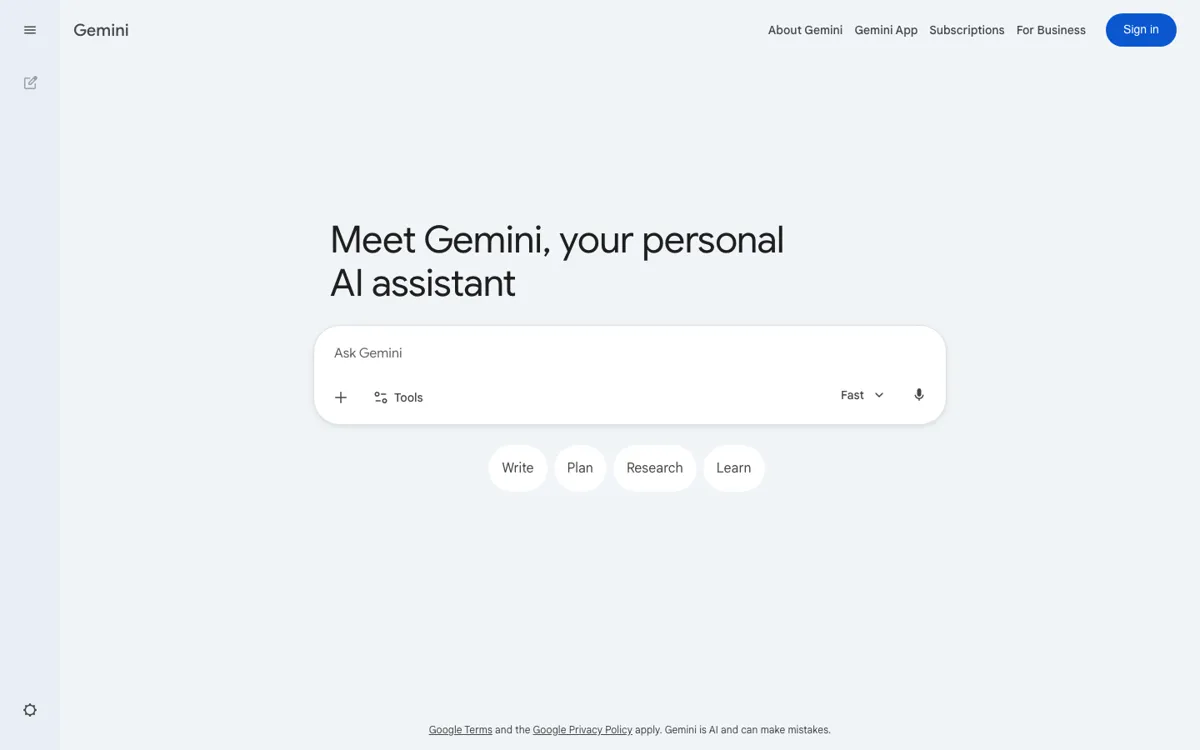
Official Website Snapshot Visit Site ↗

check_circle Pros

  • It works well as a research-shaped everyday assistant, so asking questions, checking a topic, processing a file, and following up can stay in one place.
  • Google’s app tie-ins and bundled AI layer can make Gemini more practical than a standalone chatbot if your work already runs through Google tools.
  • The free version appears broad enough to understand the real product before deciding whether the paid Google AI plans add enough extra value.

cancel Cons

  • Its value story is easier to feel inside Google’s ecosystem than outside it, so some users will not benefit much from the surrounding bundle layer.
  • The product can blur together assistant quality, search-style help, and membership extras, which makes the standalone paid decision less crisp than it should be.
  • Because it competes directly with ChatGPT and Claude, Google familiarity alone is not enough if the actual response quality or workflow feel is weaker for your daily prompts.

Should you use it?

Best for: Search-heavy questions, deep research passes, file-based follow-ups, and everyday assistant work where Google app tie-ins or existing Google habits can make the workflow smoother.

Skip it if: Skip this if you do not work inside Google’s ecosystem enough to benefit from its app tie-ins, or if you mainly want the strongest standalone assistant regardless of platform. Also skip it if your workflow depends on a rival assistant already doing better on your real research, writing, or coding prompts.

Is it worth the price?

Freemium

The free version looks broad enough to test Gemini as a real everyday assistant, not just as a teaser. Paying makes more sense when the wider Google AI layer, app tie-ins, storage, or research-style workflow support actually changes how you work, because otherwise you are still making a straight assistant-versus-assistant comparison.

The Free Tier

Free access exists, while paid Google AI Pro and Ultra plans expand Gemini through a broader Google AI membership bundle.

Paid Upgrade
Contact for pricing

Paid tiers such as Google AI Pro and Ultra add broader Google AI bundle access around Gemini rather than only a narrow chat upgrade.

One thing to know before you start

Test Gemini on the kind of work people usually hand to Google anyway: research, follow-up questions, file analysis, and app-adjacent tasks. That is where its ecosystem fit is easiest to judge.

What people actually use it for

Use Gemini for research-shaped questions and follow-up digging

Gemini fits best when your work starts with a question and then keeps branching. You ask for an explanation, check a file, run a deeper research pass, follow a lead, and keep going in the same place. That makes more sense than a plain chatbot when your real task sits somewhere between search, synthesis, and assistant help.

Use Gemini when Google app context actually changes the workflow

If your day already runs through Google tools, Gemini is easier to justify because the assistant does not feel isolated from the rest of your habits. The value is not only that it can answer questions. The value is that the assistant, the Google AI membership layer, and app-adjacent work can start to feel like one connected surface instead of a separate tool you visit once and close.

What does Gemini actually do?

Gemini is easiest to misunderstand if you reduce it to a same-category label like chatbot and stop there. The product has clearly expanded into a broader assistant surface for research, file work, multimodal input, and search-shaped tasks. Third-party reviews now describe it handling reasoning, creative writing, deep research, web search, image work, and file processing, which is a much bigger workload than simple text chat. So the right mental model is not only that Gemini answers prompts. It is that Gemini sits near the point where many people already start work on the web: they ask, refine, compare, and keep digging until they know what to do next.

Google’s ecosystem changes the positioning further. Gemini is not sold as an isolated toy. It sits inside a wider Google AI layer with products and memberships around it, including Google AI Pro, Ultra, Gemini Live, and NotebookLM signals. That matters because the product gets stronger when your work already touches Google habits, files, search behavior, or app surfaces. In that situation, Gemini can feel less like a standalone chatbot and more like the assistant layer sitting over things you already use. The practical value comes from keeping research, follow-up questions, and multimodal help close to the rest of your workflow instead of spinning up a disconnected tab for each step.

The boundary is that ecosystem gravity is not the same as guaranteed fit. If Google’s app tie-ins and surrounding AI membership do not improve your actual tasks, then Gemini falls back into a direct quality comparison with ChatGPT and Claude. That is where the product has to stand on response quality, research usefulness, and day-to-day workflow feel, not on brand familiarity alone. The cleanest way to judge Gemini is to ask whether your real work already begins with search, follow-up reading, file checking, and Google-side context. If yes, Gemini’s positioning gets much stronger. If not, its broader bundle story may matter less than Google wants it to.

What you can do with it

Ask questions, run deeper research, and keep follow-up digging in the same assistant.
Process files and move between text, voice, image, and search-shaped tasks in one place.
Use Gemini as a Google-native assistant rather than a disconnected chat tab.
Get broader value from Google AI Pro or Ultra when Gemini sits inside the wider Google AI layer.
Work with surrounding Google AI surfaces such as Gemini Live and NotebookLM in the broader product story.

Technical details

platform
Web app with Android app and iPhone app
deployment
Cloud
api_available
Yes

Top Alternatives to Gemini

If Gemini is close but still misses the job, try one of these instead.

Key Questions

Is Gemini mainly a chatbot or more of a Google-side assistant layer?
It is more useful to think of Gemini as a Google-side assistant layer. It still works like a general chatbot, but its value rises when your work involves search, files, follow-up research, and Google app context.
What kind of work fits Gemini best?
Research-shaped work fits it best. If your task starts with asking a question, checking sources, analyzing a file, and following up across related tasks, Gemini’s positioning makes more sense than a narrow one-shot chat tool.
Does the free version show the real product?
It appears to, yes. Third-party reviews describe the free version as broad enough to understand Gemini’s actual strengths before deciding whether the paid Google AI plans are worth it.
When is Gemini the wrong first tab to open?
When the Google ecosystem adds little to your workflow or when another assistant already does better on your real prompts. In that case, the bundle story matters less than raw output quality and fit.