Elicit Review

8.2/10

AI research assistant for finding, screening, and summarizing scientific papers.

Review updated May 2026 By The AI Way Editorial Tested 99+ tools across the site 6 min read
Elicit Academic Citation API Available Summarization Web-Based Freemium from $7.00/mo

Our Verdict

Elicit is worth opening when your real job is not “ask a chatbot,” but “find the right papers, narrow them down, and show where each claim came from.” Its edge is that the search, screening, extraction, and report steps stay tied to citations and quotes. The tradeoff is that you still need to review the evidence trail, because community feedback shows it can miss key papers or summarize known topics badly.

Try it
Free to start, then pay when the limits stop you. Starts at $7.00 USD.
open_in_new Try Elicit
Official Website Snapshot Visit Site ↗

check_circle Pros

  • The workflow covers the boring middle of research, from semantic search to screening to extraction, instead of stopping at a paragraph answer.
  • Source traceability is unusually visible. Product pages repeatedly stress exact quotes, exclusion reasons, and auditable steps rather than black-box output.
  • The free tier is enough to test real search, summaries, chat with papers, and a small number of automated reports before paying.

cancel Cons

  • Its value depends on you caring about research process. If you do not need screening rules, exports, or evidence tables, the setup is heavier than a normal chat tool.
  • Important capacity jumps sit behind paid tiers, including higher report volume, API access, and the dedicated systematic review workflow.
  • Public discussion is not uniformly positive on accuracy. Some researchers say it missed key papers or produced incorrect summaries on subjects they already knew well.

Should you use it?

Best for: Researchers, analysts, policy teams, and pharma or medtech staff who need to turn a question into a screened paper set, extracted table, or literature review draft with citations attached.

Skip it if: Skip it if your task is just to get a quick opinionated answer, or if you cannot spend time checking cited passages and screening decisions before using the result.

Is it worth the price?

Freemium Starts at $7.00 USD

The free tier is real enough to test the product, but the serious workflow gates appear quickly. The moment you need repeatable reports, larger screening limits, API usage, or team controls, Elicit becomes a paid research tool rather than a casual lookup utility.

The Free Tier

Basic is free and includes limited Research Agent access plus 2 automated reports per month.

Paid Upgrade
Plus starts at $7 per user per year, billed as $84 annually.

Paid tiers raise report limits and table column limits, add exports, clinical trials coverage, API access, team collaboration, and larger systematic review capacity.

One thing to know before you start

Use Elicit when you already have a research question narrow enough to screen against. Its strongest mode is not open-ended chatting, but forcing papers through criteria, columns, and cited report output.

What people actually use it for

Build a first-pass literature review

Bring in a research question instead of a pile of PDFs. Elicit searches a large paper corpus, ranks results by semantic relevance, and generates a report with citations and quotes. This saves the most time when you need a fast map of a field, but you still need to read the cited passages before treating the summary as settled.

Screen papers for a systematic review

Start with protocol language, search terms, and inclusion criteria. Elicit lets you gather sources across its paper index, PubMed, and clinical trials, then screen thousands of papers with exclusion reasons and per-criterion support. The win is speed and audit trail, but the value drops if your team is not actually running a PRISMA-style review process.

Extract evidence into comparison tables

Use it when you need to pull the same fields from many papers, such as outcomes, biomarkers, or methods. Elicit can add columns, extract data from source material, and export the results. That cuts spreadsheet work, but you still have to spot-check rows where the paper language is messy or buried in figures.

What does Elicit actually do?

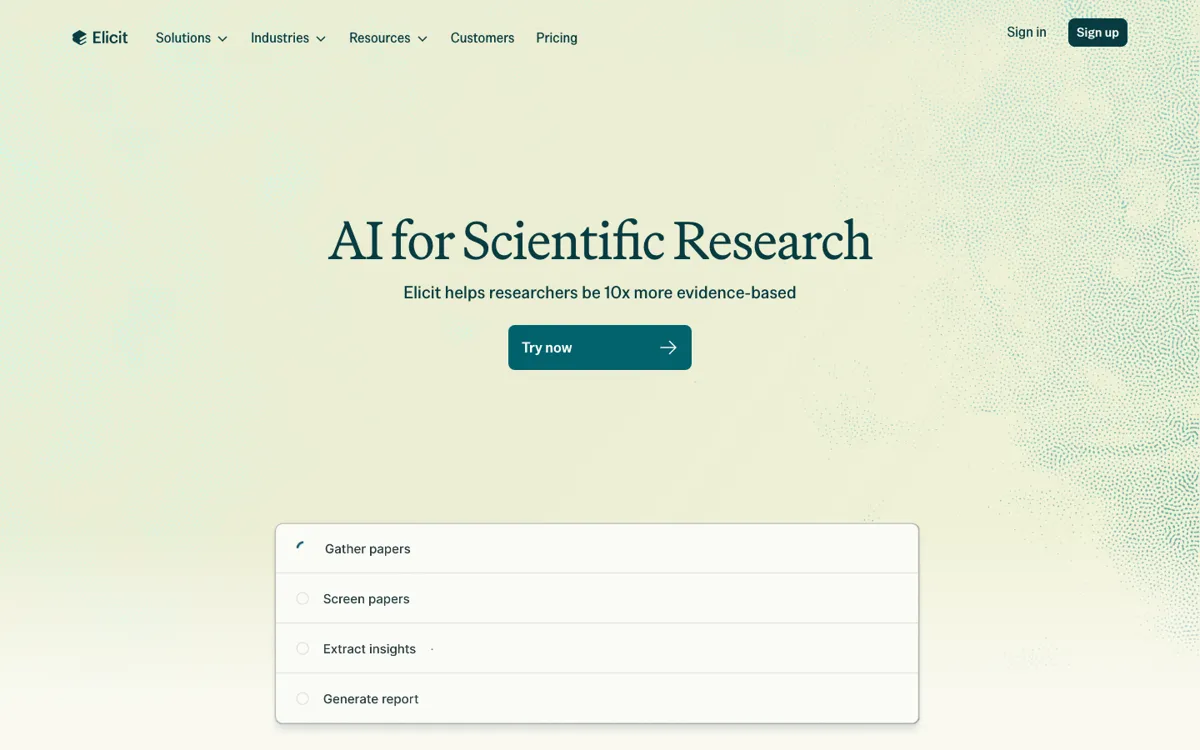
A lot of research work breaks down before the “analysis” part starts. You open a broad question, search a few keyword combinations, get hundreds of papers back, then spend hours deciding which ones are noise, which ones are relevant, and where each important claim actually lives. Elicit is aimed at that messy middle. Its search product says it can rank papers by semantic similarity instead of exact keyword overlap, then review the top 1,000 candidates and let you apply natural-language screening criteria. For someone doing policy research, pharma landscape scans, or a literature review, that is more useful than a chatbot that gives you one neat paragraph and hides the search path.

The product gets more concrete once you move beyond the homepage. The reports workflow says every claim links to exact source quotes, and the systematic review page adds exclusion reasons, supporting quotes, PRISMA-oriented auditability, and extraction from tables and figures. That matters because the core promise is not just “faster answers.” It is “faster evidence handling with a paper trail.” If you are comparing interventions, scanning biomarkers, or trying to summarize a field for a decision memo, the useful output is a report or table you can inspect, rerun, export, and defend, not just a generated paragraph.

The limits are also pretty clear once you read pricing and community reactions together. The free plan gives you a real trial, but paid tiers unlock the bigger quotas, API access, and dedicated review workflows that make Elicit feel like infrastructure instead of a demo. More importantly, public discussion shows the usual failure mode for AI research tools: on unfamiliar topics, the speed feels impressive; on topics you know deeply, mistakes and missed papers stand out fast. So Elicit fits best when you want to compress search, screening, and extraction time, while keeping a human in the loop to verify which papers mattered and whether the summary really holds.

What you can do with it

Searches more than 138 million papers and over 545,000 clinical trials with semantic or keyword search.
Screens papers with criteria, exclusion reasons, and supporting quotes inside systematic review workflows.
Generates literature reports where claims link back to exact passages from source papers.
Exports results and reports to RIS, CSV, BIB, PDF, and DOCX for handoff or reuse.

Technical details

platform
Web app.
deployment
Cloud-hosted SaaS with enterprise custom deployment options including single-tenancy.
api_available
Yes. API access starts on Pro, while systematic review access via API is Enterprise only.

Top Alternatives to Elicit

If Elicit is close but still misses the job, try one of these instead.

Key Questions

Is Elicit a chatbot for papers or a full research workflow?
It is closer to a research workflow. The product pages emphasize search, screening, extraction, reports, exports, and audit trails, not just chat answers. You can chat with papers, but the value is in moving from question to sourced evidence set.
Can you use Elicit for systematic reviews?
Yes, that is one of its clearest use cases. Elicit has a dedicated systematic review workflow with screening criteria, exclusion reasons, extraction support, and PRISMA-oriented reporting. The stronger capacity for this sits on higher tiers, especially Enterprise for the largest workflows.
Does the free plan let you test real work?
Yes, to a point. The free Basic plan includes unlimited paper search, summaries, paper chat, and 2 automated reports per month, which is enough to judge whether the workflow fits you. It is not enough for heavy recurring review work.
What is the biggest risk when relying on Elicit?
Accuracy drift on specialized topics is the main risk. Community feedback includes praise for fast overviews, but also complaints about wrong summaries and missed key papers. You should use the linked quotes and sources as a checking layer, not assume the first output is safe to reuse.