Zapier AI Review

8.2/10

Build AI assistants, chatbots, and automated workflows that can act across thousands of apps without code.

Review updated May 2026 By The AI Way Editorial Tested 99+ tools across the site 5 min read
Zapier Inc. App Integration Customer Support Lead Enrichment Web-Based Workflow Builder Freemium from $19.99/mo

Our Verdict

Zapier AI is worth opening when you already know the hard part is not getting AI to answer, but getting it to reach the right tools and complete the next step. Its advantage is the combination of agent building, app connectivity, and governance in one layer, so AI outputs can turn into routed work instead of dead-end drafts. But the platform makes the most sense once your processes are real enough to justify task limits, platform complexity, and paid-plan expansion.

Try it
Free to start, then pay when the limits stop you. Starts at $19.99 USD.
open_in_new Try Zapier AI
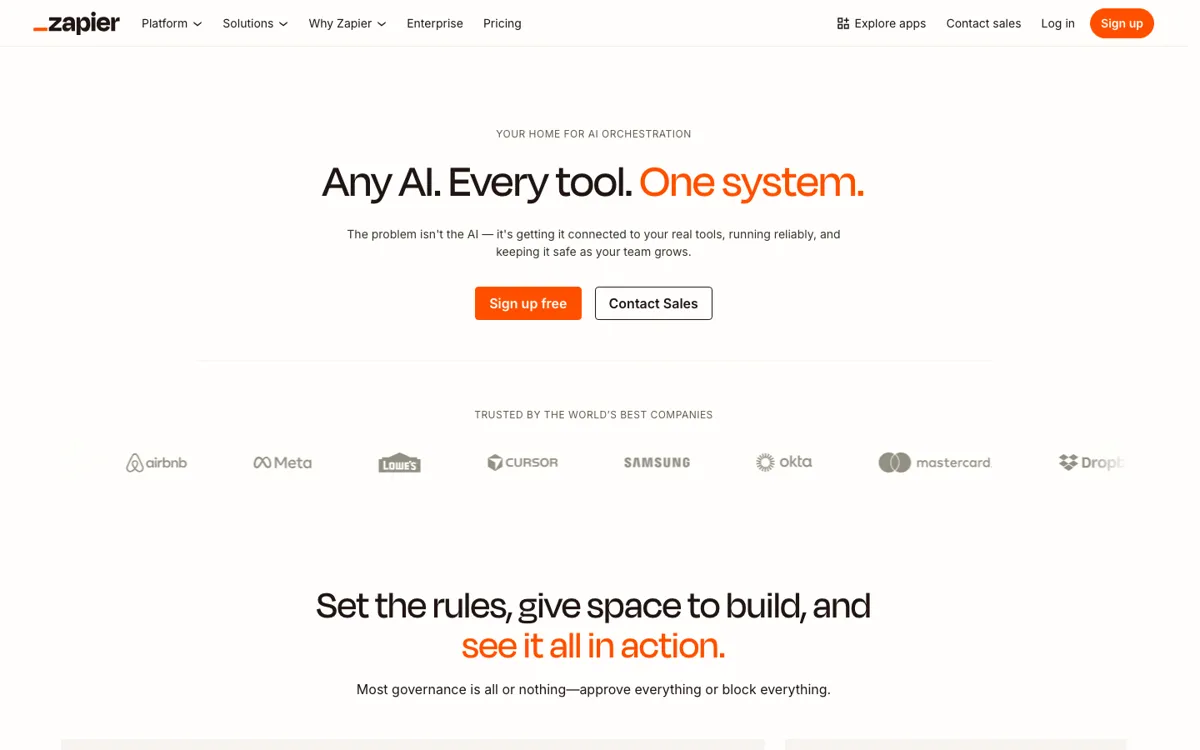
Official Website Snapshot Visit Site ↗

check_circle Pros

  • Zapier AI is unusually strong at turning AI output into action because it sits on top of a very large app integration layer instead of a closed assistant experience.
  • The MCP page gives a practical path for external AI tools like Claude, ChatGPT, and Cursor to work against business systems without custom glue code.
  • Governance details like permissions, action logs, and enterprise controls are visible on the official pages, which matters when agents are touching live company tools.

cancel Cons

  • The value depends heavily on how clean your processes already are, because messy internal workflows do not become clear just because you attached an agent to them.
  • Paid usage becomes part of the real evaluation quickly, since serious multi-step automation and larger task volumes sit beyond the shallow end of the free tier.
  • The product surface is broad, so teams looking for one narrow out-of-the-box AI assistant can end up doing more setup and governance work than they expected.

Should you use it?

Best for: Best for teams that already run work across many SaaS tools and want AI to move information, trigger actions, route leads, answer support questions, or prepare work without hand-copying between systems. It is strongest when automation and app sprawl are already part of the job.

Skip it if: Skip this if you only need a standalone chatbot or a simple text assistant with no downstream actions. It is also a weak fit if your stack is still small enough that manual handoff is cheaper than building and governing agent behavior.

Is it worth the price?

Freemium Starts at $19.99 USD

The free entry point is enough to test the interface and basic direction, but not enough to judge how well Zapier AI handles real operational load. Once your use case depends on multi-step workflows, premium apps, or sustained task volume, you are evaluating the paid platform whether you planned to or not.

The Free Tier

A free plan is offered, but the official pricing signal shown on the fetched pages does not expose a full operational allowance summary here.

Paid Upgrade
$19.99/month billed annually

Professional unlocks fuller access to Zaps, Tables, Forms, multi-step workflows, and unlimited premium apps.

One thing to know before you start

Start with one workflow where the next action is obvious, like lead enrichment or IT Slack response. If the handoff rule is fuzzy, the agent setup will feel harder than the automation is worth.

What people actually use it for

Letting AI trigger work across a messy SaaS stack

Zapier AI makes the most sense when your real problem is that work crosses too many systems before it gets done. A lead arrives in one tool, context lives in another, and the follow-up belongs somewhere else. Zapier Agents and MCP give AI a path to reach those systems and act, not just summarize the situation. That can save a lot of copy-paste and status chasing. The catch is that the setup only pays off when the next step is clear enough to automate in the first place.

Using an agent for internal support or ops triage

The Agents page shows patterns like IT helpdesk Slack response, which is where Zapier AI gets practical fast. An agent can watch incoming questions, use company knowledge, and kick off actions in connected tools instead of leaving every request as a manual queue item. That shortens response time and reduces repeated handling. It is less appealing if your internal rules change constantly or the answers need heavy human judgment every single time.

Giving outside AI tools safe access to business apps

Zapier MCP is useful when your team already uses tools like Claude, ChatGPT, or Cursor but those tools cannot actually do the business step on their own. MCP gives them governed access to apps like Gmail, Slack, Salesforce, and HubSpot, with action history and permission controls layered in. That can move AI from advice to execution. The weak point is that this power also raises the bar for oversight, because a broad connection map without clear access rules is a governance problem waiting to happen.

What does Zapier AI actually do?

A lot of AI tools stall out at the same point. They can generate a plan, summarize a ticket, or suggest a next move, but someone still has to open five tabs, copy the right data, send the message, update the CRM, and log the result. Zapier AI is built for that exact gap between AI output and business action. On the AI landing page, Zapier frames the platform as no-code automation and AI orchestration across 9,000+ apps. That matters because the product is not asking whether AI can think of the next step. It is trying to make sure the next step can actually happen inside the systems where the work already lives.

The strongest part of the platform is how the pieces connect. Zapier Agents are positioned as AI teammates that can use company knowledge and do work across thousands of apps, while Zapier MCP is the governed bridge for tools like Claude, ChatGPT, and Cursor to reach Gmail, Slack, Salesforce, HubSpot, and more. Add Chatbots, Canvas, Tables, and Forms, and the result is not just one assistant, but a stack for planning, triggering, routing, and recording work. This is where Zapier AI becomes more than prompt automation. It gives teams a way to connect AI decisions to live operational systems without writing custom glue for every handoff.

The tradeoff is that Zapier AI becomes expensive and complicated only after it becomes useful, which is exactly why teams underestimate it. The pricing page makes clear that the free tier has daily message limits, while the Professional plan is where fuller platform access starts, including multi-step Zaps and heavier automation use. The platform also assumes your team is ready for governance. The official pages highlight action logs, permissions, admin controls, and security posture for a reason. If your workflows are still vague or nobody owns agent access rules, Zapier AI can expose process confusion instead of fixing it.

What you can do with it

Build AI agents that can use company knowledge and act across thousands of apps.
Connect Claude, ChatGPT, Cursor, and other AI tools to business apps through Zapier MCP.
Create AI chatbots for customer interactions and lead capture.
Plan workflows with AI using Canvas, then store and route operational data with Tables and Forms.
Track governed agent actions with history, permissions, and enterprise controls.

Technical details

platform
Web app
deployment
Cloud
api_available
Zapier MCP is publicly surfaced on the official site

Top Alternatives to Zapier AI

If Zapier AI is close but still misses the job, try one of these instead.

Key Questions

Is Zapier AI just a chatbot layer on top of Zapier?
No. The official AI pages position it as a broader orchestration layer that includes agents, chatbots, workflow planning, data storage, forms, and MCP connections into live apps.
Can Zapier AI connect outside AI tools to business apps?
Yes. Zapier MCP is specifically presented as the bridge that lets tools like Claude, ChatGPT, and Cursor act through apps such as Gmail, Slack, Salesforce, and HubSpot.
When do you outgrow the free plan?
You outgrow it once the workflow needs steady task volume, richer platform access, or multi-step automation. The pricing page explicitly notes daily message limits on free plans and positions Professional as the full-power starting point.
Why would an ops or IT team care about governance here?
Because the tool is built to let AI touch real systems, not just draft text. Zapier highlights permissions, action logging, and enterprise controls because agent usefulness rises at the same time operational risk does.