OpenClaw Review

7.2/10

A personal AI assistant that connects your chats, tools, agents, and local machine into one controllable system.

Review updated May 2026 By The AI Way Editorial Tested 99+ tools across the site 5 min read
OpenClaw App Integration Browser Automation Open Source Workflow Builder

Our Verdict

OpenClaw is for people who want to own the assistant layer itself, not just subscribe to another hosted AI interface. Its biggest value is that it turns one assistant into a controllable system that can sit across your channels, tools, agents, and local machine. But that power only pays off if you are willing to configure and operate the gateway model, because this is closer to assistant infrastructure than casual consumer chat.

Try it
Paid product.
open_in_new Visit OpenClaw
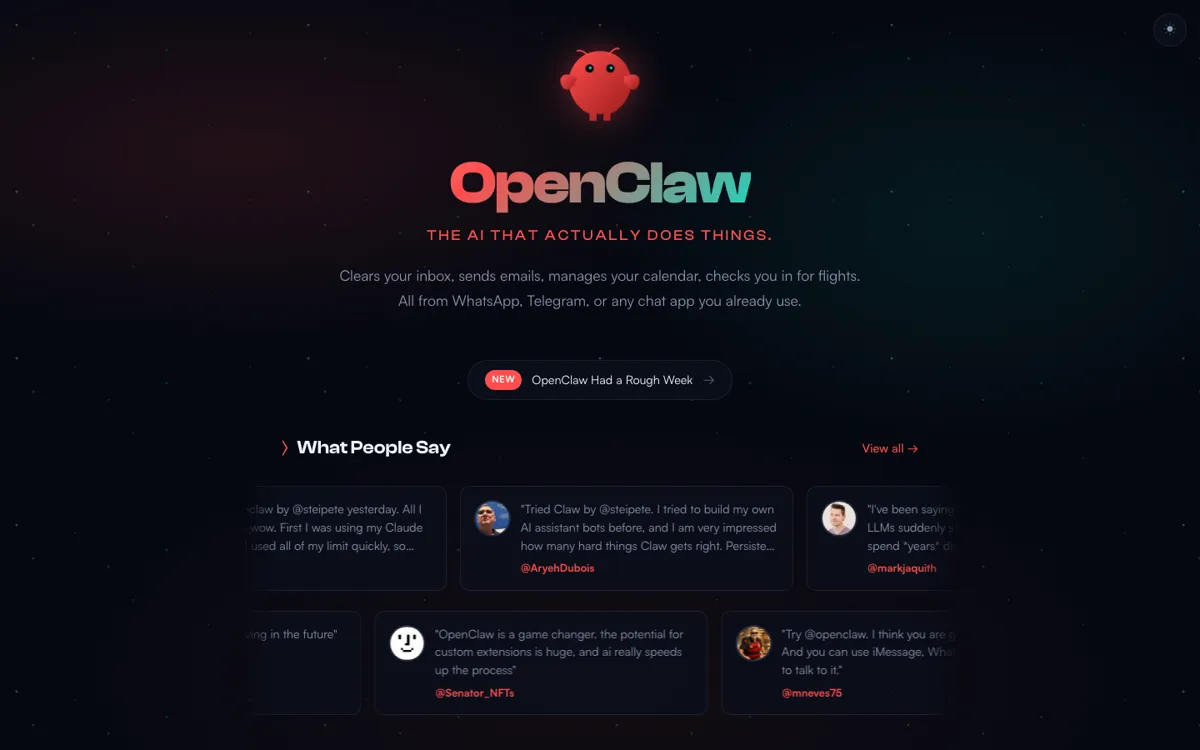
Official Website Snapshot Visit Site ↗

check_circle Pros

  • It treats the assistant as a system you control, not just a single chat window you visit.
  • The channel support is unusually broad, which matters if you want one assistant to meet you where you already communicate.
  • The local-first gateway design gives the product a stronger ownership story than many hosted assistant products.

cancel Cons

  • You have to be willing to set up and run a gateway, which is a real step up in complexity from signing into a normal AI app.
  • A lot of the product’s value only appears once you start wiring channels, tools, and agents together, so light users may never reach the payoff.
  • Public GitHub issue traffic shows real instability and regression risk around UI rendering, memory timeouts, context handling, and gateway behavior, so this is not a fire-and-forget setup once your use gets serious.
  • There is no clear public pricing signal on the official sources captured here, which makes buying expectations less obvious than the product architecture.

Should you use it?

Best for: People who want one persistent AI assistant to operate across their own chat channels, coding agents, browser actions, and local workflows instead of staying trapped in one hosted interface.

Skip it if: Skip this if you only want quick casual AI chat or if you do not want to operate any local gateway or system-level assistant setup. Also skip it if configuration overhead is a bigger problem for you than cross-channel assistant power.

Is it worth the price?

There is no public pricing page in the captured official sources, so the main decision right now is not plan math. It is whether you want to own and operate an assistant system badly enough to accept the setup cost and architecture complexity.

One thing to know before you start

Judge OpenClaw by whether you truly need one assistant across channels and tools. If your real need is only better chat quality, the gateway setup is overkill.

What people actually use it for

Run one assistant across the messaging channels you already use

If your work already moves through Telegram, Slack, Signal, or other chat surfaces, OpenClaw gives you a way to stop treating each channel like a separate AI island. You run one gateway, connect the channels, and let the assistant respond or route tasks through the same control plane. That is useful when the real friction is not model quality by itself, but the constant context switching between tools and places.

Coordinate coding agents, browser actions, and tools from one assistant layer

OpenClaw becomes easier to justify when you want the assistant to trigger work instead of only talk about work. The combination of agents, sessions, tools, and browser actions means it can become an operations layer that sits above several execution surfaces. That is stronger than a hosted chat app when your workflow spans coding help, browsing, automation, and messaging, but it is also the point where setup complexity becomes unavoidable.

What does OpenClaw actually do?

Most AI assistants still ask you to enter their world. You open their app, stay inside their interface, and work within whatever product boundaries they define. OpenClaw flips that direction. The homepage calls it a personal AI assistant on any platform, and the docs plus GitHub explain the mechanism: you run a local-first gateway that becomes the control plane for sessions, channels, tools, memory, and events. That changes the product from a destination into an assistant layer. Instead of visiting one AI tool, you plug one assistant into the channels and execution surfaces you already use.

The strongest part of the product is how many moving pieces it is willing to unify under that gateway model. The docs explicitly list channels like Telegram, Slack, Signal, Matrix, iMessage, WhatsApp, and more, while the GitHub repo frames the project as your own personal AI assistant across any OS and any platform. Add agents, memory, tools, and browser actions, and the system starts to look less like a chatbot and more like assistant infrastructure. That matters for people whose real problem is fragmentation. If your work is split across messages, agents, and tools, one persistent control plane can be far more valuable than one more isolated model surface.

The downside is that OpenClaw asks more from the operator than mainstream AI products do. You do not get the value by just logging in and asking a few casual questions. You get it by setting up the gateway, connecting channels, deciding how you want sessions and tools to behave, and then maintaining enough structure for the assistant to stay useful. That makes the product a poor fit for people who only want easy chat access. It becomes a strong fit when you want ownership, integration depth, and one assistant that can move across the systems you already depend on.

What you can do with it

Run a local-first gateway that acts as the control plane for your assistant.
Connect existing chat channels like Telegram, Slack, Signal, iMessage, Matrix, and WhatsApp into one assistant layer.
Route work into coding agents, sessions, tools, and browser actions.
Keep memory and assistant state closer to your own machine instead of relying only on a hosted chat app.
Extend the assistant through channels, agents, tools, and additional skills.

Technical details

deployment
Local-first gateway
open_source
true
api_available
true

Top Alternatives to OpenClaw

If OpenClaw is close but still misses the job, try one of these instead.

Key Questions

Is OpenClaw just another chatbot app?
No. The official product framing and GitHub repo both point to something broader: a personal assistant system with a local-first gateway that coordinates channels, tools, sessions, and agents.
What makes OpenClaw different from mainstream hosted assistants?
Ownership and control are the big differences. Instead of staying inside one hosted chat UI, you run a gateway and connect the assistant to the channels and tools you already use.
Who gets the most value from OpenClaw?
People who want one persistent assistant across their messaging channels, coding agents, and local workflows. The deeper your work spans multiple surfaces, the more the gateway model makes sense.
Who should skip OpenClaw first?
Anyone who wants simple chat with minimal setup. If operating a gateway and configuring a system feels like overhead, this is probably the wrong first tool to open.