Stitch Review

8.1/10

AI tool for turning prompts or reference images into mobile and web UI designs.

Review updated May 2026 By The AI Way Editorial Tested 262+ tools across the site 4 min read
Stitch Image-to-Image Text-to-Image Web-Based Free

Our Verdict

Stitch is worth opening when you need a first-pass UI fast and the blank page is the real blocker. Its strength is turning rough product ideas into something visible in minutes. The limit is just as clear: this is for direction-setting and concept generation, not for replacing the deeper decisions that happen later in a real design workflow.

Try it
Free to start.
open_in_new Try Stitch
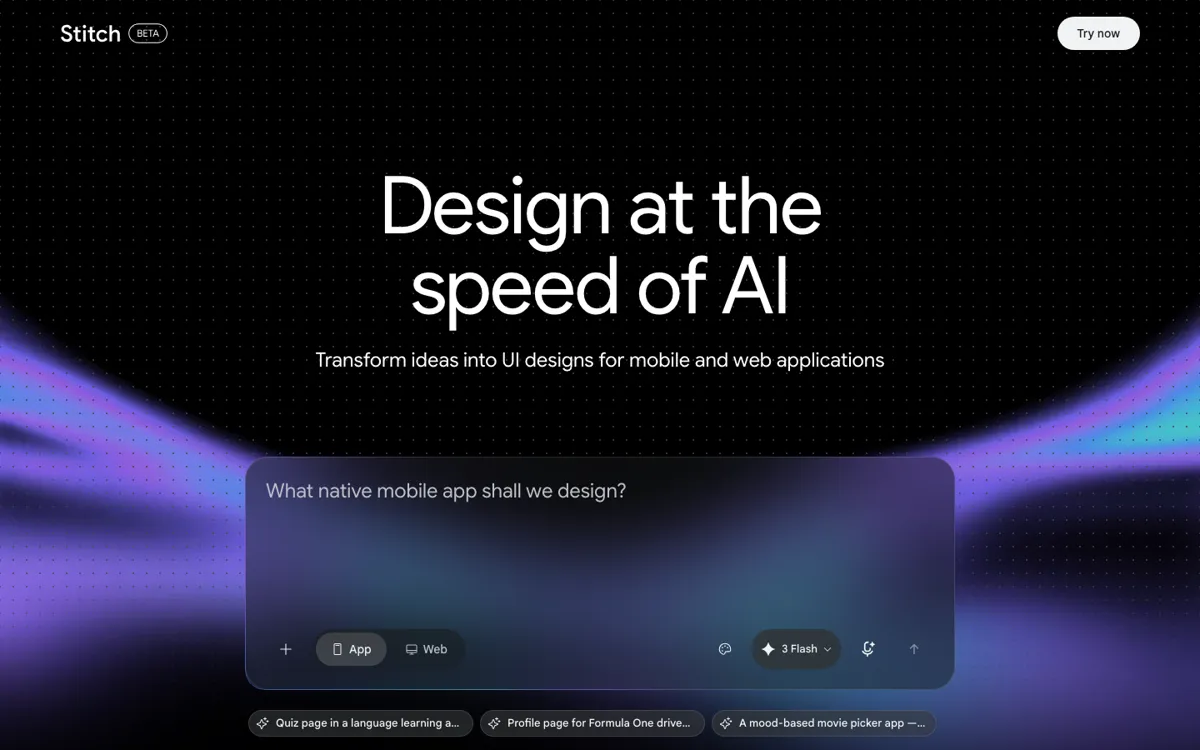
Official Website Snapshot Visit Site ↗

check_circle Pros

  • It removes a lot of startup friction by letting you go from prompt to visible mobile or web screens without setting up a full file first.
  • Image upload plus prompt input makes it easier to steer the result when words alone are not enough.
  • Template starters help you compare generated directions against more grounded UI patterns instead of improvising everything from scratch.

cancel Cons

  • The public site shows generation and template workflows, but not a rich set of production controls, so teams still need another tool once the concept phase is over.
  • Because it is tuned for speed, it is easy to get attractive first drafts that still need substantial human cleanup before they become system-ready designs.
  • The product is still labeled Beta, which matters if you want to anchor a serious production workflow on it today.

Should you use it?

Best for: Product designers, founders, and PMs who need to turn rough feature ideas, landing page concepts, or app directions into something critique-ready before committing to a full design pass.

Skip it if: Skip Stitch if you already have a clear wireframe or design system and mainly need pixel-accurate production work. Its value is speed at the concept stage, not late-stage polish.

Is it worth the price?

Free

Right now the official site behaves like a free entry point, which makes Stitch easy to test for ideation. The real cost is not money first, it is whether the generated concept actually saves you enough early design time to justify moving the work into your main design stack afterward.

The Free Tier

The public site exposes direct use through a Try now flow and generation interface, with no visible paid tiers, credit card requirement, or pricing table on the official surface reviewed this round.

One thing to know before you start

Use Stitch when the team is stuck on “what should this screen look like?” rather than “how do we refine this existing design?” That is where the speed gain is easiest to feel.

What people actually use it for

Turn a rough feature idea into critique-ready screens

A good fit when a PM, founder, or designer has a product idea but nothing visible enough to discuss. Stitch lets you prompt the concept, choose mobile or web, and get a UI direction that is much easier for the team to react to than a text brief.

Use reference images to steer early design direction

Useful when the team knows the visual mood or interaction style they want but does not want to recreate everything manually from scratch. Uploading an image helps constrain the exploration so the generated direction starts closer to the target.

Explore multiple UI patterns before opening the main design file

Helpful when the real question is which layout or product framing deserves deeper effort. Templates and fast generations let the team compare several directions before committing time in the production design tool.

What does Stitch actually do?

Stitch addresses a common early-product problem: the team has an idea, but not enough visual material to judge whether the idea actually works on screen. A written spec or verbal description often sounds fine until someone has to translate it into a mobile app flow, a landing page, or a dashboard layout. That translation step is where momentum dies. Stitch tries to close that gap by giving you a way to turn a prompt or a reference image into a UI concept quickly enough that discussion can start while the idea is still fresh.

Its strongest use is fast design ideation, not deep authoring. You can choose app or web, enter a prompt, upload an image, explore template starters, and generate directions that give the team something concrete to inspect. That matters when the goal is to test product framing, screen hierarchy, or visual tone before investing in a longer manual design pass. In that context, speed is the feature. A rough but usable concept in minutes is often more valuable than a perfectly reasoned brief that still has no screens attached to it.

The limit shows up as soon as the work shifts from exploration to production. Stitch is still presented as a Beta product, and the public experience centers on generation rather than the full set of controls a mature design workflow needs. Teams that need rigorous design systems, handoff, detailed component editing, or exact production-ready outputs will still leave Stitch and finish the job elsewhere. That does not make it weak. It just means the product is most honest when treated as a fast visual starting point, not the whole design stack.

What you can do with it

Generate UI concepts from a text prompt for mobile or web.
Upload a reference image to steer the generated design direction.
Switch between app and web targets before generation.
Start from built-in templates instead of prompting from zero.
Use Live Mode preview to iterate on design ideas interactively.

Technical details

platform
Web-based design ideation tool with prompt input, image upload, and built-in template starting points.
deployment
Google-hosted web app currently labeled Beta.
api_available
No public API is exposed on the product page, but Google also publishes a Stitch SDK repository for developer-side integration work.

Top Alternatives to Stitch

If Stitch is close but still misses the job, try one of these instead.

Key Questions

What does Stitch actually generate?
It generates UI design concepts for mobile and web apps from a prompt, and it can also use a reference image to guide the direction. Think of it as early screen generation, not a finished shipped interface.
Is Stitch meant to replace a full design tool?
No. It is strongest before the full design workflow begins. Once the team moves into detailed editing, systems work, or production handoff, you will still need a deeper design environment.
Is Stitch paid right now?
Based on the official surface reviewed here, no public paid plan or pricing page is exposed. The visible product flow looks free to try, and no credit card or tiered pricing is shown on the official pages checked this round.