4DDiG File Repair Review

7.4/10

Repair corrupted videos, photos, documents, and audio files, then enhance or colorize damaged visuals with AI.

Review updated May 2026 By The AI Way Editorial Tested 133+ tools across the site 5 min read
4DDiG Audio Editing Mac App No Credit Card Required Video Editing Windows App Freemium from $35.95/mo

Our Verdict

4DDiG File Repair is worth opening when you already have damaged media or documents and need a repair-first tool, not another editor full of creative extras. Its edge is range: photos, videos, documents, and audio all sit inside one desktop product, with AI enhancement layered on top. But the free experience is mainly a test drive, and the paid desktop license matters fast if you want real output instead of just previewing repaired files.

Try it
Free to start, then pay when the limits stop you. Starts at $35.95 USD.
open_in_new Try 4DDiG File Repair
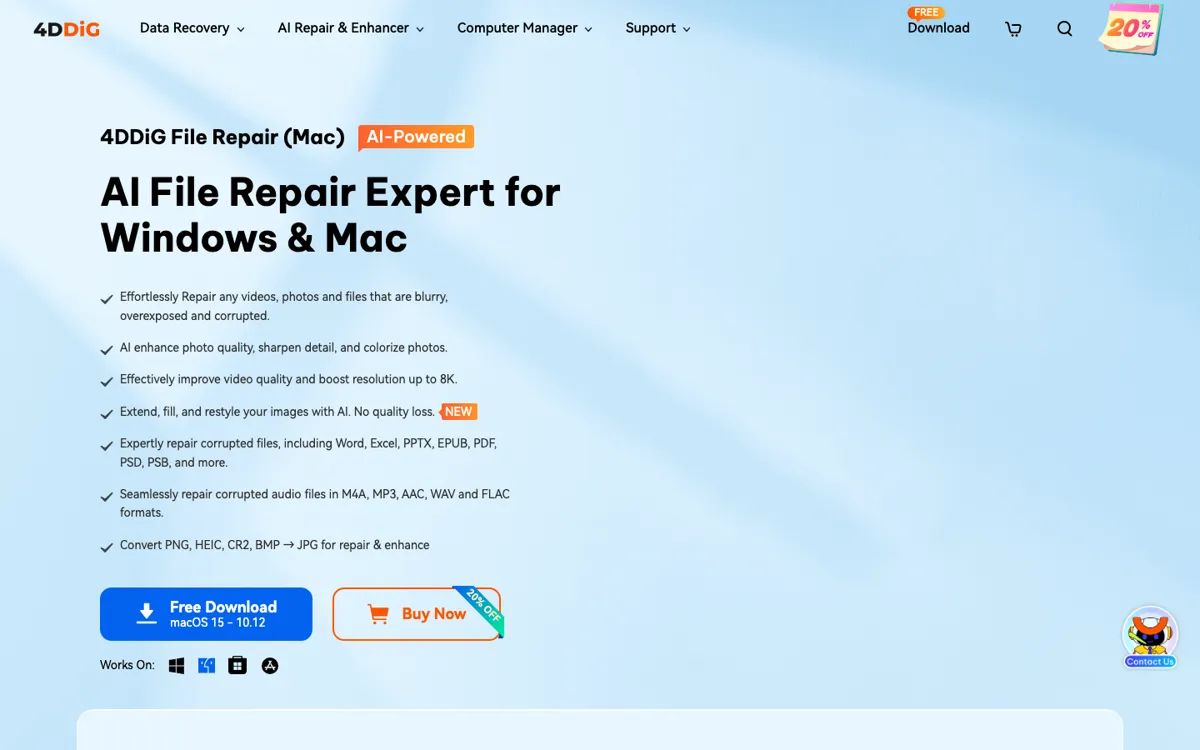
Official Website Snapshot Visit Site ↗

check_circle Pros

  • It handles several failure modes in one place, including broken photos, damaged videos, corrupted office files, and distorted audio.
  • The product is more practical than many single-purpose repair tools because it mixes recovery with enhancement, colorization, and upscale options.
  • Broad format support and batch processing make it easier to use on messy file collections instead of one file at a time.

cancel Cons

  • This is desktop software with paid licenses, so it is not a light browser tool you can keep using freely for ongoing edits.
  • The product page makes the free preview attractive, but the real repair workflow becomes paid quickly if you actually need exports.
  • The buy flow also includes a bundled trial that auto-renews separately, which is the kind of pricing detail you need to notice before checkout.

Should you use it?

Best for: Best for repairing damaged photos, silent or corrupted videos, broken office files, and distorted audio when you need a recovery tool more than a general editor.

Skip it if: Skip this if your files are healthy and you mainly want creative image generation or casual photo editing. Also skip it if you only want a browser-based free tool with no desktop install and no license decisions.

Is it worth the price?

Freemium Starts at $35.95 USD

The try-before-you-buy path is useful for checking whether 4DDiG can rescue your file type, but it is not a real free-use layer. You pay once the repaired file actually matters, because previewing output is not the same as exporting a finished recovery result.

Paid Upgrade
$35.95

Paid licenses unlock full repair and export workflow beyond preview, with longer license terms available for repeated use.

One thing to know before you start

Test it first on the exact failure type you care about, for example a silent video, a blurry scan, or a corrupted DOCX. The product is broad enough that the fastest way to judge it is by matching one broken file to one repair promise, not by reading every module first.

What people actually use it for

Rescue old or damaged photos before trying to beautify them elsewhere

If the real problem is blur, scratches, overexposure, or a black-and-white archive photo that needs color and detail back, 4DDiG makes more sense than opening a normal editor first. It starts from file damage and restoration instead of from style or composition. That saves time when the image is too broken for ordinary editing to help much in the first place.

Repair mixed media batches from cameras, phones, storage cards, or client folders

The broad format coverage matters when the damaged files are not all the same type. A batch may include photos, videos, audio clips, or office files, and 4DDiG is built more for that recovery mess than a narrow single-format fixer. It is less compelling if your need is rare and limited to a single healthy file you only want to tweak cosmetically.

Recover files that need to open again, not just look better

This is the right kind of tool when the problem is that a file will not open, has missing sound, or is visibly corrupted rather than simply unattractive. The product page repeatedly frames the job as repair and restoration, with enhancement as a second layer. If you mainly want generative creativity, filters, or design composition, you are starting from the wrong workflow.

What does 4DDiG File Repair actually do?

Most image and video tools assume the file is already usable. That breaks down the moment the real problem is corruption, not editing. A blurry family photo, a silent damaged video, an unreadable document, or an audio file full of distortion needs recovery before it needs polish. 4DDiG File Repair is built around that earlier step. The official page keeps the promise anchored in repair actions like fixing unopenable files, restoring image details, bringing back sound, and handling damaged media across Windows and Mac instead of treating repair as a tiny side feature.

The product becomes more valuable once you look at how much it tries to cover in one install. The same tool handles photos, videos, audio, office files, and Adobe formats, while also layering in AI photo enhancement, black-and-white colorization, batch processing, preview before export, and video upscale claims up to 8K. TAAFT strengthens the photo-restoration angle with old-photo repair and wide image-format support. That combination makes 4DDiG useful for people cleaning up damaged media libraries, recovery jobs, or mixed client assets, not just one-off beautification tasks.

The limitation is not whether the product has enough repair modes, but how the value is gated. This is desktop software sold through license tiers, and the official materials make clear that the safe way in is a try-first workflow rather than a permanently generous free tier. The bundled trial language on the buy page is another reason to read the checkout details carefully. So 4DDiG fits best when the file is important enough that paying for successful recovery is reasonable, not when you are casually browsing for a free editor with endless room to experiment.

What you can do with it

Repair corrupted, blurry, overexposed, or unopenable photos with AI enhancement tools.
Fix damaged videos and upscale output quality up to 8K.
Repair Word, Excel, PowerPoint, PDF, PSD, and other damaged file types from one desktop tool.
Recover distorted or broken audio files across common formats like MP3, WAV, AAC, and FLAC.
Colorize black-and-white photos and restore detail in old or scratched images.
Batch process large file sets and preview repaired results before export.

Technical details

platform
Windows and Mac desktop app
deployment
Local desktop software
api_available

Top Alternatives to 4DDiG File Repair

If 4DDiG File Repair is close but still misses the job, try one of these instead.

Key Questions

Is 4DDiG File Repair mainly an editor or a recovery tool?
It is mainly a recovery tool. The official page centers on repairing corrupted, blurry, overexposed, silent, or unopenable files first, then adds enhancement features on top of that repair workflow.
Can it handle more than just damaged photos?
Yes. The product also covers video, audio, office files, PDFs, and Adobe file types, which makes it broader than a photo-only repair utility.
Is the free version enough to finish real repair jobs?
Usually no. It is enough to test compatibility and preview repaired output, but the official buy flow makes clear that full export value is tied to paid licenses.
Who gets the most value from 4DDiG File Repair?
People dealing with damaged media or documents get the clearest value, especially when the files need to open again or become usable again. If your files are already healthy and you just want creative edits, it is the wrong starting point.