What does Bing Image Creator actually do?
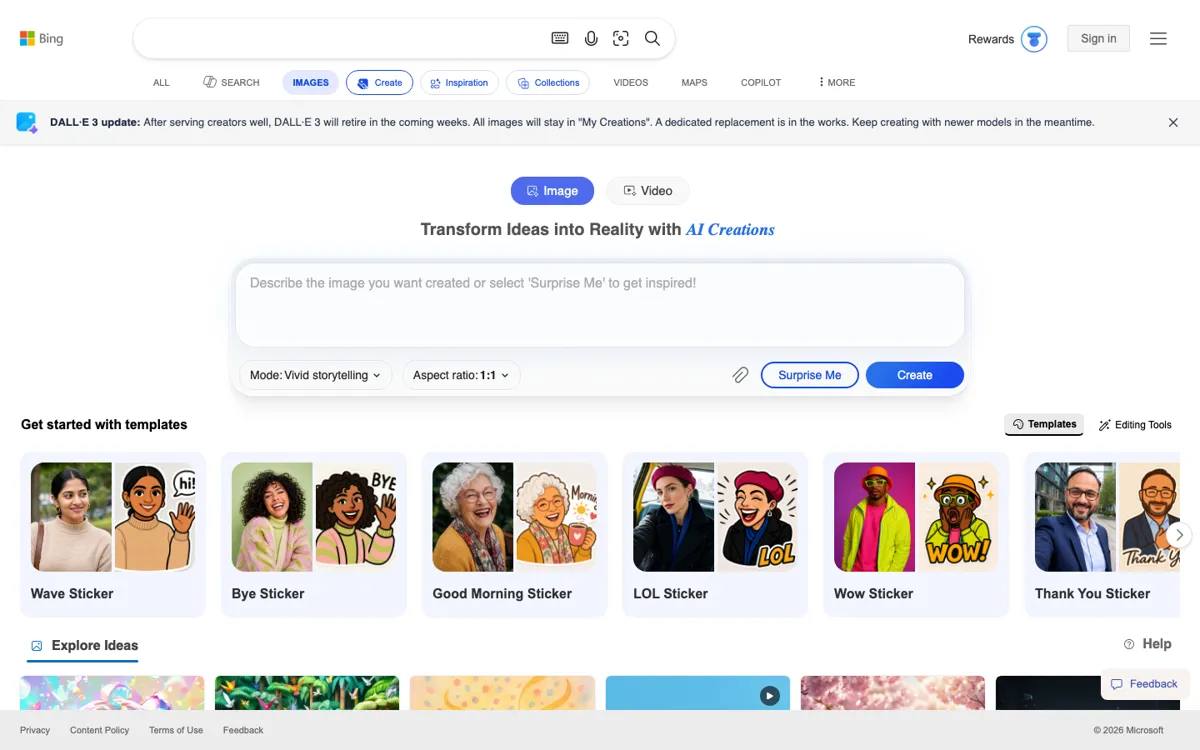
Bing Image Creator is easy to underestimate because the page looks simple, but that simplicity is the real product choice. Microsoft is not asking you to learn a new creative operating system before you generate anything. The official page drops you straight into a prompt box, lets you upload an image, choose a model, set an aspect ratio, and generate two images without making the surrounding workflow feel complicated. That matters for people who are not shopping for a power-user studio. They are trying to get from an idea in their head to a visual draft they can react to right now. In that sense, Bing Image Creator is less like a specialist art lab and more like a fast on-ramp into AI visuals for mainstream users who want speed over ceremony.
The strongest part of the official experience is that it reduces friction in several places at once. Templates help when the prompt is still fuzzy. Upload support helps when the idea starts from a reference image instead of a blank sentence. FAQ and policy links help because this is a mainstream consumer product that has to explain storage, supported languages, uploaded-image handling, and safety boundaries. All of that gives Bing Image Creator a very different shape from image tools that assume a more technical or professional audience. It is good at helping someone get moving, test a few visual directions, and keep the work inside a familiar Microsoft-owned surface rather than jumping through separate tools immediately.