Invideo AI Review

8.4/10

AI video generator for turning prompts into full videos, clips, avatars, voiceovers, and translated edits.

Review updated May 2026 By The AI Way Editorial Tested 141+ tools across the site 5 min read
InVideo Avatar Generation Text-to-Video Video Editing Video Translation Voice Cloning Web-Based Paid from $17.00/mo

Our Verdict

Invideo AI is for people who want to start with a prompt and get to a usable social, ad, or explainer video fast, then still have room to edit the result. Its strength is not just generation, but how it combines prompt-based creation, model access, stock media, and a separate editor path inside one product family. The tradeoff is that pricing is tied to credits, concurrency, and model usage, so it can feel less predictable than a simple flat-rate editor once video volume starts climbing.

Try it
Paid product. Starts at $17.00 USD.
open_in_new Visit Invideo AI
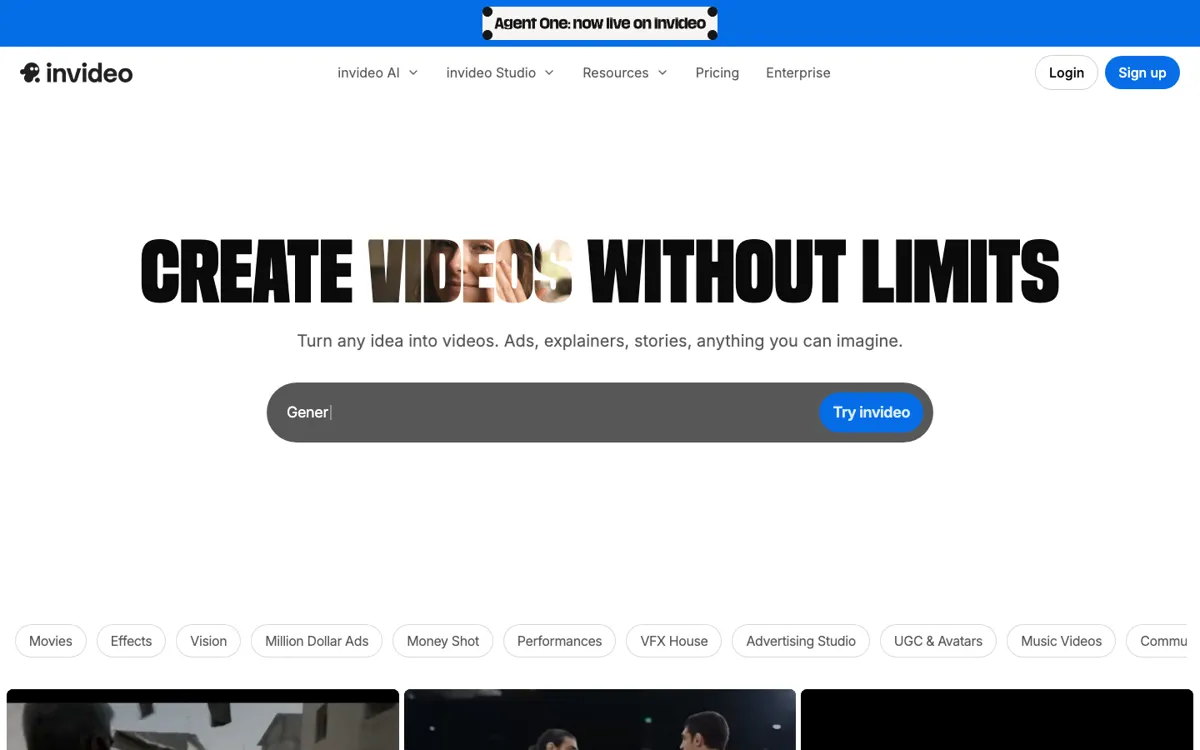
Official Website Snapshot Visit Site ↗

check_circle Pros

  • It lets you move from a blank prompt to a structured video draft without setting up every scene manually, which is useful when speed matters more than perfect control on the first pass.
  • The product covers both AI generation and manual cleanup, so you are not forced to leave for a different editor the moment the draft needs scene-level changes.
  • The pricing page is unusually explicit about credits, storage, concurrency, avatars, stock access, and watermark-free exports, which makes the upgrade path easier to understand than many AI video tools.

cancel Cons

  • The credit model makes budgeting harder than a simple editor subscription, especially because model prices can change and unused credits do not roll over.
  • If you want a pure manual editing experience from frame one, the AI-first interface can feel like an extra layer instead of a shortcut.
  • Longer or heavier production use pushes you into higher tiers quickly because storage, concurrency, avatars, and credit volume are all tiered.

Should you use it?

Best for: Best for turning prompts into social videos, ads, shorts, product explainers, or creator-style clips when you want AI to build the first version and still keep an editor nearby for cleanup.

Skip it if: Skip this if you need fixed and easy-to-forecast production costs, or if your team already knows it wants a traditional timeline editor with manual control from the first step. It is also a weak fit when every project is long-form and heavily custom, because the tier and credit system becomes part of the job.

Is it worth the price?

Paid Starts at $17.00 USD

Invideo AI is easiest to justify when you publish often enough that prompt speed saves real time, but not so blindly that you ignore the credit math. Once you start leaning on premium models, more concurrency, stock-heavy output, or frequent generation retries, this stops feeling like a cheap all-you-can-make editor and starts acting like a metered production stack.

Paid Upgrade
$17/mo billed yearly

Paid plans add monthly credits, more avatars and voice clones, higher concurrency, more storage, iStock access, and watermark-free exports.

One thing to know before you start

Test one real weekly content job, not a demo prompt. Invideo AI is easier to judge when you measure how often you regenerate, trim, and restyle output before publishing, because that is where the credit model starts to matter.

What people actually use it for

Turn a rough content idea into a short video draft fast

Invideo AI works best when the hard part is getting from a blank page to a first cut, not when the hard part is polishing every frame by hand. The homepage is built around prompt-based creation for videos, clips, ads, and platform-specific output, which makes it useful for marketers, solo creators, and operators who need a draft in minutes instead of a storyboard session. You type the idea, let the system assemble scenes, voice, and visuals, then decide what deserves cleanup. The savings are most obvious when you make lots of short recurring content, not when every video is a one-off art project.

Create social ads or product clips, then refine them in the built-in editor

A lot of AI video tools stop being useful once you want to fix timing, swap media, or tighten the script manually. Invideo splits that problem by pairing AI generation with Invideo Studio, so the same product family can move from generated draft to hands-on scene editing. That matters when you need faster first output without giving up the ability to nudge brand colors, overlays, text, logos, and scene order afterward. It is a stronger fit for ad iterations and short explainers than for complex narrative edits where the manual timeline should be the starting point rather than the fallback.

Run frequent video experiments across different platforms

Invideo AI is useful when you are testing many variations for YouTube, Instagram, Facebook, or TikTok and do not want every version to start from zero. The official pages keep surfacing platform-specific tools, subtitles, translation, avatars, and multiple media models, which all point toward rapid iteration rather than one masterpiece export. That helps growth teams and creators who care about output volume and variation. The tradeoff is that once experimentation turns into lots of retries across premium models, your real cost is shaped by credits and tier limits as much as by subscription price.

What does Invideo AI actually do?

Video creation usually stalls at the first ugly step: you have an idea, maybe a campaign angle or a product hook, but not a script, a shot list, voiceover, B-roll plan, or enough time to build all of that by hand. Traditional editors are strong once the footage and structure already exist, but they do not solve the blank-canvas problem. Invideo AI is aimed at that earlier moment. The homepage frames the tool around prompts, clips, ads, avatars, subtitles, translation, and platform-specific output because the promise is not merely editing faster. It is getting from a sentence in your head to a watchable first draft before the idea dies in your notes app or backlog.

The product becomes more convincing when you look at how it handles the gap between generation and revision. You can start with a prompt, let the tool assemble scenes, voice, stock footage, and structure, then move into Invideo Studio when the draft needs manual cleanup. That matters because real publishing work rarely ends at the first generation. You still need to swap logos, fix text, trim scenes, adjust music, and reshape pacing for different channels. Invideo is clearly trying to keep those moves inside one product family instead of forcing you to export into another editor every time the AI gets close but not all the way there.

The limitation is that Invideo AI is not a simple flat editor you can cost mentally at a glance. The pricing page makes credits, concurrency, avatars, storage, stock access, and premium model usage part of the buying decision, and it also states that credit costs can change and unused credits do not roll over. That is manageable for teams who publish often and know why faster drafting saves them money. It is much less comfortable for buyers who want predictable per-project costs or who expect long-form, highly custom productions where repeated generations can quietly turn into the expensive part of the workflow.

What you can do with it

Turn one text prompt into a multi-scene video draft with visuals, script, and voiceover.
Generate short-form clips, ads, and platform-specific videos for YouTube, Instagram, Facebook, and TikTok.
Add AI avatars, product clones, voice cloning, subtitles, and translation from the same product family.
Switch into Invideo Studio for manual editing of scenes, logos, audio, timing, and templates.
Export finished videos without watermark on paid plans.
Use stock assets from providers like iStock and Storyblocks inside the creation flow.

Technical details

platform
Web app with separate AI generation and Studio editing surfaces, plus mobile app links on the official site
deployment
Cloud SaaS
api_available
No public API access page was confirmed from the captured official pages

Top Alternatives to Invideo AI

If Invideo AI is close but still misses the job, try one of these instead.

Key Questions

Is Invideo AI priced like a normal unlimited video editor?
No. The pricing page is built around credits, plan tiers, concurrency, storage, and model usage, so the monthly fee is only part of the real cost picture.
What kind of work is Invideo AI strongest at?
It is strongest at fast-turn content like ads, shorts, social videos, and short explainers where getting a first draft quickly matters more than perfect manual control from the start. It is less naturally suited to highly custom long-form editing workflows.
Can you still edit the output manually after AI generation?
Yes. The official site positions Invideo Studio as the manual editing layer for changing visuals, text, logos, timing, and other scene details after the AI creates the first version.
Do unused Invideo AI credits roll over to the next month?
No. The pricing FAQ says unused credits do not roll over, which matters if you are trying to estimate the real value of a larger subscription tier.