CaptionCreator Review

7.7/10

Generate subtitles, transcripts, and translated captions online in 50+ languages.

Review updated May 2026 By The AI Way Editorial Tested 133+ tools across the site 4 min read
CaptionCreator Auto Subtitles Transcription Video Translation Web-Based Freemium from $10.00/mo

Our Verdict

CaptionCreator is strongest when you need captions or transcripts quickly and do not want to drag a simple subtitle job through a full video editing workflow. Its real value is speed and low setup, especially for short online jobs and multilingual caption needs. But if you need detailed timing polish, rich visual styling, or broader post-production control, it becomes too lightweight fast.

Try it
Free to start, then pay when the limits stop you. Starts at $10.00 USD.
open_in_new Try CaptionCreator
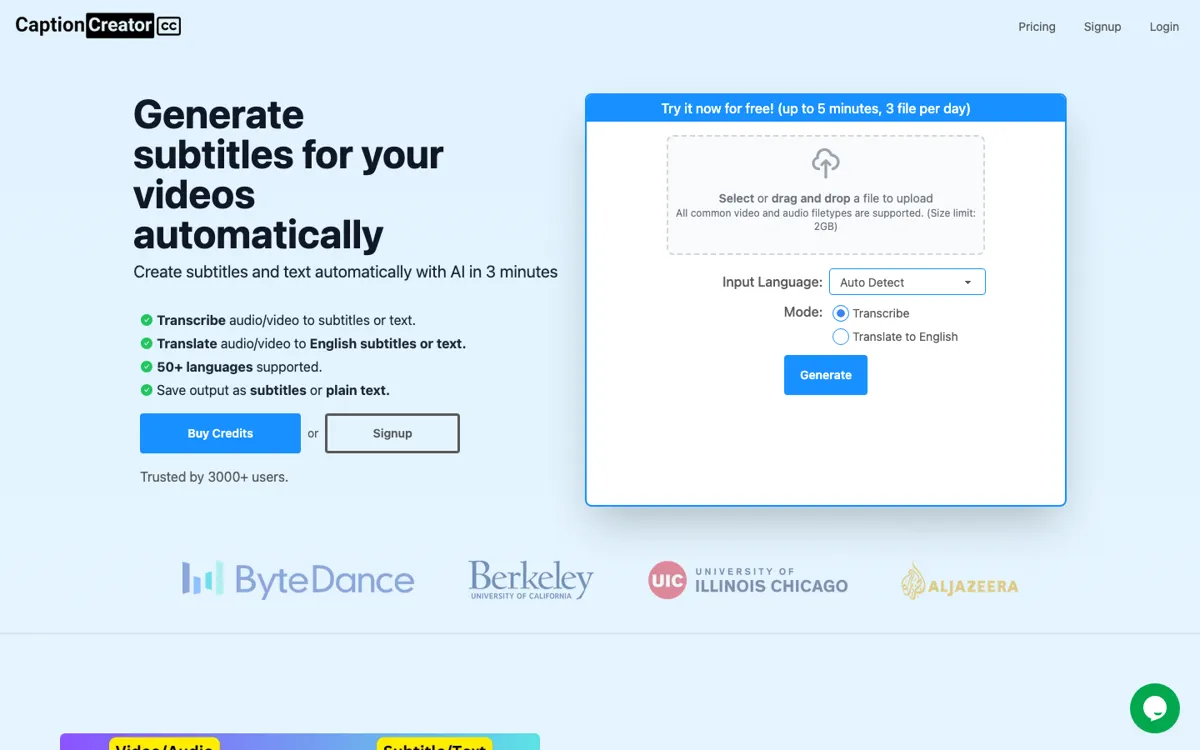
Official Website Snapshot Visit Site ↗

check_circle Pros

  • It keeps the subtitle workflow simple enough for quick online jobs instead of forcing users into a larger editing stack.
  • Translation support across many languages makes it more useful than a one-language transcript helper.
  • The free minutes and low-entry credit bundle lower the risk of testing it on real clips.

cancel Cons

  • The product looks much less suitable for advanced subtitle styling or deep video post-production work.
  • Credit-based pricing is easy to start with, but can feel less predictable than a flat subscription if caption volume grows.
  • People handling long-form or frequent localization work may outgrow the lightweight online workflow quickly.

Should you use it?

Best for: Best for turning short videos into editable subtitles or transcripts online, especially when you need fast turnaround and occasional translation support.

Skip it if: Skip this if you need broadcast-level subtitle styling, detailed timing control, or full video editing around the captions. Also skip it if your caption workload is heavy enough that credit tracking becomes annoying.

Is it worth the price?

Freemium Starts at $10.00 USD

The free minutes make it easy to test on a real clip before paying. The bigger question is whether your workload stays occasional enough that credits feel convenient instead of turning into a meter you keep watching.

The Free Tier

Free trial includes 3 minutes of video processing before paid credits are needed.

Paid Upgrade
$10

Paid credits expand processing volume for subtitle, transcript, and translation work beyond the small free trial allowance.

One thing to know before you start

Test it on the kind of clip you actually publish, especially if accents, noisy audio, or translation matter. The fastest useful check is whether the first editable draft is close enough that cleanup feels lighter than doing the whole thing elsewhere.

What people actually use it for

Add captions to short creator or marketing videos without opening a full editor

If the real job is simply getting readable captions onto a clip and exporting them quickly, CaptionCreator is a practical shortcut. It helps most when the bottleneck is typing and timing basic captions, not editing the whole video. The payoff is weaker if you already live inside a heavy post-production workflow where captioning is only one small step.

Create transcripts and translated subtitles from one online workflow

A lot of subtitle tools handle captions but make transcript export or translation feel secondary. CaptionCreator is more useful when you need both text output and multilingual caption support from the same upload. It is less compelling if your content never needs translation and you only need a plain transcript once in a while.

Handle occasional subtitle jobs with credits instead of a larger recurring tool bill

Some teams do not need a big video subscription every month because caption work comes in bursts. CaptionCreator makes more sense in that pattern because the entry cost is small and the workflow is online. It is a weaker fit if caption volume is constant enough that a credit meter becomes irritating.

What does CaptionCreator actually do?

A lot of subtitle work is slowed down not by complexity, but by friction. You have a clip, you need readable captions or a transcript, and the job should not require a full video production stack. That is where CaptionCreator fits. The official site is clear that this is an online AI subtitle generator with editable text, transcript export, and language support, which makes the product easier to place than tools that mix captioning into a much broader editing promise. The pain point here is simple: if adding subtitles feels too annoying, the work gets delayed or skipped.

The product becomes more convincing once you look at how practical the workflow is for light and medium use. Free trial minutes, low-entry credits, online processing, and multi-language support all point to a tool that wants to help users finish the job quickly rather than manage an elaborate editing environment. That makes it especially useful for creators, educators, and small teams who need fast captions on social clips, explainers, or recorded content without building a bigger production process around every video.

The limitation is that caption generation is only one layer of video work. If you need deeper subtitle styling, complex timing fixes, or heavy localization workflow management, a lightweight online tool starts to feel small. Credit pricing can also feel clean at low volume and annoying at higher volume. So CaptionCreator looks strongest when the job is quick caption or transcript output with some translation support, not when subtitles are part of a much larger post-production pipeline.

What you can do with it

Generate subtitles from uploaded video without desktop editing software.
Export subtitle text or transcript output after online editing.
Translate captions across 50+ supported languages, including translation into English.
Use credit-based online processing for short or occasional caption jobs.
Edit subtitle text before exporting final output.

Technical details

platform
Web app
deployment
Cloud
api_available

Top Alternatives to CaptionCreator

If CaptionCreator is close but still misses the job, try one of these instead.

Key Questions

Is CaptionCreator only for subtitles, or can it export transcripts too?
It can do both. The official site explicitly positions it around subtitle generation and transcript-style text output, so it is not limited to burning captions onto a video.
Who gets the most value from CaptionCreator?
People with short or occasional caption jobs get the clearest value, especially when they want quick online turnaround without a full editing stack. It is strongest when speed matters more than deep styling control.
When is CaptionCreator the wrong tool to open?
It is the wrong fit when you need advanced subtitle styling, detailed timing polish, or a full video post-production environment. In those cases, a lighter online caption tool usually will not be enough.
Does the free tier let you test the workflow properly?
Yes, to a point. The free minutes are enough to test a real clip, but they are clearly a trial layer rather than a long-term free-use plan for ongoing caption volume.