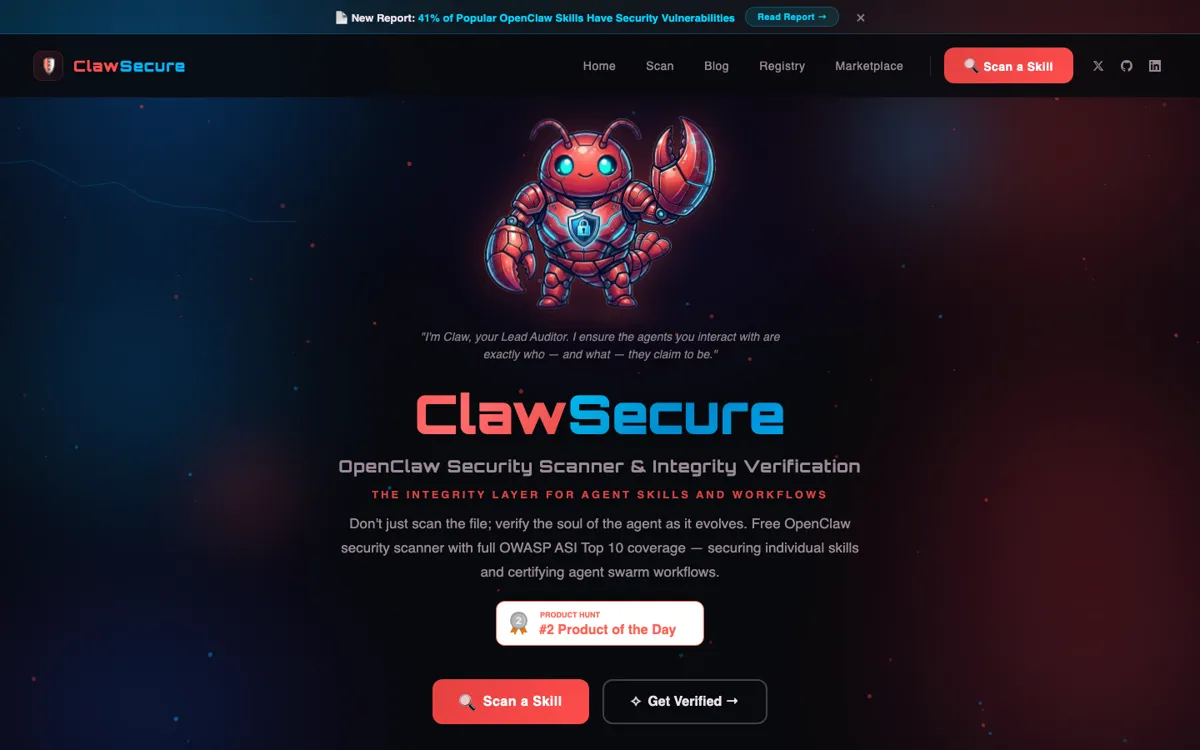
ClawSecure Review

8.2/10

Scan AI agent skills and MCP tools before install, then monitor them as they run.

Review updated July 2026 By The AI Way Editorial 4 min read
ClawSecure Agent Monitoring AI Agents API Available Security Freemium from USD 9.99/mo

Our Verdict

ClawSecure earns its keep when your team is already installing shared skills, MCP servers, and tool-heavy agents faster than your review process can keep up. The free scanner makes the first pass easy to justify. The paid tiers only become obvious once you care about runtime drift, permissions, and behavior alerts after install. If you are still at the simple chatbot stage, this will feel like extra process before it feels like protection.

Official site
A free plan is listed; verify current limits before upgrading. Starts at USD 9.99.
open_in_new Try ClawSecure
Official Website Snapshot Visit Site ↗

check_circle Pros

  • The free scanner gives you a real way to test the product before committing to a monitoring stack.
  • The registry, Watchtower checks, and clearance API make it more than a one-time scan page.
  • The product speaks in agent-specific risks instead of generic app-security filler.

cancel Cons

  • A lot of the public story is still tied closely to OpenClaw, so teams on other stacks may need to test how portable the coverage really feels.
  • The paid value starts after scanning, which means the product only lands if your team will actually act on findings and alerts.
  • Shield, Sentinel, and Fortress are still framed as early-access tiers, so some buyers may read the monitoring side as newer than the scanner.

Should you use it?

Best for teams already sharing skills, MCP servers, or agent configs across a real OpenClaw setup.

Skip it if: Skip it if your agent work is still mostly single-user chat and nobody is reviewing tools or runtime behavior yet.

Is it worth the price?

Freemium Starts at USD 9.99

The scanner is easy to try because the free tier is real. The money question starts at monitoring: $9.99 per month only matters if you actually need visibility into permissions, drift, and agent behavior after install.

The Free Tier

Free scanner forever for pre-install audits.

Paid Upgrade
$9.99/mo founding rate

Runtime monitoring, environment visibility, and behavior alerts after install.

One thing to know before you start

Start with a skill your team already trusts. If ClawSecure still finds permission, drift, or threat issues there, your current review process is missing more than edge cases.

What people actually use it for

Scan shared skills before they spread into more agent workflows

This is where ClawSecure feels practical. A shared skill that looks harmless can travel fast through a team, and the cost of being wrong rises every time another agent starts trusting it. Scanning before install and checking registry status gives you a cleaner decision than reading a repo and hoping the rough edges are obvious.

Review session flows where prompt injection can hide in normal work

The useful part here is not abstract threat language. It is catching the boring-looking workflow change that quietly gives an agent too much reach. Once your agents read outside content, call tools, and pass work across steps, an agent-specific security pass becomes easier to justify than another generic checklist.

Add machine-readable security clearance before a workflow runs wider

The clearance API matters when you want a yes, caution, or deny result inside the workflow instead of a human reopening a dashboard every time. That is useful before promoting a config, sharing a skill, or letting an agent touch something sensitive. It is overkill for one-off tinkering.

What does ClawSecure actually do?

ClawSecure is easier to place if you treat it as a trust layer around agent components, not as another general security dashboard. The scanner, registry, and monitoring pieces all point at the same question: what should this team trust before and after a skill lands in a live workflow?

The free tier answers the first question cheaply. The harder call is whether your team is mature enough to use the monitoring tiers well, because alerts and drift checks only matter if someone is willing to change the setup after the product flags a risk.

What you can do with it

Scan skills and MCP servers before they touch your live agent setup.
Browse an audited OpenClaw registry with verified and recently changed skills.
Watch for code drift and re-scan components after updates land.
Check skill integrity through a clearance API before risky actions run.
Upgrade into runtime monitoring when you need environment and behavior visibility.

Technical details

clearance_api
POST clearance API returns SECURE, CAUTION, DENIED, and drift states.
threat_coverage
Checks 55+ threat patterns with full OWASP ASI Top 10 coverage.
watchtower_monitoring
Tracks code changes and triggers re-scans when components drift.

Top Alternatives to ClawSecure

If ClawSecure is close but still misses the job, try one of these instead.

Key Questions

Is ClawSecure a general security scanner for any SaaS app?
No. It is built around agent components such as skills, MCP servers, registries, and runtime behavior, not generic web-app scanning.
Why use it if the agent already works?
Because a skill can look fine in a demo and still hide prompt-injection paths, permission abuse, or bad updates once it spreads into real workflows.
What is the clearest sign that ClawSecure is worth trying?
You should try it when your team is already installing shared skills or MCP tools and your review process is still mostly trust, spot checks, or manual repo reading.
Does the official site show paid pricing now?
Yes. The scanner is free, and the pricing page shows paid monitoring tiers starting at a $9.99 per month founding rate.