ZipWP Review

8.3/10

Create a WordPress site in 60 seconds with AI, then keep editing it like a normal WP build.

Review updated May 2026 By The AI Way Editorial Tested 133+ tools across the site 6 min read
ZipWP No Credit Card Required Web-Based Freemium from $8.99/mo

Our Verdict

ZipWP is best when you want an actual WordPress starting point, not just AI-generated sections inside a closed website builder. Its main value is speed into a familiar WP stack you can still extend with plugins, hosting choices, and manual edits. But if you are not committed to WordPress or you care most about wide design variation from the first draft, its structure can feel more bounded than broader AI site builders.

Try it
Free to start, then pay when the limits stop you. Starts at $8.99 USD.
open_in_new Try ZipWP
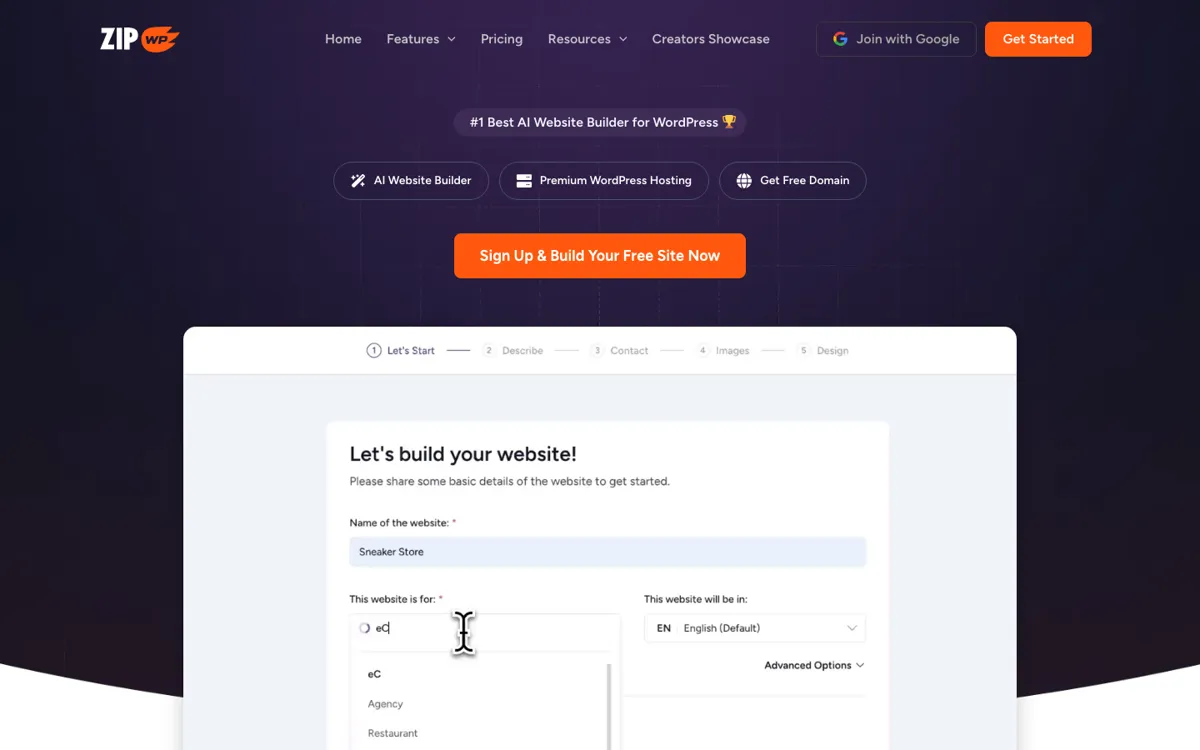
Official Website Snapshot Visit Site ↗

check_circle Pros

  • It gets you to a real WordPress draft fast, which is more useful than a mockup when the next step is editing, launching, or handing the site to a client.
  • The official plans include sandbox sites, blueprint sites, premium designs, and an AI site planner, so the first draft is not forced to start from a bare install.
  • ZipWP keeps the site in the WordPress ecosystem, which matters if you want plugin freedom, host transfer, and a build your team can keep working on after the AI step.

cancel Cons

  • It is fundamentally tied to WordPress, so it is a bad fit if you want a platform-agnostic AI site builder or a non-WP publishing stack.
  • One public TAAFT review says the generated layouts still feel limited, which suggests the speed advantage may come with less visual variety than some users want.
  • The pricing surface is a little messy across sources, because the official site emphasizes recurring hosting plans while TAAFT also shows a separate $79 one-time offer signal.

Should you use it?

Best for: Best for generating a first-pass WordPress site for a client, service business, or internal project when you want usable pages, editable copy, and a launchable WP stack within minutes instead of starting from an empty install.

Skip it if: Skip this if you do not want WordPress, or if your main goal is exploring lots of radically different visual directions before you commit to one site structure. Also skip it if conflicting promo surfaces around pricing would slow down your buying decision.

Is it worth the price?

Freemium Starts at $8.99 USD

The free tier is good for learning the product and testing how fast the AI gets you to a workable draft. You will feel the need to pay when you want live hosted sites, more generation capacity, premium assets, and a setup you can use repeatedly for production work instead of one-off experiments.

The Free Tier

Official pricing says there is a free plan, but the strongest production capabilities and higher generation/site limits sit in paid tiers.

Paid Upgrade
$8.99/month

Paid plans add live hosting, more AI site generation capacity, more sandbox sites, premium designs, blueprint access, and other production-oriented features.

One thing to know before you start

Feed it a more specific business description than you think you need. The strongest public review says the copy quality improves a lot when the prompt includes enough detail, which makes the first pass more usable and cuts cleanup later.

What people actually use it for

Spin up a client-ready WordPress draft before the first review call

A freelancer or agency can use ZipWP to go from a service brief to a working WordPress draft before the client even sees a blank canvas. That changes the conversation from abstract planning to real pages, copy blocks, and structure. It saves the most time when the goal is to accelerate the first 60 to 80 percent of setup, not when the client expects a custom visual identity from scratch on day one.

Test a business idea with a hosted WordPress site instead of a mock landing page

Someone launching a side project or local business can use the free tier and low-end plans to get a site online quickly without doing manual WordPress setup first. That is more practical than a static design draft when you actually want to publish, collect leads, or validate demand. The downside is that the product is less useful if your validation workflow does not want WordPress underneath.

Create repeatable WordPress starting points for production work

Blueprint sites, premium designs, sandbox sites, and planning tools make more sense when you are not building just one website. They help agencies and repeat builders create a consistent starting system instead of redoing the same setup every time. The value falls if you only need one very custom site and care more about fresh layout exploration than process speed.

What does ZipWP actually do?

Building WordPress sites usually burns time before the real design work even starts. You still need hosting, a clean install, a theme direction, a few starter pages, some basic copy, and a way to show progress to a client without losing the first day on setup. ZipWP is aimed at that exact drag. Its homepage promise is blunt: create a WordPress site in 60 seconds with AI. The important detail is not only the speed claim. It is that the output stays in WordPress, which matters for people who want a real build they can keep editing rather than a temporary AI mockup that has to be rebuilt elsewhere later.

The official pricing and feature pages show how ZipWP tries to shorten the path after generation too. Plans mention sandbox sites, blueprint sites, premium designs, AI Site Planner, AI Troubleshooter, and hosting features, while the broader site points users to docs, support, plugin-related workflows, and host transfer flexibility. In practice, that means ZipWP is not merely writing website copy from a prompt. It is trying to compress the setup layer of WordPress production, then leave you with a build that still behaves like a WordPress project once the AI step is over.

The limitation is that WordPress remains the center of gravity. If you wanted an AI site builder precisely because you did not want to think about WordPress themes, hosting plans, plugin compatibility, or structured site maintenance, ZipWP may still feel like too much platform. One public TAAFT review also points out that the generated layouts can feel limited, which is a useful warning for users who expect endless visual variation. So the product is strongest when your bottleneck is setup speed into WordPress, not when your bottleneck is open-ended design exploration or leaving the WP ecosystem behind.

What you can do with it

Generate a working WordPress website from a text prompt in about 60 seconds.
Start from sandbox sites, blueprint sites, and premium designs instead of an empty install.
Use AI Site Planner and AI-assisted site generation to shape the first draft before manual edits.
Move beyond the first draft with plugins, custom edits, and hosting options that stay inside the WordPress ecosystem.
Launch on ZipWP hosting or transfer the built site to another host when needed.

Technical details

platform
Web app with WordPress-based output
deployment
Cloud
api_available
No public API docs surfaced on the official pages reviewed

Top Alternatives to ZipWP

If ZipWP is close but still misses the job, try one of these instead.

Key Questions

Can ZipWP build a real WordPress site or just a preview?
It builds a real WordPress starting point. The official site frames the product around WordPress generation, hosting, sandbox sites, and editable builds, so the result is closer to a usable site setup than a static mockup.
Is the free version enough to test the core workflow?
Yes. The official pricing page explicitly says there is a free plan, which is enough to see whether the AI generation and WordPress workflow fit you before paying. You would upgrade when you need more sites, more capacity, or live production hosting.
Do I have to keep hosting my site on ZipWP?
No. Public product information says you can host a ZipWP-built site with another host if you want. That flexibility matters if you want the AI setup speed without locking the finished site to one hosting provider.
What is the main catch with ZipWP?
The catch is that the product still assumes WordPress is the right destination. If you want AI help but not a WordPress-based workflow, ZipWP removes the setup burden without removing the platform choice.