Replit Review

8.6/10

Build apps and sites from prompts, code, and built-in cloud tools in one browser tab.

Review updated May 2026 By The AI Way Editorial Tested 99+ tools across the site 5 min read
Replit API Available Browser Automation GitHub Copilot Rival Repo Awareness Web-Based Freemium from $20.00/mo

Our Verdict

Replit is for people who want AI to help ship an actual app, not just suggest the next line of code. Its real draw is that prompt-to-app generation, editing, hosting, database, and deployment sit in one hosted workspace, so a rough idea can turn into a live prototype fast. But that convenience comes with a more opinionated stack and a credit-based usage model, which means it makes less sense if you already like your local editor, infra, and deployment flow.

Try it
Free to start, then pay when the limits stop you. Starts at $20.00 USD.
open_in_new Try Replit
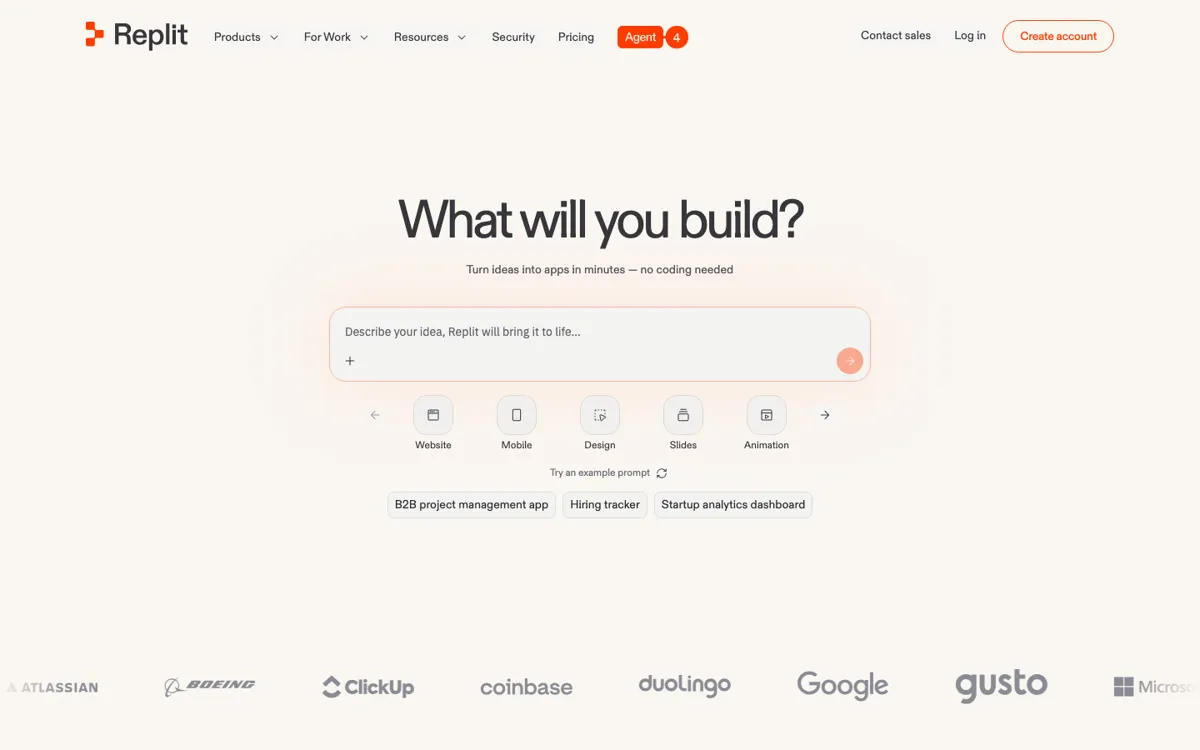
Official Website Snapshot Visit Site ↗

check_circle Pros

  • It handles more than code generation, because hosting, database, auth, and publishing are already wired into the same workspace.
  • The browser-first setup removes the usual install and environment friction when you just want to get a prototype moving.
  • It can start from prompts, GitHub repos, or remixed projects, which makes it usable for both blank-page ideas and existing codebases.
  • Parallel agent tasks are aimed at real app coordination work, not just single-file code suggestions.

cancel Cons

  • The pricing model depends on credits, so heavier agent use can become a budgeting variable instead of a flat editor subscription.
  • Its biggest value comes from using Replit's hosted workflow, which is a weaker fit if your team already has a settled local dev and cloud stack.
  • The free tier is enough to test the flow, but the pricing page clearly limits agent intelligence and app publishing scope.

Should you use it?

Best for: Turning a rough product idea into a hosted internal tool, prototype, or small web app without stitching together setup, database, auth, and deployment by hand.

Skip it if: Skip it if you mainly want inline AI help inside your existing IDE and deployment stack, because Replit is trying to own the whole app-building lane rather than just the coding assist layer.

Is it worth the price?

Freemium Starts at $20.00 USD

The free tier looks fine for testing the prompt-to-app flow once or getting a feel for the workspace. You will hit paid plans faster if Agent becomes part of daily build work, especially once you need more than one published app or steadier credit capacity.

The Free Tier

Free tier includes free daily Agent credits, limited Agent intelligence, and publishing for 1 app.

Paid Upgrade
$20/month billed yearly for Replit Core

Paid plans add larger monthly credit pools, unlimited workspaces, and stronger app-building features, with Pro adding longer database restore support.

One thing to know before you start

Test Replit with a project that actually needs auth, data, and deployment. That is where its bundled workflow is easier to judge than a toy one-file demo.

What people actually use it for

Build an internal tool from a rough requirements prompt

You have a plain-English idea for a customer portal, admin dashboard, or internal workflow app, but you do not want to spend the first day wiring login, storage, and hosting. Replit fits when the main bottleneck is getting a working app shell online. You describe the product, let Agent scaffold the code, then keep adjusting inside the same workspace. It saves the most time when the alternative would have been bouncing between local setup guides, cloud dashboards, and starter boilerplates.

Turn an existing repo into something you can keep iterating in the browser

If a project already lives on GitHub but you want a faster hosted place to inspect, modify, and publish it, Replit's import flow is the practical entry point. This is useful for reviving side projects, demoing a codebase to non-engineers, or making changes without rebuilding your laptop environment first. The value is not just code editing, but having run, preview, and deployment steps in the same tab.

Prototype with a small team while AI handles coordination work

Replit is built for cases where several people need to shape the same app quickly and the hard part is sequencing work across design, data, auth, and implementation. The homepage pushes parallel agents and shared project context as a way to keep those tasks visible in one place. That makes sense for fast-moving prototypes or business apps, but less for teams that already have strong engineering rituals outside a hosted browser environment.

What does Replit actually do?

A lot of AI coding tools save time on writing code but leave the messy parts untouched. You still have to decide where the code lives, configure the environment, connect authentication, stand up a database, and figure out how the app gets published. That gap matters when the real job is not producing one component, but getting a usable product online. Replit is aimed at that broader pain. Its homepage keeps repeating the same promise from different angles: describe what you want, let the Agent build, and stay in one browser tab while the project moves from idea to deployable app. For someone prototyping an internal tool or a small SaaS workflow, that is a much more specific pitch than generic AI autocomplete.

The product's solution is to bundle the surrounding app stack into the same workspace where the AI writes and edits code. Replit highlights built-in authentication, database, hosting, monitoring, and cloud publishing, plus the ability to import GitHub repositories and continue from existing projects. In practice, that means the AI is not operating in isolation. It is being sold as part of a managed build lane where setup, iteration, and deployment live together. That can remove several hours of friction when you want to go from prompt to clickable prototype quickly, especially if you are working in a browser or on a machine where you do not want to rebuild your local toolchain from scratch.

The limitation is that Replit makes the strongest case when you accept its hosted environment and credit economy as part of the package. The pricing page shows free daily Agent credits, then paid plans that expand monthly credits, workspaces, and app-building capability. So this is not the cleanest choice for developers who only want cheap inline suggestions inside their own editor, or teams with a mature infra stack that already handles deployment, secrets, and data their own way. In those cases, the all-in-one setup can feel heavier than helpful. Replit works best when convenience across the whole app path matters more than keeping every layer unbundled and self-directed.

What you can do with it

Turn a natural-language app idea into a working project scaffold with Agent.
Edit, run, and publish apps from the browser without local environment setup.
Use built-in authentication, database, hosting, and monitoring inside the same project flow.
Import existing GitHub repositories and continue building inside Replit.
Collaborate on the same project while Agent handles parallel build tasks and sequencing.

Technical details

platform
Web app with mobile app support
deployment
Cloud-hosted
api_available
Yes

Top Alternatives to Replit

If Replit is close but still misses the job, try one of these instead.

Key Questions

Is Replit mainly an AI coding assistant or a full app-building platform?
It is closer to a full app-building platform. The AI agent is central, but Replit also bundles coding, hosting, database, publishing, and collaboration into one browser-based workflow.
Can you try Replit without paying first?
Yes, but with clear limits. The free tier gives daily Agent credits and lets you publish one app, so it is enough to test the experience, not to assume unlimited ongoing use.
Does Replit work only for brand-new projects?
No. Replit also supports importing existing GitHub repositories, so it can be used to continue work on a codebase you already have instead of starting from zero.
When does Replit make less sense?
It makes less sense when your team already likes its local IDE, deployment pipeline, and cloud setup. In that case, Replit's bundled hosted workflow can feel like an unnecessary extra layer rather than a shortcut.