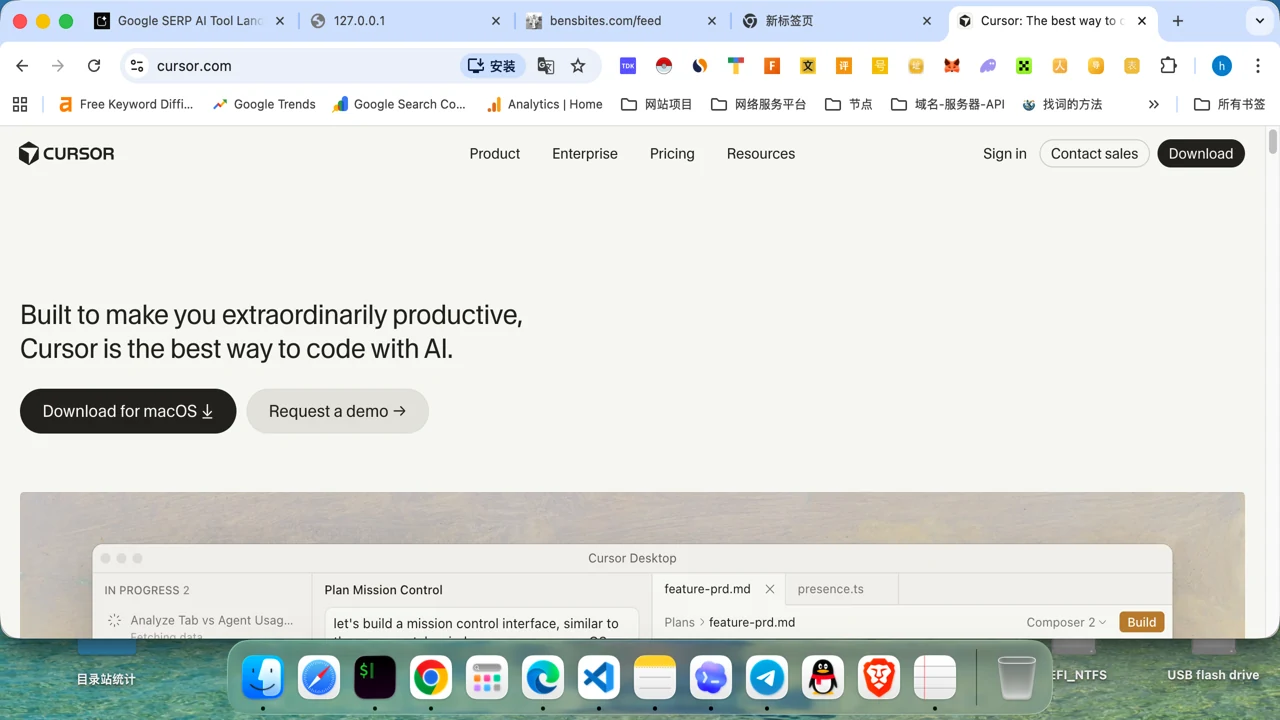
Cursor Review

8.6/10

AI code editor with agents, fast autocomplete, code review, and terminal workflows.

Review updated May 2026 By The AI Way Editorial Tested 99+ tools across the site 6 min read
Cursor App Integration Auto Debugging CLI Tool Code Refactoring GitHub Copilot Rival Freemium from $20.00/mo

Our Verdict

Cursor is for developers who want the editor to do more than fill the next line. Its real value is not just autocomplete, but how it combines agent handoff, repo context, code review, and editor-native workflows in one place. The cost is that you are buying into a deeper environment than a simple suggestion tool, so the payoff is highest when your work happens in real repos, PRs, and repeated coding sessions rather than occasional AI prompts.

Try it
Free to start, then pay when the limits stop you. Starts at $20.00 USD.
open_in_new Try Cursor
Official Website Snapshot Visit Site ↗

check_circle Pros

  • It brings agents, fast autocomplete, code review, and repo rules into one coding surface, which reduces context switching across tools.
  • The product is broad enough to help at different layers of coding work, from line-level continuation with Tab to larger task handoff with agents and PR review with Bugbot.
  • The docs and pricing surface are unusually explicit about features like MCP, cloud agents, rules, and separate team or enterprise controls, which makes the product easier to evaluate before rollout.

cancel Cons

  • Cursor makes the most sense when you already live in structured coding workflows, so it is overkill if you only want occasional code generation in a chat box.
  • Several of the stronger workflows, including higher agent limits, frontier model access, and team controls, sit behind paid tiers, so heavy use gets expensive faster than the free pitch suggests.
  • The product surface is wide enough that new users can underestimate the setup overhead around rules, MCP, plan choice, and team policy decisions.

Should you use it?

Best for: Best for editing and shipping code inside active repos, especially when you want one environment for implementation handoff, autocomplete, review, and repo-aware changes instead of separate AI coding tools.

Skip it if: Skip this if you only need occasional code snippets or debugging help in a browser tab. It is also a poor fit if your team is not ready to define rules, rollout policy, or plan boundaries, because part of the value comes from how deeply Cursor sits inside the workflow.

Is it worth the price?

Freemium Starts at $20.00 USD

The free Hobby tier is enough to tell whether you like Cursor's editor feel, but it is not enough to judge the full product if your interest is really in agents, frontier models, MCP-heavy workflows, or scaled team use. Once Cursor becomes part of daily repo work, the pricing ladder moves from a reasonable solo tool into a meaningful per-user operating cost, and Bugbot can add another line item rather than feeling like a free extra.

The Free Tier

Hobby is free with no credit card required, but it only includes limited Agent requests and limited Tab completions.

Paid Upgrade
$20/mo

Pro adds extended Agent limits, access to frontier models, MCPs, skills, hooks, and cloud agents.

One thing to know before you start

Set repo rules early and decide where you want agents versus Tab to be the default. Cursor gets more useful when it stops behaving like a generic assistant and starts following your repo habits.

What people actually use it for

Hand off a scoped implementation task without leaving the editor

Cursor is strongest when the work is bigger than a single completion but smaller than a full project handoff. The product page is explicit that agents are meant to take on implementation tasks while you focus on decisions, which makes it useful for feature slices, UI changes, and cleanup passes inside an active repo. Instead of copying files into a chatbot, you stay inside the coding environment, inspect the repo context, and let the agent move through the mechanical steps. This is much more valuable when the work touches existing files and conventions. It is less compelling when the task is just a one-off snippet that any browser-based coding assistant could generate.

Move between line-level speed and repo-level reasoning in the same session

A lot of coding tools make you choose between two modes: lightweight autocomplete or heavyweight agent behavior. Cursor tries to keep both available at once. Tab covers the fast continuation case when you already know where the code is going, while the agent and repo-aware surfaces pick up the moments where you need broader context, codebase indexing, or multi-file work. That means you can stay in one environment while switching from quick edits to deeper intervention instead of opening a separate model window every time the task gets larger. The tradeoff is that you need to learn which surface to reach for, or the product can feel busier than necessary.

Add AI review and team controls to a coding workflow that already has PR discipline

Cursor becomes more credible at team level because the pricing and product pages clearly split out teams, enterprise controls, and Bugbot for PR review. Shared rules, centralized billing, usage analytics, privacy controls, SSO, and Bugbot's review flow all point to a product that expects real team process rather than solo experimentation only. That makes it useful for orgs that already work through pull requests and want another review layer before merge. It is a weaker buy for loose teams that still do most work ad hoc, because those teams may pay for governance and review surfaces they never really operationalize.

What does Cursor actually do?

Traditional AI coding tools often break the workflow into awkward pieces. You write code in the editor, copy context into a browser tab, paste the answer back, then switch again when the task becomes a pull request review or a terminal step. Cursor is designed to collapse more of that loop into one environment. The homepage and product pages keep emphasizing agents, Tab, code review, rules, cloud agents, and MCP because the real promise is not just faster typing. It is that your coding session stops fragmenting across five surfaces every time the task changes shape. For developers working in real repos, that matters more than a flashy demo because most of the lost time comes from context switching, not from the literal act of typing code.

The product is most convincing when you look at how its pieces stack. Tab handles rapid continuation when you are already in flow. Agents take over more structured implementation work. Rules help force generated changes to respect repo-specific expectations. MCP expands the environment outward so the assistant can work with external tools and data sources. Bugbot adds another layer by reviewing pull requests instead of only helping during authoring. This combination gives Cursor a different profile from a plain code completion tool or a pure chat assistant. It is trying to sit in the middle of day-to-day software delivery, from drafting code to checking changes before merge, while still letting you stay inside a familiar editor-shaped workflow.

The limitation is that Cursor only fully pays off if your workflow is already substantial enough to use all that structure. A developer writing small scripts once in a while may only touch autocomplete and barely benefit from agents, rules, or Bugbot. Teams can run into another kind of friction: the pricing page makes it clear that serious usage quickly moves into paid individual tiers, per-user team pricing, or separate Bugbot spend, so adoption is not free once people rely on it daily. There is also a setup cost that marketing pages cannot remove. Someone still has to decide which plan fits, what rules should exist, when privacy controls matter, and whether agents are actually trusted for the kinds of repo changes the team makes. Cursor looks strongest when those decisions are already welcome rather than avoided.

What you can do with it

Hand implementation tasks to coding agents inside the editor.
Autocomplete the next edit with Cursor Tab.
Review pull requests with Bugbot before merge.
Connect external tools and data sources through MCP.
Apply repo-specific rules so generated changes follow team conventions.
Use CLI and cloud agents for coding work outside the visible editor pane.

Technical details

platform
Desktop editor with CLI and cloud agent support
deployment
Desktop app with cloud-based agent features
api_available
No public product API for Cursor editor workflows was confirmed from the captured official pages

Top Alternatives to Cursor

If Cursor is close but still misses the job, try one of these instead.

Key Questions

Is the free Cursor plan enough to evaluate the product properly?
Only for the basics. Hobby lets you feel the editor and try limited Agent requests and Tab completions, but it will not tell you much about heavier agent use, frontier model access, or team-level workflows.
What are you actually paying for when you move from Hobby to Pro?
You are paying for sustained workflow depth, not just a few extra prompts. Pro adds extended Agent limits, frontier models, MCPs, skills, hooks, and cloud agents, which matters once Cursor becomes part of everyday repo work.
Is Cursor just another autocomplete tool?
No, autocomplete is only one layer. Cursor also pushes agents, repo rules, code review, MCP connections, CLI flows, and cloud agents, so the product is closer to an AI coding environment than a single completion feature.
Do teams need Bugbot separately from Cursor?
Sometimes, yes. The pricing page shows Bugbot on its own pricing track, so AI pull request review should be treated as a separate buying decision rather than assumed to be included everywhere.