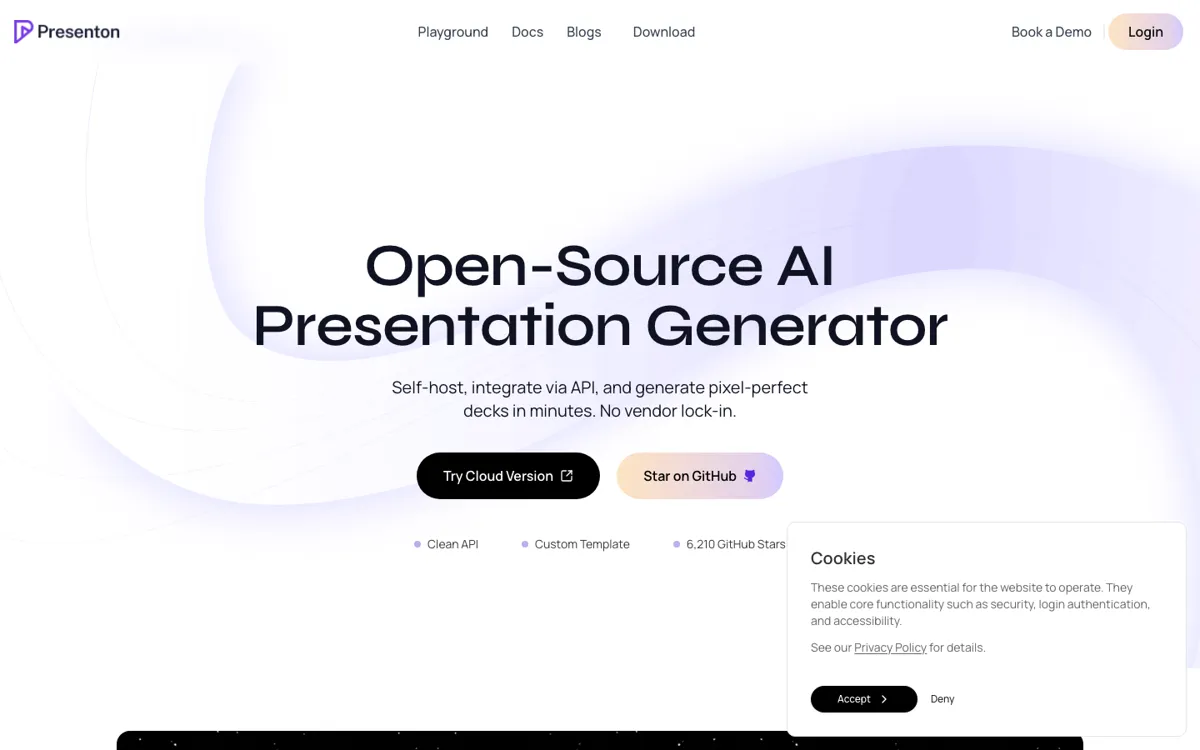
Presenton Review

8.6/10

AI presentation generator for self-hosted, API-driven, and editable PPTX workflows.

Review updated May 2026 By The AI Way Editorial Tested 262+ tools across the site 6 min read
Presenton API Available Mac App Open Source Self-Hosted Slide Designer Web-Based Windows App Free

Our Verdict

Presenton is the better pick when slide generation is only half the job and you also care about template control, editable exports, self-hosting, or embedding deck generation into your own product. Its biggest strength is not prettier prompts, but ownership: your templates, your model provider, your deployment choice. The cost is that it asks for more setup intent than a lightweight SaaS slide maker, so it is easiest to justify when privacy, workflow automation, or branded repeatable output already matter.

Try it
Free to start.
open_in_new Try Presenton

Presenton vs Gamma

Gamma is the clearest fork in the current pool because both products promise AI-generated presentations, but they solve different buyer fears. Gamma is easier when you want fast hosted creation and publishing. Presenton is stronger when you need editable exports, custom templates, API workflows, or control over where the generation stack runs.

Presenton

Better when the job is building branded decks from prompts, documents, or product data when you need reusable templates and editable exports, not just a pretty first draft..

Gamma

Better when the job is turning outlines, notes, or raw text into pitch decks, one-pagers, hosted pages, or client-facing docs when the content mostly exists but still looks unfinished..

Read the Gamma review →

check_circle Pros

  • It keeps the output editable, so you can export PPTX and keep working in PowerPoint or Google Slides instead of being trapped in a closed deck format.
  • The product is unusually flexible about where it runs, with Docker, desktop apps, offline Ollama support, and cloud access all sitting in the same product story.
  • It is built for repeatable presentation systems, not just one-off slide drafting, thanks to reusable templates, API access, and support for structured generation modes.

cancel Cons

  • If you only want the fastest possible prompt-to-deck experience, Presenton can feel heavier than a pure hosted slide SaaS because deployment, keys, and template setup matter more here.
  • Charts, tables, and similar structured components depend on template creation choices, so the polish of the result is not fully automatic out of the box.
  • The public site does not present a clear paid pricing ladder for the cloud product, which makes budget comparison harder if you are evaluating it against commercial SaaS rivals.

Should you use it?

Best for: Building branded decks from prompts, documents, or product data when you need reusable templates and editable exports, not just a pretty first draft.

Skip it if: Skip it if you do not care about self-hosting, file ownership, or automation and just want the simplest hosted app to draft a deck in a browser with minimal setup decisions.

Is it worth the price?

Free

The free desktop path is enough if your main goal is private local generation and you are comfortable bringing your own model keys. You start paying in API usage, setup time, and deployment effort before you pay in subscription fees. If you do not care about control, that trade can feel worse than just using a hosted slide tool.

The Free Tier

The desktop app is described as completely free and open-source with no subscriptions or usage limits, while local Ollama use can stay fully offline.

One thing to know before you start

Start with one PPTX your team already trusts. If Presenton can turn that file into a reusable template without breaking spacing, hierarchy, or export quality, the product is solving the right problem.

What people actually use it for

Generate weekly client or internal report decks from structured inputs

Teams that already have recurring data, summaries, or account updates can use Presenton’s API and template system to turn that material into repeatable on-brand decks instead of rebuilding the same report every week by hand. This is where its automation story is stronger than simple prompt-only slide tools.

Run private presentation generation on local or controlled infrastructure

If the slides include sensitive internal material, Presenton can run with Ollama locally or through a self-hosted Docker setup so the generation path stays under your control. That makes more sense for compliance-heavy or privacy-sensitive teams than sending every draft through a generic hosted SaaS.

Embed presentation generation inside another product

SaaS teams can use Presenton as the deck engine behind their own app, letting users generate branded presentations from product data or uploaded content without building the full export pipeline from scratch. The clean API and playground matter here more than the consumer-style slide editor pitch.

What does Presenton actually do?

Presenton is easiest to understand if you stop comparing it to generic AI writing tools and look at the workflow it is trying to replace. Many teams do not just need help writing slide text. They need a repeatable way to turn prompts, reports, PDFs, spreadsheets, or internal summaries into presentation files that still respect branding and can be handed off to normal business tools afterward. Presenton tackles that by combining prompt-based generation with reusable templates, editable PPTX export, PDF export, and a browser or desktop workflow that can run locally, in the cloud, or inside your own infrastructure. That makes it feel closer to a presentation engine than a novelty slide generator. The product makes more sense when decks are an ongoing operational job, not a once-a-quarter request that can live inside a lightweight slide app.

The strongest reason to pick Presenton is control. The homepage, docs, and README all push the same three ideas: self-host it if you want privacy, plug in your own model provider if you want flexibility, and keep your own templates if brand consistency matters. It supports OpenAI, Gemini, Anthropic, Ollama, and other compatible providers, plus offline and air-gapped setups for teams that cannot treat presentation content casually. That is a real fork from products like Gamma or Decktopus, which are easier to start with but are still fundamentally hosted product environments first. Presenton earns its place when the presentation workflow has to fit your stack, not the other way around. If compliance, client data handling, or white-label output are part of the job, that difference stops being philosophical and becomes practical.

The downside is that Presenton is not optimized for people who only want to click once and get a pretty deck with no extra decisions. Some of its best capabilities depend on whether you bring a strong template, choose the right generation mode, configure model providers, or wire the API into a real process. Even the FAQ around charts, tables, and media makes it clear that template design still shapes what the output can do. So the product is not magic formatting dust. It is a serious option when decks are a system problem, not just a one-off task, and less compelling when convenience is the only thing you are buying. If you are never going to touch templates, providers, exports, or deployment settings, you are paying attention to the wrong part of what makes Presenton useful.

What you can do with it

Generate complete presentations from prompts, pasted content, or uploaded documents.
Turn existing PPTX or PDF files into reusable presentation templates with preserved layout and brand structure.
Export decks as editable PPTX files or PDF instead of trapping output in a proprietary viewer.
Run as a self-hosted Docker deployment, a desktop app on macOS, Windows, and Linux, or a managed cloud app.
Use its API and playground to test prompt flows, structured slide generation, and production-ready deck automation.

Technical details

platform
Runs as a desktop app on macOS, Windows, and Linux, as a self-hosted Docker deployment, or as a browser-based cloud app.
deployment
Supports local offline use with Ollama, self-hosted Docker deployment, air-gapped or on-prem setups, and a managed cloud option.
editing_mode
Supports both standard generation for strict layouts and smart generation that learns design patterns from a reference PPTX, then lets you edit slides or specific elements with variants.
api_available
Yes. Presenton exposes an API plus an API playground that can export working JavaScript, Python, and cURL requests.
model_control
Supports BYO providers like OpenAI, Gemini, Anthropic, Ollama, LM Studio, Azure OpenAI, Bedrock, Fireworks, Together, and OpenAI-compatible endpoints instead of locking generation to one model stack.
template_system
Can learn reusable templates from existing PPTX or PDF files, then generate new decks that preserve layout, spacing, typography, and brand structure.

Top Alternatives to Presenton

If Presenton is close but still misses the job, try one of these instead.

Key Questions

Who gets the most value from Presenton?
Teams that need deck generation to fit an existing system get the most value. It is strongest when API access, self-hosting, editable exports, or reusable templates matter more than getting a quick browser deck with the least setup.
Can Presenton export files that stay editable after generation?
Yes. Presenton exports to PPTX and PDF, and the site says the PPTX output remains editable in standard tools like Microsoft PowerPoint and Google Slides.
Can Presenton run fully offline?
Yes, in the right setup. The product pages and README say it can run locally with Ollama and keep generation fully offline, but that depends on using local models rather than cloud APIs.
What is the main reason not to choose Presenton?
Do not choose it just because it is open source. The real question is whether you need control over templates, deployment, and exports. If you only want the lightest browser app to draft slides quickly, a simpler hosted competitor may be the easier fit.