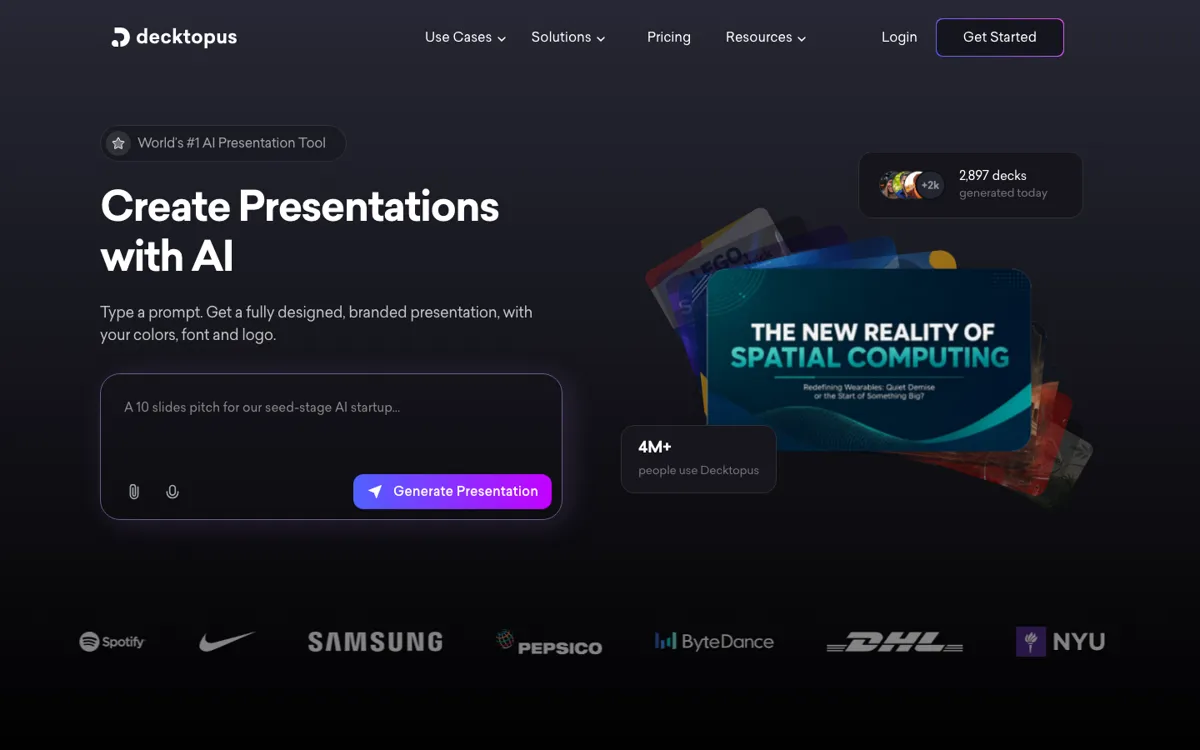
Decktopus Review

8.2/10

AI presentation maker for branded decks, lead forms, and shareable microsites.

Review updated May 2026 By The AI Way Editorial Tested 262+ tools across the site 5 min read
Decktopus App Integration Lead Enrichment SaaS Slide Designer Team Collaboration Web-Based Freemium from $14.99/mo

Our Verdict

Decktopus is worth opening when your real bottleneck is not writing bullets, but turning rough content into a polished, on-brand deck without burning time on spacing, templates, and brand policing. It becomes more compelling than a generic AI slide maker when you also need forms, microsite sharing, branded templates, or a repeatable sales and proposal workflow. The catch is that AI creation is metered with credits, so heavy generation or frequent rewrites can feel less predictable than flat unlimited slide tools.

Try it
Free to start, then pay when the limits stop you. Starts at $14.99 USD.
open_in_new Try Decktopus
Official Website Snapshot Visit Site ↗

check_circle Pros

  • It covers the annoying middle layer between idea and final deck, so you can start from a prompt, pasted text, or PDF and still keep a presentable layout without manual slide cleanup.
  • Brand setup is a real differentiator for teams, because logos, fonts, colors, and reference slides can be applied automatically instead of relying on every rep or marketer to format correctly.
  • It is not limited to static slides, since forms, voice recordings, embedded pages, analytics, and microsite style sharing make it usable for proposals, lead capture, and async presentation delivery.

cancel Cons

  • The pricing page ties AI usage to credits, and even the page itself mixes yearly credit totals with FAQ language about monthly refills, which makes usage forecasting less clean than it should be.
  • Some of the better business controls, including analytics, custom domain connection, webhooks, and organization features, sit above the entry plan, so solo users may hit the ceiling quickly.
  • If you already have strong slide design habits in PowerPoint or Google Slides, Decktopus can feel more like a guided system than an open canvas.

Should you use it?

Best for: Sales decks, proposals, webinars, investor updates, and internal business presentations where the win is getting branded slides out fast without handing every draft to a designer.

Skip it if: Skip it if you need unlimited AI generations with perfectly clear usage limits, or if your workflow depends on pixel-level slide control in PowerPoint before anything else.

Is it worth the price?

Freemium Starts at $14.99 USD

The entry price is fair for someone replacing hours of slide cleanup each week, but the real cost question is AI credit burn, not the sticker price alone. Business value improves a lot if you will actually use branding, analytics, forms, or custom domain features instead of treating it as a simple one-off deck generator.

The Free Tier

The site repeatedly offers free signup and a get started free flow, but the pricing page emphasizes paid tiers and does not clearly spell out the free plan limits.

Paid Upgrade
$14.99/month billed annually

Pro unlocks full platform access, AI assistance, AI presentation generation, AI image generation, and PDF export, while higher plans add analytics, custom domain, webhooks, organization controls, and advanced branding.

One thing to know before you start

If you are testing Decktopus for a team, do not start with generic prompt experiments. Start by loading a real brand kit and one sales or proposal workflow, because that is where the product has a better chance of earning back its credit-based model.

What people actually use it for

Branded sales proposals without design back-and-forth

A sales team can turn rough client notes or a basic prompt into a proposal deck, keep company colors and fonts intact, then share it as a presentation or microsite without sending every revision through design review.

Investor and leadership updates that need polish fast

Founders or operators can start with an update prompt, paste prepared talking points, and get a cleaner board or investor deck without spending the next hour manually fixing spacing, layouts, and visual consistency.

Lead capture decks for webinars and marketing campaigns

Marketing teams can publish a deck as a shareable page, add forms or embedded content, and use the presentation as a lightweight campaign asset instead of treating slides as a file that dies after one meeting.

What does Decktopus actually do?

Decktopus is not just trying to write slide text for you. Its real pitch is that it removes the repetitive production work that usually happens after the first draft, like fixing alignment, applying brand colors, replacing weak layouts, and packaging a deck into something you can actually send. That matters most for business users who make presentations repeatedly, because the time drain usually comes from polishing and reformatting rather than from typing the first few ideas. The platform leans into that by combining prompt-based deck creation with template switching, regenerate controls, PDF import, AI visuals, speaker notes, and branded layouts instead of stopping at a one-click outline generator.

Where Decktopus gets more interesting is the layer around the deck itself. Forms, embedded pages, voice recording, analytics, custom domains, bio link style outputs, and microsites push it closer to a presentation workflow tool than a plain slide editor. That makes it easier to justify for sales, marketing, customer success, and founder use cases where the presentation also needs to capture leads, travel as a shareable link, or stay on-brand across a team. If that extra layer matters, it has a clearer case than lightweight AI PPT makers that stop at generating a decent looking slide deck.

The main caution is predictability. Decktopus prices the product like SaaS, but important AI actions are still governed by credits, and the pricing page is not perfectly consistent about how those credits refill. That does not kill the product, but it means heavy users should test a real workflow before buying for a whole team. It is also not the best fit for people who want total design freedom from a blank slide, because its value comes from guardrails, presets, and automation. If your team already works well inside Google Slides or PowerPoint and only wants occasional AI text help, Decktopus can feel like more system than you need.

What you can do with it

Generate full presentations from a prompt or pasted text
Apply logo, colors, fonts, and brand rules across slides automatically
Switch layouts or regenerate slides instead of rebuilding formatting manually
Embed forms, web pages, and lead capture elements inside decks
Turn decks into shareable microsites, proposal pages, or bio links
Add AI-generated speaker notes, voice overlays, and PDF-to-presentation conversion

Technical details

platform
Prompt-to-deck web workspace that can also turn finished decks into mobile-friendly microsites, proposals, bio links, and form-enabled share pages
deployment
Cloud SaaS with shared Brand Kits, multi-brand switching, organization seats, custom domains, slide analytics, and AI-assisted brand rule enforcement instead of local presentation files
api_available
Workflow handoff is exposed through Zapier on the product side and webhooks on the Business tier, which matters more here than a broad developer API story

Top Alternatives to Decktopus

If Decktopus is close but still misses the job, try one of these instead.

Key Questions

Is Decktopus just another AI slide generator?
No. The stronger reason to use it is not the first draft, but the branded workflow around that draft. It is more useful when you also need templates, form capture, speaker notes, microsite sharing, or repeatable team branding, not just a quick outline turned into slides.
Who gets the most value from Decktopus?
Teams that build client-facing or internal decks every week get the clearest payoff. Sales, marketing, founders, customer success, and proposal-heavy roles benefit most when they lose time to formatting and brand cleanup more than to writing raw content.
What should I test before paying for Decktopus?
Test one real workflow that matters, like a proposal deck, investor update, or webinar deck, and watch how fast you burn credits while revising. That tells you more than a toy prompt, because the biggest question is whether the automation and branding gains outweigh the credit-based AI model for your actual usage.
Can Decktopus replace PowerPoint completely?
No, not for every team. It wins when speed, brand guardrails, and shareable deck workflows matter more than pixel-level manual control. If your team spends its time fine-tuning slide design by hand, PowerPoint still gives you more freedom.