Otter Review

8.0/10

Capture meetings in real time, then turn transcripts into summaries, action items, and searchable team knowledge.

Review updated May 2026 By The AI Way Editorial Tested 99+ tools across the site 5 min read
Otter.ai Inc Android App Chrome Extension iOS App Meeting Notes Transcription Web-Based Freemium from $8.49/mo

Our Verdict

Otter is worth opening when the real problem is not recording meetings, but turning fast conversations into notes people can actually use afterward. Its edge is that it connects live transcription, summaries, action items, meeting chat, and downstream integrations in one system, so the notes do not die in a single document. But the free plan is narrow, and the moment your team needs long meetings, frequent imports, or CRM-heavy handoff, you are already in paid-plan territory.

Try it
Free to start, then pay when the limits stop you. Starts at $8.49 USD.
open_in_new Try Otter
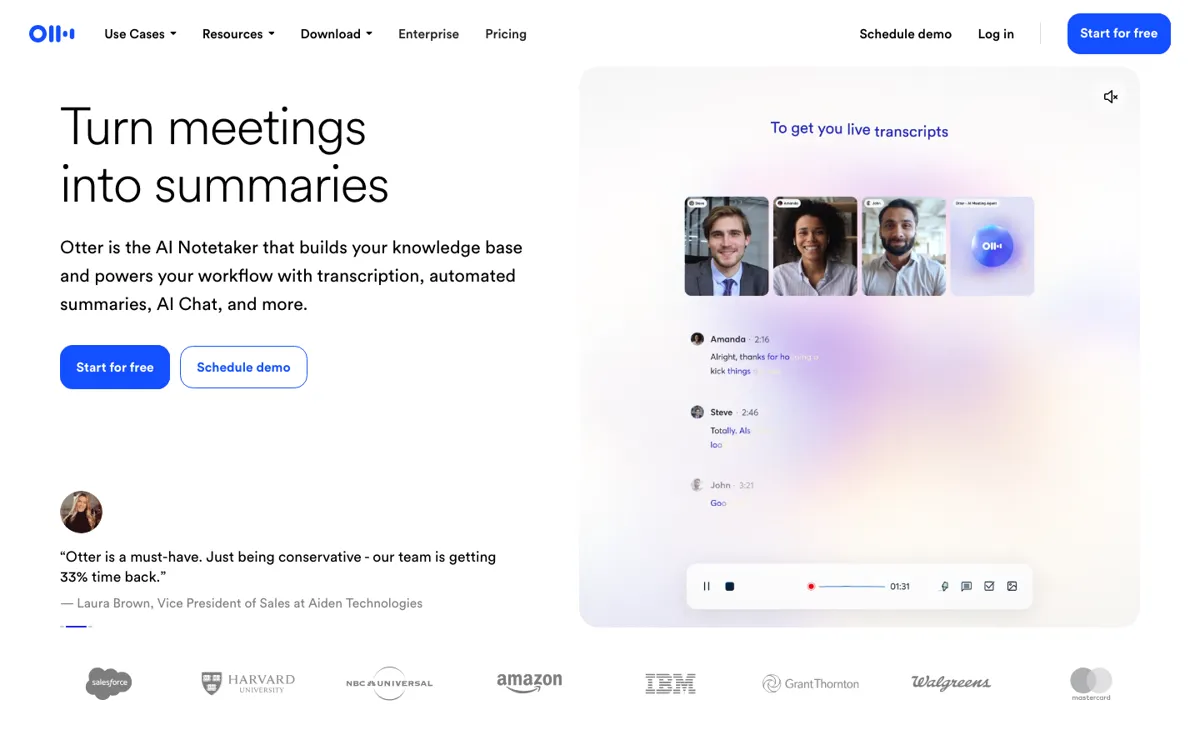
Official Website Snapshot Visit Site ↗

check_circle Pros

  • Otter does more than transcript capture because it turns meetings into summaries, action items, and searchable answers across conversations.
  • The official integrations page shows strong follow-through into real work tools like Slack, Google Calendar, Salesforce, HubSpot, Asana, and ClickUp.
  • It supports web, desktop, iOS, Android, and a Chrome extension, which makes it easier to capture both scheduled calls and stray conversations.

cancel Cons

  • The free Basic tier tops out at 300 monthly transcription minutes and only three lifetime file imports, so it can stop being useful quickly for anyone in back-to-back meetings.
  • Important plan upgrades are tied to meeting length, import volume, and business integrations, which means teams can hit functional walls before they feel large enough for a paid rollout.
  • Public discussion around AI notetakers keeps circling back to privacy and consent risk, so Otter is a poor fit for organizations that still do not have a clear recording policy.

Should you use it?

Best for: Best for teams that lose follow-ups in recurring meetings and need live notes to flow into summaries, action items, and connected tools without manual cleanup. It is especially strong for sales calls, internal syncs, interviews, lectures, and other conversations where listening matters more than typing.

Skip it if: Skip this if your main goal is a cheap unlimited recorder, or if your organization cannot get comfortable with AI note capture and consent rules. It is also a weak fit if you need long meeting coverage at scale but want to stay inside the free tier.

Is it worth the price?

Freemium Starts at $8.49 USD

Basic is enough to test the transcript quality and meeting flow, but not enough to support a heavy calendar. The real paywall is not cosmetic, it is whether your team needs longer meetings, more imported files, stronger workspace controls, and integrations that make the notes useful after the call ends.

The Free Tier

Basic is free with 300 monthly transcription minutes and 3 lifetime audio or video file imports.

Paid Upgrade
$8.49/user/month billed annually

Paid plans raise recording minutes, meeting length, file import volume, advanced workflows, and business integrations.

One thing to know before you start

Test Otter in two meeting types before committing: one routine internal sync and one messy external call. That quickly shows whether the summaries and action items are strong enough to replace your current follow-up habit.

What people actually use it for

Turning recurring team meetings into usable follow-up

Otter fits teams that leave a weekly sync with half-remembered decisions and no clean owner list. It captures the conversation live, turns it into a transcript, then pulls out summaries and action items so people do not have to rebuild the meeting from memory. The time saved is in the after-meeting cleanup, not just in getting a transcript. The weak point is that a heavy meeting culture can outrun the free plan very fast, especially once longer calls or imported recordings become normal.

Capturing sales or recruiting calls without pausing to type

In sales and recruiting, the value is that the note-taking load moves off the human running the conversation. Otter can capture the call, flag takeaways, and push notes or insights toward CRM and follow-up systems. That means the caller can stay present instead of splitting attention between listening and documenting. It is less compelling if your team still needs strict manual review before anything from a meeting can be trusted or shared.

Importing recordings and turning them into searchable reference

Otter is also practical when the source is not a live meeting but an audio or video file that needs to become usable text. Upload the file, get a transcript, then search and ask questions across the content later. This is useful for interviews, lectures, webinars, and internal recordings that would otherwise sit unused. The catch is that import allowances are one of the things gated by plan, so this becomes a paid workflow sooner than casual users expect.

What does Otter actually do?

The usual meeting problem is not that people forgot to press record. It is that the useful parts of the conversation vanish into scattered notes, half-finished minutes, and a vague memory that someone promised to do something by next week. Otter is built for that specific breakdown. On the homepage, it positions itself as a meeting agent and AI notetaker that handles real-time transcription, summaries, insights, and action items. That matters because it shifts the job from passive recording to active capture. Instead of ending a call with a raw audio file and another admin chore, you end it with text people can scan, search, and act on while the meeting is still fresh.

The stronger part of Otter is how far it tries to carry the meeting after the call itself. The official site shows AI Chat across meetings, automatic summaries, assigned action items, and integrations into Slack, Google Calendar, Salesforce, HubSpot, Asana, ClickUp, and more. That means the product is not only answering what was said, but also what do we do next and where should this note go now. The integrations page makes this concrete. Otter can join Zoom, Microsoft Teams, and Google Meet automatically, transcribe uploaded media, and push structured meeting output into work systems that already hold tasks, sales context, and collaboration threads.

The tradeoff is that Otter becomes serious only when you are willing to pay for meeting volume and downstream usefulness. The free Basic plan includes live transcription and AI chat, but it is constrained to 300 monthly transcription minutes and only three lifetime file imports. The paid plans expand recording minutes, meeting duration, imports, advanced workflows, and business integrations, which means the most practical use cases sit behind a plan jump. There is also a non-trivial policy issue: because the tool works by capturing live conversations, privacy, disclosure, and consent are not side topics. If your organization is still fuzzy on those rules, Otter can create more process tension than note-taking relief.

What you can do with it

Transcribe meetings live across Zoom, Microsoft Teams, and Google Meet.
Generate automated summaries, outlines, and action items from each conversation.
Ask AI Chat questions within one meeting or across past meetings.
Import audio or video files and turn them into searchable transcripts.
Push meeting notes and sales insights into tools like Slack, Salesforce, HubSpot, Asana, and ClickUp.

Technical details

platform
Web app with desktop, iOS, Android, and Chrome extension access
deployment
Cloud
api_available
MCP server listed on the pricing page; no general public REST API pitch surfaced on the official marketing pages fetched

Top Alternatives to Otter

If Otter is close but still misses the job, try one of these instead.

Key Questions

Is Otter free enough for real weekly meeting use?
Only for light use. Basic gives you live transcription and AI chat, but the 300 monthly transcription minutes and three lifetime file imports make it easy to hit the ceiling if meetings are a normal part of your week.
Can Otter join Zoom, Teams, and Google Meet automatically?
Yes. The official site says it can join Zoom, Microsoft Teams, and Google Meet meetings and write and share notes automatically.
Does Otter only make transcripts, or does it handle follow-up too?
It goes further than raw transcription. Otter also creates summaries, outlines, action items, and meeting chat, and it can send notes into connected tools like Slack, Salesforce, HubSpot, Asana, and ClickUp.
What changes when you move from Basic to a paid plan?
The main upgrades are not cosmetic. Paid plans increase transcription and recording limits, allow more file imports, extend meeting duration caps, and unlock stronger workflows and integrations that make the notes usable across a team.