MagicSchool Review

9.0/10

An AI platform for K-12 teachers, students, and districts with classroom tools, guardrails, and school-ready controls.

Review updated May 2026 By The AI Way Editorial Tested 99+ tools across the site 5 min read
MagicSchool Lesson Planning Team Collaboration Web-Based Freemium from $8.33/mo

Our Verdict

MagicSchool is most compelling when a school wants one AI layer for the repetitive work teachers actually do every week, plus a safer student-facing path than dropping everyone into a generic chatbot. Its value is not just content generation, but the school-specific guardrails, templates, and district controls around it. But if you only need one narrow classroom generator, the platform's breadth can be more than you need.

Try it
Free to start, then pay when the limits stop you. Starts at $8.33 USD.
open_in_new Try MagicSchool
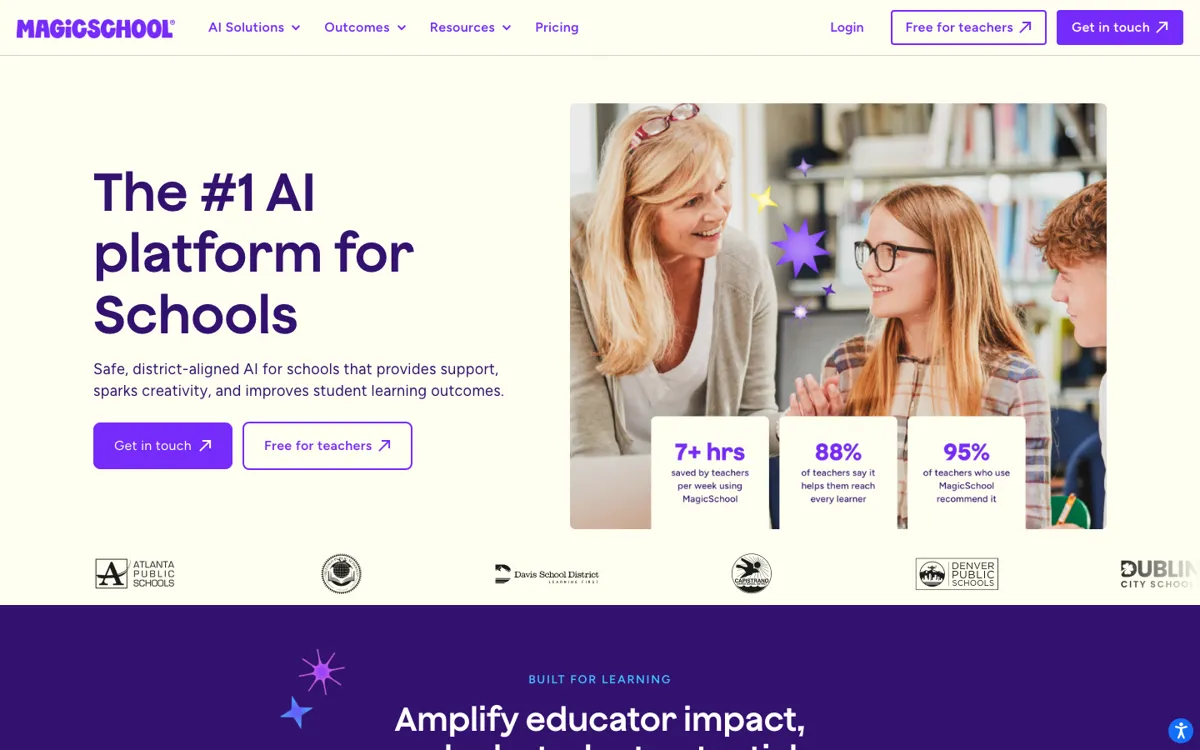
Official Website Snapshot Visit Site ↗

check_circle Pros

  • It is built around real teacher tasks like lesson planning, rubrics, quizzes, writing feedback, and parent communication instead of making educators invent prompts from scratch.
  • The student side is treated separately, with guided tools, teacher oversight, and guardrails rather than a loose open-ended chatbot experience.
  • District adoption is easier to justify because the site is unusually explicit about FERPA, COPPA, SOC 2, GDPR, SSO, LMS or SIS integrations, and data not being used to train models.
  • The free tier is substantial enough to let individual teachers try a broad set of teacher and student tools before paying.

cancel Cons

  • The product is broad, so if you only want one specialized workflow like assessment design or slide generation, MagicSchool can feel heavier than necessary.
  • Some of the strongest district value, like SIS or LMS integration, SSO, dashboards, and custom governance controls, is pushed up to Enterprise rather than the self-serve tiers.
  • Teacher discussions outside the site praise the classroom generators, but also show the usual AI-tool tension around output quality and when a general model like ChatGPT might still be enough for some users.

Should you use it?

Best for: Best for teachers or district teams that need repeatable help with lesson plans, differentiation, quizzes, feedback, classroom communication, and student-safe AI use across many daily school tasks.

Skip it if: Skip this if you only need a single-purpose classroom generator and do not care about district controls, student safeguards, or school-specific workflows. Also skip it if your school is not ready to manage AI use inside existing identity and LMS systems.

Is it worth the price?

Freemium Starts at $8.33 USD

The free tier looks generous enough for teachers who want to test core planning and classroom workflows without budget approval. You start needing Plus or Enterprise once AI becomes regular team infrastructure, especially if you want unlimited use, admin controls, or district-wide integration.

The Free Tier

The free tier is for individual teachers and includes core teacher and student tools, but unlimited generations, unlimited history, and some advanced features are reserved for Plus.

Paid Upgrade
$8.33/user/month billed annually or $12.99 monthly

Plus unlocks unlimited generations, unlimited output history, unlimited editing, more advanced tool features, and Labs access.

One thing to know before you start

Start by replacing one weekly planning task you already repeat, like rubric drafting or differentiated lesson planning. That gives you a cleaner read on whether MagicSchool is saving real prep time instead of just generating extra text to review.

What people actually use it for

Drafting classroom materials without building every prompt from scratch

Use MagicSchool when you need lesson plans, rubrics, worksheets, quizzes, or presentation content and do not want to re-explain your classroom goal to a blank chatbot each time. The platform matters most when your prep work repeats every week across different classes. It matters less if you only occasionally need one piece of generated text.

Differentiating work for mixed reading levels and student needs

Teachers can specify accommodations, scaffolds, and supports for multilingual learners, students with IEPs, advanced learners, and different reading levels. That makes it easier to adapt one core activity for several groups without rebuilding everything manually. The tradeoff is that you still need teacher judgment before sending materials out.

Rolling out school-safe AI access across a district

District teams can use Enterprise features like SSO, LMS or SIS integration, dashboards, tool controls, and privacy agreements to bring AI into existing school systems with more oversight. This is useful when the problem is not just content generation, but governed adoption across many teachers and students. It is overkill for a solo teacher testing AI on a small scale.

What does MagicSchool actually do?

Teachers do not just need help writing paragraphs. They spend a large chunk of the week on repetitive school tasks that are necessary, time-sensitive, and rarely the part of the job they care most about: lesson plans, rubrics, classroom communications, quizzes, worksheets, IEP-related documentation, and differentiated materials. MagicSchool is aimed directly at that pile of work. Its FAQ says teachers report saving 7 to 10 hours a week, and the site keeps naming the exact jobs it wants to take off their plate rather than talking about AI in abstract terms. That focus matters because schools are full of high-volume, low-reward preparation work where speed only helps if the output still matches classroom goals and student needs.

MagicSchool gets more interesting when you look beyond one lesson-plan generator. The platform combines 80+ teacher tools, 50+ student tools, exports into Google and Microsoft tools, and a district layer with SSO, SIS or LMS integrations, curriculum alignment, dashboards, and guardrails. The FAQ also says requests may be routed across models from OpenAI, Anthropic, and Google depending on the task, which suggests the product is packaging model choice behind an education-specific interface instead of asking teachers to think about model selection. For schools, that can be a much more realistic deployment shape than telling every teacher to open a generic chatbot and improvise.

The main limit is that MagicSchool is strongest as infrastructure, not just as a clever generator. If you only need one-off help with a quiz or a lesson outline, a cheaper or already-paid-for general AI tool may feel sufficient. The Enterprise story is also where a lot of the governance value lives: custom privacy agreements, deeper integrations, district controls, advanced safeguards, and dashboards are not the starting tier experience. That means the product shines most when a school wants consistent, policy-aware AI use across many classrooms. If your environment is not ready for platform adoption or your teachers only need occasional drafting help, the full MagicSchool stack may be more than the moment requires.

What you can do with it

Generates lesson plans, rubrics, quizzes, worksheets, presentations, and classroom materials for teachers.
Provides 50+ student-facing AI tools for feedback, tutoring, and guided classroom use.
Supports differentiated materials for multilingual learners, students with IEPs, advanced learners, and varied reading levels.
Exports outputs to Google Docs, Slides, and other Google or Microsoft tools.
Adds district controls through SSO, SIS or LMS integrations, curriculum alignment, dashboards, and guardrails on Enterprise plans.

Technical details

platform
Web app for teachers, students, and districts
deployment
Cloud
api_available
No public API highlighted on the official pages reviewed

Top Alternatives to MagicSchool

If MagicSchool is close but still misses the job, try one of these instead.

Key Questions

Is MagicSchool meant for teachers, students, or districts?
All three, but in different ways. The product has separate teacher and student experiences, while districts get the governance layer through pricing, integrations, privacy controls, and rollout support.
Is the free plan enough for a teacher to test it seriously?
Yes for initial evaluation. The free tier includes 80+ teacher tools, 50+ student tools, the Raina chatbot, basic support, and the core privacy and safety layer, so a teacher can judge day-to-day usefulness before paying.
How does MagicSchool handle school privacy requirements?
The platform says it is FERPA, COPPA, SOC 2, and GDPR aligned, stores data securely in the United States, and does not use student or teacher data to train AI models. District tiers add stronger governance options like custom privacy agreements and SSO or LMS controls.
What do you actually pay for on Plus or Enterprise?
Plus mainly removes usage ceilings and opens more advanced tool behavior, while Enterprise adds the district operating layer. That includes SIS or LMS integrations, SSO, curriculum alignment, platform controls, dashboards, and stronger administrative oversight.