Curipod Review

8.3/10

Writing practice and interactive lessons with real-time AI feedback for classrooms.

Review updated August 2026 By The AI Way Editorial 4 min read
Curipod Lesson Planning Team Collaboration Web-Based Freemium

Our Verdict

Curipod is strongest when the hard part of your lesson is getting every student to write, react, and revise while you can still intervene. Its best move is the live feedback loop inside a teacher-paced lesson, not the AI alone. It loses value quickly if you want open student exploration without active facilitation.

Official site
A free plan is listed; verify current limits before upgrading.
open_in_new Try Curipod
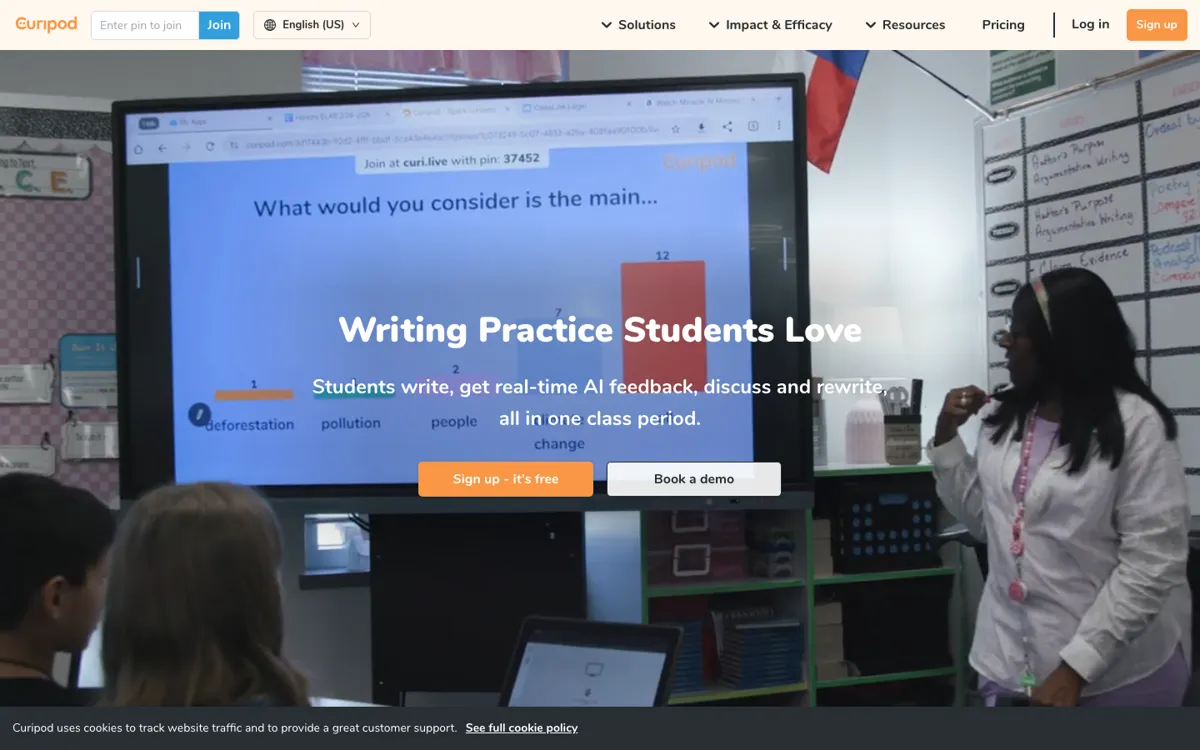
Official Website Snapshot Visit Site ↗

check_circle Pros

  • It is unusually concrete about the loop it supports: write, get feedback, discuss, revise, then review reports.
  • It fits existing curricula and district rollout realities better than a generic classroom chatbot.
  • The safety posture is clearer than most education AI tools, with teacher-controlled AI use and moderation.

cancel Cons

  • The paid plan structure is visible, but district cost still sits behind a quote request.
  • If your class is not discussion-heavy or writing-heavy, much of the product feels like extra orchestration.
  • Most of the proof comes from company case studies, not broad third-party discussion.

Should you use it?

Writing practice, ELA, test prep, and discussion-heavy lessons that need fast in-period feedback.

Skip it if: you want student-led AI tutoring or your subject rarely uses live writing and facilitation

Is it worth the price?

Freemium

The free tier looks good enough to test the classroom mechanics, but the real buying decision starts once a school wants unlimited usage, custom rubrics, full test prep libraries, and rollout support. At that point, Curipod becomes a district procurement conversation, not a lightweight teacher toy.

The Free Tier

Free plan includes limited usage, 3 free standards-aligned test prep lessons, and core interactive lesson features.

Paid Upgrade

School and District add unlimited AI, test prep, custom rubrics, reports, SSO, and rollout support.

One thing to know before you start

Test Curipod on a lesson where students usually stall after the first draft. That is where the immediate feedback and same-period revision loop is easiest to judge honestly.

What people actually use it for

One-period writing cycle

Bring in a prompt tied to the current unit, let students submit short written responses, then use Curipod's feedback to push them into discussion and revision before the bell. This matters most when you want feedback to change the current lesson instead of the next one.

Whole-class literacy or test prep

Use Curipod when you need a teacher-paced lesson with polls, open responses, and standards-aligned practice rather than silent independent work. It helps keep everyone in the same room conversation, but it is less compelling when students mostly work asynchronously.

Spot misconceptions fast

After a lesson, use the class and student reports to see who is quoting the wrong evidence, who needs intervention, and where the class is drifting. This helps only if the lesson structure captures enough useful student writing and responses.

What does Curipod actually do?

Curipod is built around a classroom problem most AI lesson tools avoid: the lesson is happening now, and you need students to do visible thinking before momentum dies. Writing practice often breaks because feedback arrives too late and participation comes from the same few students. Curipod tries to compress that loop so a weak first draft still becomes part of live instruction.

The tool also tries to solve district adoption friction, not just teacher ideation. Curriculum alignment, moderation, reports, SSO, and teacher-paced delivery all point to a product meant to fit how schools already operate. That makes Curipod less like a student assistant and more like a structured instructional layer dropped into existing ELA, test prep, or intervention blocks.

What you can do with it

Runs teacher-paced lessons where students write, respond, and discuss live.
Gives immediate AI feedback so students can revise in the same class period.
Creates post-lesson reports to spot trends, misconceptions, and students needing support.
Supports polls, drawings, word clouds, open responses, and standards-aligned test prep.

Technical details

classroom_loop
Students write, get AI feedback, discuss, and revise inside a teacher-paced lesson.
feedback_stack
Official materials cite GPT-4o, DALL-E, and Stable Diffusion in lesson workflows.
district_rollout
Supports ClassLink, Clever, and Google sign-in for school deployment.

Top Alternatives to Curipod

If Curipod is close but still misses the job, try one of these instead.

Key Questions

Is Curipod mainly a lesson generator or a live classroom tool?
It is mainly a live classroom tool. Lesson generation is part of the package, but the core value is running teacher-paced writing, discussion, and feedback cycles while class is happening.
Can students freely chat with AI inside Curipod?
No, not like a general chatbot. AI use is teacher-initiated, structured into the lesson, limited to one exchange at a time, and reviewable before students receive it.
Is the free plan enough to test Curipod properly?
Yes, for testing the core classroom mechanics. The free plan includes limited usage plus a small set of standards-aligned test prep lessons and interactive features, but schools that want unlimited use or rollout support will hit the paid plan quickly.
What kind of classroom gets the most out of Curipod?
Classrooms built around writing, discussion, and formative checks get the clearest value. If the teacher wants every student producing responses and revising in real time, Curipod fits well.