ImageChanger Review

8.3/10

Upload a photo, describe the change, and run it through 38 focused AI edit tools.

Review updated August 2026 By The AI Way Editorial 3 min read
ImageChanger Commercial Rights Image-to-Image Product Photography Web-Based Freemium from USD 9.00/mo

Our Verdict

ImageChanger is useful when you want a quick, familiar path to one common photo edit instead of poking at a generic prompt box. The 38 workflow presets keep the job obvious. The cost is that serious iteration still becomes a credit game once the free starter balance runs out.

Official site
A free plan is listed; verify current limits before upgrading. Starts at USD 9.00.
open_in_new Try ImageChanger
Official Website Snapshot Visit Site ↗

check_circle Pros

  • The 38 task-specific workflows make common edits easier to start correctly.
  • Product, portrait, background, and style edits live in one browser toolset.
  • The free starter balance works across every image tool before you pay.

cancel Cons

  • Free access is credit-based, so repeated retries stop feeling free quickly.
  • Starter is locked to the standard Nano Banana model and HD downloads.
  • Commercial license only appears on the Ultra plan.

Should you use it?

creators and sellers making quick image edits without desktop photo software

Skip it if: you need pixel-level manual control or unlimited experimentation without credit burn

Is it worth the price?

Freemium Starts at USD 9.00

The $9 yearly Starter plan is cheap enough to test regular use, but it is still a credit meter. The bigger decision is whether 100 monthly credits are enough once you start retrying product scenes, portrait changes, or style variations.

The Free Tier

New accounts get free credits across all tools.

Paid Upgrade
$9/mo billed yearly

Starter adds 100 monthly credits and HD downloads.

One thing to know before you start

Pick the narrowest preset first. A specific workflow like product shadow or change outfit usually wastes fewer credits than starting from general edit.

What people actually use it for

Clean ecommerce product photos

Good fit when a store needs white backgrounds, lifestyle scenes, shadow fixes, or color variants without reshooting every SKU.

Refresh portraits for social

Good fit for quick hairstyle, outfit, headshot, background, or makeup changes when the goal is a polished social or profile image fast.

Turn one photo into variations

Useful when one portrait needs cartoon, anime, clay, sketch, watercolor, or wallpaper versions without rebuilding the idea from scratch.

What does ImageChanger actually do?

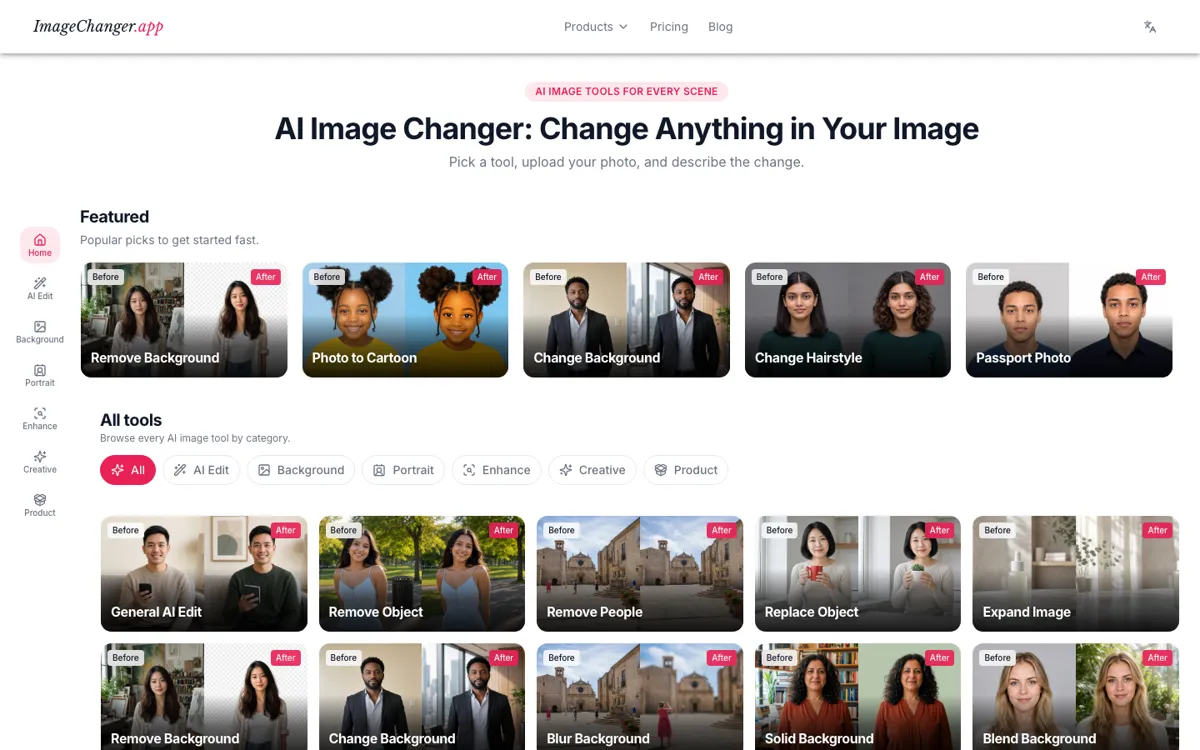
ImageChanger feels more practical than a blank image editor because it keeps pushing you toward a known job. Remove background, replace object, passport photo, product shadow, and hairstyle change are all separate doors instead of one vague workspace.

The real split is casual versus heavy use. Starter keeps costs low, but Pro and Ultra are where no-watermark 4K output, faster processing, and commercial use show up.

What you can do with it

Choose from 38 focused image-edit workflows instead of one generic editor.
Edit backgrounds, objects, portraits, enhancements, styles, and product photos.
Describe changes in plain words and keep the rest of the image intact.
Upload PNG or JPG images up to 10MB.
Download HD or 4K results depending on plan.

Technical details

model_split
Starter uses Nano Banana, while higher tiers use Nano Banana Pro.
input_limits
PNG and JPG uploads are supported up to 10MB.
output_tiers
Starter offers HD downloads; Pro and Ultra add 4K downloads.
commercial_use
Ultra adds a commercial license for generated results.
workflow_count
The homepage exposes 38 unique image-edit tools.

Top Alternatives to ImageChanger

If ImageChanger is close but still misses the job, try one of these instead.

Key Questions

Is ImageChanger free to use?
Yes. You can try the tools on free credits before you need a paid plan.
How many tools does ImageChanger have?
It currently offers 38 workflows across AI edit, background, portrait, enhance, creative, and product categories.
Which file types does ImageChanger accept?
Stick to PNG or JPG, and resize huge camera files first because uploads cap out at 10MB.
Can ImageChanger outputs be used commercially?
Yes, but the commercial license is only listed on the Ultra plan, so the tier matters if you are using outputs for business.