folk Review

8.0/10

Personal AI agent that lives in text messages, remembers context, joins meetings, and handles tasks.

Review updated June 2026 By The AI Way Editorial Tested 298+ tools across the site 5 min read
Nozomio Labs AI Agents App Integration Autonomous Agents Meeting Notes Privacy Focused Real-Time Paid from $20.00/mo

Our Verdict

folk is most interesting when a text thread is where your life already gets coordinated. It can watch for changes, join meetings, remember context, and act through connected tools without making you start a new assistant session every time. The main cost is trust: the product only makes sense if you are willing to let it see personal context and take action through accounts you connect.

Try it
Paid product. Starts at $20.00 USD.
open_in_new Visit folk

What people keep saying about it

Product Hunt reaction was strong, with more than 250 votes and 60 comments. People liked the idea of an assistant living in iMessage, remembering context, joining meetings, and coordinating plans with friends. The sharper concerns were latency, how memory is stored, whether proactivity is more than scheduled reminders, privacy in group or Crew contexts, and what integrations or API hooks actually exist.

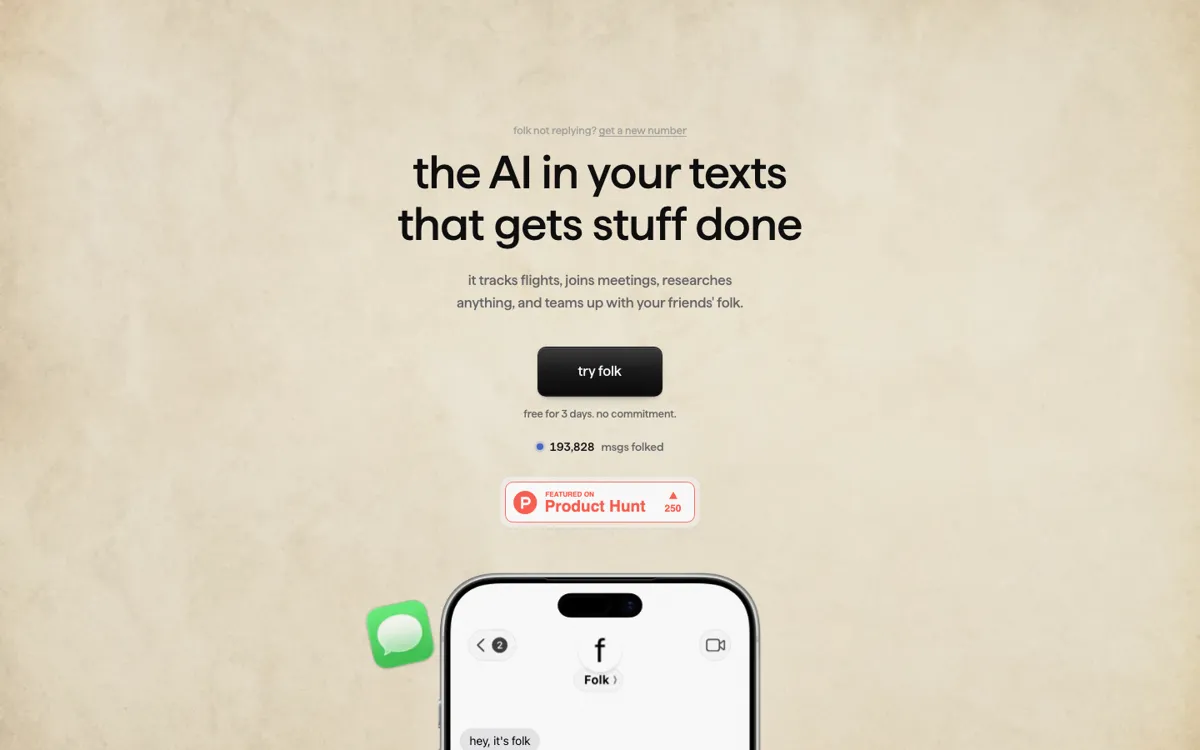
Official Website Snapshot Visit Site ↗

check_circle Pros

  • It lives in iMessage and Telegram, so recurring tasks can start where users already coordinate plans, meetings, errands, and reminders.
  • The memory layer is central to the product, with a private graph that can be browsed, edited, and deleted instead of a vague promise that the assistant remembers things.
  • Crew gives the product a consumer hook that generic chatbots lack: approved friends can ask each other's agents to book, check, or share something without exposing private data.
  • Product Hunt comments showed the right questions for a personal agent: latency, memory architecture, privacy boundaries, group memory, integrations, and what actually triggers the assistant.

cancel Cons

  • The 3-day trial is short for a product whose value depends on memory, recurring patterns, location context, and repeated use.
  • The product asks for sensitive access, including messaging accounts, location, meetings, calendars, connected services, and a private cloud computer.
  • Public pricing is simple, but the useful version may move some users from the $20 Pro plan to the $100 Max plan for stronger models, priority support, and higher capacity.
  • Product Hunt users flagged latency and under-the-hood transparency, which are serious risks for an assistant that is supposed to act at the right moment.

Should you use it?

Best for: People who already coordinate plans, meetings, errands, reminders, and personal research through text messages and want an agent to keep watching those tasks after the first prompt.

Skip it if: Skip it if you only need occasional chat answers, or if you are not comfortable connecting personal accounts, location context, meetings, and message-based approvals to one assistant.

Is it worth the price?

Paid Starts at $20.00 USD

The free trial is only enough to test whether folk can handle real text-thread tasks for a few days. Pro becomes the baseline if you want an always-reachable assistant across iMessage and Telegram. Max starts making sense when slower responses, lower capacity, or weaker reasoning would break the jobs you are asking it to watch.

Paid Upgrade
$20/month for Pro after the 3-day trial; student and regional discounts are listed from $5/month.

Pro includes messages and tasks, iMessage and Telegram access, persistent memory, web browsing, code execution, and connections such as GitHub, Calendar, and Notion.

One thing to know before you start

Test it with one task that has to keep running after the first message, such as apartment alerts, a flight change, or meeting follow-up. A one-off trivia question will not show whether folk's memory and proactivity are worth the access it asks for.

What people actually use it for

Let a text assistant monitor a real-life task

A user can ask folk to watch for apartment listings, flight changes, restaurant availability, reminders, or errands and report back inside the same message thread. This is the product's strongest consumer use case because the assistant keeps going after the first text instead of waiting for a fresh prompt.

Turn meetings into searchable personal context

folk can join Google Meet sessions, take notes, and later answer questions from chat. That fits users who do not want a separate meeting-note dashboard but still need to ask what was decided, who promised what, or what should happen next.

Coordinate plans with friends' agents

Crew lets one user's folk ask another approved user's folk to book a table, check a calendar, or share a document, with explicit approval before action. The practical value is reducing back-and-forth planning while keeping private data from leaking to the requester.

Use connected tools from a message thread

The product can connect to tools such as GitHub, Calendar, Notion, and email so a user can ask for code help, schedule checks, task updates, or account-based actions without opening each service by hand.

What does folk actually do?

folk should be judged as a personal operator in text messages, not as a generic chatbot. Its best-fit situations are the ones where a normal assistant session is too passive: tracking an apartment, planning a date, joining meetings, watching a location-based errand, or continuing a task after the user stops typing. That gives the product a clearer shape than another AI companion. The user gives it a real-world job, and folk replies through the messaging channel where the user already expects updates.

The memory claim is the product's biggest selling point and its biggest thing to verify. The product centers on plain-language messaging, persistent memory, a private graph, connected apps, and Crew. Setup can involve a private cloud computer plus account data, connection metadata, OAuth tokens, billing data, usage events, and diagnostics. That does not make the product bad, but it does mean buyers should treat setup like granting an operator access, not like installing a toy chat app.

Public launch discussion adds useful pressure tests. Supporters liked the iMessage assistant angle, meeting-note queries, location pings, and the idea that an assistant could pre-empt recurring decisions. Skeptical comments asked about variable latency, how memory grows, where the data lives, shared memory in group chats, and whether proactivity is real architecture or a dressed-up timer. Those are exactly the questions to ask before using folk for anything that touches money, calendars, accounts, or other people's information. A personal agent has to be judged on missed timing and wrong action, not only clever replies.

What you can do with it

Receive tasks through iMessage or Telegram and reply with progress from the same thread.
Join meetings, transcribe what happened, and let the user query the notes later from chat.
Track flights, restaurants, apartments, reminders, errands, and web research until something changes.
Connect tools such as GitHub, Calendar, Notion, email, and other accounts for task execution.
Store long-running memory in a private graph the user can browse, edit, and delete.
Let approved friends' folk agents coordinate tasks through Crew with tap-to-approve requests.
Run on a private cloud computer with encrypted stored credentials and connected-account metadata.

Technical details

platform
Runs through iMessage and Telegram today, with Discord listed in the product footer and Signal marked as coming soon.
deployment
Each user gets a private cloud computer, and the service stores account data, cloud computer metadata, OAuth tokens, and connection metadata needed to run tasks.
api_available
No self-serve developer API is presented as part of the product surface; connected apps are exposed as assistant integrations, not as a public API plan.

Top Alternatives to folk

If folk is close but still misses the job, try one of these instead.

Key Questions

What can folk actually do from a text message?
It can handle tasks such as finding restaurants, tracking flights or listings, joining meetings, remembering personal context, researching the web, checking connected tools, and sending reminders back in the message thread.
Where does folk run?
folk runs through messaging apps. iMessage and Telegram are the active channels, Discord appears in the footer, and Signal is marked as coming soon.
Does folk have a free plan?
No permanent free plan is listed. There is a 3-day free trial, then Pro starts at $20/month, with student or regional pricing starting at $5/month for eligible users.
What is folk Crew?
Crew lets approved friends' folk agents ask each other to complete tasks such as booking a table, sharing a document, or checking a calendar. Requests need approval, and the requester only learns whether the job was done.