Extract.FAST Review

8.1/10

Pull text, images, audio, metadata, and embedded files from batches of documents and media.

Review updated August 2026 By The AI Way Editorial 3 min read
Extract.FAST API Available No Credit Card Required Production Workflows Web-Based Freemium from USD 9.00/mo

Our Verdict

Extract.FAST is the better pick when one batch contains documents, media, attachments, and metadata you need to reuse immediately. It cuts out a lot of tool-hopping and hands back one organized download. The limit is that frequent heavy use stops feeling free very quickly.

Official site
A free plan is listed; verify current limits before upgrading. Starts at USD 9.00.
open_in_new Try Extract.FAST
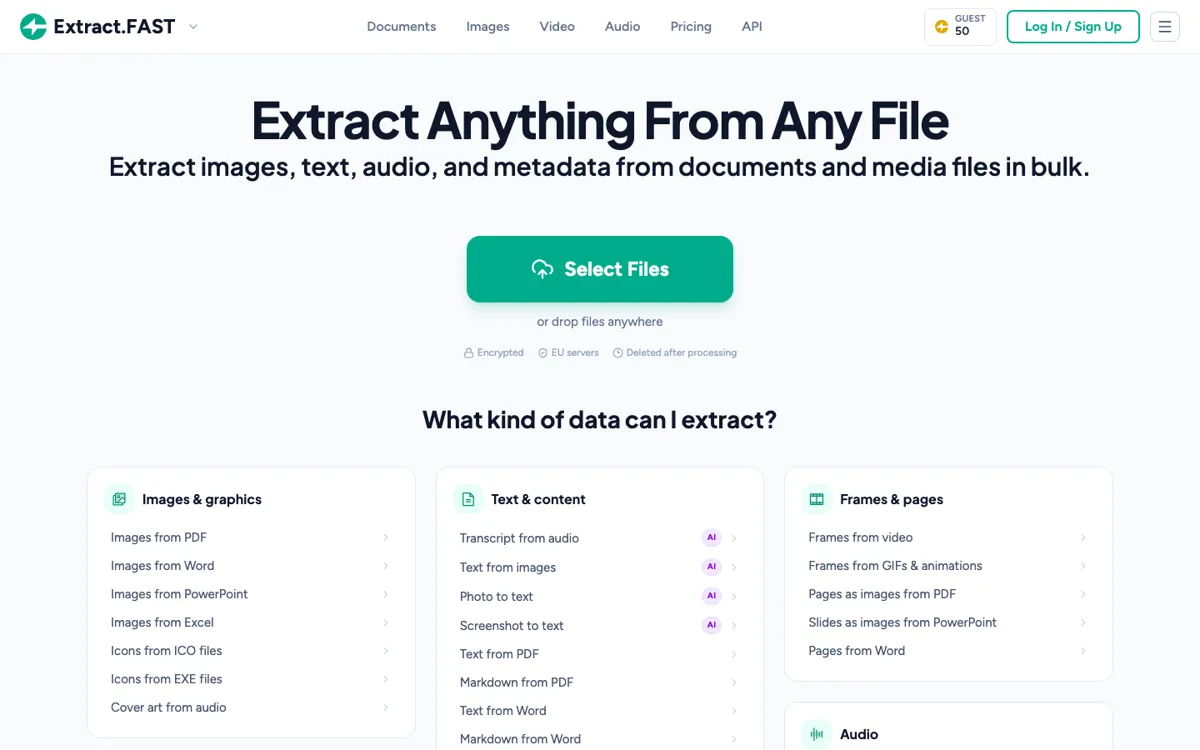
Official Website Snapshot Visit Site ↗

check_circle Pros

  • One upload flow covers documents, images, audio, video, and embedded attachments.
  • The ZIP output keeps each source file's extracts grouped instead of dumping a mess in one folder.
  • The API follows the same job flow as the web app, so automation is easy to reason about.

cancel Cons

  • The free tier stops at 50 daily credits, 50 MB files, and 25 files per task.
  • AI transcription has its own per-minute pricing on top of the main credit system.
  • Some AI and GPS features step outside the core EU-only processing path.

Should you use it?

operations, research, and admin teams cleaning batches of mixed files for reuse

Skip it if: you only need one narrow extractor and do not want a credit-based multi-tool workflow

Is it worth the price?

Freemium Starts at USD 9.00

Free is enough for small cleanup jobs and honest testing. Paid use starts to make sense once files get bigger, batches get wider, or API work becomes routine, because that is where the $5 credit packs or $9 subscription stop being optional.

The Free Tier

Free includes 50 daily credits, 50 MB files, and 25 files per task.

Paid Upgrade
$9/month or $5 credits

Pro unlocks 2 GB files, API access, 1,000-file tasks, and priority processing.

One thing to know before you start

Run the estimate endpoint before a big API batch so the credit bill does not surprise you later.

What people actually use it for

Recover assets from office files

Pull images, speaker notes, attachments, page renders, and text from PDFs, Word files, PowerPoints, and spreadsheets without opening every file by hand.

Prep media review packs

Pull subtitles, frames, audio tracks, transcripts, and metadata from media batches, then hand one ZIP to the next reviewer instead of five separate exports.

Automate file intake cleanup

Use the API when incoming files need estimating, extraction, polling, and packaged download inside a scripted intake or archive workflow.

What does Extract.FAST actually do?

Extract.FAST is easier to keep using than a stack of narrow utilities when the work changes file by file. One PDF needs images and fonts, the next video needs frames and subtitles, and the next email needs attachments. One shared extraction flow removes a lot of repeated setup.

The pricing works best for occasional cleanup first and heavier throughput second. You can stay free for small jobs, buy a small credit pack for one-off spikes, or move to the subscription once API use, shared seats, and 1,000-file tasks start showing up every week.

What you can do with it

Extract text, markdown, images, and metadata from documents.
Pull frames, subtitles, and audio tracks from video files.
Run OCR and transcription on image, audio, and video inputs.
Download organized ZIP outputs for multi-file tasks.
Use the API for scripted extraction jobs and polling.

Technical details

api_shape
Estimate, submit, poll, download, cancel, and delete endpoints are documented.
batch_limits
Free handles 25 files per task; Pro raises that to 1,000.
job_delivery
Finished jobs download as ZIP files with organized extracted outputs.
retention_window
Files and outputs auto-delete about 1 hour after processing.
processing_boundary
Most extraction stays on EU servers; some AI features call named subprocessors.

Top Alternatives to Extract.FAST

If Extract.FAST is close but still misses the job, try one of these instead.

Key Questions

Can you use Extract.FAST for free?
Yes. Guests and free accounts get 50 daily credits, 50 MB files, and up to 25 files per task without signing in.
What do paid plans unlock?
Pro unlocks 2 GB files, 1,000 files per task, priority processing, API access, and higher parallel job limits.
How are results delivered?
Each job returns one ZIP, and multi-file runs keep every source file's outputs grouped inside it.
How long are files kept?
Uploaded files and outputs are deleted about 1 hour after processing on both free and paid tiers.