ChatDOC Review

8.0/10

Chat with PDFs and other documents, with answers tied back to the source.

Review updated May 2026 By The AI Way Editorial Tested 262+ tools across the site 5 min read
ChatDOC Fact Checking No Credit Card Required PDF Analyzer Summarization Web-Based Freemium from $89.90/mo

Our Verdict

ChatDOC is worth opening when you need answers from a long document and you also need to verify where those answers came from. Its best trick is not the chat box itself, but the way it ties responses back to quotes, tables, formulas, and page context. The catch is that the free tier runs out fast if you work with big files every day.

Try it
Free to start, then pay when the limits stop you. Starts at $89.90 USD.
open_in_new Try ChatDOC
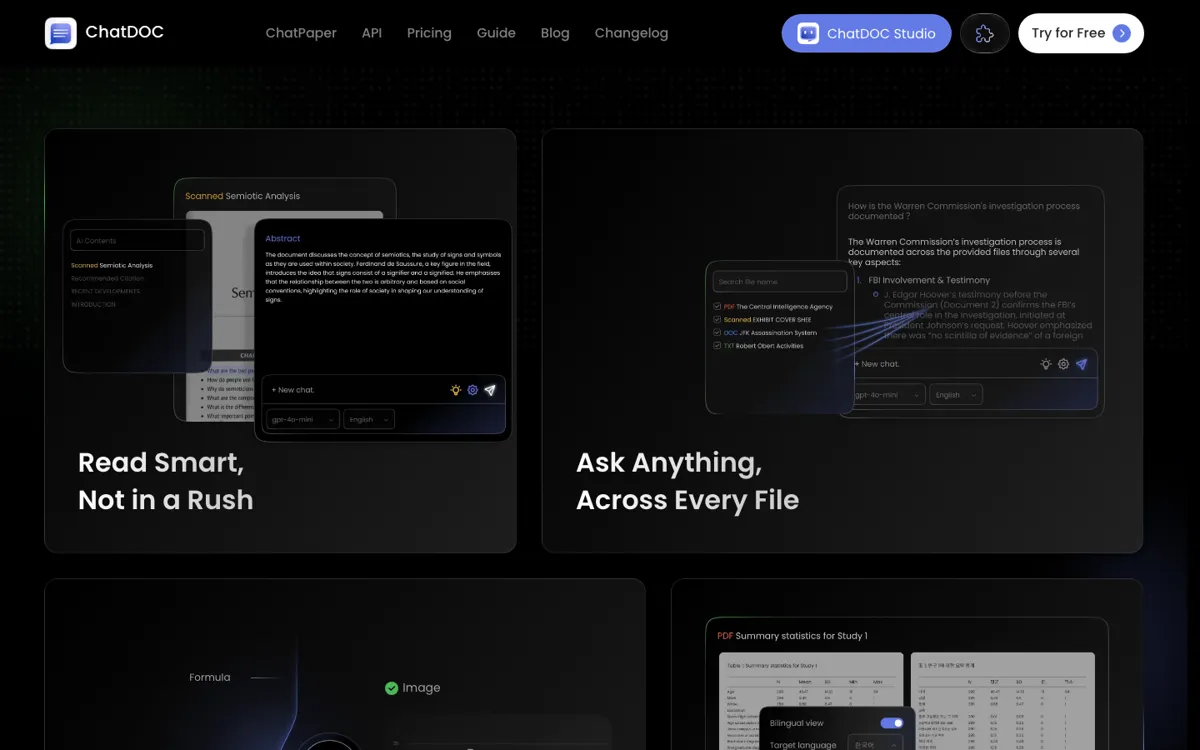
Official Website Snapshot Visit Site ↗

check_circle Pros

  • It cuts straight to the useful part of document chat: asking a question and checking the source without manually hunting through hundreds of pages.
  • It handles awkward file content like formulas, images, and cross-page tables that many lightweight PDF chat tools gloss over.
  • The paid plan supports more than PDFs, which makes it more practical for mixed document workflows instead of one-format research only.
  • The no-card free entry makes it easy to test whether the answer quality and citation flow are good enough before paying.

cancel Cons

  • The free plan is tight enough that regular users will hit upload and question caps quickly.
  • Free users are boxed into PDF-only support, so the broader multi-format promise really starts on the paid side.
  • If you only need a quick summary and do not care about checking the source, ChatDOC can feel heavier than a simpler summarizer.

Should you use it?

Best for: Research, legal, academic, support, and analyst work where you need to question long documents and jump back to the exact source before using the answer.

Skip it if: Skip it if your main job is casual note summarizing and you do not need citations, page tracing, or support for dense files like tables and formulas.

Is it worth the price?

Freemium Starts at $89.90 USD

The free plan is good for testing accuracy, not for sustained work. If you process documents every day, the caps and PDF-only limit will push you toward Pro pretty quickly. The paid plan looks reasonable if source-linked answers save you real review time.

The Free Tier

Free plan includes 5 file uploads per day, 20 questions per day, 300 pages per file, 60 MB max size, PDF-only support, 3 OCR pages per file, and 30 files per collection.

Paid Upgrade
$89.9 / 360 days

Pro unlocks higher upload and question limits, unlimited pages, bigger files, unlimited OCR and TapSource, plus support for DOC, DOCX, scans, websites, EPUB, markdown, and text files.

One thing to know before you start

Use ChatDOC for documents you would normally skim with one finger on Ctrl+F. It is strongest when the question is narrow, the file is long, and you need to confirm the answer before repeating it to someone else.

What people actually use it for

Pulling facts from long reports

Upload a long report, ask targeted questions about one metric, clause, or section, and use the source links to jump straight to the relevant passage instead of manually scanning the whole file. This is where ChatDOC earns its keep, because it saves reading time without asking you to trust a blind summary.

What does ChatDOC actually do?

ChatDOC is built for a simple but stubborn problem: long documents are slow to search, and ordinary AI summaries often make it harder to tell whether the answer is right. The product tries to fix that by turning document reading into a question-and-answer flow with citations attached. Instead of skimming a dense PDF page by page, you upload the file, ask a direct question, and jump back to the part of the source that supports the answer. That makes it a much better fit for work where being approximately right is not enough.

What separates ChatDOC from a basic summary bot is the verification layer. The product leans on TapSource, quote highlighting, context reveal, and support for tables, formulas, and images to make the answer inspectable instead of merely fluent. That matters in research, law, finance, support, and academic reading, because those are the jobs where one wrong paraphrase can waste more time than a slow read. If the point is to reuse a fact, compare a claim, or cite a source, the trace-back workflow is the real feature, not the chat UI by itself.

The main limitation is commercial, not conceptual. ChatDOC gives enough on the free tier to prove the product works, but not enough for sustained heavy use. Upload caps, question caps, PDF-only support, and small OCR allowances make the free plan feel like a checkpoint before the paid plan rather than a standalone work tier. That is not a problem if the tool replaces a painful reading workflow for you, but it does mean budget-conscious users should expect the real evaluation to happen on whether the paid plan saves enough review time to justify the jump.

What you can do with it

Chats with uploaded PDFs and points answers back to source passages.
Handles formulas, images, and cross-page tables instead of only plain text paragraphs.
Translates files while preserving the original layout.
Supports PDF, DOC, DOCX, scans, websites, EPUB, markdown, and text files on paid plans.
Lets teams save prompts and keep knowledge moving through shared handoffs.

Technical details

platform
Web app for document chat and source-grounded retrieval.
deployment
Cloud SaaS with a free PDF-first tier and broader multi-format support on Pro.
translation
Translates files while keeping the original layout intact.
supported_inputs
PDF, DOC, DOCX, SCAN, WEBSITE, EPUB, MD, TXT.
verification_mode
TapSource links answers back to quotes, footnotes, and underlying context.

Top Alternatives to ChatDOC

If ChatDOC is close but still misses the job, try one of these instead.

Key Questions

Is ChatDOC only for PDFs?
No, but the free plan mostly behaves like a PDF product. The broader support for DOC, DOCX, scans, websites, EPUB, markdown, and text files shows up on the paid side.
What makes ChatDOC better than a generic AI summarizer?
It is better when you need to check the source, not just read a neat paragraph. ChatDOC is built to send you back to the quote, page, table, or context behind the answer.
Who hits the paywall fastest?
Anyone doing daily document work. If you upload lots of files, ask many follow-up questions, or work beyond plain PDFs, the free limits run out quickly.