Dubverse Review

8.3/10

Dub, subtitle, and voice over videos with AI voices built for fast localization.

Review updated May 2026 By The AI Way Editorial Tested 99+ tools across the site 5 min read
Dubverse API Available Auto Subtitles Multi-language Video Translation Voice Cloning Web-Based Paid from $18.00/mo

Our Verdict

Dubverse is a better fit for shipping localized video assets fast than for chasing perfect one-click dubbing. Its real value is the mix of dubbing, subtitles, retuning, and speaker control in one workflow, which is more useful than a bare TTS tool when the job starts with a finished video. But the product itself warns against blind publishing, so the speed gains are strongest when you still keep a human review step for important output.

Try it
Paid product. Starts at $18.00 USD.
open_in_new Visit Dubverse
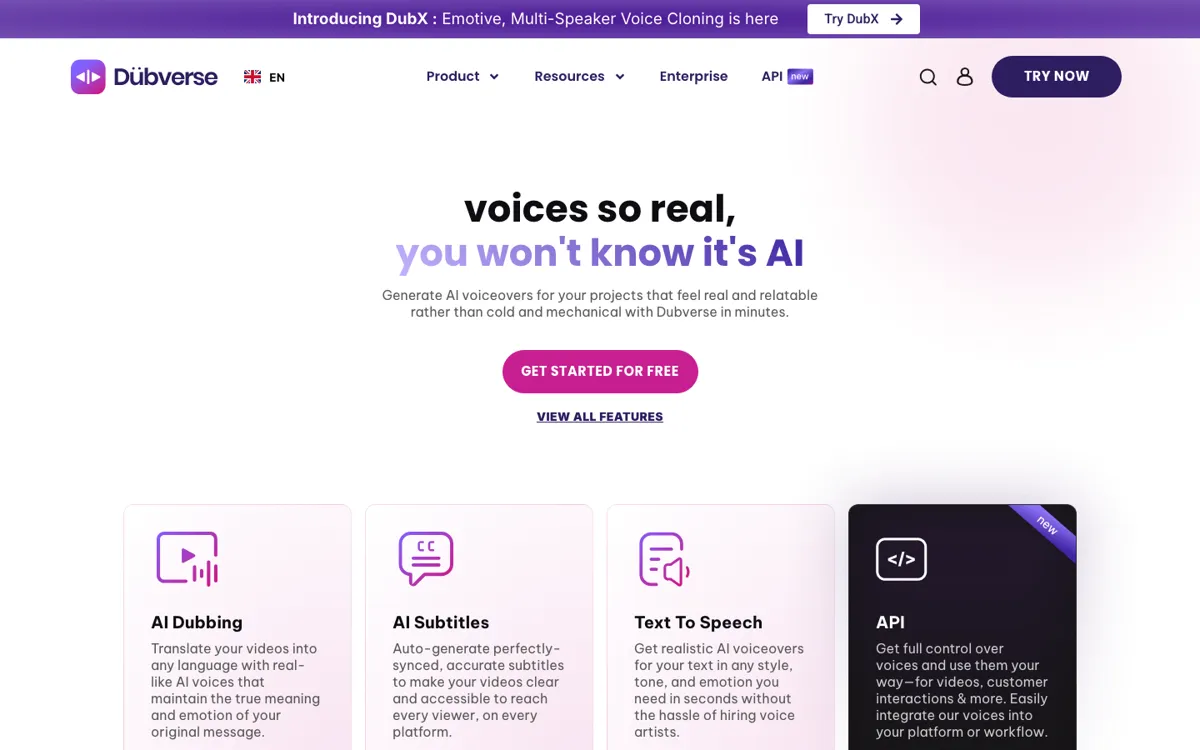
Official Website Snapshot Visit Site ↗

check_circle Pros

  • The product is built around full video localization work, not just isolated voice generation, so subtitles, dubbing, editing, and translation live in one place.
  • The pricing page is unusually specific about how credits are charged per minute for dubbing, subtitles, and text to speech.
  • The FAQ is candid about where the tool works best, including recommended content types and the need for human review in some language pairs.

cancel Cons

  • Paid plans start immediately after a short 2-day trial, so this is not a long freemium product you can stretch for weeks.
  • Voice cloning and language review services are billed separately from subscription plans, which adds cost beyond the headline tiers.
  • The company explicitly says entertainment-style dubbing like movies is not a strong fit, so the product has a narrower sweet spot than the homepage hype suggests.

Should you use it?

Best for: Best for turning explainer videos, product walkthroughs, training content, or support videos into other languages quickly, especially when you also need subtitles and line-by-line retuning.

Skip it if: Skip this if your main job is dubbing films or highly performance-driven entertainment content, or if you need a long free tier instead of a short trial before paying.

Is it worth the price?

Paid Starts at $18.00 USD

The free trial is enough to see whether the workflow fits your content, but not enough to run a real ongoing pipeline. Once you need longer videos, GPT-4 translations, or cloning and review help, the real budget is higher than the base monthly plan suggests.

Paid Upgrade
$18/month

Pro adds 50 monthly credits, premium speakers, faster processing, no watermark, and up to 60 minutes of video.

One thing to know before you start

Test one real video that includes names, numbers, and mixed-language phrases. That will surface faster than a demo clip whether the retune editor is enough for your actual review load.

What people actually use it for

Localize product walkthrough videos fast

Dubverse fits well when you already have a finished screen recording or explainer and need it in more than one language without rebuilding the project from scratch. The platform combines translation, dubbing, subtitles, and line-level retuning, which means a marketing or support team can move from one source video to several language versions in the same workspace. That is where it saves more time than a simple text to speech tool, because the hard part is usually not reading the script aloud but managing the full localized asset.

Create subtitled and voiced training content for regional audiences

If you publish onboarding, learning, or internal training videos, Dubverse is more practical than a generic voice generator because the FAQ and product pages both lean into informational content as the target use case. You can auto-generate subtitles, swap speakers, adjust translations, and preserve background effects, which helps when one source video needs regional versions without a full studio process. The value is highest when consistency and speed matter more than dramatic performance or cinema-grade nuance.

Add AI voices to an app with lightweight API integration

The docs show a direct TTS endpoint, API key flow, and speaker-based request structure, so Dubverse can also work as a developer tool when the job is adding voices to an existing product. This is useful for chat flows, narrated content, or internal tools that need speech output without self-hosting voice infrastructure. It is still a narrower API story than a platform built primarily for developers, so the advantage is strongest if your app also overlaps with Dubverse's localization and voiceover strengths.

What does Dubverse actually do?

Video localization usually breaks down in the same place: the script may translate quickly, but syncing speech, preserving context, assigning speakers, checking subtitles, and exporting something usable still eats the team’s time. That gets worse when one source video has to become several regional versions for support, onboarding, or product marketing. Dubverse is not pitching itself as a general AI playground here. The homepage and FAQ keep pointing back to a narrower production problem, namely dubbing informational videos, creating subtitles, and turning finished content into multilingual assets without hiring voice artists or rebuilding the edit from zero each time.

What makes Dubverse more than a basic voice tool is the amount of workflow it tries to absorb. The product combines AI dubbing, subtitles, transcript generation, text to speech, mixed-language handling, batch-oriented output, and a retune editor for manual changes. The pricing page also spells out operational details instead of hiding them: 4 credits per minute for dubbing, 2 for text to speech, and 1 for subtitles, with higher plans adding GPT-4 translations, voice cloning, priority processing, and longer video limits. The docs then extend that story with a TTS API, so the product can be used as both a studio tool and a programmatic voice layer.

The limitation is that Dubverse is open about not being a magic publish button. The FAQ recommends human review when you do not speak the target language, says movies are not a good fit, and bills some high-touch services like voice cloning or expert review separately. That honesty is useful because it sets the right boundary: Dubverse is strongest when you need faster multilingual production for explainers, walkthroughs, or training content, not when you need dramatic performance or fully trusted output with no reviewer in the loop. If your buying goal is perfect dubbing without editorial cleanup, this product is likely to disappoint.

What you can do with it

Dub existing videos into other languages with AI voices that aim to preserve meaning and emotion.
Generate synced subtitles automatically for videos across platforms.
Create text to speech voiceovers with adjustable tone, style, and emotion.
Retune translations, swap speakers, and edit lines inside the built-in studio workflow.
Use credit-based APIs for text to speech and voice integration in apps or workflows.
Handle mixed-language scripts and keep one voice style across multiple languages.

Technical details

platform
Web app with TTS API documentation
deployment
Cloud
api_available
Yes

Top Alternatives to Dubverse

If Dubverse is close but still misses the job, try one of these instead.

Key Questions

Does Dubverse give you a real free plan?
No. Dubverse offers a 2-day free trial with 20 credits and no credit card, then moves you to paid subscriptions if you want to keep using the platform.
What kinds of videos does Dubverse handle best?
Dubverse recommends informational content such as explainers, software walkthroughs, support videos, and training material. It explicitly says entertainment-style content like movies is not a strong fit.
Can you publish a dubbed video without knowing the target language?
You can, but Dubverse itself recommends a human review before publishing when your team cannot verify the target language. It also offers separate review support through language experts.
Is voice cloning included in the normal subscription plans?
No. The FAQ says custom voice cloning is available, but it is billed separately rather than included in the standard subscriptions.