Coworker AI Review

8.2/10

Run company-grounded chat, meetings, and agents with model routing built to cut AI spend.

Review updated August 2026 By The AI Way Editorial 4 min read
Coworker AI Agents App Integration Meeting Notes Workflow Builder Paid from USD 29.99/mo

Our Verdict

Coworker AI makes sense when your team wants one layer for Q&A, meetings, and follow-through inside business tools. The real sell is model routing plus approval-gated actions, not the chat tab alone. It feels heavy fast if you will not connect real systems or feed it repeated work.

Official site
Paid product. Starts at USD 29.99.
open_in_new Visit Coworker AI
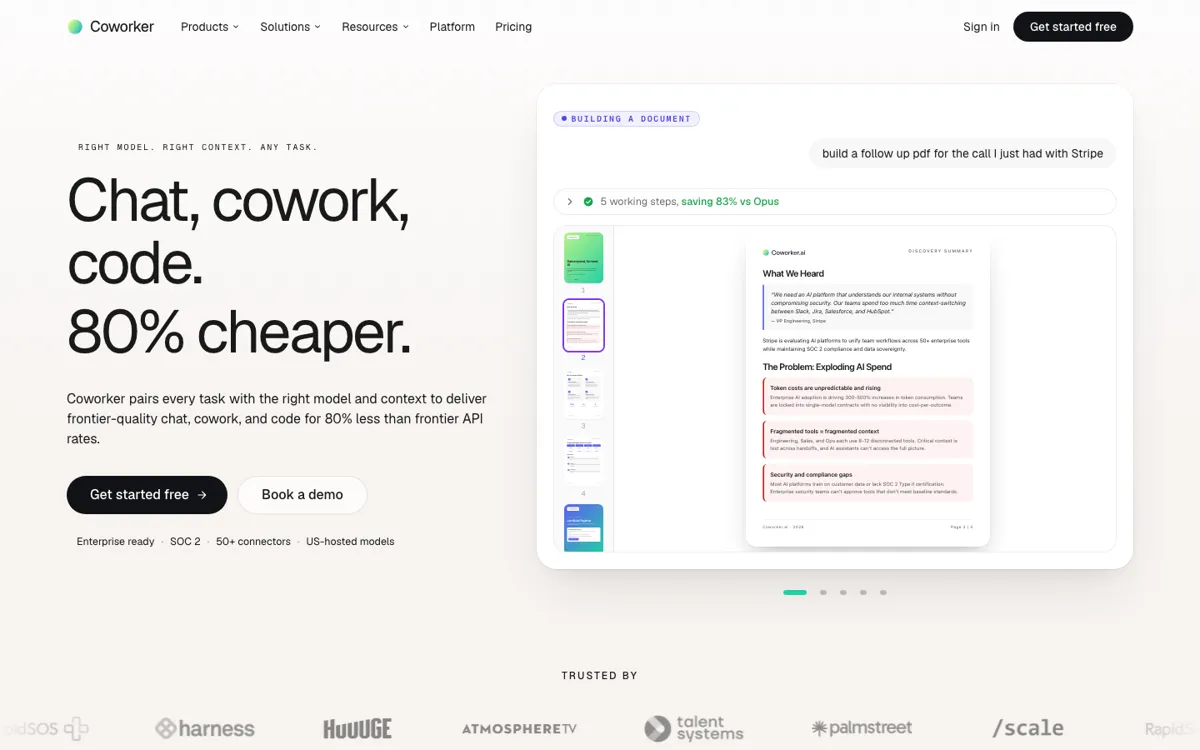
Official Website Snapshot Visit Site ↗

check_circle Pros

  • The pricing page explains what changes between tiers in plain terms.
  • Meetings can turn into drafted CRM updates, Jira tickets, and follow-up emails.
  • Model routing gives it a concrete cost angle instead of vague speed talk.

cancel Cons

  • There is no permanent free plan; the 7-day trial runs out fast.
  • You have to trust the routing layer not to cheap out on quality.
  • Without deep tool connections, it collapses into an expensive assistant.

Should you use it?

Post-call follow-up, pipeline cleanup, renewal research, and cross-tool internal Q&A.

Skip it if: you only need a standalone chatbot, will not connect core tools, or cannot evaluate inside a 7-day trial

Is it worth the price?

Paid Starts at USD 29.99

The trial is enough to wire up one repeated job and test routing. Paid starts once you need monthly credits, more than five connectors, or recurring agents and meetings.

Paid Upgrade
$29.99/user/mo billed annually

Pro adds 1,200 monthly credits, 10 connectors, Coworker MCP, and unlimited agents.

One thing to know before you start

Start with one repeated job like post-call CRM updates or stale pipeline cleanup. Otherwise the trial disappears into setup work.

What people actually use it for

Post-call follow-through

Let Coworker join Zoom, Meet, or Teams calls, pull the transcript, extract action items, and draft the next steps back into your systems. The real gain is removing the cleanup work that usually dies after the meeting ends.

Cross-tool research

Use it when the answer lives across CRM records, docs, tickets, and notes, then needs to become a visible next step. A sales or success team can ask which accounts look at risk and get an outreach draft in the same flow.

Recurring ops agents

Coworker works best when you already know which repeated checks waste human time, such as stale-deal cleanup or onboarding tasks. The agent layer can watch triggers and keep those jobs moving in the background.

What does Coworker AI actually do?

Coworker AI is trying to compress chat, meeting capture, agent automation, and artifact generation into one operational layer. The important part is not any single surface. It is the promise that a prompt can read company systems, choose the right model, and push the result back into the places your team already works.

The pricing page makes the cost claim easier to inspect. Entry is only a 7-day trial with 500 one-time credits, five connectors, and short meeting retention, so this is not leisurely freemium software. The paid jump starts at $29.99 per user per month on annual billing, which tells you Coworker is aimed at teams with enough recurring AI work for routing and tool consolidation to matter.

What you can do with it

Answer questions across connected tools and turn answers into drafted actions.
Build dashboards, PDFs, decks, reports, and mini-apps from live company data.
Run long-lived agents on triggers from Slack, CRM, calendar, and email.
Join Zoom, Google Meet, and Teams calls for summaries and follow-up drafts.
Route each task to cheaper or stronger models.

Technical details

security
SOC 2 Type II, GDPR, CASA Tier 2, encryption at rest and in transit.
connectors
Trial has 5 connectors, Pro 10, Max all connectors, Enterprise custom connectors.
api_available
Coworker MCP can read company context, run agents, and write back into the workspace.
model_routing
Routes tasks across open and closed models instead of using one premium model everywhere.
meeting_retention
Meeting retention runs 7 days on Trial and Pro, 30 on Max, 90 on Enterprise.

Top Alternatives to Coworker AI

If Coworker AI is close but still misses the job, try one of these instead.

Key Questions

Does Coworker AI have a free plan?
No permanent free plan is listed. You get a 7-day free trial with 500 one-time credits, five connectors, and core product access, then the account pauses until you choose a paid plan.
What actually changes when you move from trial to Pro?
The biggest jump is from a short evaluation bucket to recurring usage. Pro gives you 1,200 monthly credits, ten connectors, unlimited agents, Coworker MCP, and custom polling every 12 hours, which is the point where ongoing team automations become realistic.
Can Coworker AI do more than summarize meetings?
Yes. It can turn a call into drafted CRM updates, Jira tickets, follow-up emails, and Slack summaries, then wait for approval before anything goes out.
Why is model routing the main reason to evaluate Coworker?
Because that is the main reason it exists instead of a plain assistant. Coworker is betting that many company tasks do not need the most expensive model, so the real test is whether cheaper routing cuts spend without making the output obviously worse.