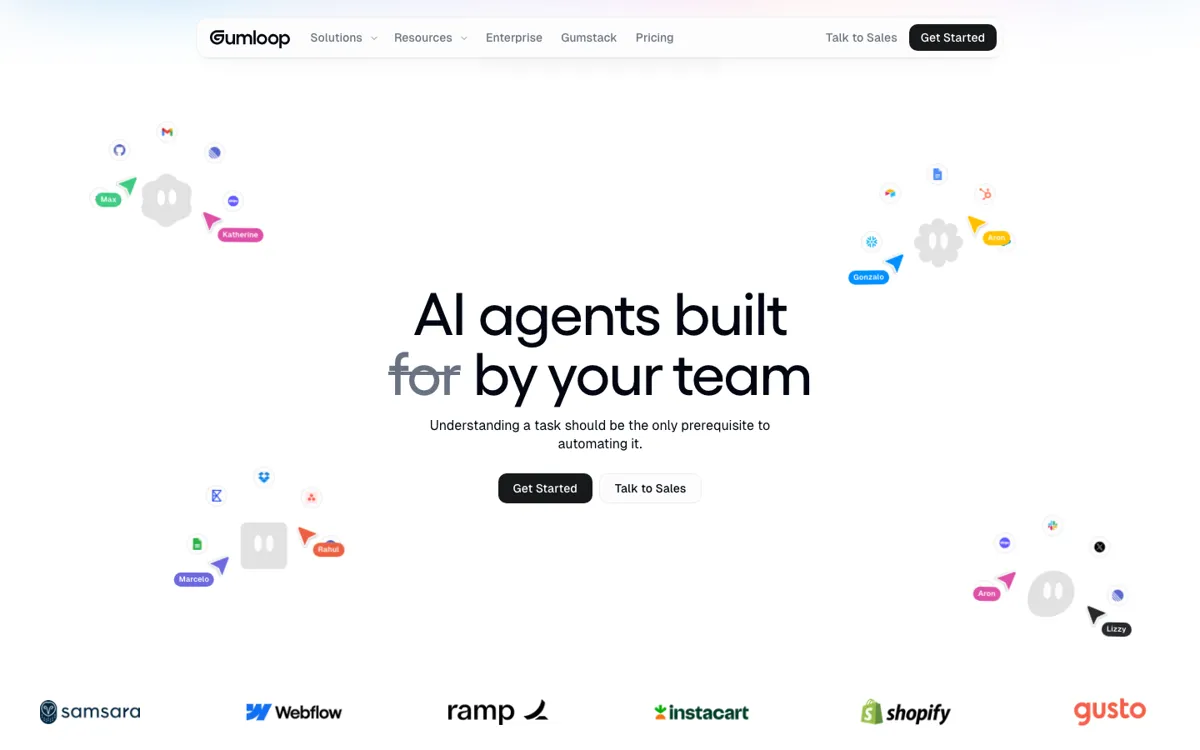
Gumloop Review

8.5/10

Build and run AI agents that automate research, ops, and team workflows without code.

Review updated May 2026 By The AI Way Editorial Tested 166+ tools across the site 5 min read
Gumloop App Integration SaaS Slack Team Collaboration Web-Based Workflow Builder Freemium from $37.00/mo

Our Verdict

Gumloop is strongest when you want AI agents to pull context from several business systems, run on a schedule, and hand results back to a team without engineering every workflow from scratch. It looks expensive only if you judge it like a basic task automator. The real question is whether you need repeatable multi-step agent work with governance, templates, and shared rollout, because that is where Gumloop separates itself from lighter no-code automators.

Try it
Free to start, then pay when the limits stop you. Starts at $37.00 USD.
open_in_new Try Gumloop
Official Website Snapshot Visit Site ↗

What people actually use it for

Meeting prep that pulls from CRM, Slack, email, and the web

A sales or account team can build an agent that wakes up before each calendar event, gathers recent customer history, public news, past conversations, and deal context, then posts a brief into Slack or email. This is the kind of task where Gumloop earns its keep because the work spans several systems and needs to run on a timer without manual prompting each time.

Call analysis that turns recordings into coaching and objection patterns

Teams reviewing sales calls can wire Gumloop into call data, then have an agent pull recurring objections, coaching moments, and competitive mentions out of recordings. That saves time when managers need patterns across many calls instead of listening end to end, but it only pays off if those recordings already sit inside the systems Gumloop can reach.

Background account watching for sales and customer teams

A revenue team can run agents that keep checking accounts for new hires, launches, risk signals, and deal-stage context, then push updates into Slack before someone walks into a renewal or expansion conversation. The win is that the agent keeps watching while the team does other work, not that it writes prettier summaries on demand.

check_circle Pros

  • The workflow model is built for ongoing agent work, not just one-off prompts, so you can schedule briefs, monitors, and account watchers that keep running in the background.
  • It gives teams real deployment depth, including model choice, app connections, role controls, audit logs, usage monitoring, and optional VPC support.
  • The template library is already large enough to shorten time-to-first-use, with visible community workflows for SEO, sales analysis, meeting prep, PDFs, and research-heavy tasks.

cancel Cons

  • The credit-based packaging means you still need to think about volume and concurrency, especially once agents start running across a team.
  • Its strongest use cases assume you have business systems, context sources, and repeatable processes worth wiring together, so solo users may feel overprovisioned fast.
  • Some of the product pitch leans broad, which means you still need to translate Gumloop into a concrete internal workflow before it proves value.

Should you use it?

Best for: Teams that need research bots, meeting prep agents, support triage, CRM upkeep, or multi-step internal automations that pull from several apps and return usable output in Slack or email.

Skip it if: Skip it if your main need is a cheap single-step app automation or a personal side-project workflow, because Gumloop is built around shared agents, recurring runs, and connected business context rather than the lightest possible automation setup.

Is it worth the price?

Freemium Starts at $37.00 USD

The free tier is real enough to test the product shape, but the paid value starts when you need more concurrency, more seats, and team controls. If you are comparing it to simple automation tools on sticker price alone, you will miss that Gumloop is charging for agent orchestration and governance, not just triggers and actions.

The Free Tier

Free plan includes 5k credits per month, 1 seat, 1 active trigger, 2 concurrent runs, and 5 concurrent agent interactions.

Paid Upgrade
$37/month

Pro unlocks unlimited seats, 5 concurrent runs, 25 concurrent agent interactions, team analytics, guardrails, and MCP hosting/proxying.

One thing to know before you start

Start with one repeated internal brief, like meeting prep or call analysis, instead of trying to automate your whole company in week one. Gumloop's value becomes easier to judge when one agent saves a team from a task they already hate doing by hand.

What does Gumloop actually do?

Most AI workflow tools sound useful until you ask what they actually replace. Gumloop's answer is not 'chat with your data' or 'connect apps faster.' It is the layer that lets a team stand up agents for work like support triage, meeting prep, account research, CRM hygiene, and call analysis, then keep those agents running on schedules or triggers. On the homepage and use-case pages, the product repeatedly comes back to agents that watch, summarize, post, route, and update across business systems. That gives it a more operational feel than a prompt-first assistant.

What makes Gumloop more than a visual wrapper is the stack around those agents. The docs and pricing pages show workflows, agent interactions, model selection, hosted and proxied MCP support, organizational analytics, AI model governance, audit logs, role-based access, and enterprise deployment options like VPC. In practice, that matters because teams adopting AI automation usually get blocked less by 'can the model do it' and more by permissions, cost control, app connections, and whether the result can show up inside the tools people already use. Gumloop is clearly designed with those frictions in mind.

The main boundary is that Gumloop expects a real process to automate. If all you need is a few deterministic triggers between apps, dedicated workflow tools may be simpler. If all you need is a chatbot, a strong workspace AI may be enough. Gumloop sits in the middle: more agentic than classic automation, more operational than a general-purpose assistant. That positioning makes sense for teams with repeated research and coordination work, but it also means the product is easiest to justify when the workflow has enough business value to offset credit usage, setup time, and the complexity of managing shared agents.

What you can do with it

Build AI agents and workflows with a no-code canvas instead of scripting each step by hand.
Connect agents to internal and external tools like Slack, Gmail, CRM systems, calendars, call data, and MCP servers.
Run automations on schedules, background monitors, or event triggers so agents keep watching and acting after setup.
Choose from multiple model providers, including OpenAI, Anthropic, Google, and DeepSeek, with model access controls for teams.
Roll agents out across an organization with usage analytics, role-based permissions, audit logs, and enterprise deployment options.

Technical details

platform
Web app with agents that can also answer inside Slack and email after you connect them to team workflows.
deployment
Cloud-hosted by default, with enterprise VPC deployment for teams that need the product in their own cloud.
api_available
Yes. Gumloop publishes API docs and a public JavaScript and TypeScript client for running and monitoring flows.

Key Questions

Is Gumloop more like Zapier or more like an AI agent builder?
Closer to an AI agent builder with workflow orchestration around it. The official docs split the product into agents and workflows, and the main site keeps showing automations that pull context, reason over it, then post results back into business tools. If you only want simple if-this-then-that routing, it may feel heavier than Zapier.
Can you use Gumloop without bringing your own model API keys?
Yes, in many cases. Gumloop says model options from providers like OpenAI, Anthropic, Google, and others are built in, while its pricing and enterprise materials also mention BYO keys and proxy support. So you can start with the hosted setup, then add your own controls if your team needs them.
What is the easiest way to tell if Gumloop is worth paying for?
Test one repeated workflow that already wastes team time, like meeting prep, support triage, or sales call analysis. Gumloop is easier to justify when it replaces a recurring multi-source task, not when you judge it as a generic AI playground.