ChatHub Review

7.4/10

Compare multiple AI chat models side by side in one workspace.

Review updated May 2026 By The AI Way Editorial Tested 262+ tools across the site 4 min read
ChatHub Chrome Extension Model Comparison Web-Based Writing Assistant Freemium

Our Verdict

ChatHub is worth opening when your real job is comparing model behavior, not just chatting with one bot. Its best value is collapsing a messy multi-tab prompt-testing routine into one place. The downside is that if you already know which model you trust, ChatHub adds another layer you may not need.

Try it
Free to start, then pay when the limits stop you.
open_in_new Try ChatHub
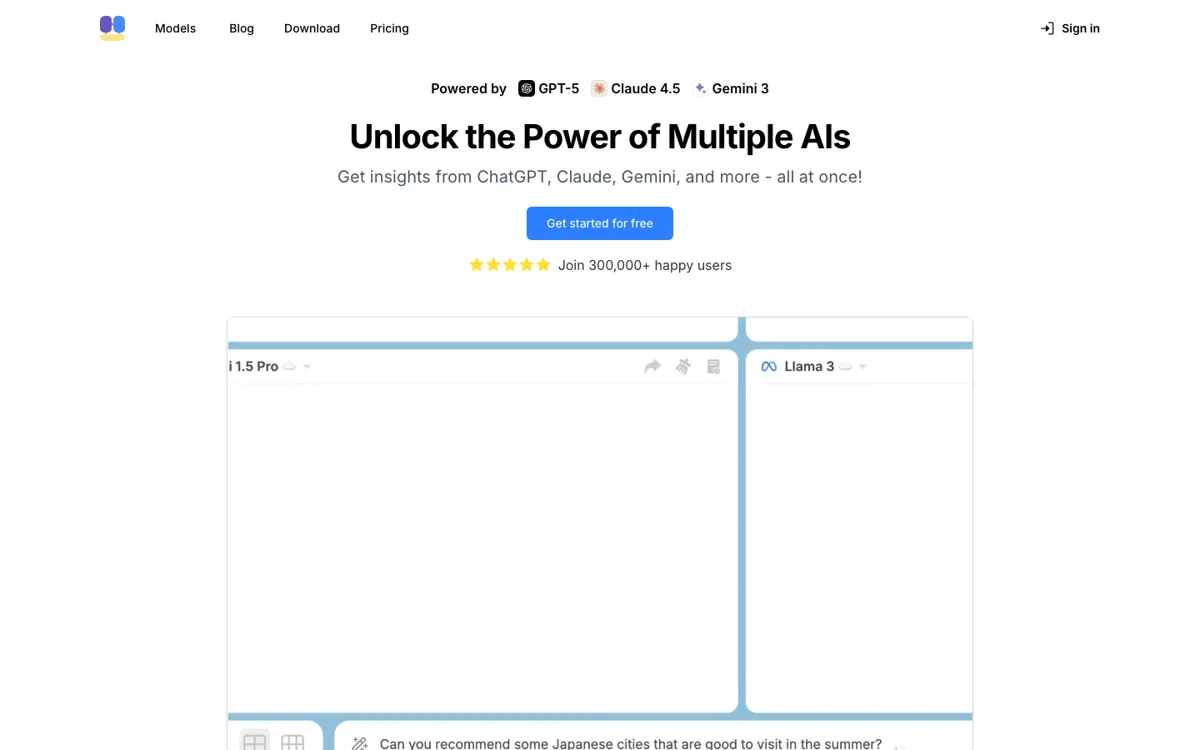
Official Website Snapshot Visit Site ↗

check_circle Pros

  • It saves real time for anyone who repeatedly asks the same prompt to multiple models and wants the answers lined up instantly.
  • The product solves a specific workflow pain instead of pretending to be a better foundation model itself.
  • Model comparison makes it easier to catch weak reasoning, weird formatting, or hallucinations before you reuse an answer.
  • The browser-first setup fits people who already live in AI web apps and want less friction between them.

cancel Cons

  • If you mostly rely on one assistant, the comparison layer can feel like extra overhead instead of a benefit.
  • The visible pricing flow is not transparent enough from the captured pages to make plan-value judgment effortless.
  • The product depends on the strength and access rules of the underlying models, so part of the experience is outside ChatHub's direct control.

Should you use it?

Best for: Power users, researchers, writers, and developers who compare answers across multiple AI assistants before trusting or reusing an output.

Skip it if: Skip it if you only use one model for everyday chat and rarely need side-by-side comparison or prompt testing.

Is it worth the price?

Freemium

ChatHub is easiest to justify when cross-model comparison is a recurring workflow, not a curiosity. If you compare GPT, Claude, and Gemini outputs all week, the saved time and cleaner checks can outweigh pricing friction. If you only compare models occasionally, weak pricing clarity becomes much harder to excuse.

The Free Tier

A visible Free path was confirmed, but clean public limits were not captured reliably enough in this run to state them more specifically.

Paid Upgrade

A Premium path is visible, likely centered on broader access and comparison usage, but exact public pricing details were not captured cleanly enough to state with confidence.

One thing to know before you start

Use ChatHub for prompts where the wrong model choice actually matters, like research summaries, coding help, or structured writing. That is where side-by-side comparison pays for itself fastest.

What people actually use it for

Comparing model outputs before reusing an answer

A writer, researcher, or developer can send one prompt to several models at once, line up the answers, and see which response is strongest before copying anything into real work. That is much faster than opening separate tabs and trying to remember which model said what.

What does ChatHub actually do?

ChatHub exists to solve a narrow but real AI workflow problem: too many useful models live in separate silos, and checking them one by one wastes time. If you regularly compare how Claude, ChatGPT, Gemini, or other assistants answer the same question, the friction adds up fast. ChatHub compresses that process into one place so you can treat model comparison like a normal part of work instead of a manual ritual spread across browser tabs.

That matters because model choice changes outcomes more often than people admit. One model may summarize cleanly, another may reason better, and another may hallucinate less on a certain task. ChatHub's value is that it makes those differences visible before you commit to an answer. This is especially useful for users who care about output quality control rather than just speed, because comparing models side by side is one of the quickest ways to catch weak reasoning or drift in style and structure.

The limitation is that ChatHub is a workflow multiplier, not a magic layer that makes weak models strong. If you rarely compare assistants, the product can feel like extra ceremony. Pricing clarity also matters more here than in some other categories, because users will judge it against the hassle of simply opening a few tabs themselves. So the product earns its place when cross-model comparison is frequent, not occasional.

What you can do with it

Runs the same prompt across multiple AI models in one interface.
Lets users compare outputs side by side instead of switching between separate model tabs.
Offers a Chrome extension workflow for people who want AI access layered into browser use.
Bundles different mainstream assistants into a single workspace for faster prompt testing.
Helps users spot answer differences, style shifts, and model-specific weaknesses quickly.

Technical details

platform
Web app with Chrome extension workflow.
core_mode
Side-by-side comparison across multiple AI chat models.
deployment
Cloud SaaS with browser-based access.
model_scope
Built around switching and comparing mainstream assistants such as ChatGPT, Claude, and Gemini.

Top Alternatives to ChatHub

If ChatHub is close but still misses the job, try one of these instead.

Key Questions

What is ChatHub actually best at?
Comparing multiple model answers quickly. The product is most useful when choosing the best response matters more than talking to one assistant for a long thread.
Who gets the least value from ChatHub?
People who already stick to one model. If you almost never compare assistants, the main reason to use ChatHub disappears.
Why use ChatHub instead of opening several AI tabs yourself?
Because the comparison is the feature. ChatHub makes answer differences obvious faster, with less tab switching and less manual copying between tools.