Biela.dev Review

8.0/10

Build websites, web apps, and mobile apps from prompts, files, or voice, then deploy them from the same workspace.

Review updated May 2026 By The AI Way Editorial Tested 133+ tools across the site 5 min read
Biela App Integration No Credit Card Required SaaS Web-Based Workflow Builder Freemium from $26.08/mo

Our Verdict

Biela.dev is for people who want to move from a rough app idea to a deployed product without setting up the stack by hand. Its biggest draw is that it does not stop at mockups, because the product keeps pushing code generation, integrations, download, and deployment in one flow. But the token-based pricing and steep upper tiers mean it is easiest to justify when you are actively shipping projects, not when you only want occasional experiments.

Try it
Free to start, then pay when the limits stop you. Starts at $26.08 USD.
open_in_new Try Biela.dev
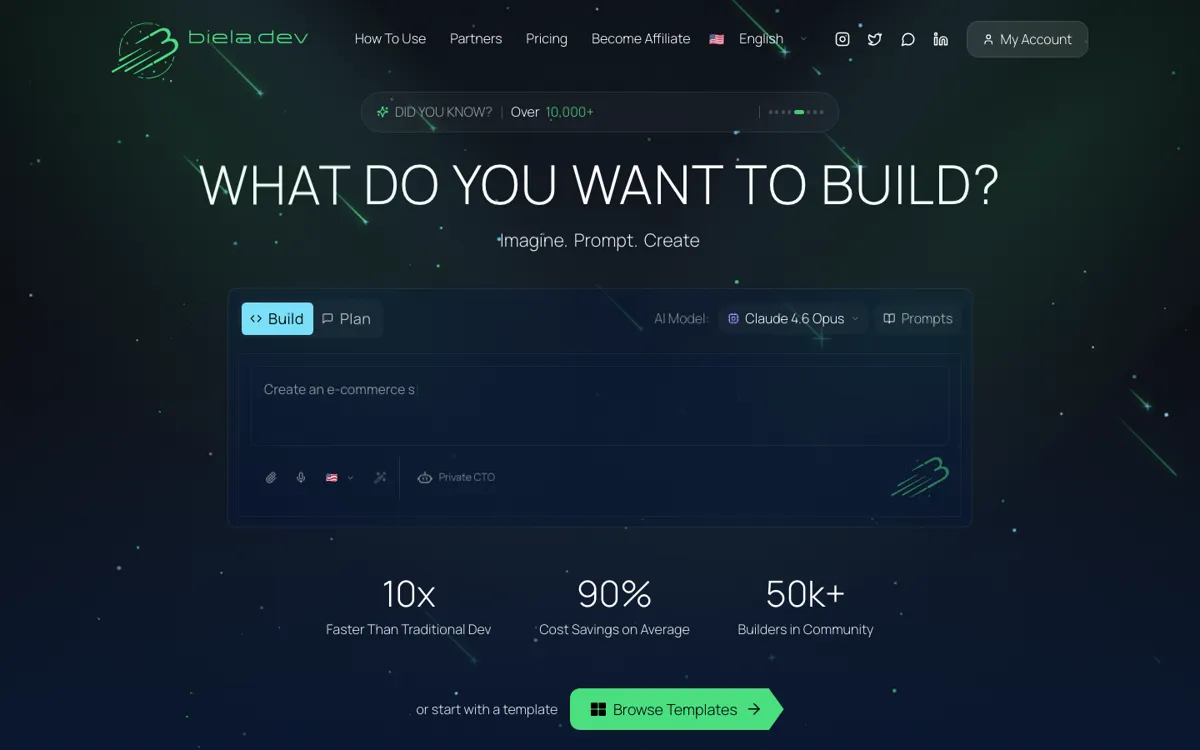
Official Website Snapshot Visit Site ↗

check_circle Pros

  • It covers more of the actual build path than prompt-only builders, including deployment, downloads, custom domains, and backend integrations.
  • The product accepts plain text, file uploads, and voice input, which lowers the friction for getting an idea into a working first version.
  • It tries to keep you out of template jail by emphasizing generated code and editable projects rather than fixed site blocks.

cancel Cons

  • The free plan is too small for serious project work, so you hit the upgrade wall quickly if you are doing more than a quick test.
  • The pricing model is token-centric, which makes cost prediction less comfortable than a simpler unlimited-use subscription.
  • The jump from mid-tier pricing to the top Visionary Pro plan is steep, so advanced users can move from curious to expensive very fast.

Should you use it?

Best for: Best for turning a clear product idea, landing page spec, internal tool brief, or app concept into a deployable first version without wiring the stack manually.

Skip it if: Skip this if you need a cheap long-session coding copilot inside your existing repo, or if you hate token accounting and want predictable flat usage. Also skip it if you need proof of a public API ecosystem before adopting the platform.

Is it worth the price?

Freemium Starts at $26.08 USD

The free plan is enough to test whether Biela can translate your prompts into something real, but not enough to run a serious build habit. You start paying once your projects need repeated iterations, longer context, or enough generations that token limits stop feeling like a demo.

The Free Tier

Free plan includes 5 prompts, 3 AI image generations, and 2 AI videos on the pricing grid; the FAQ also says each account gets 1 prompt free and free prompts are valid for 30 days.

Paid Upgrade
$26.08/month

Paid plans raise token limits and generation capacity while keeping deployment, downloads, custom domains, and integrations available with more room to build.

One thing to know before you start

Use the free prompts to test one narrow build with a real brief, not a vague dream project. You will learn faster whether Biela handles your actual stack needs once you force it through one deployable use case.

What people actually use it for

Launch a landing page or internal dashboard without bootstrapping the stack yourself

If you already know what the page or tool should do, Biela can shorten the path from brief to something live because prompting, generation, deployment, and project download sit in one place. That is especially useful for solo operators or small teams who do not want to spend the first day wiring hosting, auth, and database basics. The value drops if your main bottleneck is not setup work, but careful code review inside an established engineering process.

Turn a product idea into a testable first version before hiring developers

Biela fits the stage where the idea is clear enough to spec but not yet worth a full custom build team. You can describe the product in plain English, attach reference material, and iterate until the output is good enough to validate with users or stakeholders. It is less attractive once the project becomes complex enough that token cost, architecture control, and repo-native workflows matter more than fast generation.

Build web and mobile variants from one prompt-driven workflow

The official site now pushes mobile app creation alongside websites and web apps, while TAAFT frames the platform as a broad prompt-to-code environment. That makes Biela useful for founders or makers who want one place to shape a web product and then extend it toward iOS and Android without changing tools immediately. It is not the safest choice if you need a mature mobile dev pipeline with fully transparent technical boundaries before you start.

What does Biela.dev actually do?

A lot of app builders get attention by making the first 10 minutes look easy, then fall apart when the project needs real structure, integrations, or a path to deployment. That is the core problem Biela.dev is trying to solve. The official homepage does not stop at pretty mockup language. It keeps pointing at actions that matter later, such as project download, deployment, custom domains, GitHub, Stripe, and Supabase. TAAFT pushes the same angle from another direction by describing Biela as a vibe-coding tool that generates real customizable code instead of trapping users in rigid templates.

The product feels strongest when the job is more concrete than brainstorming but less mature than a full engineering sprint. You can prompt a landing page, dashboard, database app, or mobile app idea, attach files, or use voice input, then keep iterating in the same workspace. That makes Biela more than a prompt toy because it is trying to carry the project across several steps, from initial generation to deployable output. The built-in integrations and custom-domain flow matter here because they reduce the amount of manual glue work that usually slows down non-technical builders.

The main limitation is economic and procedural, not conceptual. The free plan is small, the whole product is framed around prompts and tokens, and the higher tiers escalate quickly once you need bigger context windows or more sustained usage. That means Biela is easiest to justify when the speed to first launch has real business value. If you already live inside an existing repo, want flat predictable pricing, or need deep public technical documentation before committing, the product becomes a harder sell even if the demo path looks impressive.

What you can do with it

Describe an app in plain language, attach files, or speak a prompt to generate a project.
Build and deploy websites, web apps, and mobile apps from the same workspace.
Connect Supabase, Stripe, and GitHub without leaving the product.
Download and share generated projects instead of staying locked inside templates.
Use custom domains and built-in deployment to publish directly from Biela.
Generate AI images and short AI videos alongside app-building work.

Technical details

platform
Web app
deployment
Cloud builder with built-in deployment and project download
api_available
MCP support is listed on TAAFT, but no public developer API docs were surfaced on the official site pages reviewed

Top Alternatives to Biela.dev

If Biela.dev is close but still misses the job, try one of these instead.

Key Questions

Can Biela.dev build more than a simple marketing site?
Yes. The official site positions it around websites, web apps, and mobile apps, and the product flow includes deployment, downloads, custom domains, and integrations that push it beyond a page-only generator.
Is the free tier enough to test whether Biela fits my workflow?
Yes for a first pass, no for repeated builds. The public pricing and FAQ show that free usage is intentionally small, so it works for one focused evaluation but not for long iteration cycles.
What changes once you move onto a paid plan?
The main change is build headroom. Paid plans give you more tokens and generation capacity, which matters because Biela is built around repeated prompt-driven iteration rather than a one-click export you never revisit.
When is Biela.dev the wrong tool to open?
It is the wrong pick when you already have a repo-first engineering flow and mainly want an in-editor copilot. It is also a poor fit if you want flat, generous usage without watching prompt or token limits.