goose Review

6.9/10

An open source AI agent with a desktop app, CLI, and API for running real tasks on your machine.

Review updated May 2026 By The AI Way Editorial Tested 99+ tools across the site 5 min read
AAIF API Available Browser Automation CLI Tool Mac App Open Source Windows App

Our Verdict

goose is for people who want an AI agent to do work on the machine, not just answer in a browser tab. The real draw is the mix of desktop app, CLI, API, and broad MCP extension support, which gives it more reach than a plain coding assistant. But that flexibility also means it makes more sense for users who already want tool access, local execution, and multi-step workflows than for someone who just needs quick chat replies.

Try it
Paid product.
open_in_new Visit goose
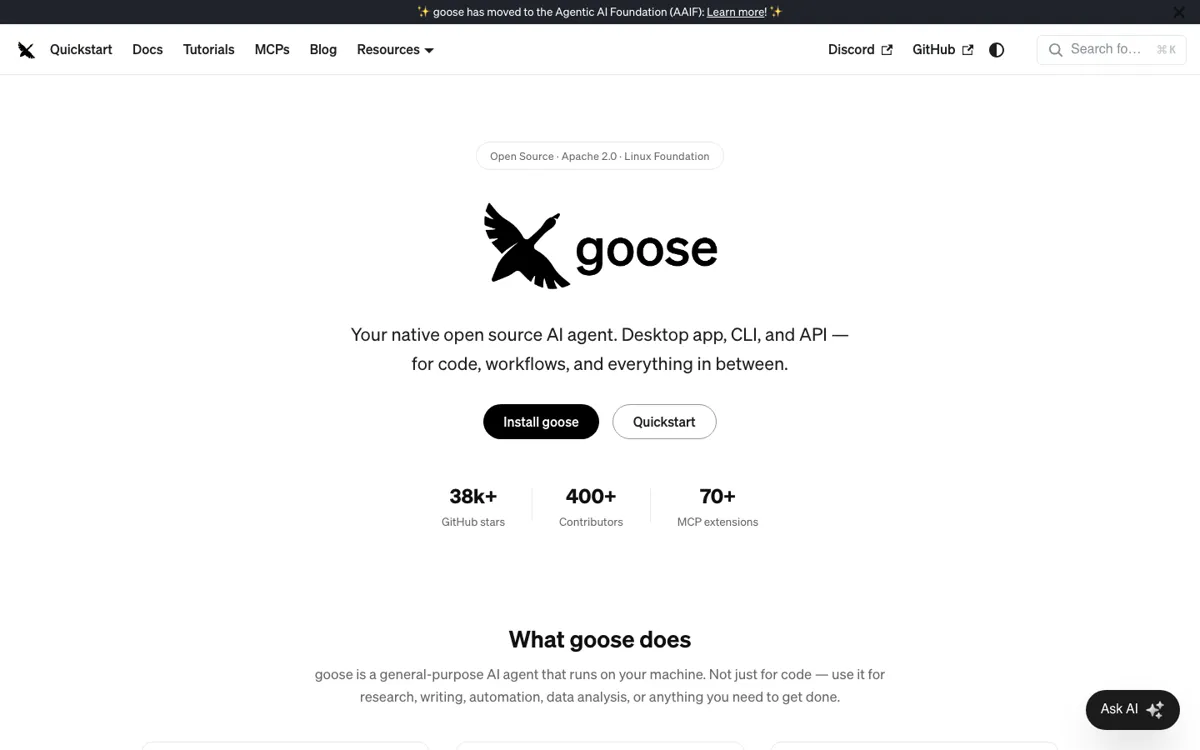
Official Website Snapshot Visit Site ↗

check_circle Pros

  • You can use the same product as a desktop app, a terminal tool, or an embedded API instead of changing tools for each workflow.
  • The MCP extension layer gives goose access to browsers, databases, GitHub, and other tools that turn it into an action-taking agent instead of a text-only assistant.
  • It works with many model providers and even existing subscription logins, which lowers the chance of getting trapped in one vendor's stack.

cancel Cons

  • There is no public pricing page in the captured official pages, so cost expectations depend on whichever model provider or subscription path you connect.
  • A lot of the value comes from extensions, providers, and workflow setup, which means the payoff is higher for technical users than for someone who wants a zero-config assistant.
  • Because goose is built to act across local tools and systems, users still need to think about permissions and safety instead of treating it like a harmless chat tab.

Should you use it?

Best for: Best for editing code inside an existing repo, running terminal-first agent tasks, or wiring one local agent across desktop, CLI, and API surfaces in the same workflow.

Skip it if: Skip this if you only want a simple hosted chatbot with no setup or tool wiring. It is also the wrong fit if you do not need local execution, MCP tools, or agent-style task handling.

Is it worth the price?

The official pages I captured do not show a clean pricing page, so the real budget question is what model path you plug into goose after install. If you expect the agent layer to feel free but rely on paid providers or subscription-backed access, the bill can show up one layer lower than the product page.

One thing to know before you start

Start with one narrow workflow, like repo edits or browser-backed research, before adding a pile of MCP extensions. That makes it much easier to see whether the agent is actually saving steps or just adding setup overhead.

What people actually use it for

Editing and testing code inside a local repo

Use goose when the job is bigger than autocomplete and you need the agent to move through a repo, edit files, and help run the next step. The desktop app or CLI makes sense when you want the model close to your actual machine instead of trapped in a hosted chat tab. This is the kind of setup where local execution and tool access can save time, but only if you already know what repo or workflow you want it to touch.

Connecting one agent to multiple tools and providers

goose is a better match when the question is not just which model to use, but how to keep one agent working across browsers, GitHub, databases, and other services. MCP support is the practical angle here because it turns the product into a hub for action-taking tasks instead of a single-purpose chat surface. The tradeoff is that the more you wire in, the more you need to think about permissions and whether the setup complexity is worth it.

What does goose actually do?

A lot of AI coding and agent products stall out at the same point: they can suggest text, but they stop being useful when the job needs local files, repeatable tool calls, or a workflow that moves across more than one interface. goose is clearly pitched at that break point. The homepage puts the desktop app, CLI, and API side by side, which signals that the product is not just a chat window with a code label on it. It is built for people who need the agent to stay close to the machine, the repo, and the tools that the actual work depends on.

The strongest part of the official positioning is how goose combines broad model choice with broad tool access. The site says it works with 15+ providers and supports 70+ extensions through MCP, covering things like browsers, databases, GitHub, and cloud apps. That matters because the product is not asking you to adopt one fixed AI stack before you can use it. Instead, it tries to become the layer that sits on top of whichever providers and tools you already use, then gives you multiple ways to run the agent through desktop, terminal, API, recipes, and subagents.

The limit is that goose looks most useful once you already understand why agent execution, extensions, and local control matter. Someone who only wants to ask a few questions or generate text in a browser could end up carrying too much setup and permission overhead for too little gain. The product leans into power features like MCP apps, recipes, and subagents, which is great if your work really needs those moving parts, but it also means the wrong user can mistake breadth for simplicity and end up with a heavier tool than the task required.

What you can do with it

Run as a native desktop app on macOS, Linux, and Windows.
Use a full CLI when you want the agent to stay inside terminal workflows.
Connect 70+ extensions through MCP for tools like browsers, databases, GitHub, and cloud apps.
Work with 15+ model providers, including API keys and existing Claude, ChatGPT, or Gemini subscriptions via ACP.
Capture repeatable agent workflows as YAML recipes that can be shared or run in CI.
Spawn subagents in parallel for jobs like code review, research, or file processing.

Technical details

tool_use
MCP extensions and ACP integrations
llm_model
15+ providers including Anthropic, OpenAI, Google, Ollama, OpenRouter, Azure, Bedrock
deployment
Desktop app, CLI, API, local machine
open_source
Apache 2.0

Top Alternatives to goose

If goose is close but still misses the job, try one of these instead.

Key Questions

Do you have to use goose only from the terminal?
No. goose is positioned as a desktop app, CLI, and API product, so the terminal is only one of its entry points. The better choice depends on whether you want a visual app, a shell workflow, or an embedded agent surface.
Can goose work with models you already pay for elsewhere?
Yes, that is one of the main hooks on the official site. goose says it can use API keys directly or connect to existing Claude, ChatGPT, or Gemini subscriptions through ACP, so model access is not limited to a single provider path.
What makes goose different from a plain AI coding assistant?
The difference is that goose is presented as an action-taking local agent rather than a suggestion box. It is meant to connect tools, run through workflows, and work across desktop, CLI, and API surfaces instead of only helping inline with code suggestions.
Is goose a good fit if you only want quick chatbot answers?
Usually no. The product makes more sense when you want local execution, tool access, or repeatable agent workflows, because those are the parts the official docs emphasize most.