Wave Review

8.3/10

Hold a hotkey on macOS, speak, and drop transcribed or rewritten text into the active app.

Review updated June 2026 By The AI Way Editorial Tested 311+ tools across the site 4 min read
BYO Key Mac App Open Source Privacy Focused Transcription Writing Assistant Free

Our Verdict

Wave is a strong fit if you want dictation to behave like a Mac shortcut instead of a separate app. Its best trick is placing voice output back into the text field you were already using, with local Whisper for privacy and Groq when speed matters. The main boundary is platform and scope: it is macOS-only and built for text entry, not meeting capture or team knowledge management.

Try it
Free to start.
open_in_new Try Wave
Official Website Snapshot Visit Site ↗

check_circle Pros

  • The hotkey flow is fast: hold, speak, release, and the text lands at the cursor.
  • Local Whisper gives privacy-focused users a real offline path instead of making cloud transcription the default.
  • Selection Mode is useful for fixing grammar, shortening a reply, or changing tone without copying text into another app.
  • The app is free and open source, with GitHub releases and a visible macOS codebase.

cancel Cons

  • Mac-only support leaves Windows, iOS, Android, and browser-first users out.
  • Groq-powered speed and AI rewrite features require the user's own API key and internet connection.
  • It is better for short writing bursts than long recordings, meeting notes, speaker labels, or searchable call archives.

Should you use it?

Best for: Replacing typing on a Mac when you need to dictate messages, rewrite selected text, or turn rough spoken intent into a clean reply inside the app you already have open.

Skip it if: Skip it if you need meeting recording, multi-speaker transcripts, mobile dictation, browser-only use, or a team workspace for saved audio and summaries.

Is it worth the price?

Free

The app itself is free and open source, so local Whisper dictation is the no-cost path. You start paying only if you choose hosted Groq transcription or AI rewrite features through your own API key. If cloud speed becomes the main reason you use Wave every day, watch Groq usage rather than Wave pricing.

The Free Tier

Wave itself is free and open source; local Whisper runs on the user's Mac.

Paid Upgrade

Hosted Groq transcription and AI rewrite features use the user's own Groq API key.

One thing to know before you start

Use local Whisper as the default for private text and offline work, then reserve Groq for moments where delay breaks your typing rhythm. Set a separate shortcut for AI Mode so plain dictation and rewrite requests do not blur together.

What people actually use it for

Dictate into any Mac text field

Hold the shortcut while writing an email, Slack reply, Notion note, Linear update, or browser message, then release to insert text where the cursor already sits. This is the core reason to use Wave instead of opening a separate recorder.

Rewrite selected text without app switching

Highlight a messy sentence, hold the shortcut, say the change you want, and let Wave replace the selection in place. It fits quick grammar fixes, shorter replies, more professional tone, and lightweight code comments.

Keep dictation local unless speed matters

Use on-device Whisper when privacy, offline use, or zero cloud audio is the priority. Switch to Groq only when near-instant transcription or AI Mode is worth using a hosted API key.

What does Wave actually do?

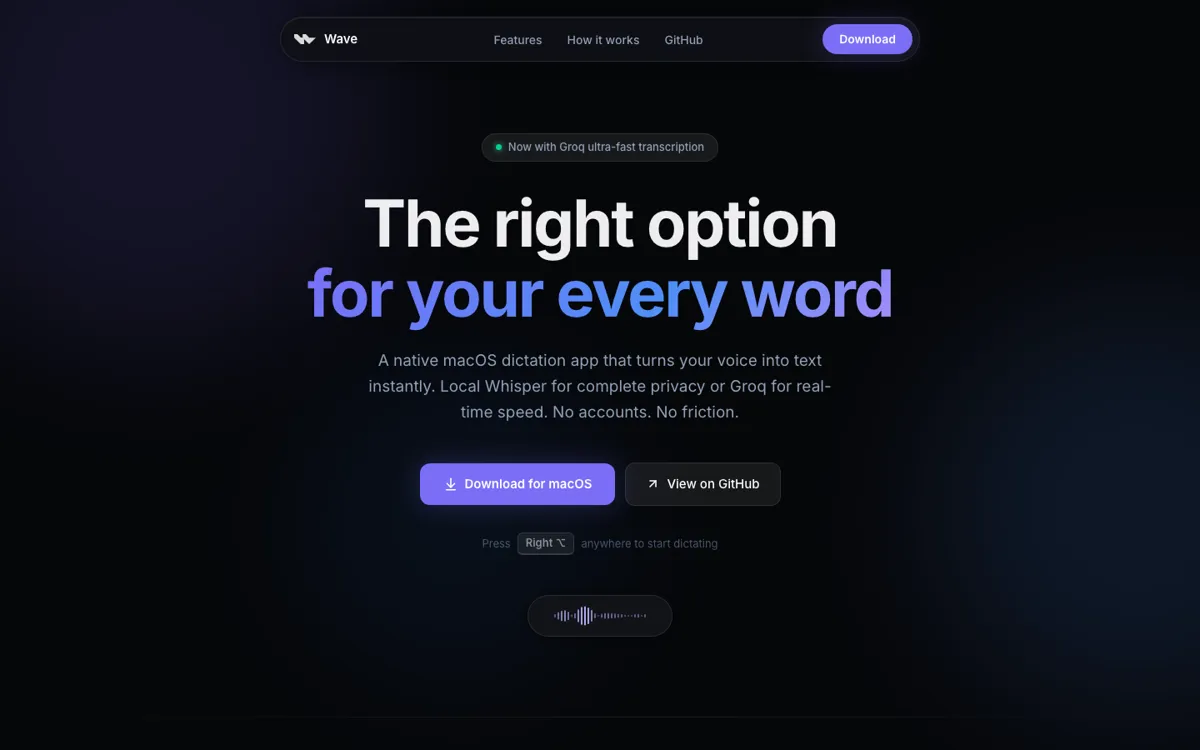
Wave's core loop is intentionally small: hold Right Option, speak, release, and text appears where the cursor was already blinking. That matters because many speech tools make the user move into a separate input box, copy the result, then return to the original app. Wave removes that detour. It fits everyday Mac writing surfaces such as Mail, Messages, Slack, Notion, Notes, Linear, Figma, and Arc, which makes the product easy to place: daily text entry across macOS, not just transcription inside one app.

The local-versus-cloud choice is the main technical split. Local Whisper runs on the Mac, can work offline, and keeps audio from leaving the machine. Groq is the speed path and is tied to a BYO API key. That gives users a practical tradeoff instead of hiding it in settings: private local dictation for normal use, hosted speed for moments where waiting would break the thought. For an open-source Mac app, that choice is more important than adding another generic text box.

Wave also reaches beyond raw speech-to-text through AI Mode and Selection Mode. In AI Mode, the user can say the intent instead of dictating every final word, and Wave writes the reply at the cursor. In Selection Mode, highlighted text can be replaced after a spoken instruction like fixing grammar or making a message shorter. Those examples make Wave most useful for quick emails, status updates, Slack replies, code comments, and paragraph cleanup, not for recording a full meeting or managing a transcript library.

What you can do with it

Hold Right Option, speak, and release to insert dictated text into the active cursor.
Run Whisper locally on macOS for offline dictation without sending audio to a cloud service.
Switch to Groq for faster hosted transcription when latency matters more than local processing.
Use AI Mode to speak intent and paste a polished answer or draft directly into the current app.
Highlight text, speak an instruction, and replace the selection with a cleaned-up rewrite.
Customize shortcuts, microphone input, language selection, vocabulary, snippets, and recording mode.

Technical details

platform
Native macOS app for macOS 14 Sonoma or later, distributed as a signed and notarized DMG release.
deployment
Local desktop install with on-device Whisper, optional Groq cloud calls, Sparkle auto-update, and open GitHub source.
api_available
No product API is offered; hosted transcription and AI Mode use the user's Groq API key when enabled.

Top Alternatives to Wave

If Wave is close but still misses the job, try one of these instead.

Key Questions

Is Wave free?
Yes. Wave itself is free and open source, and local Whisper dictation can run on your Mac without paying for the app.
Does Wave work offline?
Yes for local Whisper dictation. Internet is only needed when you switch to Groq-hosted transcription or AI rewrite features.
Does Wave require an account?
No account is required for the app itself. Groq-hosted features require your own Groq API key.
What Mac version does Wave need?
Wave needs macOS 14 Sonoma or later and supports both Apple Silicon and Intel Macs.