VioCine AI Review

8.0/10

Turn prompts, lyrics, images, and references into AI music videos in one web workspace.

Review updated August 2026 By The AI Way Editorial 3 min read
VioCine AI Image-to-Video Music Generation Text-to-Video Web-Based Paid from USD 6.90/mo

Our Verdict

VioCine AI earns its keep when the job is building an AI music video from lyrics, music, images, and short clip decisions in one browser tab. It is less attractive if you need long-form output or predictable, unlimited-style editing costs.

Official site
Paid product. Starts at USD 6.90.
open_in_new Visit VioCine AI
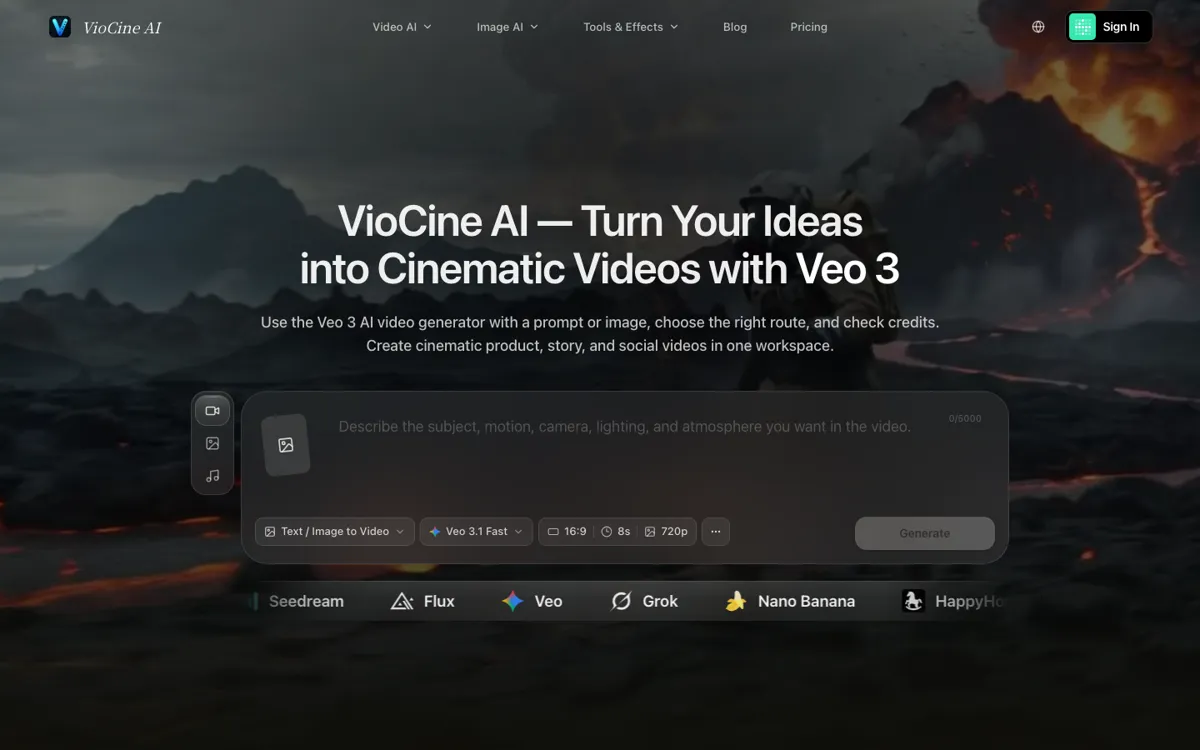
Official Website Snapshot Visit Site ↗

check_circle Pros

  • Music, lyrics, image, and video generation live in the same browser workspace.
  • Model choice and credit estimates stay visible before expensive renders.
  • The music tool can branch into automatic lyrics, custom lyrics, or instrumentals.

cancel Cons

  • The pricing page shows only paid tiers even while the homepage markets free creation.
  • Core video guidance is framed around short 5 to 15 second shot blocks.
  • Premium video models can burn through credits quickly.

Should you use it?

artists and creators building short music-video shots from lyrics, images, and model references

Skip it if: you need fixed-cost unlimited editing or long-form video output in one render

Is it worth the price?

Paid Starts at USD 6.90

The Basic plan starts at $6.9 monthly on annual billing, but the real meter is credits: Veo 3.1 alone is listed at 72 credits per clip. This is easier to justify for selective shot building than for endless experimentation.

Paid Upgrade
$6.9/mo billed yearly

Basic includes 300 monthly credits and 720p watermark-free exports.

One thing to know before you start

Lock the song or lyric brief first, then approve one short shot at a time. The workflow is built for chained clips, not one giant render.

What people actually use it for

Prototype music-video scenes

Use VioCine AI when you want to test a chorus hook, performance beat, or visual motif before committing to a full edit.

Build songs before visuals

The music and lyrics tools help when the audio idea is still fuzzy and the video should grow from the approved track or lyric draft.

Compare models on one brief

It works well when you want to route the same idea through Veo, Seedance, MiniMax H3, image tools, and Suno without rebuilding the project in separate apps.

What does VioCine AI actually do?

VioCine AI is more useful than a plain prompt-to-video toy because it keeps the surrounding production pieces nearby. The same product can draft lyrics, generate music, animate stills, route clips through several video models, and expose the credit estimate before you click render.

Its own MiniMax H3 music-video guide also shows the real working style: make one approved 5 to 15 second block, carry the approved ending frame into the next shot, and review picture and sound separately before spending more credits.

What you can do with it

Create text-to-video and image-to-video clips with multiple video models.
Generate songs from lyric ideas, custom lyrics, or instrumental briefs.
Draft lyrics in a separate 5-credit writing tool before making music.
See model settings and credit estimates before rendering.
Use motion-control and multimodal references for tighter music-video shots.

Technical details

concurrency
Paid plans allow 1, 2, 4, or 10 concurrent tasks.
music_modes
Music generation supports automatic lyrics, custom lyrics, and instrumental mode.
shot_length
MiniMax H3 guidance is built around 5 to 15 second approved shot blocks.
model_routing
Switch across Veo 3.1, Seedance, MiniMax H3, Suno, GPT Image 2, and Nano Banana in one workspace.
credit_visibility
Model, resolution, input mode, and credit estimate stay visible before render.

Top Alternatives to VioCine AI

If VioCine AI is close but still misses the job, try one of these instead.

Key Questions

Does VioCine AI handle music and video together?
Yes. The current product surface includes AI music, lyrics, image generation, video generation, and motion-control tools inside one browser workspace.
What does the first paid VioCine AI plan include?
The Basic annual plan is listed at $6.9 per month and includes 300 monthly credits, access to all video models, 720p watermark-free exports, and commercial license support.
Can VioCine AI help with AI music videos specifically?
Yes. Its music workspace covers song and lyric creation, and its MiniMax H3 guide is explicitly framed around AI music-video workflows using image, video, and audio references.
Can I draft lyrics before generating the song?
Yes. VioCine AI has a separate lyrics page where a 5-credit task generates an editable lyric draft before you move into music generation.