TrendVis Review

8.1/10

Turn a DTC campaign goal into tested image concepts and upgrade only the winners to video.

Review updated August 2026 By The AI Way Editorial 3 min read
TrendVis Image-to-Video No Credit Card Required Production Workflows Web-Based Freemium from USD 23.00/mo

Our Verdict

TrendVis is the better fit when your team keeps losing time on ad direction before production even starts. The image-first flow makes weak concepts cheaper to kill early. The downside is that regular weekly use turns into recurring credit math very quickly.

Official site
A free plan is listed; verify current limits before upgrading. Starts at USD 23.00.
open_in_new Try TrendVis
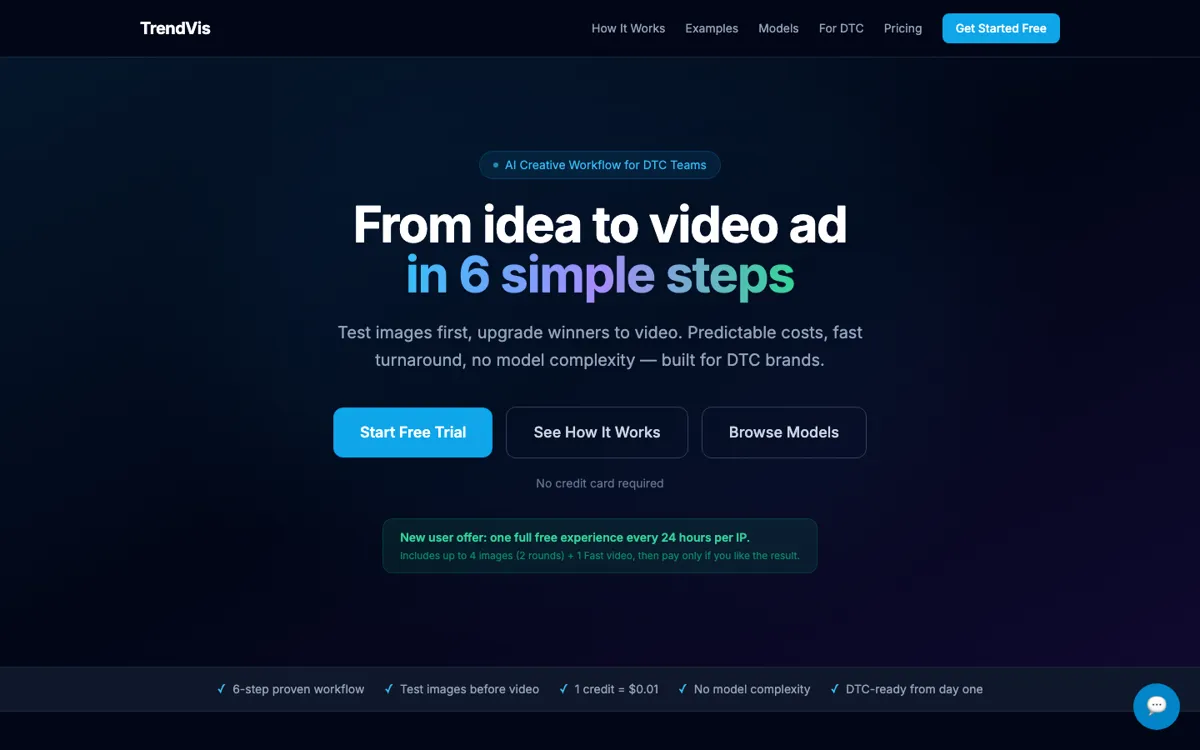
Official Website Snapshot Visit Site ↗

check_circle Pros

  • The six-step flow cuts out a lot of blank-canvas prompt thrash.
  • Image-first testing keeps weak directions from turning into expensive videos.
  • Credit costs stay visible at each step instead of hiding behind fuzzy usage caps.

cancel Cons

  • It is tuned for DTC ad work, not broad creative exploration.
  • Monthly credits do not roll over, so lighter users can waste plan headroom.
  • If you only need one generator, the extra workflow layers can feel like overhead.

Should you use it?

DTC marketers testing product ad concepts before committing budget to video production

Skip it if: you only need a general-purpose generator and do not want a campaign workflow wrapped around it

Is it worth the price?

Freemium Starts at USD 23.00

The free offer is enough to tell whether the workflow helps or just slows you down. Real team use starts closer to the $23 annual Starter plan, while weekly creative testing pushes the monthly tiers into the normal cost of doing the job.

The Free Tier

One full free experience every 24 hours per IP includes images and one Fast video.

Paid Upgrade
$23/month billed yearly

Paid plans add monthly credits, storage, and full recurring workflow capacity.

One thing to know before you start

Start with one or two angles per brief; running all six at once burns credits before you have made a real choice.

What people actually use it for

Launch product ads faster

Use it when a new product drop needs several hooks, quick image validation, and one winning concept turned into a short video ad.

Refresh paid social creatives

It works well when ROAS drops and the team needs repeatable image tests plus quick video swaps instead of another full creative reset.

Test seasonal campaign angles

The workflow helps compare several holiday or trend-driven directions cheaply before anyone commits to heavier production.

What does TrendVis actually do?

TrendVis is easier to keep paying for than a generic generator when the hard part is not making a visual, but deciding which concept deserves production budget. The angle system, trend step, and image-test gate all point at that narrower marketing job.

The pricing is clearer than most creative tools because every image batch and video mode has a fixed credit cost. The catch is that the product assumes repeat use. If your team is not running a steady testing loop, the monthly tiers and workflow structure lose part of their advantage.

What you can do with it

Turn campaign goals into six ready-to-test creative angles.
Generate image batches before paying for video upgrades.
Refine style, exclusions, and scene details in loops.
Upgrade winning concepts into Fast, Pro, or Cinematic video.
Use a fixed credit system with step-by-step workflow costs.

Technical details

credit_math
Images cost 7 credits each; video upgrades start at 38 credits.
video_modes
Fast, Pro, and Cinematic modes gate cost and output quality.
angle_system
Each campaign gets 6 fixed angle types with hook and visual guidance.
asset_storage
Paid plans include 30 GB to 300 GB of storage depending on tier.
workflow_steps
The product is organized as goal input, trend assist, angles, image test, refine, and video upgrade.

Top Alternatives to TrendVis

If TrendVis is close but still misses the job, try one of these instead.

Key Questions

Does TrendVis offer a real free start?
Yes. The homepage says new users get one full free experience every 24 hours per IP with image tests and one Fast video, and it does not ask for a credit card first.
What does the cheapest paid plan cost?
The official pricing page lists the annual Starter plan at $23 per month, while the monthly Starter plan is $29.
How much does a normal workflow cost?
TrendVis lists a default 4-image plus 1 Fast video workflow at 66 credits, or about $0.66, before extra refinement loops.
Do unused monthly credits roll over?
No. The pricing FAQ says monthly credits reset each month, though add-on credit packs never expire.