HeyGen Review

8.6/10

Turn scripts, images, decks, and PDFs into avatar-led videos, dubbed content, and localized clips.

Review updated May 2026 By The AI Way Editorial 4 min read
HeyGen Avatar Generation Lip Syncing Video Translation Web-Based Freemium from USD 5.00/mo

Our Verdict

HeyGen is best when video is a communication task, not a filmmaking task. Its real value is that it turns scripts, decks, portraits, and existing clips into avatar-led or translated videos fast enough for training, marketing, sales, and localization teams to use repeatedly, not just experimentally. But that same speed comes from a fairly opinionated format, so if your content depends on distinctive cinematic style or brand nuance beyond avatar delivery, the results can start to feel formulaic.

Official site
A free plan is listed; verify current limits before upgrading. Starts at USD 5.00.
open_in_new Try HeyGen
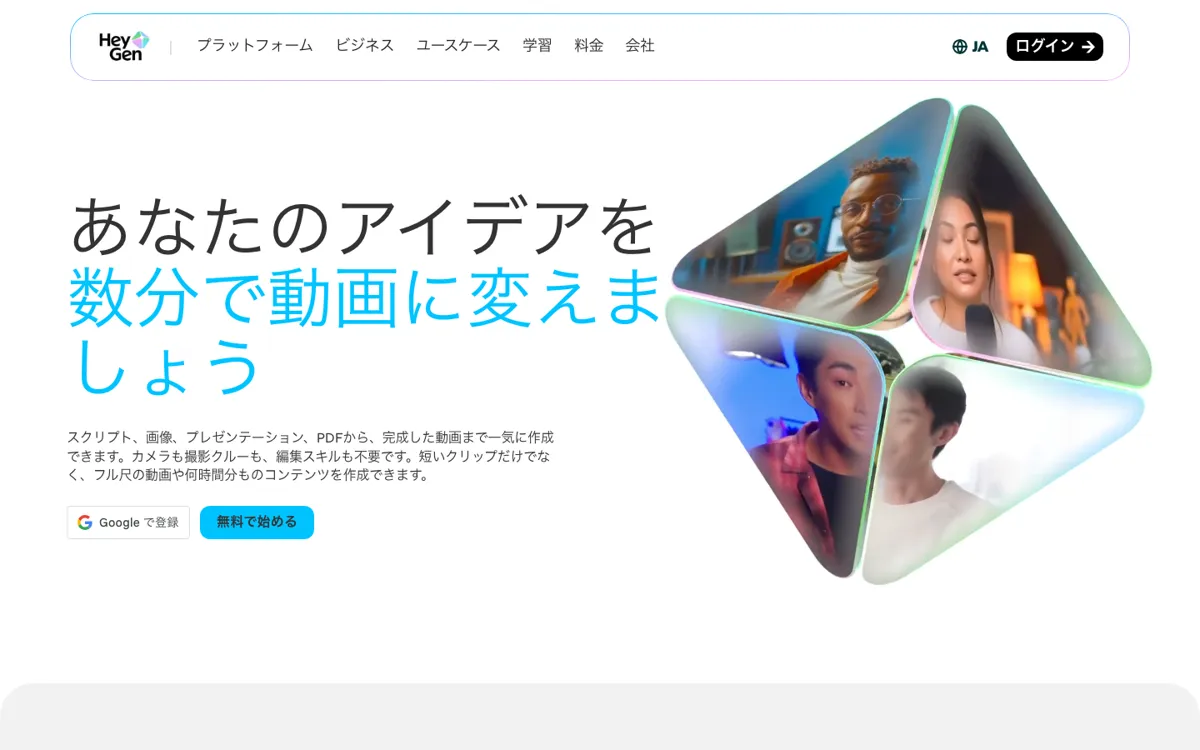
Official Website Snapshot Visit Site ↗

check_circle Pros

  • It connects avatar generation, translation, lip sync, subtitles, and text-based editing in one place, which is exactly what high-volume business video teams need.
  • The translation path is a major practical advantage because HeyGen pairs multilingual dubbing with voice cloning and lip sync instead of treating localization as a separate workflow.
  • It supports many input types, including scripts, images, presentations, PDFs, and audio, so it can start where real business content already exists.

cancel Cons

  • The avatar-first output style is efficient, but it can feel repetitive if your brand depends on more bespoke visual storytelling.
  • A lot of the product's promise is strongest for business communication formats, so it is less compelling if you mainly want open-ended creative video experimentation.
  • As with most AI video platforms, the free tier is useful for testing but not the version that shows what sustained production actually feels like.

Should you use it?

teams making training videos, localized explainers, outreach, and avatar-led business content at scale

Skip it if: you need bespoke filmmaking or highly custom motion design more than scalable communication video

Is it worth the price?

Freemium Starts at USD 5.00

The free plan is enough to understand the format, not the long-term workflow. If localization, avatar volume, or recurring business video production are your actual goals, you will be evaluating HeyGen as a paid system almost immediately.

The Free Tier

The free plan supports basic text-to-video testing.

Paid Upgrade
$5 API entry

Paid plans expand editing, higher-volume creation, and enterprise or API access.

One thing to know before you start

Use HeyGen first on content that is already script-driven, like onboarding, outreach, or localization. That is where its speed advantage is easiest to prove without asking the avatars to carry too much creative weight.

What people actually use it for

Localize existing videos for global audiences without reshooting

Use it when the hard part is not making one video, but making the same video work across many markets. Translation, voice cloning, and lip sync save far more time than re-recording every language separately.

Scale talking-head business videos from scripts and documents

If your team already has scripts, PDFs, decks, or outreach copy, HeyGen turns those inputs into avatar-led videos fast. It works best for regular business content, not handcrafted shot-by-shot work.

Automate avatar and video generation inside a larger product workflow

The API matters when HeyGen is part of a system, not just a browser tool. Teams can embed generation, translation, text-to-speech, and avatar workflows into apps or localization pipelines.

What does HeyGen actually do?

Traditional video production breaks down fastest when the same message has to be repeated dozens or hundreds of times. HeyGen is built for that pressure. It takes scripts, decks, images, PDFs, and audio, then turns them into avatar-led business videos without asking for a fresh filming process every time.

The ceiling is visible too. HeyGen is strongest when the format can be standardized across training, marketing, outreach, or localization. If the project needs eccentric visual direction or a strong handmade feel, the avatar-first approach can start to feel too similar from one output to the next.

What you can do with it

Generate avatar-led videos from scripts, images, slide decks, PDFs, and audio files.
Translate existing videos into more than 175 languages and dialects with lip sync and voice cloning.
Create product ads, UGC-style clips, training videos, and sales outreach from one workspace.
Animate still portraits into speaking videos with realistic lip sync and hand movement.
Use APIs for video generation, translation, text-to-speech, avatars, and templated studio workflows.

Technical details

api_scope
HeyGen exposes API workflows for generation, translation, text-to-speech, and avatars, so automation is part of the product's real use case rather than a side extra.
input_range
HeyGen starts from scripts, images, decks, PDFs, audio files, or finished videos, which matters because it fits the kinds of raw material business teams already have.
output_boundary
The product is strongest for repeatable avatar-led communication video, not for open-ended cinematic editing or custom shot-by-shot filmmaking.
localization_stack
Its core workflow combines translation, voice cloning, subtitles, and lip sync in one system instead of splitting those steps across separate tools.

Top Alternatives to HeyGen

If HeyGen is close but still misses the job, try one of these instead.

Key Questions

Is HeyGen mainly for creative filmmaking or business communication videos?
It is much stronger for business communication videos. The product is optimized for training, sales, marketing, avatar explainers, and localization rather than highly custom cinematic storytelling.
Can HeyGen really translate videos into other languages with lip sync?
Yes. HeyGen's site says it can dub videos into more than 175 languages and dialects with voice cloning, lip sync, and automatically generated subtitles.
Does HeyGen have a free way to try it?
Yes, but it is mainly for testing the workflow. Paid plans are where the fuller editing, production, and scaling value start to matter.
When does HeyGen make the most sense to pay for?
It makes the most sense once you need repeated avatar videos, multilingual versions, or video generation embedded in a larger team workflow instead of one-off experiments.