Tabstack Web Research Review

8.1/10

API for live web research, extraction, generation, and browser automation with citations.

Review updated June 2026 By The AI Way Editorial Tested 298+ tools across the site 5 min read
Tabstack AI Search API Available Browser Automation Fact Checking Production Workflows Web-Based Freemium from $0.35/mo

Our Verdict

Tabstack Web Research is a good pick when a product needs sourced live-web answers but the team does not want to own crawling, extraction, synthesis, citation formatting, and streaming status. Its value is strongest for agent builders and research-heavy apps where a source trail matters. The main cost is that it is still infrastructure: someone has to integrate the API, manage credits, and decide how to handle source quality and conflicting evidence.

Try it
Free to start, then pay when the limits stop you. Starts at $0.35 USD.
open_in_new Try Tabstack Web Research
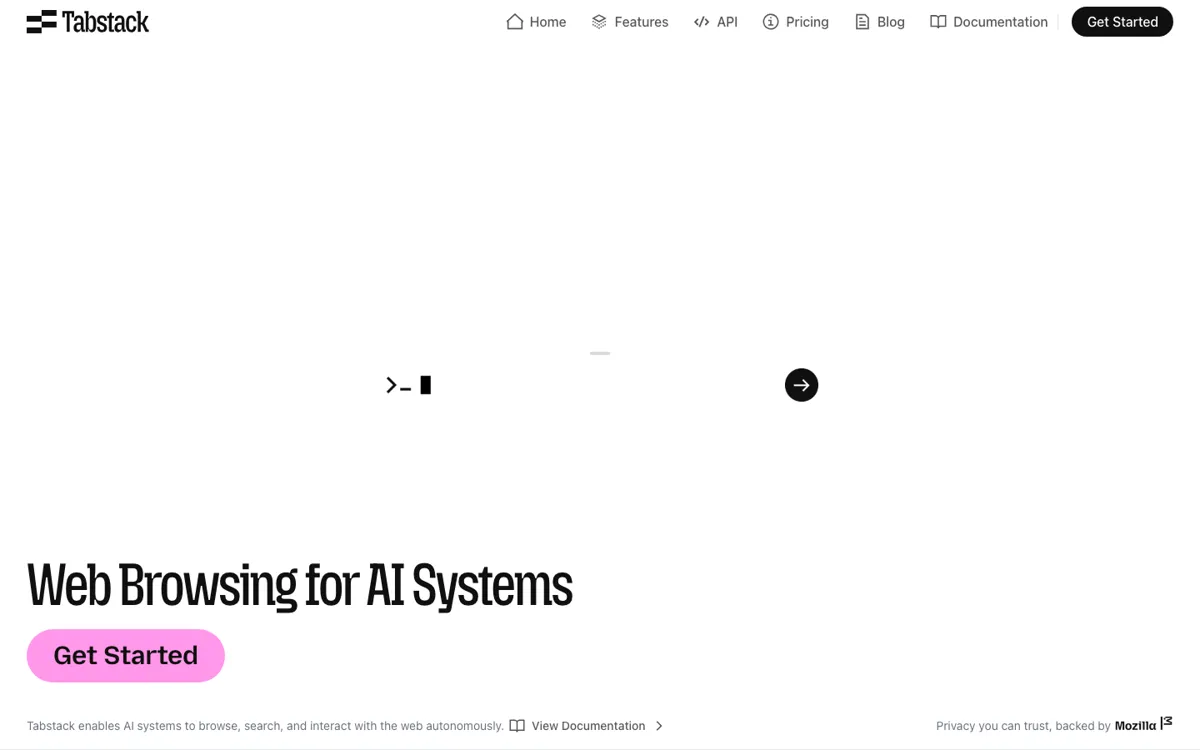
Official Website Snapshot Visit Site ↗

What people actually use it for

Add cited web answers to an AI agent

A product team can call /Research with a live question and return an answer with source URLs. This fits agents that need to answer current questions but cannot ship unsupported claims to users.

Turn a web page into structured data

A developer can use /Extract to convert a URL into markdown, JSON, or a custom schema. This is useful when an app needs to read live pages before passing clean context into another model or workflow.

Automate browser tasks from an app backend

Teams can use /Automate for web tasks that require clicking, scrolling, searching, submitting, or navigating flows. This is the right branch when a normal fetch call cannot reach the useful state of the page.

Build source-backed competitive intelligence

Competitive, financial, and legal workflows can use Tabstack to search the live web, collect sources, and synthesize a report. The product is strongest when users need a traceable answer rather than a scraped blob.

check_circle Pros

  • The /Research endpoint packages search, source selection, synthesis, citation URLs, and streaming progress into one API call.
  • The wider platform covers extraction, generation, browser automation, and research, so teams can keep several web-agent jobs behind one provider.
  • Pricing is unusually explicit for a developer API: endpoint credit costs, 10,000 free credits, pay-as-you-go, Team, Pro, and overage rates are visible.
  • Mozilla-backed access controls, a dedicated User-Agent, robots.txt handling, and no customer-data training claims give buyer teams concrete trust points to review.

cancel Cons

  • It is not a plug-and-play research app; the buyer still needs engineers to wire the API into a product, agent, or internal tool.
  • The credit model is easy to start but needs monitoring because /Research costs 250 credits in fast mode and 350 credits in balanced mode.
  • Product Hunt comments raised unresolved questions about claim-level citations, source quality, domain allowlists, stale sources, and conflicting sources.
  • The launch signal is decent but not huge, with lower comment volume than stronger PH breakout products.

Should you use it?

Best for: Agent builders and product teams adding live web research, cited answers, web extraction, or browser automation to an app without maintaining their own browsing stack.

Skip it if: Skip it if you need a finished consumer research interface, or if your team cannot monitor API cost, source quality, and failure cases inside your own product.

Is it worth the price?

Freemium Starts at $0.35 USD

The free credits are enough to test endpoint fit, especially extraction and a small number of research calls. Pay-as-you-go works for prototypes or low-volume agents. Team and Pro become necessary when research calls run often enough that rate limits, balanced research mode, included credits, and cheaper overage matter.

The Free Tier

Every new account includes 10,000 free credits. Individual is $0/month pay-as-you-go with standard rate limits and fast research mode.

Paid Upgrade
$0.35 / 1,000 credits pay-as-you-go; Team starts at $99/month with 500,000 credits included.

Team adds fast and balanced research modes, increased rate limits, 500,000 included credits, and $0.30 / 1,000 credit overage.

One thing to know before you start

Start with one high-friction research task, such as competitor pricing, legal change monitoring, or financial signal checks. Log every cited source and credit cost during testing, then decide whether the output is trustworthy enough before exposing it to end users.

What does Tabstack Web Research actually do?

Tabstack Web Research sits in the infrastructure layer below an AI research product. A normal team trying to build this feature has to search the web, choose pages, fetch content, clean it, synthesize across sources, validate links, format citations, and stream progress back to users. Tabstack's pitch is that much of that orchestration should live inside one API call. That does not remove product judgment, but it removes a lot of brittle glue code from teams that only want their app or agent to answer current web questions.

The API surface has four endpoints rather than a single launch feature. /Extract turns URLs into markdown, JSON, or custom schema output. /Generate turns web data into tailored messages or documents. /Automate handles browser-like actions such as clicking, scrolling, searching, and submitting. /Research deploys agents to explore the web and answer complex questions with precision. The pricing detail matters here too: extraction starts at 10 credits for markdown, JSON extraction is 50 credits, generation and automation are 100 credits, and research starts at 250 credits in fast mode.

The trust story is better than a generic scraping API, but it still needs buyer review. The trust boundary rests on ephemeral page content, no Mozilla model training, default purging after use, a dedicated Mozilla Tabstack User-Agent, and robots.txt handling for that user agent. Product Hunt commenters pushed on the missing hard parts: whether citations support specific claims, what happens when sources disagree, how poor-quality SEO pages are filtered, and whether users can whitelist domains.

What you can do with it

Run /Research to explore the live web and return cited answers from a single API call.
Use /Extract to convert a URL into markdown, JSON, or a custom schema.
Use /Generate to turn web data into tailored messages, documents, or other outputs.
Use /Automate for browser-like tasks that click, scroll, search, and submit forms.
Stream progress through research and automation events instead of leaving users with a static loading state.
Start with 10,000 free credits, then use pay-as-you-go credits or Team and Pro plans.
Respect site-owner controls through a Mozilla Tabstack User-Agent and robots.txt handling.

Technical details

platform
Developer API for web extraction, generation, browser automation, and autonomous research.
deployment
Cloud API with credit-based usage, event streaming for research and automation progress, Mozilla-backed traffic identification, and robots.txt opt-out handling.
api_available
Yes. It has a self-serve API reference, SDK quickstarts, TypeScript and Python SDK paths, MCP server guidance, and four product endpoints.

Top Alternatives to Tabstack Web Research

If Tabstack Web Research is close but still misses the job, try one of these instead.

Key Questions

Is Tabstack Web Research a consumer search app?
No. It is a developer API. Users get value after a team connects Tabstack to an app, agent, internal tool, or backend workflow.
What does the /Research endpoint return?
It returns live-web answers with source URLs and streaming progress. Teams should still test whether the citations are specific enough for their risk level.
Does Tabstack have a free plan?
Yes. New accounts get 10,000 free credits, and the Individual plan is $0/month with pay-as-you-go usage at $0.35 per 1,000 credits.
How does Tabstack handle website access rules?
Tabstack uses a dedicated Mozilla Tabstack User-Agent, honors robots.txt directives addressed to that user agent, and does not fetch content from sites that explicitly opt out.