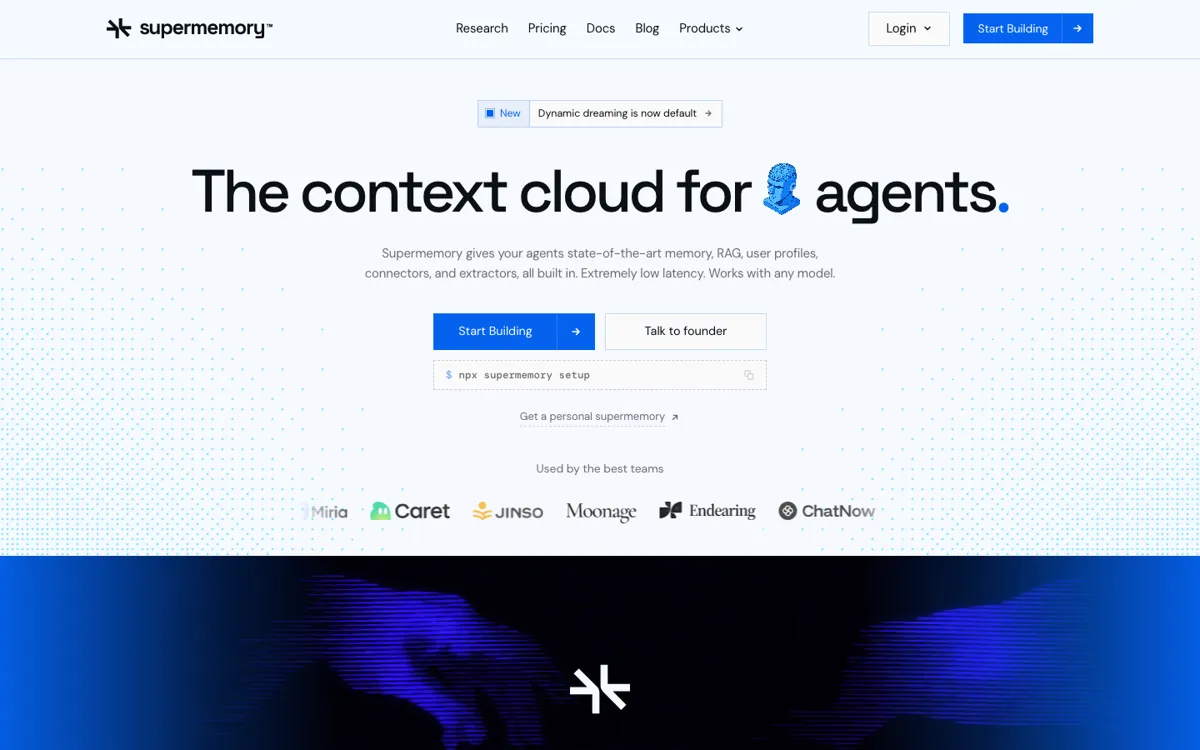
Supermemory Review

8.6/10

Context infrastructure that gives AI agents memory, RAG, user profiles, connectors, and file extraction through one API.

Review updated June 2026 By The AI Way Editorial Tested 311+ tools across the site 5 min read
Supermemory AI Agents API Available Knowledge Base Open Source RAG SaaS Freemium from $19.00/mo

Our Verdict

Supermemory is worth tracking because it turns agent memory into a productized context layer rather than another vector database wrapper. It is strongest for teams building AI agents that need persistent user context, document retrieval, connectors, and deployment choices in one place. The cost is that memory quality is now part of your infrastructure stack, so teams should test recall behavior and billing before making it central to production agents.

Try it
Free to start, then pay when the limits stop you. Starts at $19.00 USD.
open_in_new Try Supermemory
Official Website Snapshot Visit Site ↗

What people actually use it for

Give an AI agent persistent user memory

Supermemory fits agents that should remember preferences, project context, repeated instructions, and changing user facts across sessions. Instead of stuffing old conversations into the prompt, the agent can store memories, fetch a profile, and retrieve relevant context when it needs it.

Add RAG and connectors without stitching together separate services

Teams can use Supermemory to ingest files, sync external sources, extract rich content, and search across documents and memories through one context layer. That is useful when the agent needs both a knowledge base and personalized memory.

check_circle Pros

  • The product has a clear job: give agents persistent memory, user profiles, RAG, connectors, and extraction through one API.
  • It serves both developers and personal AI-tool users, which gives it more search surface than a narrow API-only library.
  • The public pricing page is unusually explicit, including free credits, Pro, Scale, Enterprise, token-level usage, query pricing, and self-hosting notes.
  • GitHub traction is strong for the category: the 2026-06-02 discovery run caught +647 stars in one day, and the API recheck showed more than 24K total stars.

cancel Cons

  • It is infrastructure, so non-technical users may not understand the API value unless they start from the personal app or plugins.
  • Production users need to validate memory behavior, forgetting, contradiction handling, and retrieval quality with their own data.
  • Usage-based pricing can become hard to reason about if many agents repeatedly ingest rich files, conversations, and connector data.

Should you use it?

Best for: Teams building AI agents, copilots, or personal assistants that need persistent user memory, document retrieval, connectors, and profile context without assembling a vector database, extraction service, and memory layer separately.

Skip it if: Skip it if your product only needs simple document search or a small static knowledge base, because Supermemory is most useful when memory, profiles, connectors, and evolving user context are all part of the agent experience.

Is it worth the price?

Freemium Starts at $19.00 USD

The free plan is enough for prototypes, side projects, and early testing because it includes $5 per month of usage. Pro becomes the practical starting point for plugin users or small teams that need unlimited storage, more monthly usage, teammates, and integrations. Scale or Enterprise only makes sense once memory is production infrastructure and you need larger included usage, spend controls, priority support, compliance, or self-hosting.

The Free Tier

Free plan includes $5 per month of usage, Supermemory MCP, Hermes Plugin, and community support.

Paid Upgrade
$19/mo

Pro adds about $20 per month of included usage, unlimited storage and users, Google Drive/Notion/OneDrive connectors, two teammates, OpenClaw and Claude Code plugins, email support, and optional top-ups.

One thing to know before you start

Test Supermemory with one real agent loop before migrating everything. Store repeated conversations, connector documents, and profile facts under the same container tag, then inspect whether the returned profile and search results actually help the model answer with less prompt stuffing.

What does Supermemory actually do?

Supermemory's clearest positioning is that memory is not the same job as ordinary RAG. A vector database can retrieve document chunks, but it does not automatically maintain a user's preferences, update facts when they change, or decide which recent activity should follow the user into the next conversation. Supermemory packages those behaviors into a context layer for agents. Developers can send it chats, files, web content, and connector data, then call back for memory, search results, and user profiles when the agent needs context.

The product is also broader than a single developer API. One side is the Supermemory API for teams building agents; the other is Personal Supermemory for people who want Claude, Cursor, Codex, OpenCode, OpenClaw, or Hermes to remember across sessions. That matters for SEO and adoption because the product can be searched as an agent memory API, a RAG layer, a personal AI memory app, an MCP server, and a set of assistant plugins. This dual surface gives the product more practical hooks than a pure infrastructure repo.

The main evaluation question is not whether memory is useful. It is whether Supermemory's specific memory behavior fits the agent you are building. Teams should test how it handles contradictions, stale facts, rich documents, connector updates, and repeated ingestion before using it as the default memory layer. The pricing page is helpful here because it shows free credits, a $19 Pro plan, Scale and Enterprise plans, and usage rates for memory, SuperRAG, search, and operations. That makes the cost model inspectable, but production agent loops still need real traffic tests.

What you can do with it

Stores conversations, files, URLs, and workspace content as agent memory
Builds user profiles that combine stable facts with recent activity for personalized agent responses
Combines memory and RAG search so agents can retrieve user context and knowledge base content together
Syncs external sources including Google Drive, Gmail, Notion, OneDrive, GitHub, S3, and web crawlers
Provides TypeScript and Python SDKs plus integrations for agent frameworks and AI tools
Offers MCP, browser extension, and plugin surfaces for personal AI memory across Claude, Cursor, Codex, OpenCode, OpenClaw, and other clients
Supports self-hosted and air-gapped deployment options on higher plans

Technical details

connectors
Connectors include Google Drive, Gmail, Notion, OneDrive, GitHub, S3, and web crawlers.
sdk_and_api
Public API with TypeScript and Python SDKs; docs cover add, profile, search, document upload, connectors, and configuration endpoints.
memory_layer
Stores conversations, files, URLs, and connector data as agent memory with user profiles, RAG search, and context retrieval.
deployment_options
Hosted service by default; Scale adds self-hosting and Enterprise adds air-gapped or dedicated deployments.

Top Alternatives to Supermemory

If Supermemory is close but still misses the job, try one of these instead.

Key Questions

Is Supermemory only for developers?
No. Developers can use the API, SDKs, docs, and connectors, while personal AI-tool users can use the app, MCP server, browser extension, and plugins to give assistants persistent memory.
How is Supermemory different from a vector database?
A vector database mainly stores and retrieves chunks. Supermemory combines retrieval with memory extraction, user profiles, contradiction handling, connector sync, file processing, and agent-facing context APIs.
Does Supermemory have a free plan?
Yes. The pricing page lists a Free plan with $5 per month of included usage. Paid plans start at $19 per month for Pro, with Scale and Enterprise options for production and compliance-heavy deployments.