Runway Review

8.6/10

Generate, edit, and ship AI video with Runway's models, creative apps, and developer API.

Review updated May 2026 By The AI Way Editorial Tested 99+ tools across the site 5 min read
Runway API Available Avatar Generation Lip Syncing Text-to-Video Web-Based Freemium from $12.00/mo

Our Verdict

Runway is what you open when video generation needs to become an actual creative system, not just a one-off clip generator. Its strength is that models, editing tools, API access, and production-oriented features sit in the same lane, which makes it easier to go from experiment to repeatable workflow. But it is also a credit-metered platform with meaningful feature separation between plans, so it makes less sense if you only want occasional low-stakes video play without paying attention to usage economics.

Try it
Free to start, then pay when the limits stop you. Starts at $12.00 USD.
open_in_new Try Runway
Official Website Snapshot Visit Site ↗

check_circle Pros

  • It covers multiple parts of the AI video stack, including generation, editing, lip sync, voices, and API access, instead of stopping at prompt-to-video.
  • The pricing page gives concrete credit-to-output examples, which makes it easier to estimate real usage than tools that only say 'credits included.'
  • It supports both Runway's own models and third-party video models, which gives creators more range inside one product.
  • The API page shows a real developer path for turning Runway into a product feature rather than keeping it trapped in a browser-only workflow.

cancel Cons

  • The free plan is enough to test the interface, but a one-time 125-credit allotment is small if you are seriously evaluating video workflows.
  • The best model access and production features are tiered, so the product quickly becomes a budgeting exercise once usage grows.
  • Runway's research-heavy presentation can make the tool feel broader and more complex than a creator wants if they only need a simple clip generator.

Should you use it?

Best for: Producing AI-assisted video clips, image-to-video sequences, branded motion concepts, or developer-facing video features where generation and editing both matter.

Skip it if: Skip it if you only need occasional novelty videos and do not want to think about credits, plan tiers, or model-specific access, because those tradeoffs are central to how Runway is sold.

Is it worth the price?

Freemium Starts at $12.00 USD

The free plan is for tasting the product, not for understanding how it behaves under real production pressure. Once Runway becomes part of weekly creative work, credit burn and model choice start shaping your budget just as much as the visuals do.

The Free Tier

The free plan includes a one-time 125 credits and limits you to a small set of generative video features and 3 video editor projects.

Paid Upgrade
$12/month billed annually for the first paid plan

Paid plans add monthly refreshed credits, broader model access, more export and editing options, and higher tiers unlock custom voices or unlimited relaxed generations.

One thing to know before you start

Use the pricing page's credit-to-output examples before committing to a workflow. On Runway, the model you choose changes not just output quality, but how fast your budget disappears.

What people actually use it for

Turn still images or written concepts into polished video drafts

Runway fits when a static concept needs motion quickly, whether that is a storyboard frame, product concept, fashion shot, or campaign idea. You can start with text or an image, generate movement, then keep refining inside a video-first environment instead of exporting to multiple disconnected tools. The value is strongest when the deliverable is motion content, not when you only need a single static visual.

Build AI-assisted video workflows for internal teams or client projects

If your team needs repeatable video generation rather than occasional experimentation, Runway is easier to justify because it combines plans, credits, editing, and API access in one system. This is useful for studios, agencies, or in-house creative teams that want AI video to become part of a real pipeline. It is less compelling for hobby use where the workflow never extends beyond a few clips a month.

Prototype products that need embedded video generation

The API path matters when video generation has to live inside your own software instead of only inside Runway's UI. That makes the product relevant to startups and internal platform teams building creative features, automated content flows, or customer-facing generation tools. In that setting, Runway's value is not just the model output, but the fact that you can operationalize it.

What does Runway actually do?

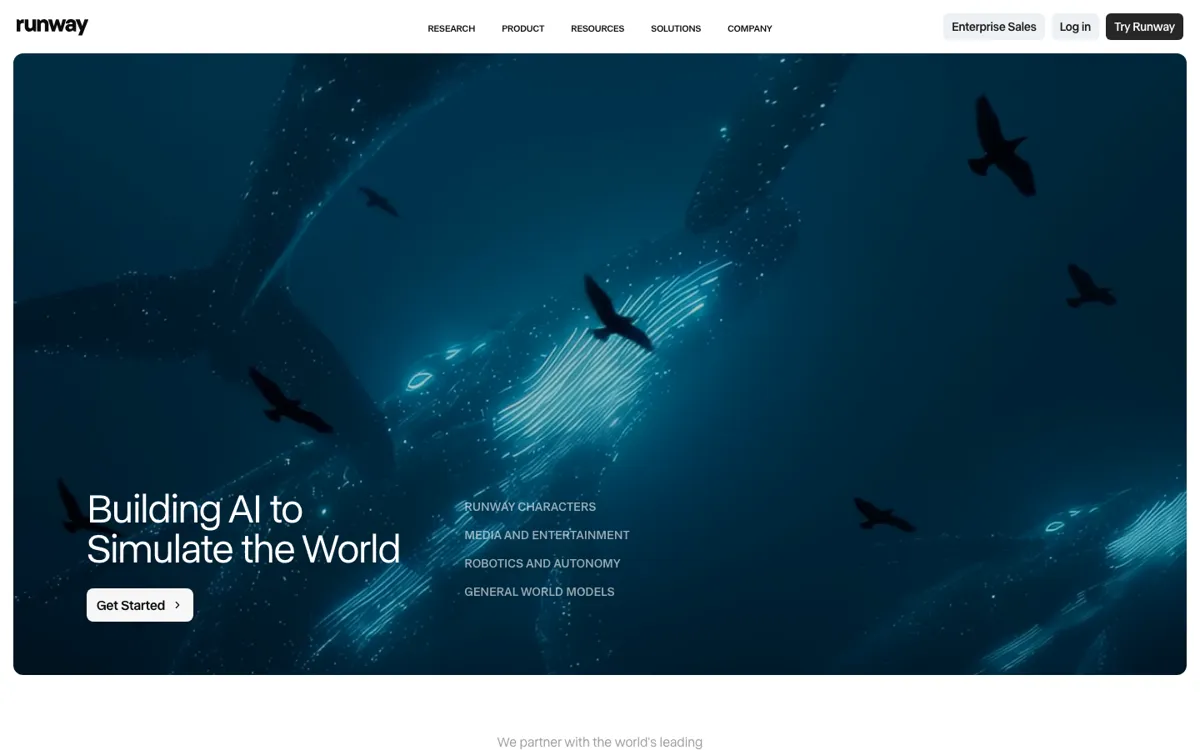
AI video tools often look exciting in short demos and messy in regular use. It is easy to generate one clip that feels magical. It is much harder to build a workflow where text-to-video, image-to-video, editing, export, and iteration all happen without the process collapsing into five different apps and a pile of waiting time. That is the gap Runway is trying to close. Even though the homepage talks in big research terms about simulating the world, the product and pricing pages show the more practical story: this is a video-first AI workspace where multiple generation and editing tasks are meant to live together. For creators who work in motion rather than static design, that positioning matters immediately.

Runway's solution is to treat video generation as a system, not a single model endpoint. The platform combines Gen-4.5 and related models, image-to-video, text-to-video, editing through Aleph, voice and lip-sync tools, third-party model access, and an API for products or internal tools. That means the product is useful not only for making one good clip, but for building a repeatable loop around motion ideation, revisions, and delivery. If your work involves ads, branded content, explainers, concept reels, or product features that need generated video, the platform gives you more room to stay in one environment instead of starting over at each step.

The tradeoff is that Runway becomes a budgeting tool almost as quickly as it becomes a creative tool. Its pricing page is actually clearer than most competitors because it translates credits into seconds of output, but that clarity also exposes the real cost of serious use. The free plan is a test drive, not a production tier, and the better model access plus heavier workflows sit on paid plans with recurring credits or unlimited relaxed generations. If your use case is light, that may feel like unnecessary complexity. Runway is strongest when video output is important enough that model quality, editing depth, and integration justify living inside a metered platform.

What you can do with it

Generate video from text prompts and still images using Runway's video models.
Edit video clips with Aleph and other built-in video apps.
Use third-party video models alongside Runway's own models in one workflow.
Create custom voices for lip sync and text-to-speech on higher plans.
Integrate Runway video generation into products and internal tools through the API.

Technical details

platform
Web app
deployment
Cloud-hosted
api_available
Yes

Top Alternatives to Runway

If Runway is close but still misses the job, try one of these instead.

Key Questions

Does Runway have a real free plan?
Yes, but it is limited. The free plan includes a one-time credit grant rather than a generous recurring usage tier, so it works best as a product test, not an ongoing workflow.
When is Runway worth paying for?
It becomes worth paying for when video generation is part of regular creative output and you need stronger models, more credits, editing depth, or API-driven use instead of occasional experimentation.
Is Runway only for browser creators, or can developers use it too?
Developers can use it too. Runway has an API path for embedding video generation into products and internal tools, not just a browser interface for manual creation.
What is the biggest practical drawback of Runway?
The biggest drawback is usage economics. High-quality video work burns through credits faster than casual users expect, so model choice and plan level matter a lot once production becomes regular.