Riverside Review

8.4/10

Podcast and video recording platform with local capture, text-based editing, and AI post-production tools.

Review updated May 2026 By The AI Way Editorial Tested 262+ tools across the site 4 min read
Riverside Auto Subtitles Podcast Editing Podcast Recording Real-Time Team Collaboration Transcription Video Editing Web-Based Freemium

Our Verdict

Riverside is worth paying attention to when recording quality matters before editing even begins. Its strongest advantage is local capture for remote participants, because that solves the part most podcast and interview tools still get wrong: you cannot clean up a bad source file into a truly polished one later. The tradeoff is that Riverside makes the most sense when you are actually producing shows, interviews, or repeat video content, not when you only need a casual meeting recorder or a lightweight note taker.

Try it
Free to start, then pay when the limits stop you.
open_in_new Try Riverside
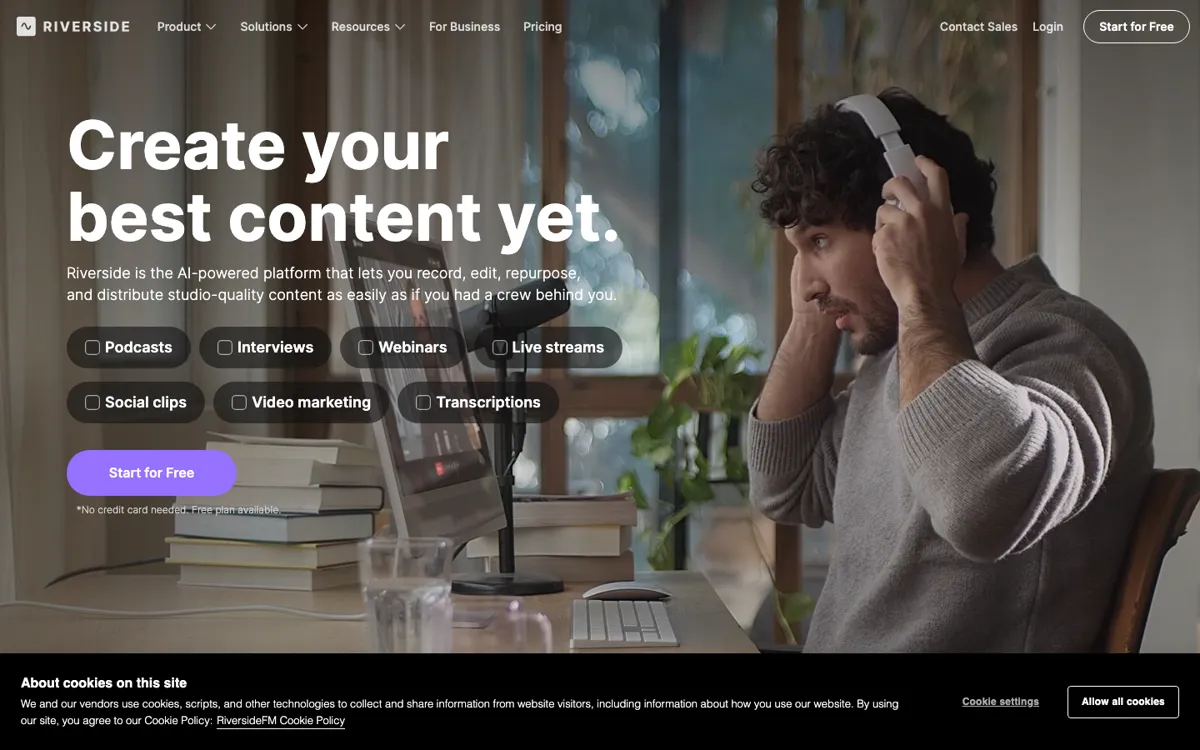
Official Website Snapshot Visit Site ↗

check_circle Pros

  • Local recording is the real differentiator, because it gives you cleaner source material than platforms that only save the compressed live call.
  • The workflow stays cohesive, with recording, transcripts, text-based editing, clips, and post-production helpers in one place.
  • It serves both podcast and talking-head video use cases well, which helps teams that publish across audio and video instead of choosing one format.

cancel Cons

  • If all you need is a meeting summary or a rough interview capture, the product can feel heavier than necessary.
  • The value depends on actually using the production workflow, not just the recorder, so lighter teams may overbuy the stack.
  • Pricing intent is visible, but the exact public ladder was not cleanly exposed in the captured HTML here, which makes cost comparison less straightforward from a strict evidence standpoint.

Should you use it?

Best for: Podcasters, interview teams, webinar hosts, and creator-led marketing teams that need remote recordings to come out clean enough for real publishing.

Skip it if: Skip it if your main job is basic meeting capture, simple voice notes, or internal calls that do not need polished audio and video source files.

Is it worth the price?

Freemium

Riverside clearly wants to be easy to start, but its real value only appears when you use the higher-quality recording and post-production workflow repeatedly. If you are not publishing often, a cheaper or simpler recorder may cover enough of the job.

The Free Tier

The official site presents Riverside as free to start, but the fetched evidence set did not expose a fully reliable public free-plan limit table.

Paid Upgrade

Paid value centers on the higher-quality remote production workflow and the post-production stack around editing, clips, and AI cleanup.

One thing to know before you start

Use Riverside when the recording itself is the thing you cannot afford to mess up. If the guest audio matters, the local capture advantage is worth testing before you compare editing bells and whistles.

What people actually use it for

Record remote interviews that can survive real editing and publishing

Riverside makes the most sense when a Zoom-quality file would ruin the final piece. If you are interviewing guests for a podcast, YouTube show, or webinar replay, the local capture model gives you a much better base for editing, clipping, and publishing later. That matters more than a flashy AI feature list, because clean source material decides how professional the final output can feel.

What does Riverside actually do?

A lot of remote recording tools still ask you to accept a bad tradeoff: convenience now, compromised source quality forever. That is fine for internal meetings, but it breaks down fast when the final audio or video is meant to be published. Riverside is designed around that problem. The important thing is not that it records calls, because many products do that. The important thing is that it captures local audio and video for each participant, which gives editors much cleaner material to work with after the session. That makes Riverside fundamentally more production-oriented than ordinary meeting software.

The second reason Riverside stands out is that it does not stop at capture. The platform also pushes transcript-driven editing, subtitles, AI tools, Magic Clips, and show notes, which means the handoff from recording to publishable output is shorter than it is in a recorder-only tool. For teams shipping podcasts, interviews, webinars, or creator videos on a schedule, that matters because the busywork between recording and publishing often costs more time than the recording itself. Riverside is strongest when you actually use that full flow instead of treating it like a plain backup recorder.

The tradeoff is that Riverside is easier to justify for serious content workflows than for casual communication. If you do not care much about local source quality, or if the recording will never be edited into a final deliverable, the extra production layer can feel like overhead. It is also harder to make a sharp public pricing judgment from this evidence set alone, because the official pages clearly push free entry and feature depth but the captured HTML did not expose the cleanest full plan ladder in a way worth hard-coding here. So Riverside is strongest when production quality is the bottleneck, not when simplicity is.

What you can do with it

Record high-quality remote audio and video with local capture on each participant's device.
Edit recordings through text-based editing and transcript-driven cleanup.
Create short promotional clips with Magic Clips and related AI tools.
Generate transcripts, subtitles, and show notes inside the same workflow.
Handle podcasts, interviews, webinars, and talking-head video production from one platform.
Use built-in post-production tooling instead of exporting every step to separate apps.

Technical details

platform
Browser-based remote production suite for audio and video recording, editing, clipping, and publishing prep.
deployment
Cloud workflow built around local participant recording, then synced editing, transcripts, and AI post-production tools in the web app.
api_available
No public API evidence was captured in the official source set for this run.

Top Alternatives to Riverside

If Riverside is close but still misses the job, try one of these instead.

Key Questions

Is Riverside mainly a recorder or an editor?
It is both, but the recorder is the reason to care. The local capture model gives you cleaner raw material first, then the editing and AI tools make that material easier to publish.
When does Riverside make more sense than a normal meeting app?
It makes more sense when the recording is headed for publication. If guests, hosts, or webinar speakers need to sound and look clean in the final cut, Riverside is built for that bar.
Should you choose Riverside if you only need notes and transcripts?
Usually no. If the real goal is searchable notes or meeting summaries, a lighter capture tool is often enough. Riverside shines when the source recording quality itself matters.
What is the most important reason to pick Riverside over simpler tools?
Pick it for local recording quality. That one difference changes how much headroom you have later for editing, clipping, and publishing, especially when remote guests are involved.