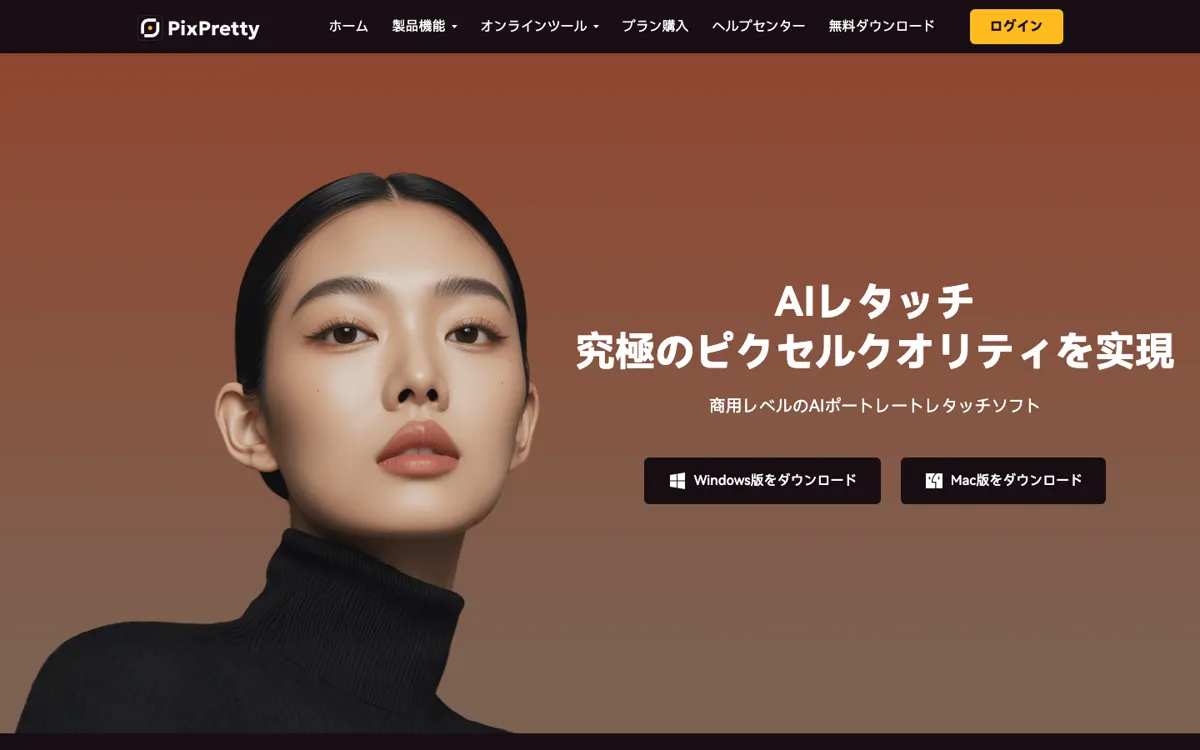
PixPretty AI Review

7.6/10

AI portrait retouching software for batch photo cleanup and portrait fixes.

Review updated May 2026 By The AI Way Editorial Tested 133+ tools across the site 5 min read
Tenorshare Product Photography Web-Based Windows App Freemium from $4895.00/mo

Our Verdict

PixPretty AI makes the most sense when you are cleaning up many portrait photos and want presets plus batch output, not when you need a lightweight all-purpose editor. The appeal is speed on repetitive retouching work, but the credit-based plans and Windows-first workflow narrow who will feel at home here.

Try it
Free to start, then pay when the limits stop you. Starts at $4895.00 JPY.
open_in_new Try PixPretty AI
Official Website Snapshot Visit Site ↗

check_circle Pros

  • The official workflow is built around portrait retouching instead of generic image editing, so the tool’s role is easy to understand.
  • Batch sync and bulk output are useful if you edit client sets, school portraits, or marketplace headshots in volume.
  • The pricing page offers a real free trial with access to all features, which is better than a locked demo.

cancel Cons

  • The free trial only allows up to 10 exported photos, which is enough for a taste but not enough for a serious production test.
  • The product is still centered on a Windows desktop client in the official install FAQ, so it is less convenient than browser-first editors.
  • The plan structure uses credits, which makes cost feel less predictable if your output volume changes often.

Should you use it?

Best for: Photographers, portrait retouchers, and studio teams who need to clean up repeated batches of people photos with the same look.

Skip it if: Skip it if you mainly want a casual browser editor for occasional social images, or if you need a clearly unlimited subscription without export-credit math.

Is it worth the price?

Freemium Starts at $4895.00 JPY

The trial is enough to judge output quality, but not enough to simulate a real client batch. This pricing works better for people who edit portraits every week than for someone who only needs occasional touch-ups.

The Free Tier

7-day free trial with all features, up to 1,000 imports, and up to 10 exported photos.

Paid Upgrade
¥4,895/month billed monthly for 400 credits.

Paid plans unlock full feature access with higher credit allotments, 2-PC support, and longer credit validity windows.

One thing to know before you start

Use the free trial to compare a small batch of real client images, not just one hero portrait, because batch consistency is the part this product is selling hardest.

What people actually use it for

Portrait studio cleanup

Apply one retouching setup across a folder of headshots when the job is less about creative experimentation and more about getting many faces to a consistent finish before delivery.

School, event, or marketplace profile photos

Use presets, blemish cleanup, and color correction when you need quick improvement on many people photos without hand-editing every single frame.

Commercial portrait batches

Fit it into a workflow where portrait smoothing, facial cleanup, and batch export matter more than layered design tools or text-driven generation.

What does PixPretty AI actually do?

PixPretty AI is positioned around a very specific pain point: portrait cleanup that becomes repetitive when the image count climbs. The official product page focuses on retouching steps that photographers usually repeat by hand, including smoothing skin while keeping texture, removing blemishes, whitening teeth, adjusting facial details, correcting color, and processing multiple images together. That matters because it separates the product from broad online editors that try to cover every graphic task but do not optimize for one stack of portrait jobs. If you are dealing with studio shots, school portraits, creator headshots, or other people-first image sets, PixPretty is selling speed through repetition more than creative freedom.

The strongest reason to keep PixPretty on the shortlist is the batch angle. The product page explicitly mentions one-click syncing of edits and bulk output, and the pricing page keeps tying value to credits per photo. That combination suggests the product is designed for throughput, not just touch-ups on a single image. The official FAQ also frames the software as supporting commercial photography workflows from retouching through delivery, which reinforces the idea that PixPretty is trying to sit inside a production process. For users who need a repeatable portrait look across many files, that is more valuable than a long list of novelty AI tricks.

The main caution is that PixPretty is not presented as the simplest option for casual use. The install FAQ centers the desktop client on Windows, and the broader site points to separate online tools rather than presenting the flagship product as a browser-first editor. The free trial is also narrower than it first sounds: you get access to all features, but exports are capped, so a serious test on a client-sized batch quickly turns into a paid decision. That makes PixPretty easier to justify for recurring portrait work than for occasional edits where a lighter browser-first tool would be enough.

What you can do with it

AI portrait presets for skin smoothing, blemish cleanup, hair fixes, and teeth whitening.
Face-part correction tools for reshaping facial details with a more natural finish.
Color correction and RAW development for photo sets that need exposure and tone cleanup.
Batch processing that syncs one edit setup across multiple images and exports them together.

Technical details

platform
Windows desktop client, plus linked web-based tools on the official site.
deployment
Desktop software with account-based access; not presented as self-hosted.
api_available
No public API mentioned on the official site pages reviewed.

Top Alternatives to PixPretty AI

If PixPretty AI is close but still misses the job, try one of these instead.

Key Questions

Is PixPretty AI free to use?
Partly. The official pricing page says new users get a 7-day free trial with all features, but exports are capped at 10 photos, so it is better viewed as a limited evaluation period than an open-ended free tier.
What kind of work is PixPretty AI best at?
It is best at repeated portrait cleanup. The official product pages focus on portrait presets, skin and facial corrections, color work, RAW handling, and batch processing rather than general canvas design or text-to-image creation.
Does PixPretty AI support batch editing?
Yes. The official feature page says you can sync one set of edits across multiple images and export them together, which is one of the clearest reasons to choose it over lighter editors.
Is PixPretty AI mainly a web app or desktop software?
Mainly desktop software in its core workflow. The install FAQ explicitly describes a Windows client installation flow, while the main site also links to separate online tools, so the broader ecosystem includes web utilities but the flagship product still reads as desktop-first.