What does Orca actually do?
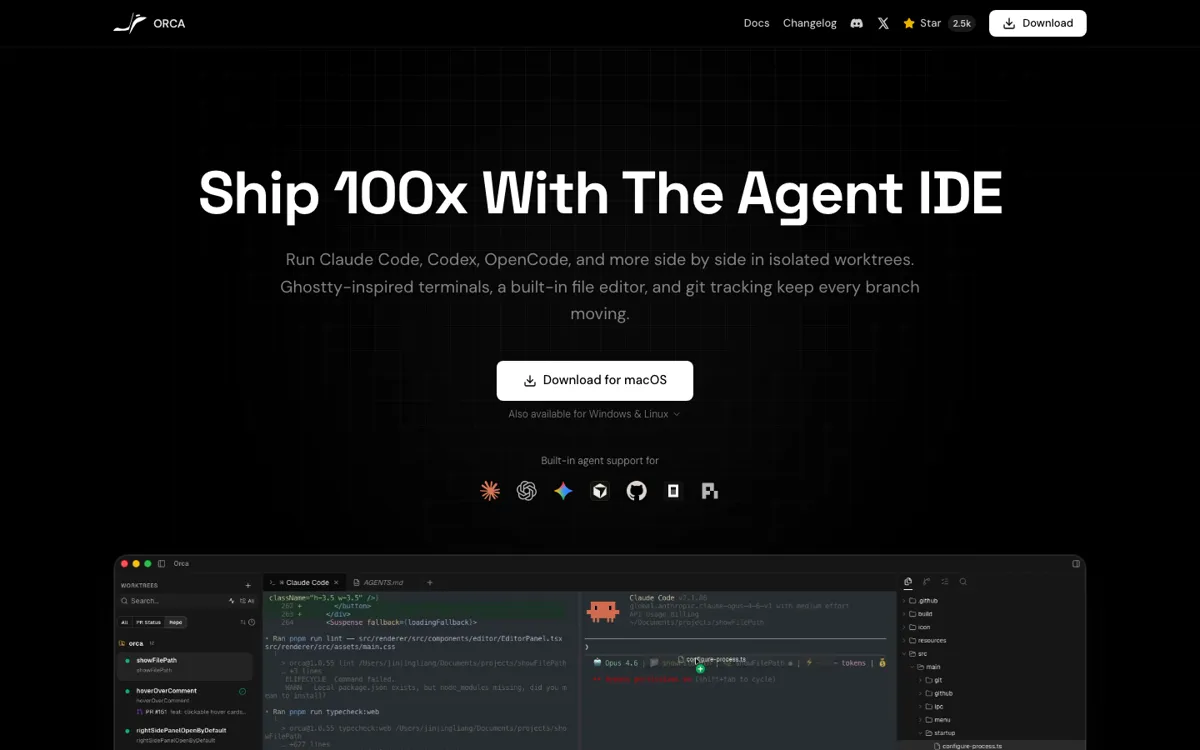
Most AI coding products still assume the main problem is getting a model to write code at all. That is only true at the beginner edge. Once a developer is already using Claude Code, Codex, OpenCode, or another serious harness, the bigger problem becomes operational. Which run is touching which files. Which branch is safe to keep. Which diff is actually worth landing. How to test parallel approaches without stashing and unstashing like a maniac. Orca is built for that second problem. Its homepage, docs, and GitHub repo all keep returning to the same point: isolated worktrees, separate terminals, browser context, GitHub-linked review, and one place to supervise agents instead of scattering them across windows.
That is why Orca should not be judged like a normal copilot or chat assistant. It is closer to an operating layer for agent-heavy repo work. The product supports a long list of CLI agents, but the key distinction is not model breadth by itself. It is that each agent run gets its own worktree and its own surface for inspection. The desktop app also adds built-in source control, per-worktree browser context, SSH remote worktrees, usage tracking, and GitHub-linked task flow. Those are not decoration. They are the pieces that turn multi-agent coding from a clever demo into something you can actually manage across a live codebase.