Octolane Review

7.9/10

Self-driving AI CRM that updates deals, drafts follow-ups, and runs sales work from chat.

Review updated May 2026 By The AI Way Editorial Tested 289+ tools across the site 6 min read
Octolane AI API Available App Integration B2B SaaS Sales Automation Paid from $49.00/mo

Our Verdict

Octolane is strongest when your real problem is not finding another CRM, but getting sales work out of manual cleanup mode. Its best move is turning Gmail, Calendar, calls, and pipeline records into one loop where AI drafts the follow-up, updates the deal, and keeps the next action visible. The tradeoff is that this only pays off if your team is already running a real sales motion and is willing to let AI sit close to customer communication. If you just need a contact database or a cheap lightweight CRM, Octolane is overbuilt for that job.

Try it
Paid product. Starts at $49.00 USD.
open_in_new Visit Octolane
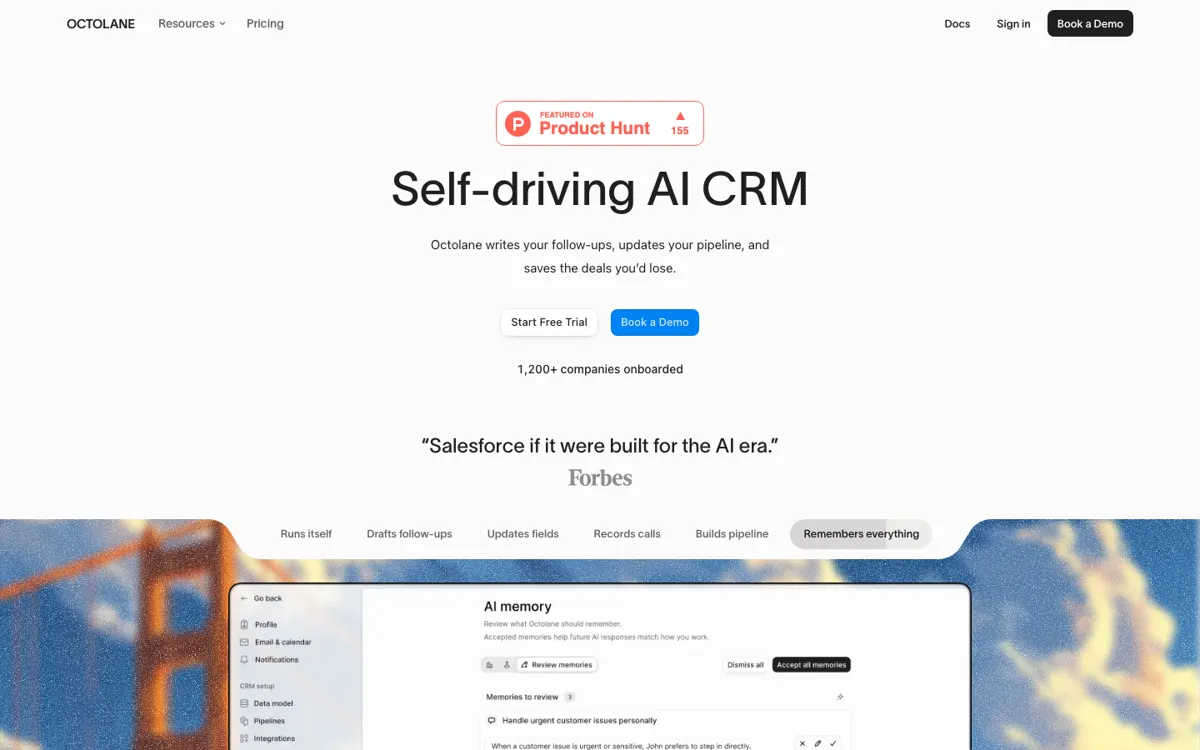
Official Website Snapshot Visit Site ↗

check_circle Pros

  • The product ties meetings, inbox activity, deal updates, and follow-up drafts into one motion instead of scattering them across separate sales tools.
  • The product reduces its AI loop to four moves: detect, draft, enrich, approve, which is easier to trust than a vague "AI copilot" pitch.
  • The hosted MCP server gives Claude, ChatGPT, Cursor, and other clients direct read-write access to deals, tasks, meetings, email threads, and signal data.
  • Migration is built into the product instead of being left to a consultant deck: HubSpot, Salesforce, Pipedrive, Attio, and CSV imports are all supported paths.

cancel Cons

  • The value drops fast if your team is not already living in Gmail, Calendar, meetings, and a clean opportunity pipeline.
  • There is no permanent free tier, and anyone shopping above Pro gets pushed into a demo-led buying path quickly.
  • Octolane asks for broad trust because it reads inboxes, calendars, call transcripts, and CRM data to act on your behalf.
  • Current price copy disagrees on whether Pro starts at $39 or $49 and Business at $79 or $99, which makes the buying picture less clean than it should be.

Should you use it?

Best for: Founder-led and early GTM teams that want the CRM to detect deals from email, prep meetings, draft follow-ups, and keep pipeline records moving without constant manual logging.

Skip it if: Skip it if your sales process does not run through Gmail, Calendar, and meeting-heavy follow-up, or if your team is not comfortable approving AI-generated field changes and outbound drafts. Also skip it if you mainly need a simple contact tracker instead of an AI-first sales operating layer.

Is it worth the price?

Paid Starts at $49.00 USD

There is no free plan to live on long term. The self-serve entry point is Pro, while larger plans already push you toward a demo conversation. That means Octolane is easier to justify when follow-up debt and CRM cleanup are already costing real pipeline, not when you are just browsing for a lighter contact manager.

Paid Upgrade
$49 per seat per month

Pro includes Gmail and Calendar sync, auto-detected deals, AI fields, AI Chat, meeting recorder, Signal, enrichment, Zapier, REST API, and the MCP server.

One thing to know before you start

Import one real pipeline, connect Gmail and Calendar first, then test three moments in order: deal auto-detection, post-call follow-up drafting, and AI field updates. If those three steps do not save obvious manual work in the first week, the product is not solving your actual bottleneck.

What people actually use it for

Clean up founder-led follow-up without living in the CRM all day

Octolane fits founders who are taking calls, replying from Gmail, and forgetting to log the result afterward. It can turn meeting transcripts and email activity into drafted follow-ups, stage suggestions, and updated deal records instead of leaving those chores for the end of the day.

Migrate off a legacy CRM without carrying bad data into the new one

Teams leaving HubSpot, Salesforce, Pipedrive, or Attio can use Octolane when the migration itself is part of the problem. It turns import into an AI-assisted cleanup step, where fields are mapped, duplicates are merged, and old records are pulled in before the first live selling week.

Run CRM actions from Claude, ChatGPT, or Cursor instead of clicking through the UI

Octolane is useful when the team already works inside AI clients and wants the CRM there too. Its hosted MCP server can search deals, pull email threads, look up meeting transcripts, create tasks, and move deals through stages without forcing the user back into the CRM tab for every small action.

What does Octolane actually do?

Octolane makes the most sense when the sales problem is not lack of data, but the constant lag between what happened and what got written into the CRM. Reps finish the meeting, then someone still has to log notes, move the deal, send the follow-up, and prep the next call. Octolane tries to collapse that lag by reading Gmail and Calendar, recording meetings, drafting the email, and surfacing the field update. That gives it a more aggressive position than a normal CRM assistant. The product is not there to answer a question about the pipeline once in a while. It is there to keep the pipeline from going stale in the first place.

The product is easier to trust because it stops at a four-step model instead of hand-waving: detect, draft, enrich, approve. That matters. "Detect" means it pulls deals, contacts, tasks, and field values out of your conversations. "Draft" means follow-ups, meeting notes, and outreach copy. "Enrich" means job titles, company size, funding data, and tech-stack context. "Approve" is the control layer, where consequential actions queue for one-click review and can later move to auto-approve thresholds. That is a clearer operating model than the usual claim that an AI CRM will somehow do everything automatically.

The product also reaches beyond its own UI in a way many CRM tools still do not. Octolane runs a hosted MCP server with deal search, pipeline actions, meeting and email retrieval, signal-visitor data, tasks, notes, and workspace tools. That means Claude, ChatGPT, Cursor, and other MCP clients can work the CRM directly instead of living outside it. The limit is that this power only helps teams with a real sales motion and a willingness to grant broad access. If your process is still loose, if your team hates AI-generated outbound, or if you mainly need a cheap database, Octolane will feel like a system built for a tighter org than the one you have.

What you can do with it

Read Gmail and Calendar activity to auto-detect deals and keep opportunity records current.
Join Zoom, Google Meet, and Teams calls to record, transcribe, and draft follow-up emails.
Update deal stages, contact fields, notes, and next steps through AI suggestions or approvals.
Search deals, contacts, emails, meetings, and tasks in natural language through built-in chat and slash commands.
Import contacts, accounts, deals, and history from HubSpot, Salesforce, Pipedrive, Attio, or CSV with AI field mapping and deduplication.
Expose CRM records, transcripts, signal visitors, tasks, and pipeline actions through a hosted MCP server, REST API, webhooks, and Zapier.

Technical details

platform
Web CRM built around Gmail, Calendar, and meeting systems, with the MCP server available to Claude, ChatGPT, Cursor, Windsurf, Cline, and other MCP clients.
deployment
Cloud CRM with inbox and calendar sync, meeting recording, and AI actions that run against live sales records instead of a local database.
mcp_coverage
The hosted MCP server exposes 29 tools across 6 categories, including deal search, email-thread lookup, signal visitors, task creation, field discovery, and workspace actions.
api_available
Hosted MCP server, REST API, webhooks, and Zapier are all public parts of the stack, so Octolane can be queried or updated from external tools as well as its own UI.
approval_model
The AI loop is organized around detect, draft, enrich, and approve, with one-click review queues and configurable auto-approve thresholds once the team trusts the output.
data_training_policy
Octolane says CRM data, calls, emails, and customer information are not used to train shared models, and it pairs that claim with annual penetration testing plus SOC 2, ISO 27001, GDPR, HIPAA, and CCPA coverage on enterprise-facing pages.

Top Alternatives to Octolane

If Octolane is close but still misses the job, try one of these instead.

Key Questions

What makes Octolane different from HubSpot or Salesforce?
Octolane is trying to do the after-call and after-email work for you instead of waiting for reps to type it in. Traditional CRMs mostly wait for manual entry, while Octolane reads inboxes, calendars, and calls to detect deals, draft follow-ups, and update the pipeline.
Does Octolane send emails on your behalf automatically?
Not by default. Drafts queue for review and nothing leaves your outbox without approval, though higher plans also expose auto-approve controls once the team trusts the output.
Can Octolane work with external AI assistants?
Yes. Octolane runs a hosted MCP server plus a REST API, webhooks, and Zapier, so Claude, ChatGPT, Cursor, and other MCP clients can read and update CRM records through natural language.
Is there a free plan?
No permanent free plan is advertised. The self-serve path is a Pro trial, while bigger plans move into demo-led buying.